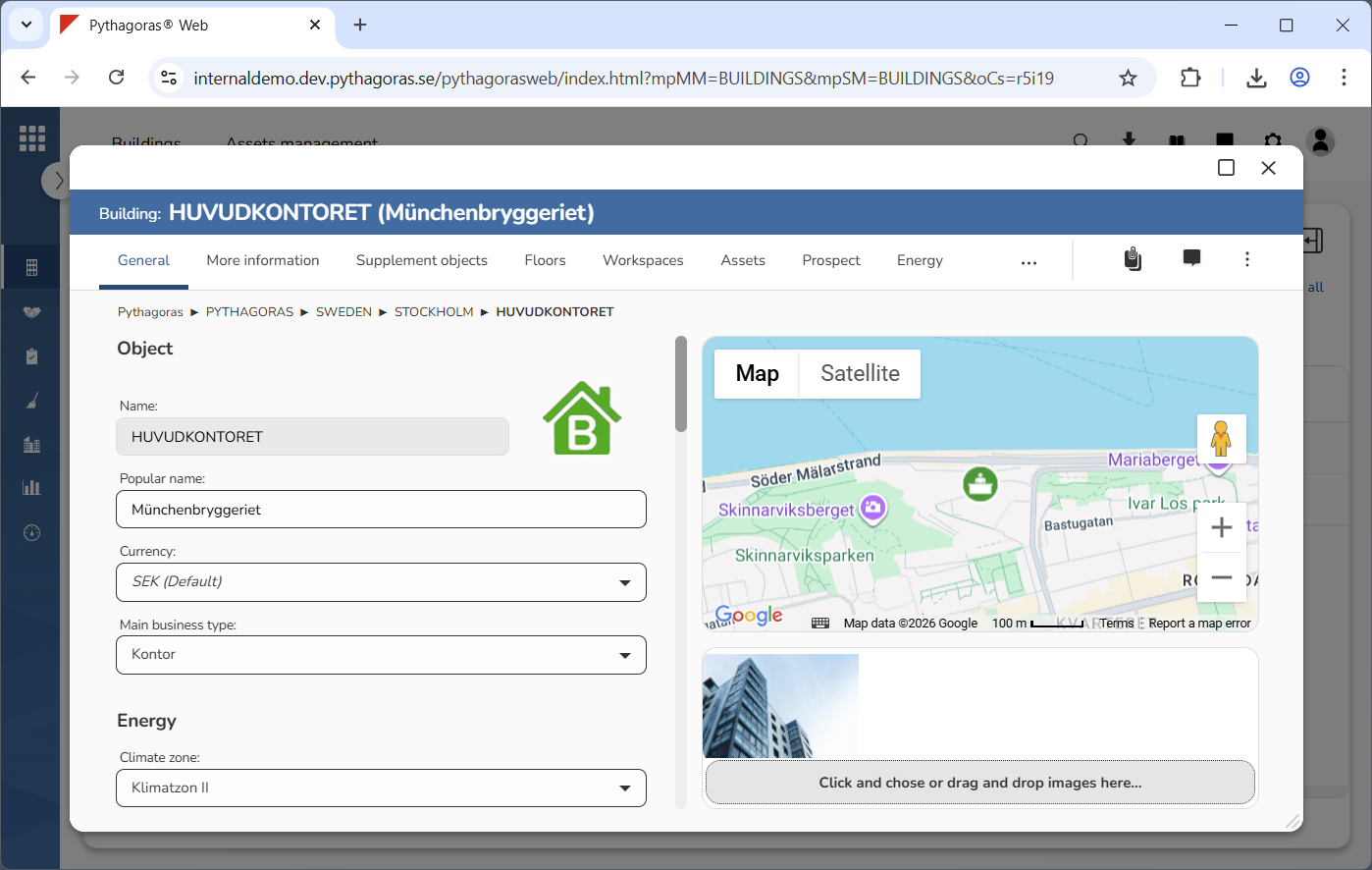
Via the tab called "General", you can view and work with the general information for a building (see image below). If you scroll down in the left part of the building card, you will see that the general information is split into eight categories: "Object", "Energy", "Areas", "Property tax", "Address", "Geoposition", "Print QR-code" and " Print all workspace QR-codes". At the very bottom of the right hand side of the building card, you can see that you can add, download, and remove images from it. Note that, for you to have access to the energy section, your organisation must be using Energy.
For more information about the category called:
"Object", see section 8.1.1.
"Energy", see section 8.1.2.
"Areas", see section 8.1.3.
"Property tax", see section 8.1.4.
"Address", see section 8.1.5.
"Geoposition", see section 8.1.6.
"Print QR-code", see section 8.1.7.
"Print all workspace QR-codes", see section 8.1.8.
For more information on how to:
add one or more images to the building card, see section 8.1.9.
download an image from the building card, see section 8.1.10.
remove an image from the building card, see section 8.1.11.