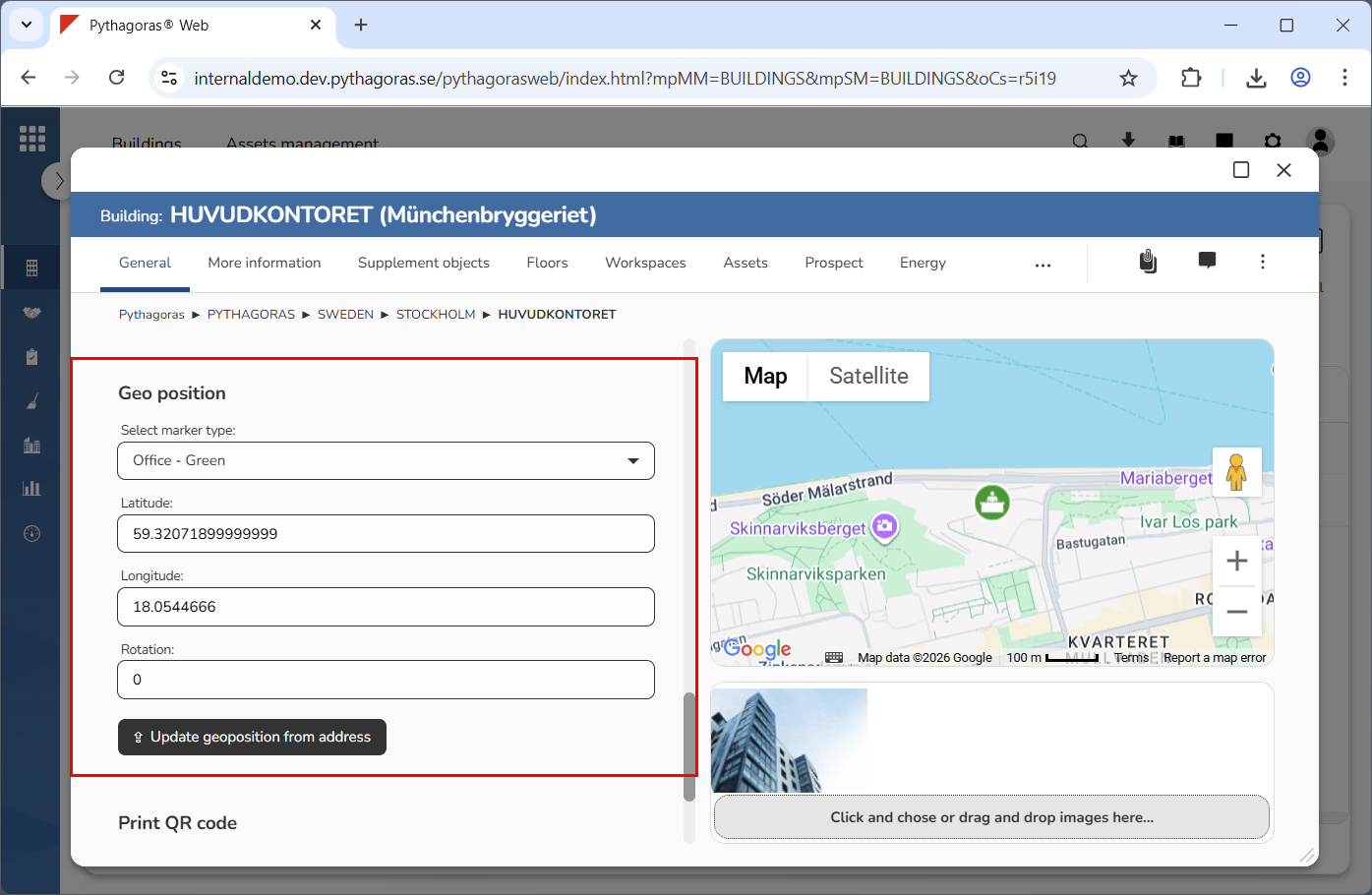
In the section called "Geoposition", you will find four fields and a button called "Update geoposition from address" (see image below). Via the geoposition section you can change the map marker and update the geoposition for a building. Updating the geoposition of a building, will reposition the building's map marker on the map. In order for you to be able to update the geoposition of a building, the building must have at least one address linked to it.
For more information on how to:
change map marker for a building, see the section "Change map marker for a building"
update the geoposition of a building, see the section "Update the geoposition of a building".