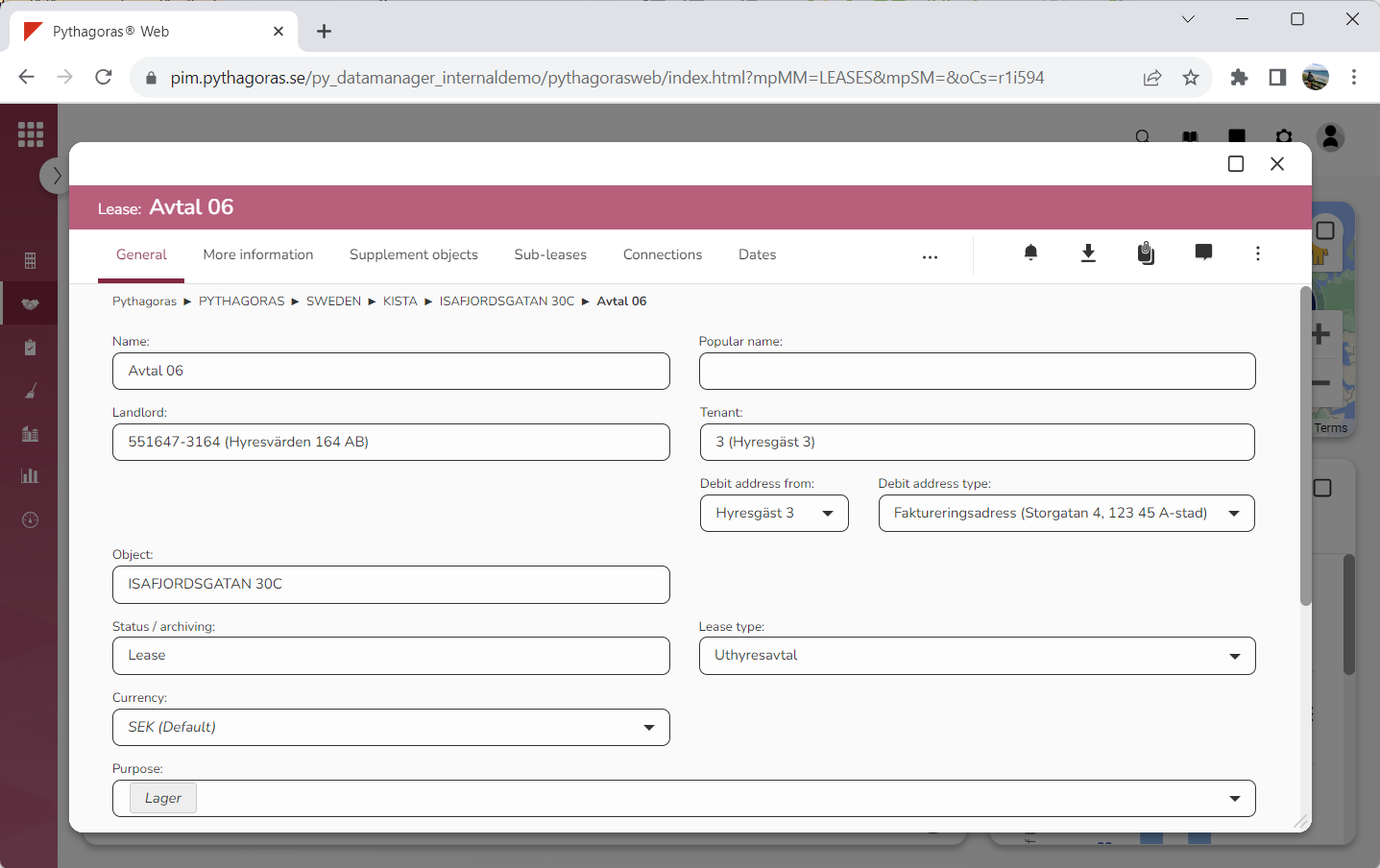
Open a lease. For more information on how to do so, see section 4.6. or 6.1.
Go to the lease card (see image below).
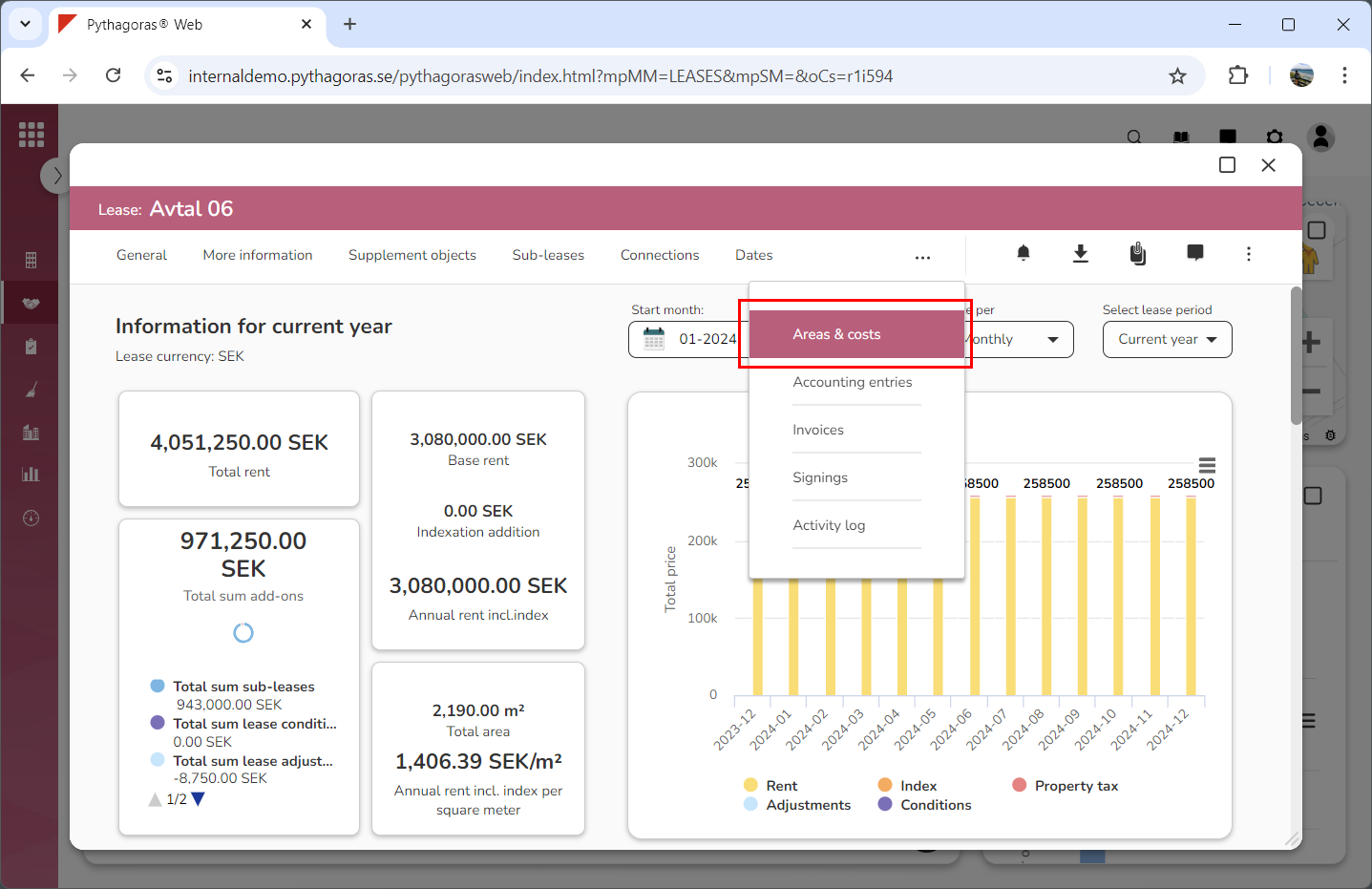
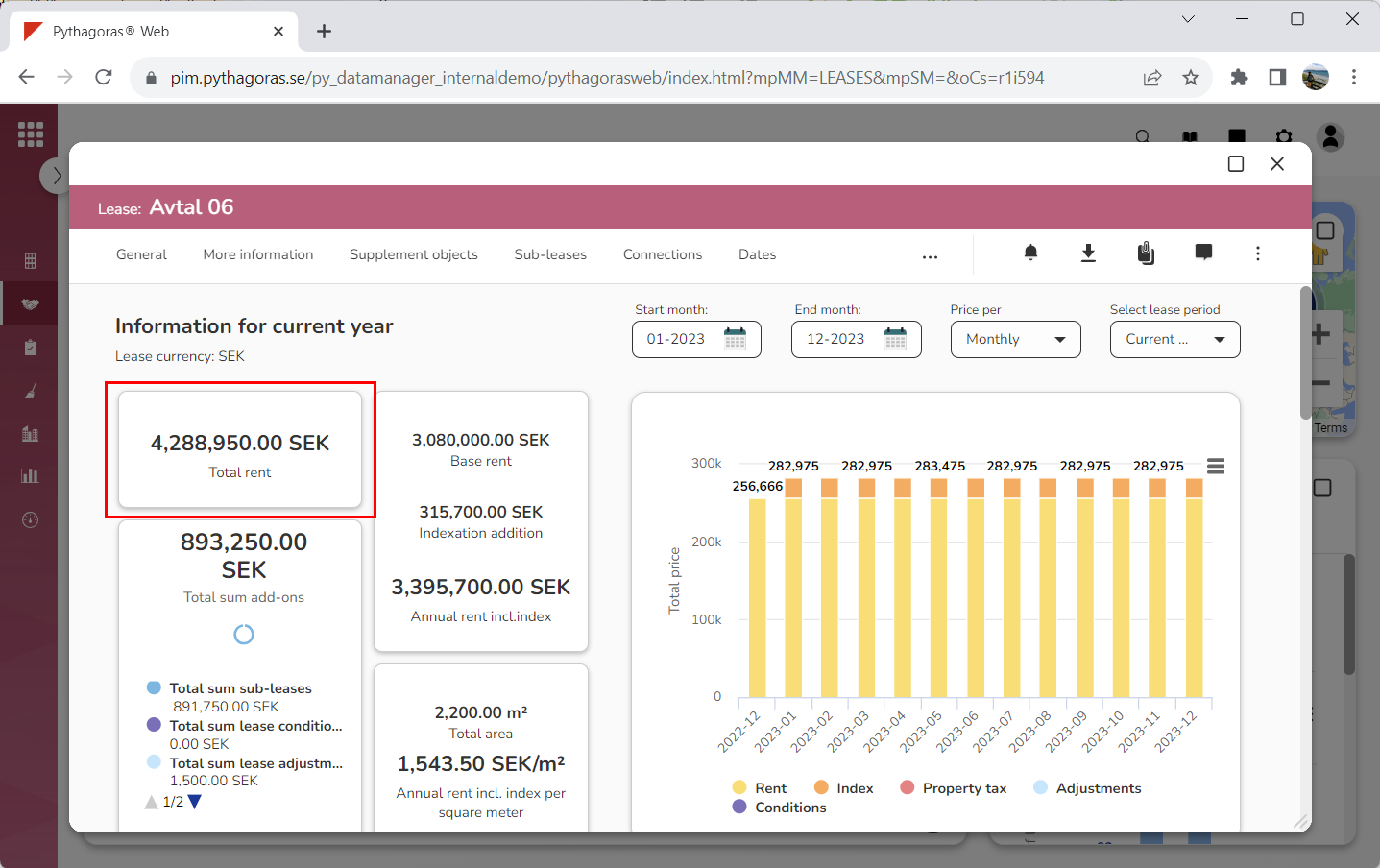
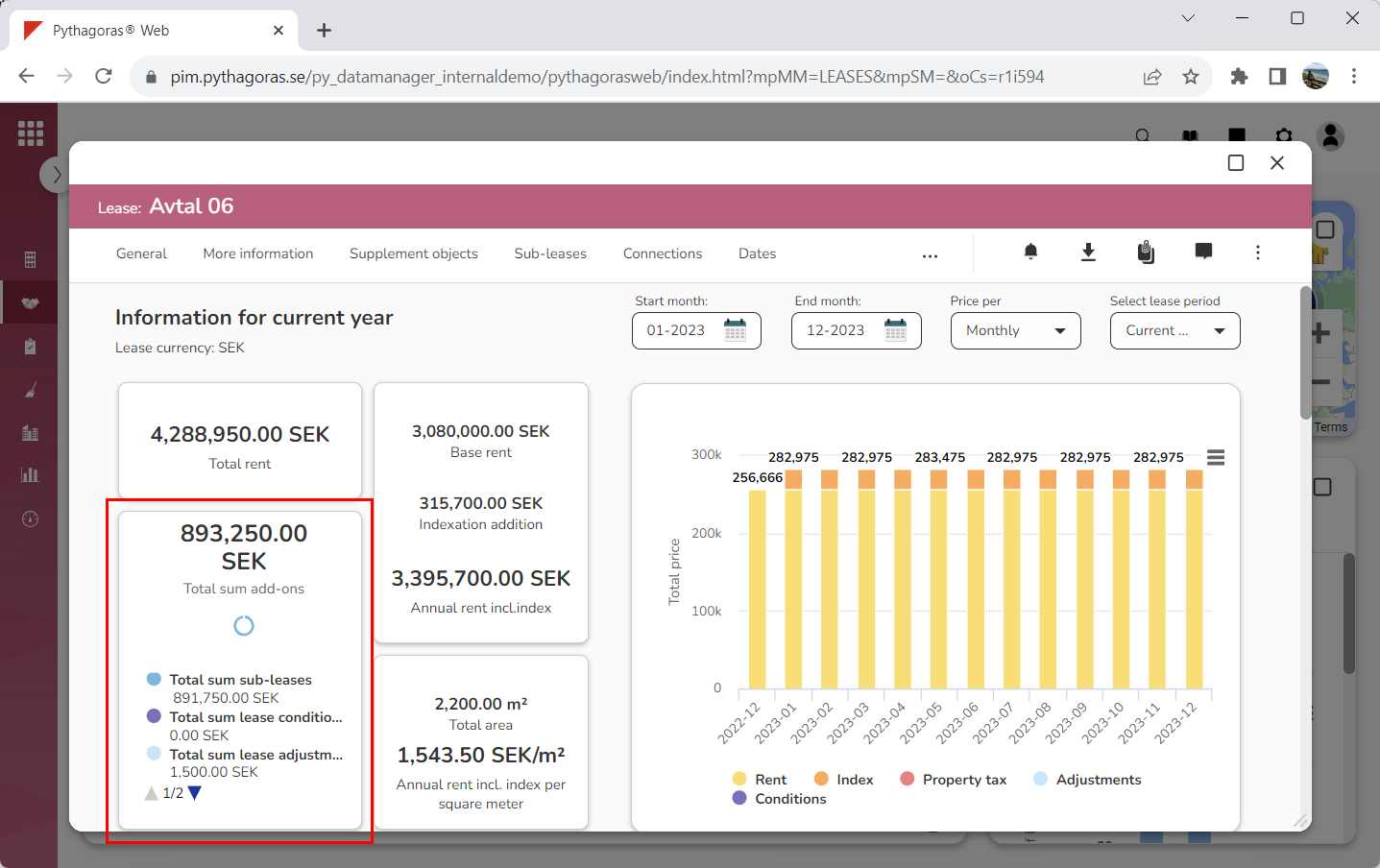
Click the tab called "Areas & costs" (see image below). Within the tab called "Areas & costs" you will see a number of graphs showing the cost for the lease you are working with. For a general description of the graphs, continue reading below the images below.
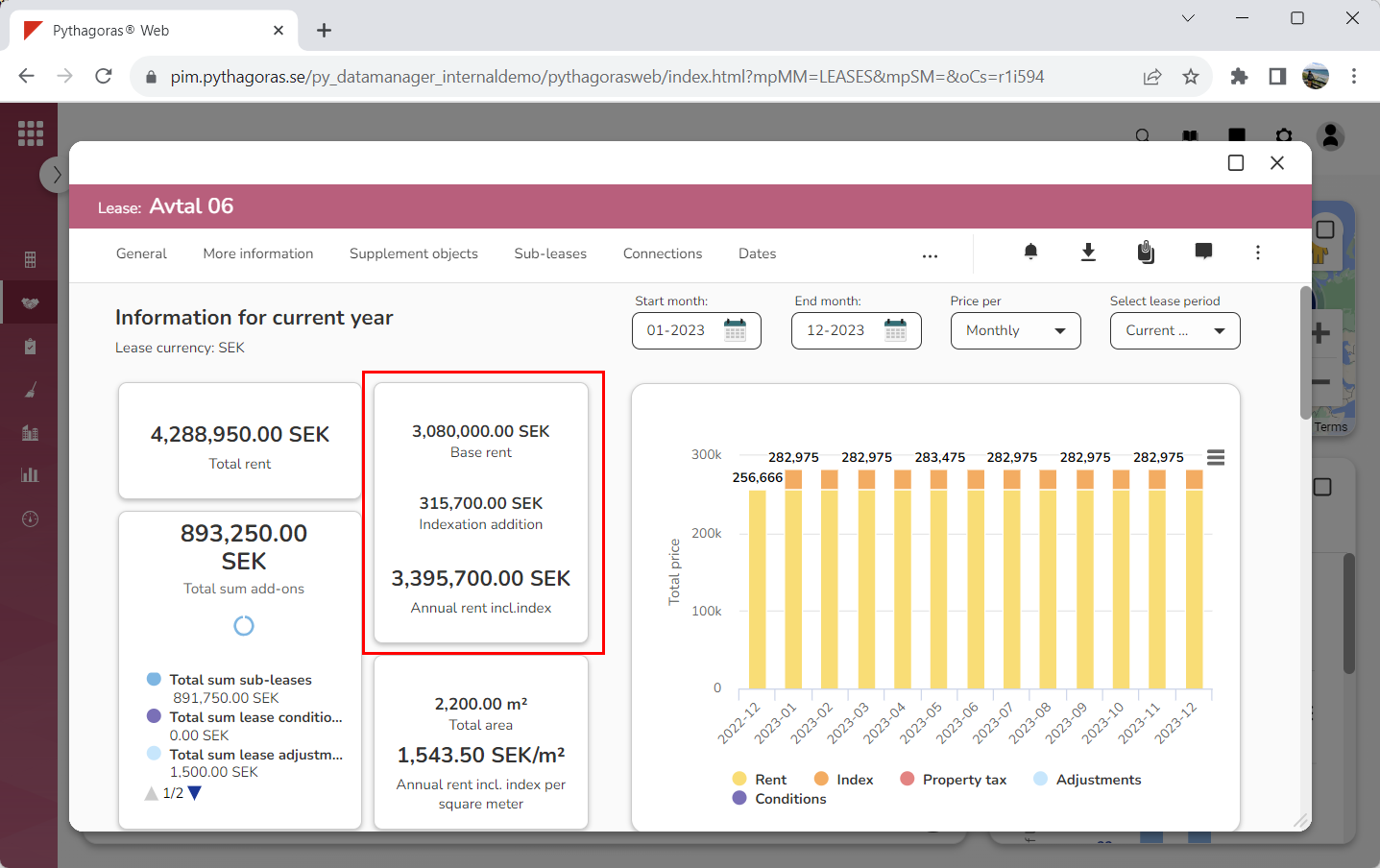
The graph called "Total rent" shows the total rent for a lease. The total rent for a lease consists of base rent, indexation additions and costs for any other additions such as sub-leases, lease conditions, lease adjustments and property tax.
The graph called "Total sum add-ons" shows the total cost for all add-ons associated with a lease. An add-on can for example be a sub-lease, a lease condition, a lease adjustment or a property tax.
The graph called "Annual rent incl. index" shows the total annual rent for a lease. The total annual rent consists of base rent + indexation additions.
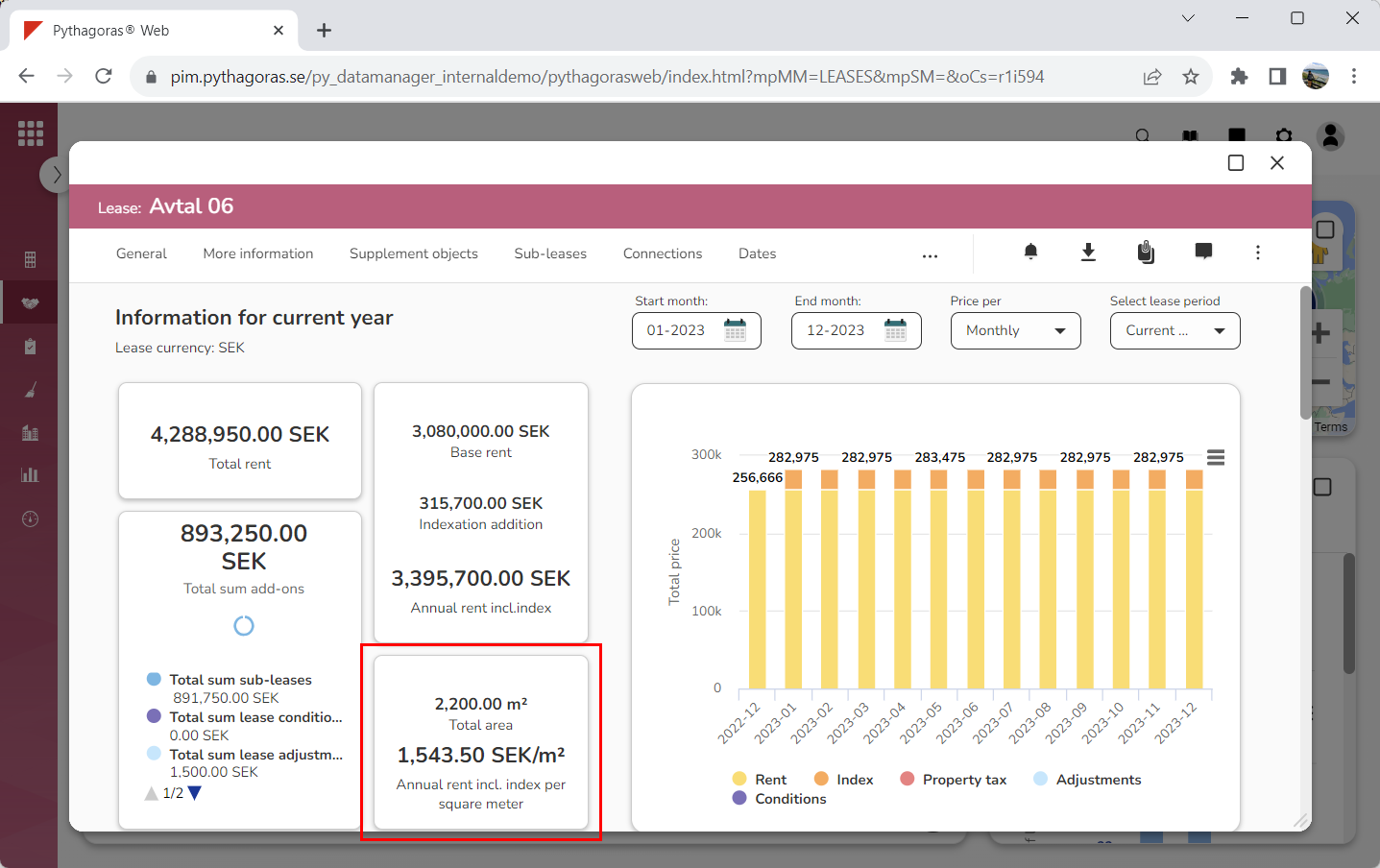
The graph called "Annual rent incl. index per square meter" shows the total annual cost per square meter. The total annual cost per square meter consists of base rent + indexation additions ÷ the number of square meters the lease applies to.