Open a lease. For more information on how to do so, see section 4.6. or 6.1.
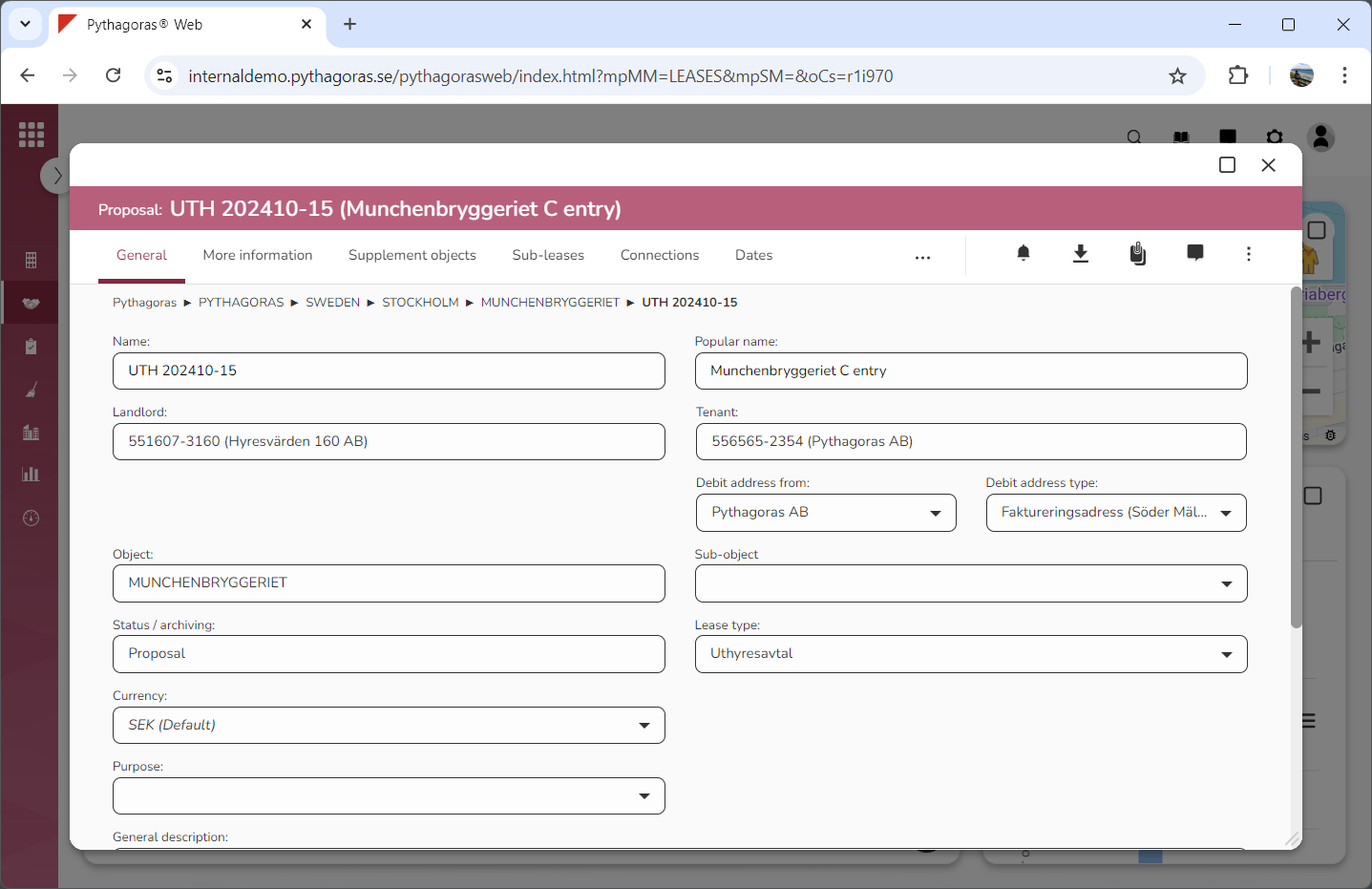
Go to the lease card (see image below).
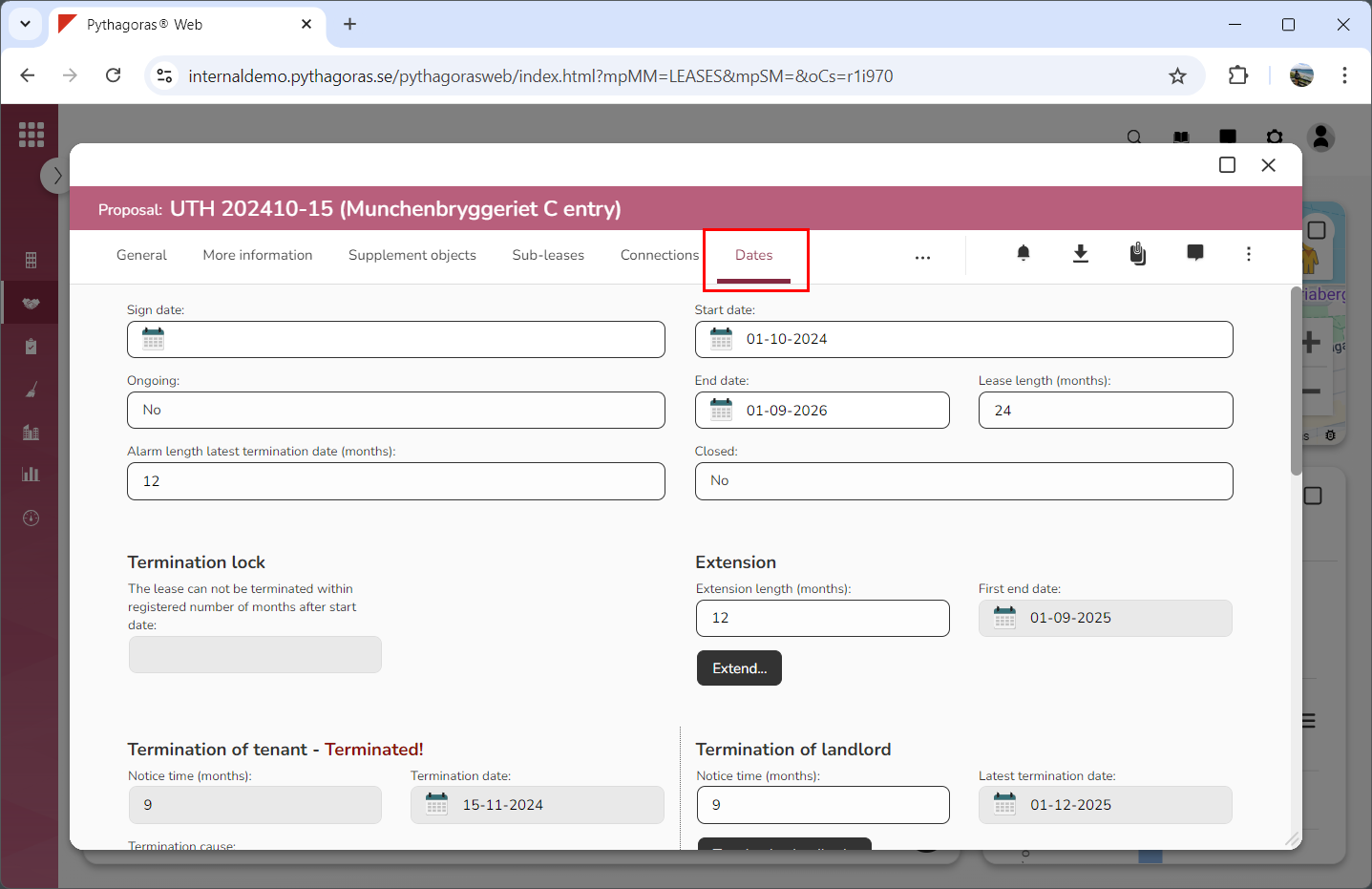
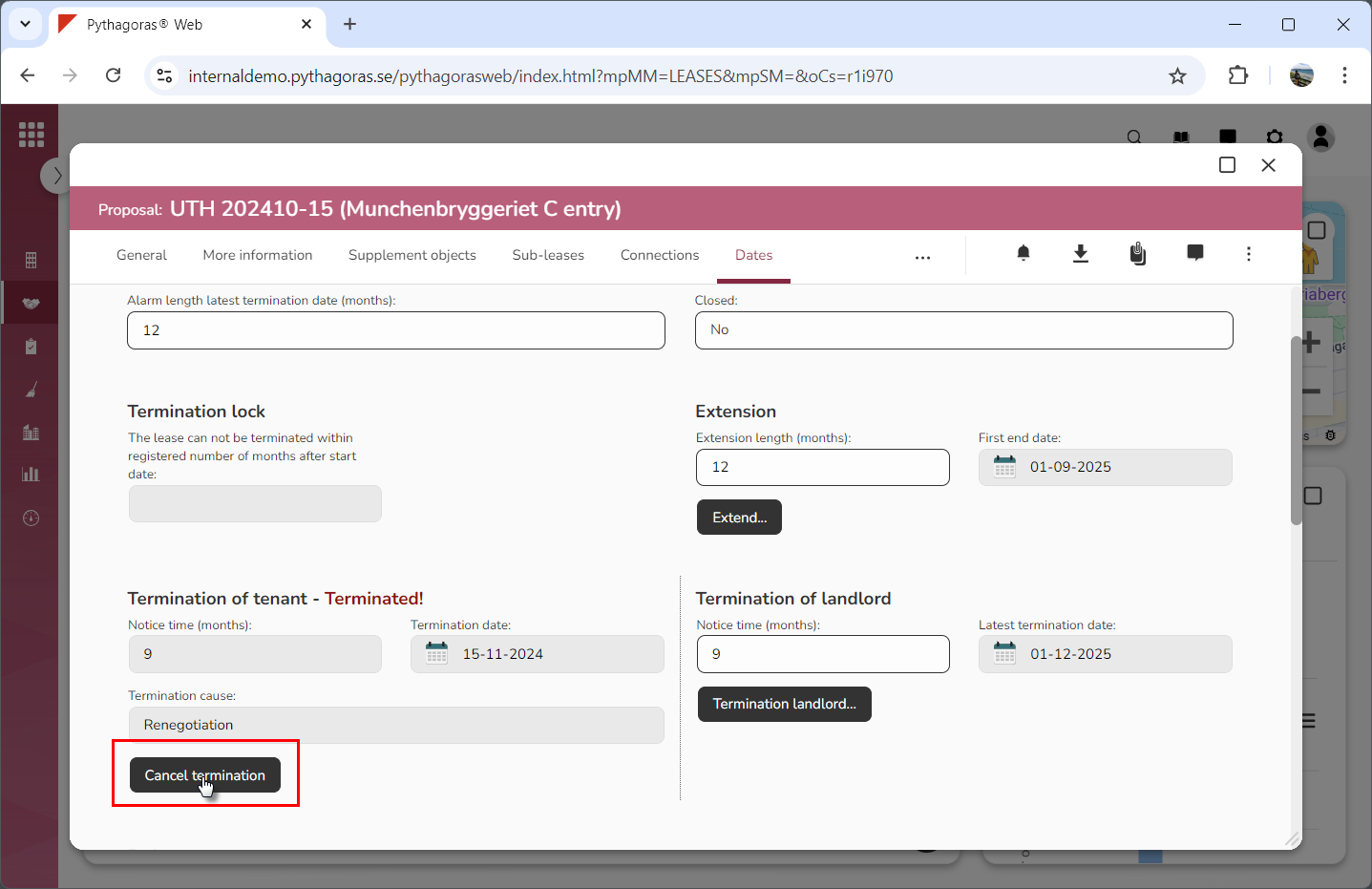
Click the tab called "Dates" (see image below). Within the tab called "Dates" you will, among other things, find a button called: Cancel termination". Note that the button called "Cancel termination" will be associated with one of the following headings: "Termination of tenant" or "Termination of landlord".
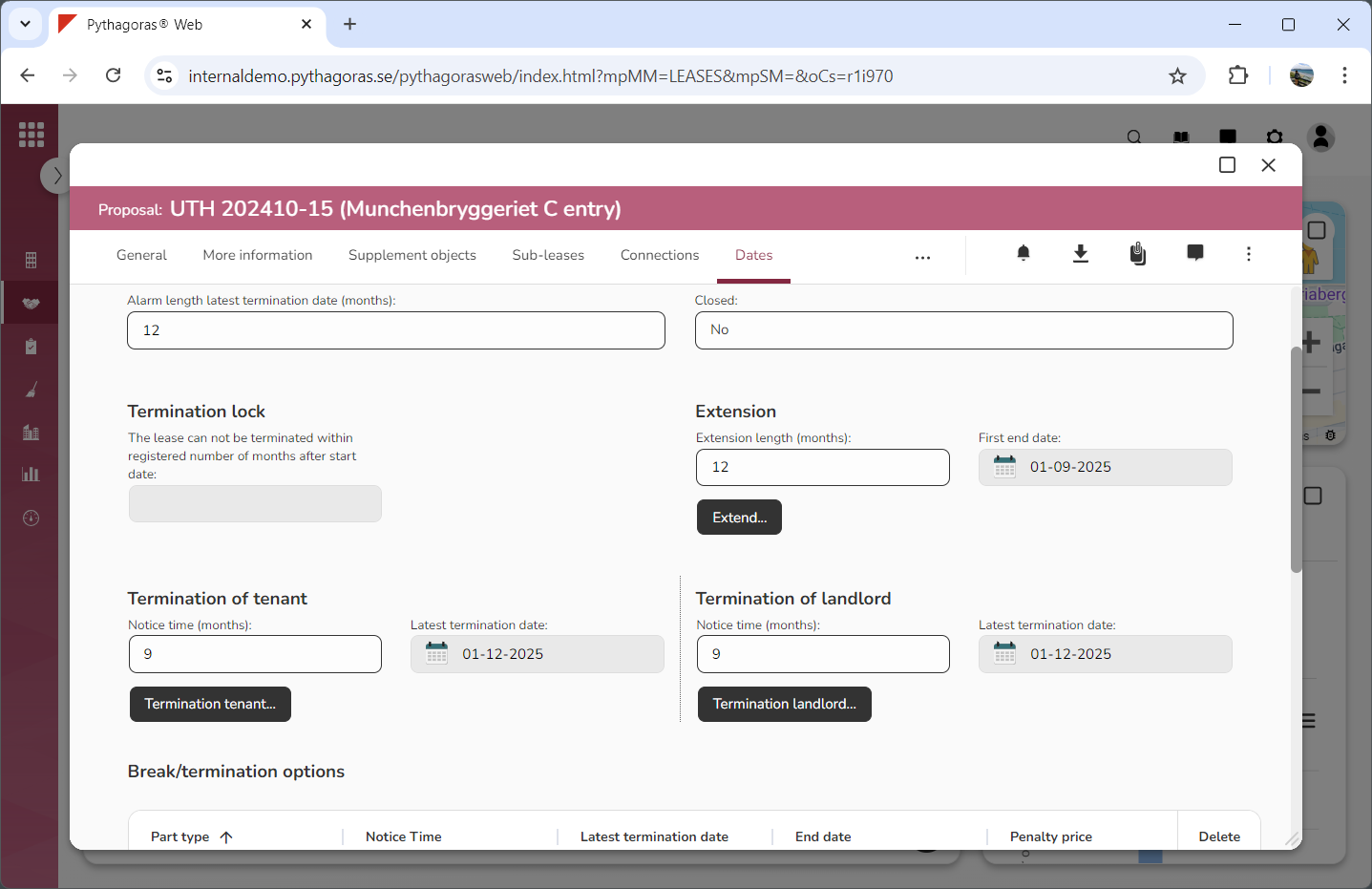
Click "Cancel termination" (see the first image below). When you do so, you will be redirected back to the lease card where you will see that the termination of the lease you are working with has been cancelled (see the second image below).