When working with printouts and print views you can create printouts and print views, and delete print views from Pythagoras Web. In order to be able to work with printouts and print views, you must open the printout menu. To open the printout menu, activate the print command. For more information on how to do so, see section 9.11.4.
In the printout menu you will find two headings: "Print View" and "Additional print settings".
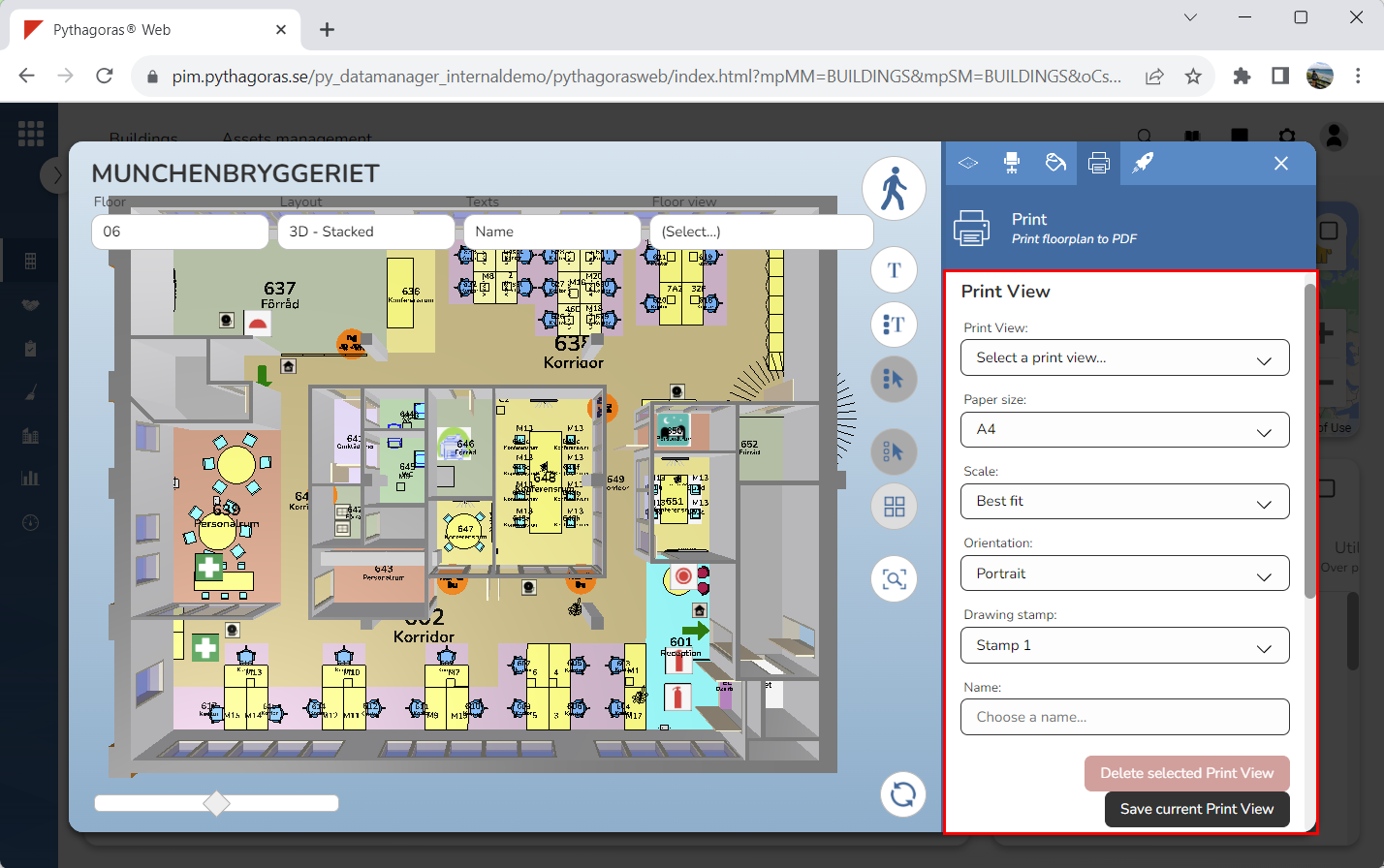
Below the heading "Print view" you will find six fields and two buttons (see image below). The fields are: "Print View", "Paper size", "Scale", "Orientation", "Drawing stamp" and "Name", and the buttons are: "Delete selected Print View" and "Save current Print View".
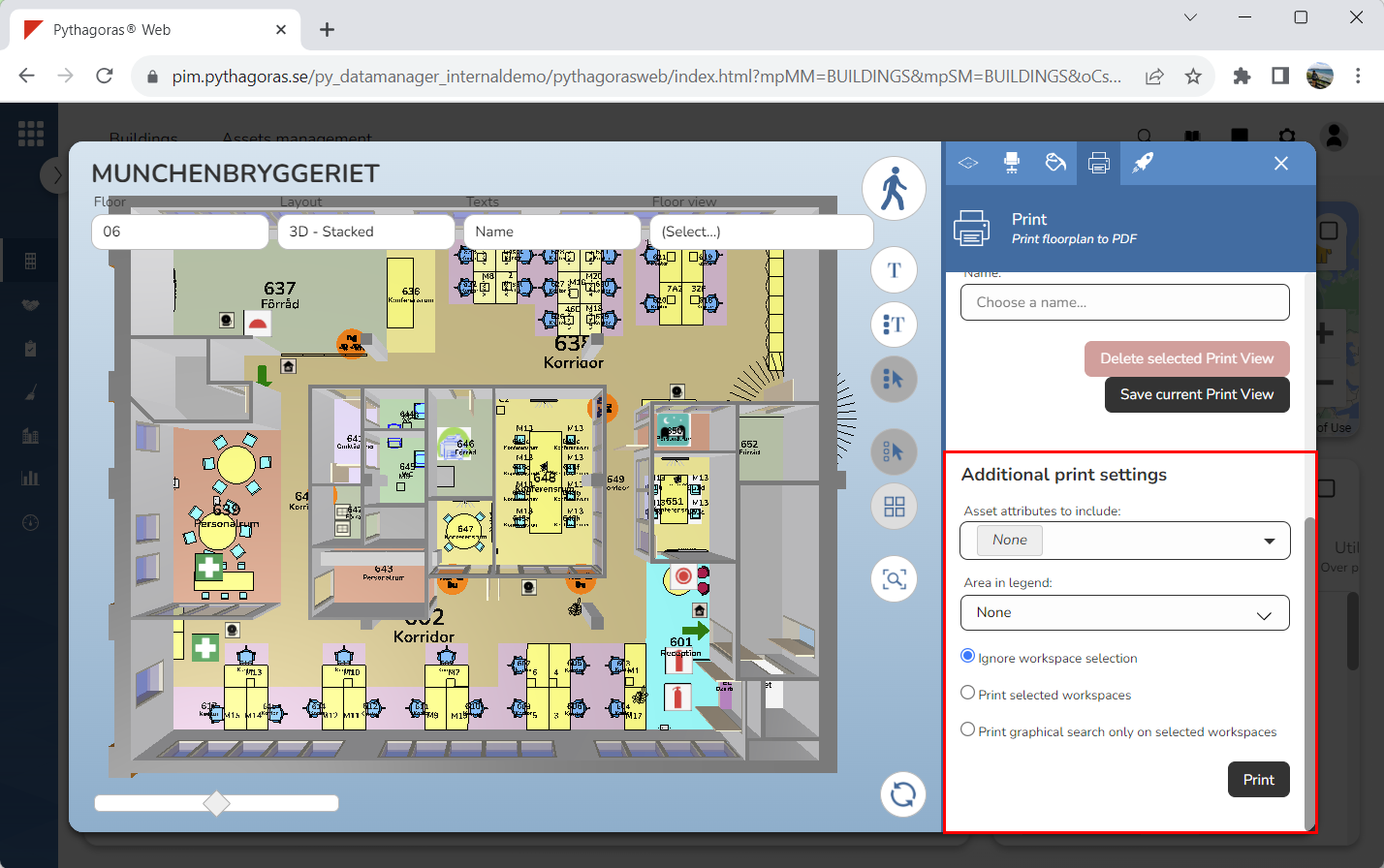
Below the heading "Additional print settings" you will find two fields, three print options and a button called "Print" (see image below). The fields are: "Component attributes to include" and "Area in legend", and the print options are: "Ignore workspace selection", "Print selected workspaces" and "Print graphical search only on selected workspaces".
For a general description of the fields and print settings found in the printout menu, see section 9.16.1.
For more information on how to:
create a printout, see section 9.16.2.
create a print view, see section 9.16.3.
delete a print view from Pythagoras Web, see section 9.16.4.
Innehållet i 9.16. Working with printouts and print views