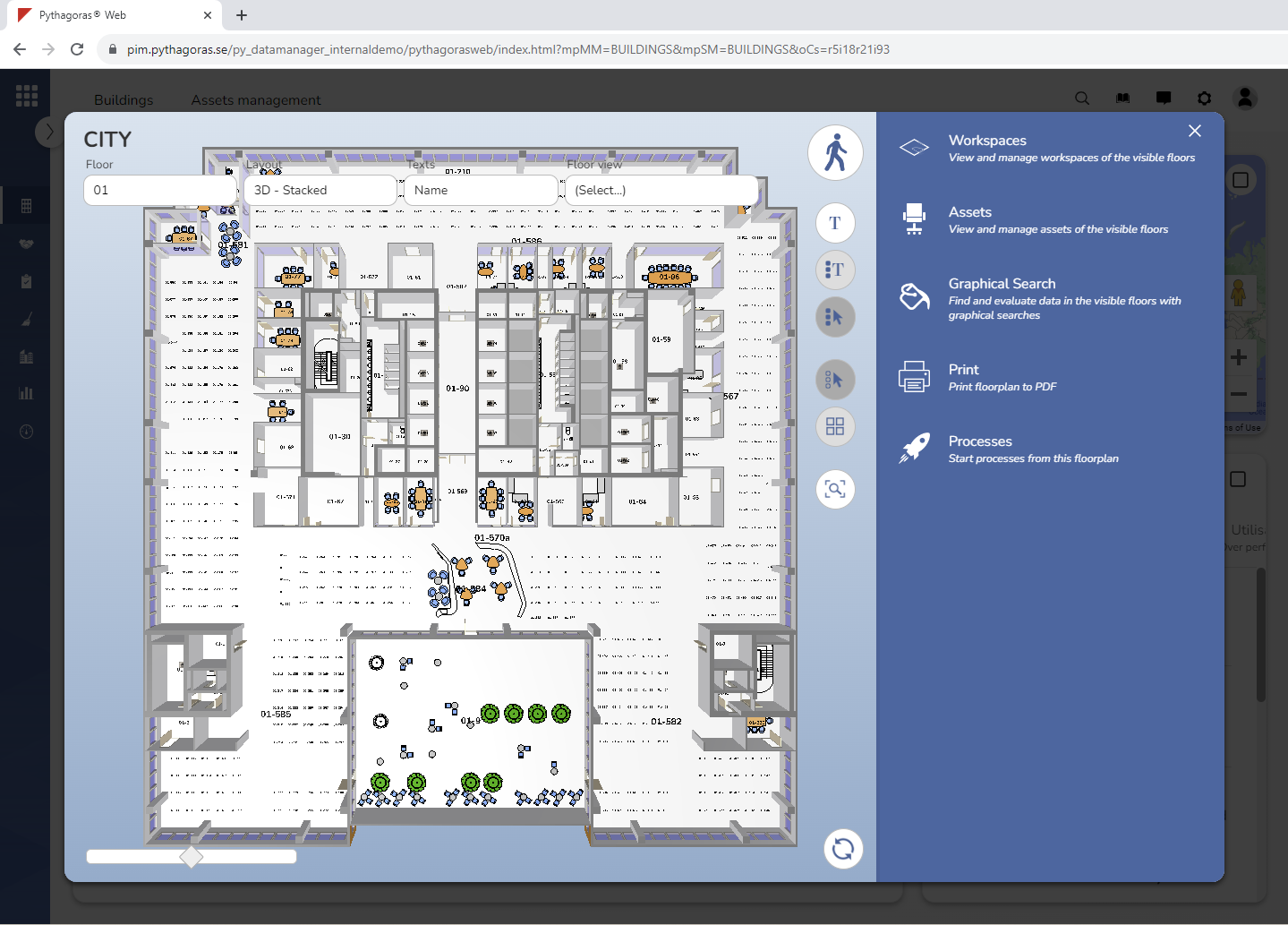
When you open a floor, the floor plan card associated with that floor will open (see image below).
Via the floor plan card you can work with a floor.
When working with a floor you can:
open and close floors in the building you are working with
select how to view the model
select which workspace texts to show in the model
manage floor views
place yourself in the model so that you can walk around in it
show and hide workspace texts and workspace borders in the model
reset the drawing window to return the model to its original position
adjust the distance between the floors available in the model
activate the workspace command, the asset command, the graphical search command, the print command and the processes command
work with the workspaces and assets available in the model
perform graphical searches and show and hide value names in the model
work with printouts and print views
reload floors
start the processes available to you.
The floor plan card consists of two parts – a drawing window and a graphical search field. For more information about the parts of which the floor plan card consists, see section 9.1.
For more information on how to:
open and close floors in a building, see section 9.2.
select how to view the model, see section 9.3.
select which workspace texts to show in the model, see section 9.4.
manage floor views, see section 9.5.
place yourself in the model so that you can walk around in it, see section 9.6.
show and hide workspace texts in the model, see section 9.7.
show and hide workspace borders in the model, see section 9.8.
reset the drawing window to return the model to its original position, see section 9.9.
adjust the distance between the floors available in the model, see section 9.10.
activate the workspace command, the asset command, the graphical search command, the print command or the the processes command, see section 9.11.
work with the workspaces available in the model, see section 9.12.
work with the assets available in the model, see section 9.13.
perform a graphical search in the model, see section 9.14.
show and hide value names in the model, see section 9.15.
work with printouts and print views, see section 9.16.