In order to remove a floor view you must belong to a user group which has permission to remove floor views. If you do not, you can disregard the information in this section.
To remove a floor view from Pythagoras Web:
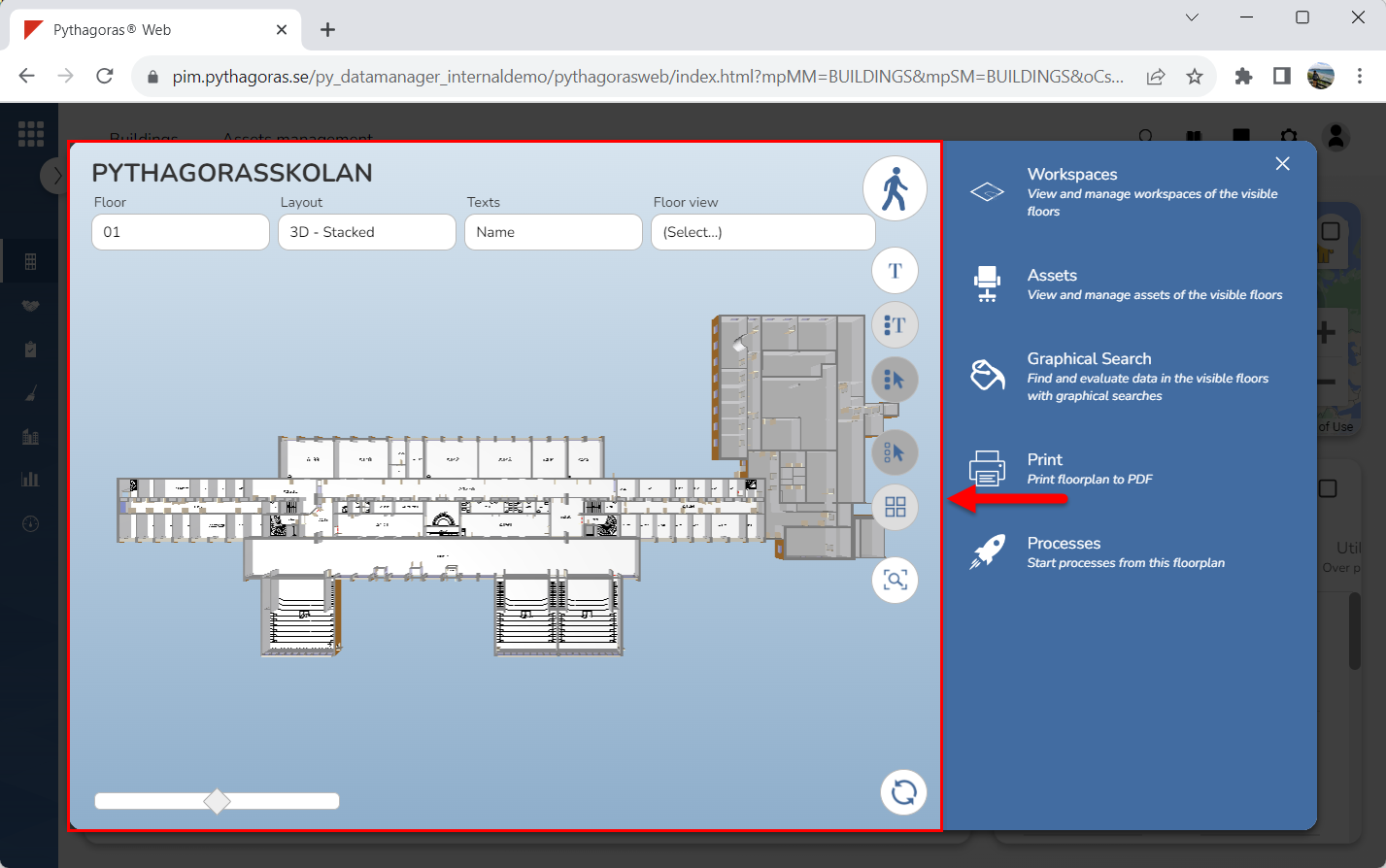
Go to the drawing window (see image below).
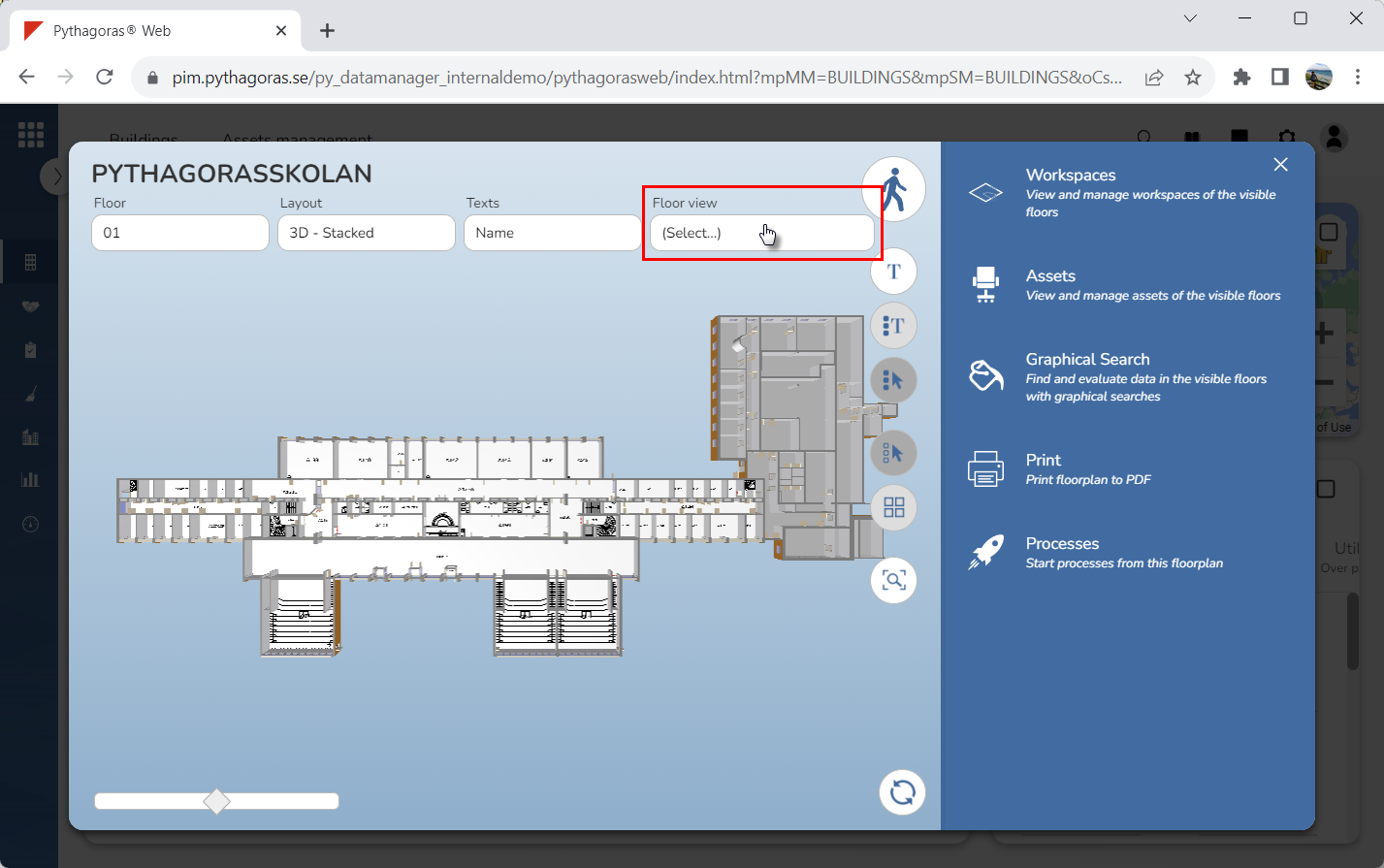
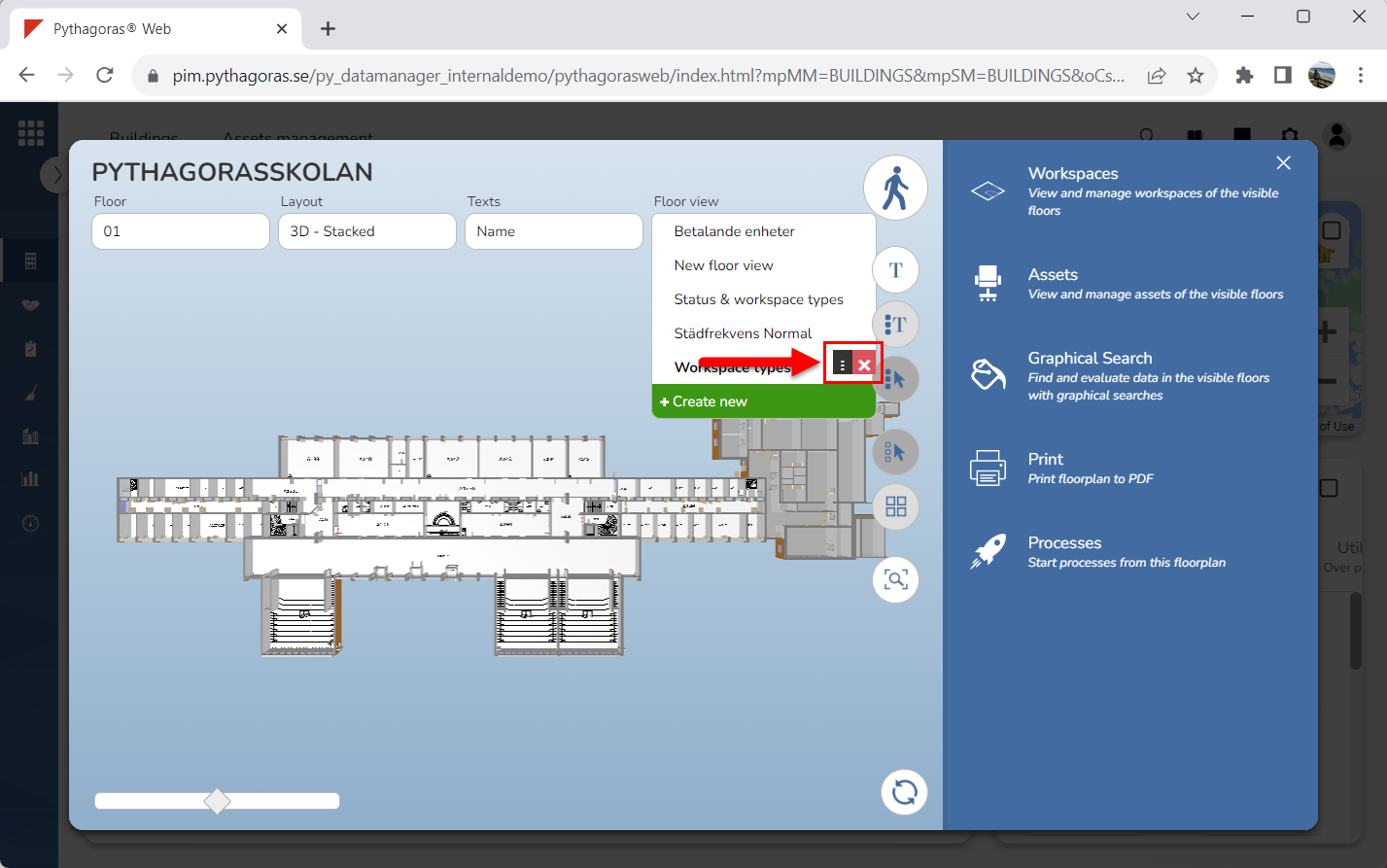
Place your cursor in the field "Floor view" (see the first image below). When you do so, a list of floor views available in Pythagoras Web will open (see the second image below).
Place your cursor on the floor view you wish to remove from Pythagoras Web (see the first image below). When you do so, two icons will be shown: "Open floor view" and "Delete" (see the second image below).
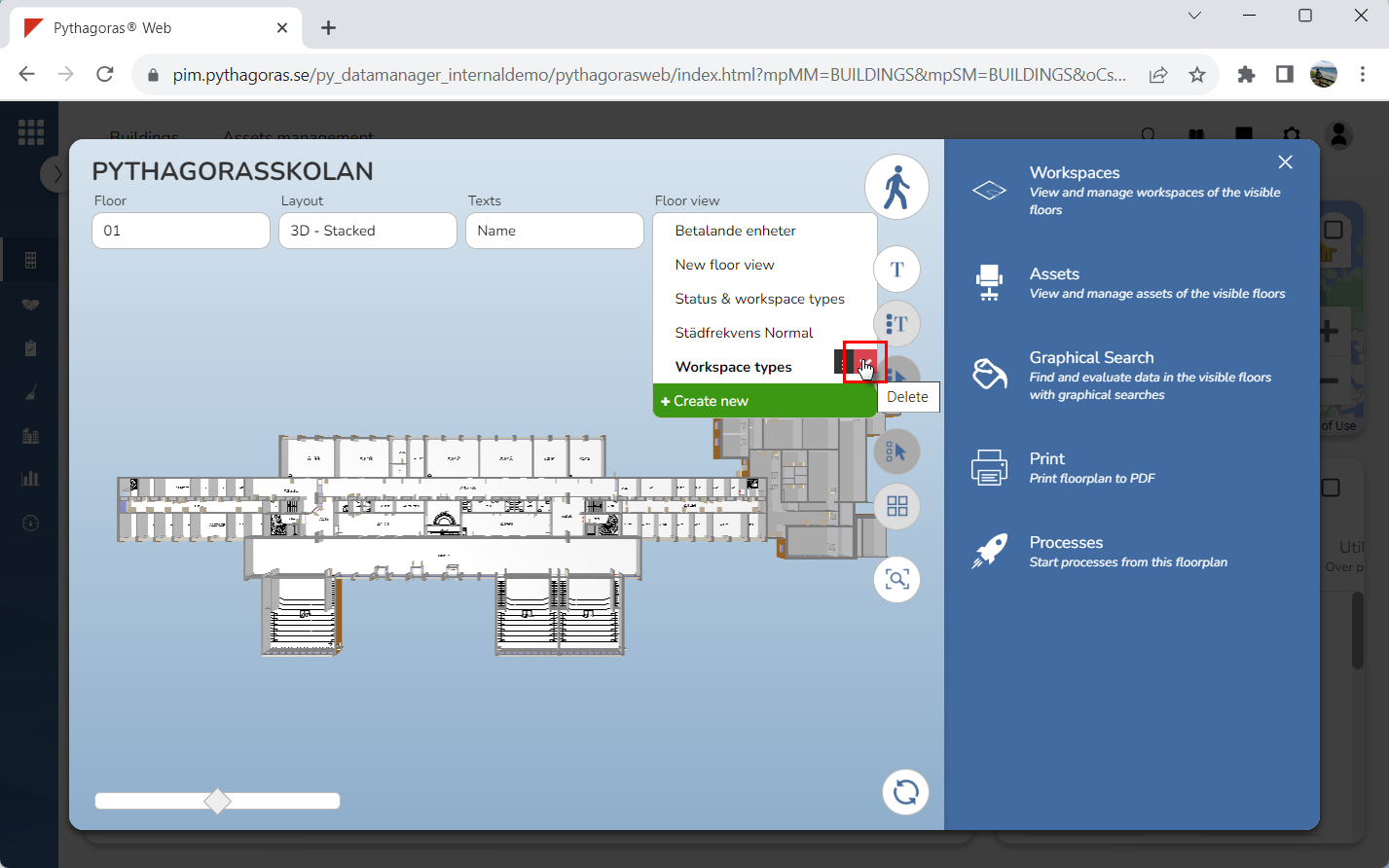
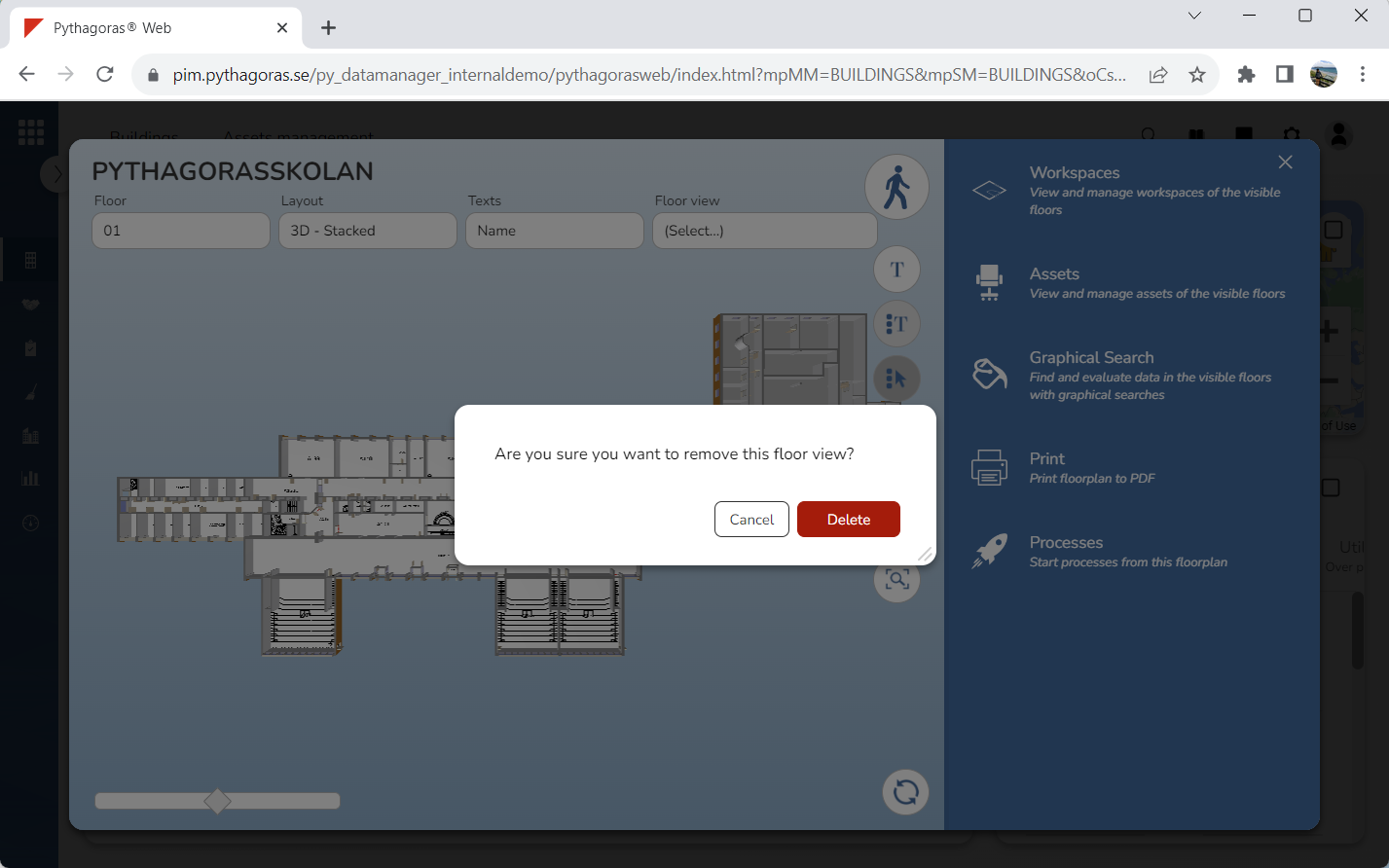
Click "Delete" (see the first image below). When you do so, a dialog asking the following question will open: "Are you sure you want to remove this floor view?" (see the second image below).
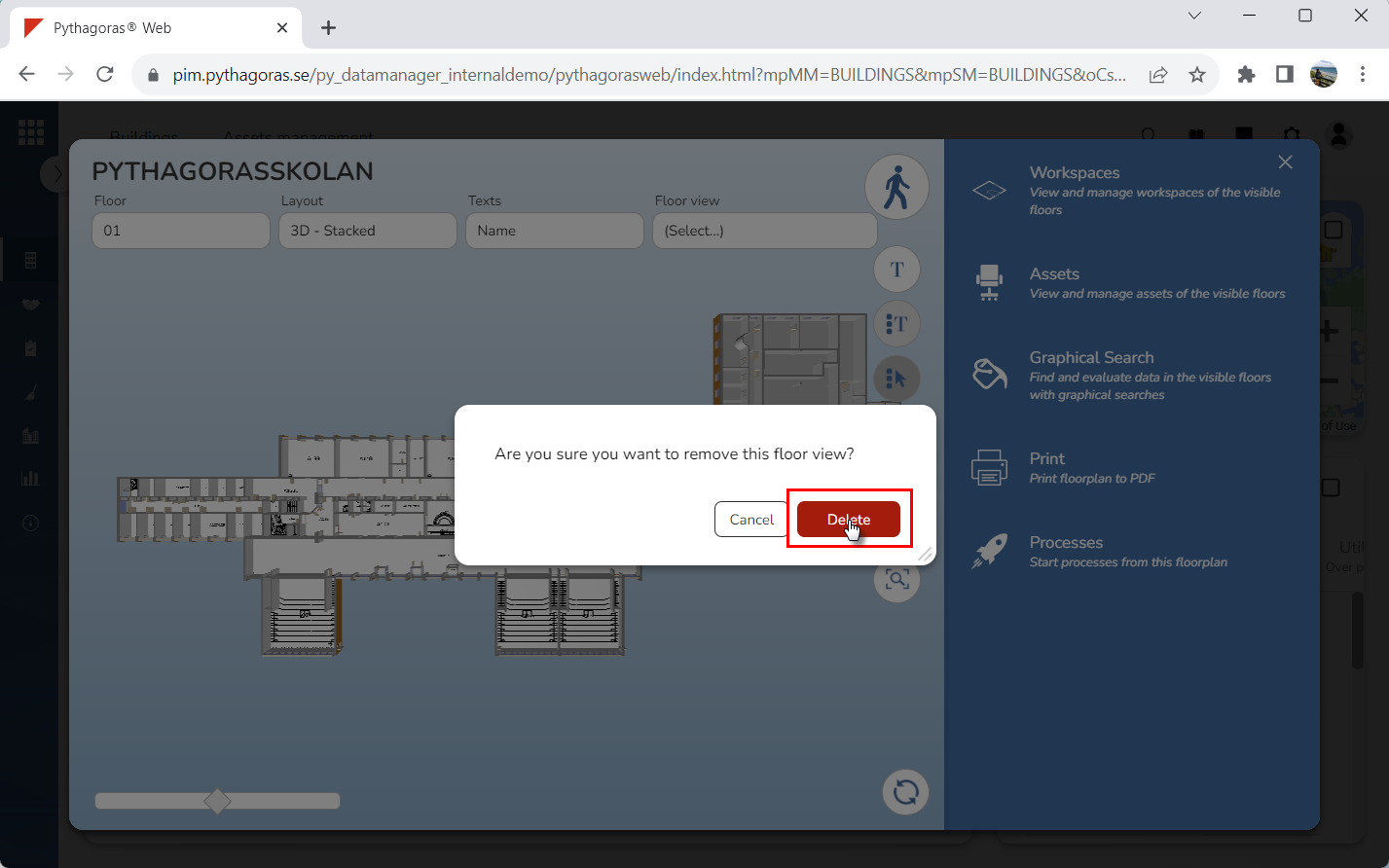
Click "Delete" in the dialog (see image below). When clicking "Delete" in the dialog the floor view you are working with will be removed from Pythagoras Web.