By updating the sub-leases list, you can provide it with the latest information about the leases it shows.
To update the sub-leases list:
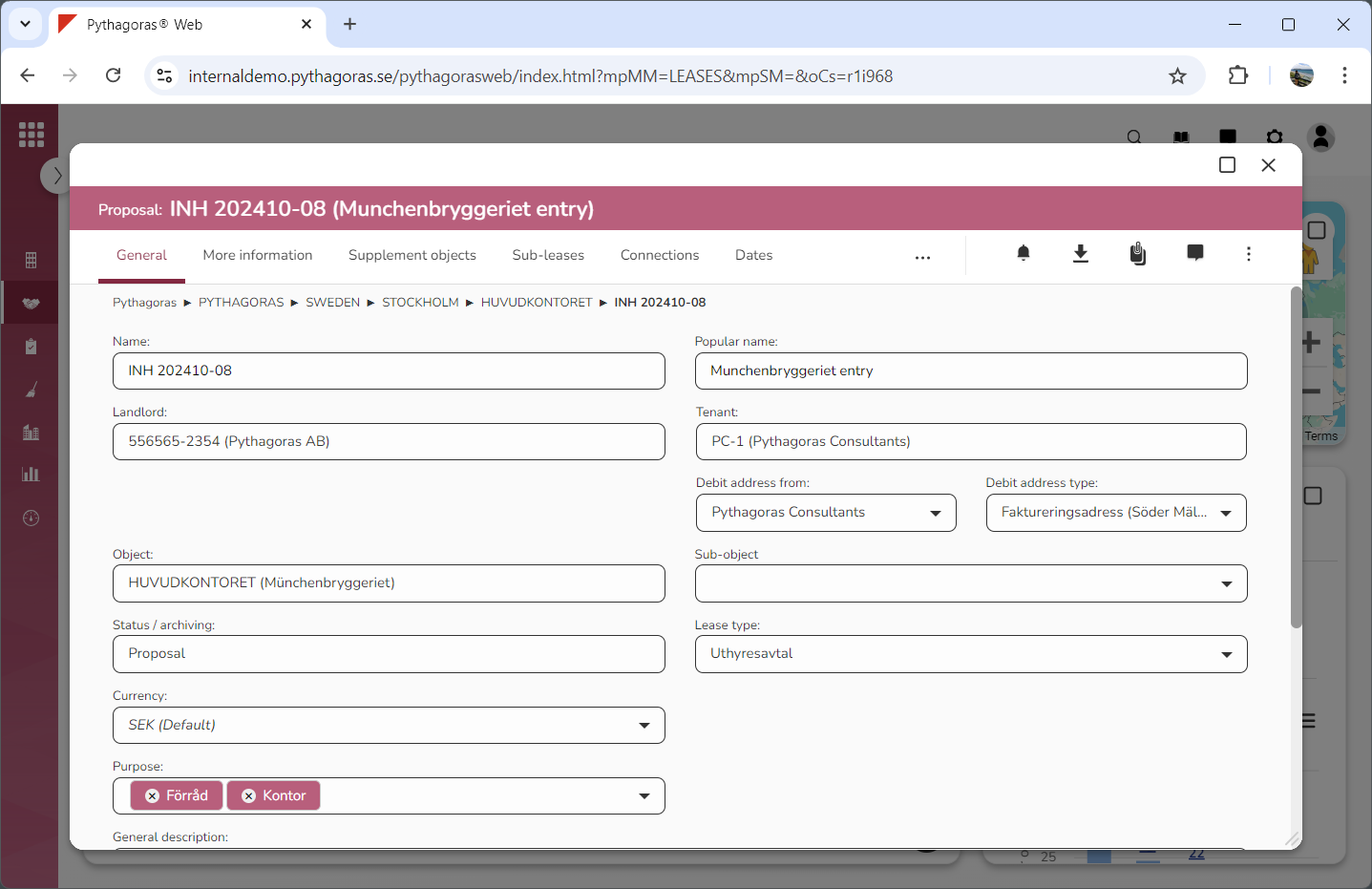
Open a lease. For more information on how to do so, see section 4.6. or 6.1.
Go to the lease card (see image below).
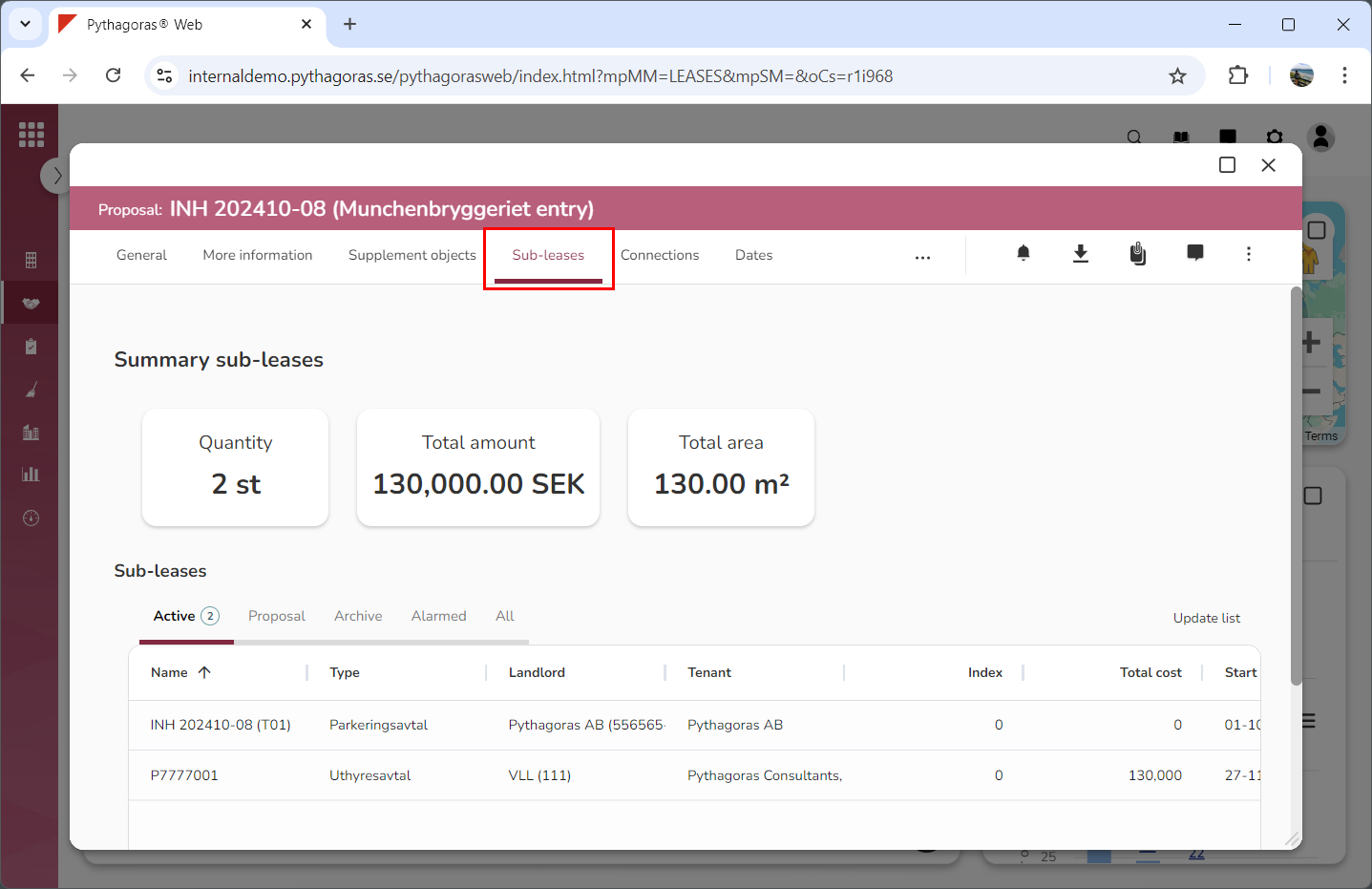
Click the tab called "Sub-leases" (see image below). Within the tab called "Sub-leases" you will find a list of sub-leases associated with the lease you are working with.
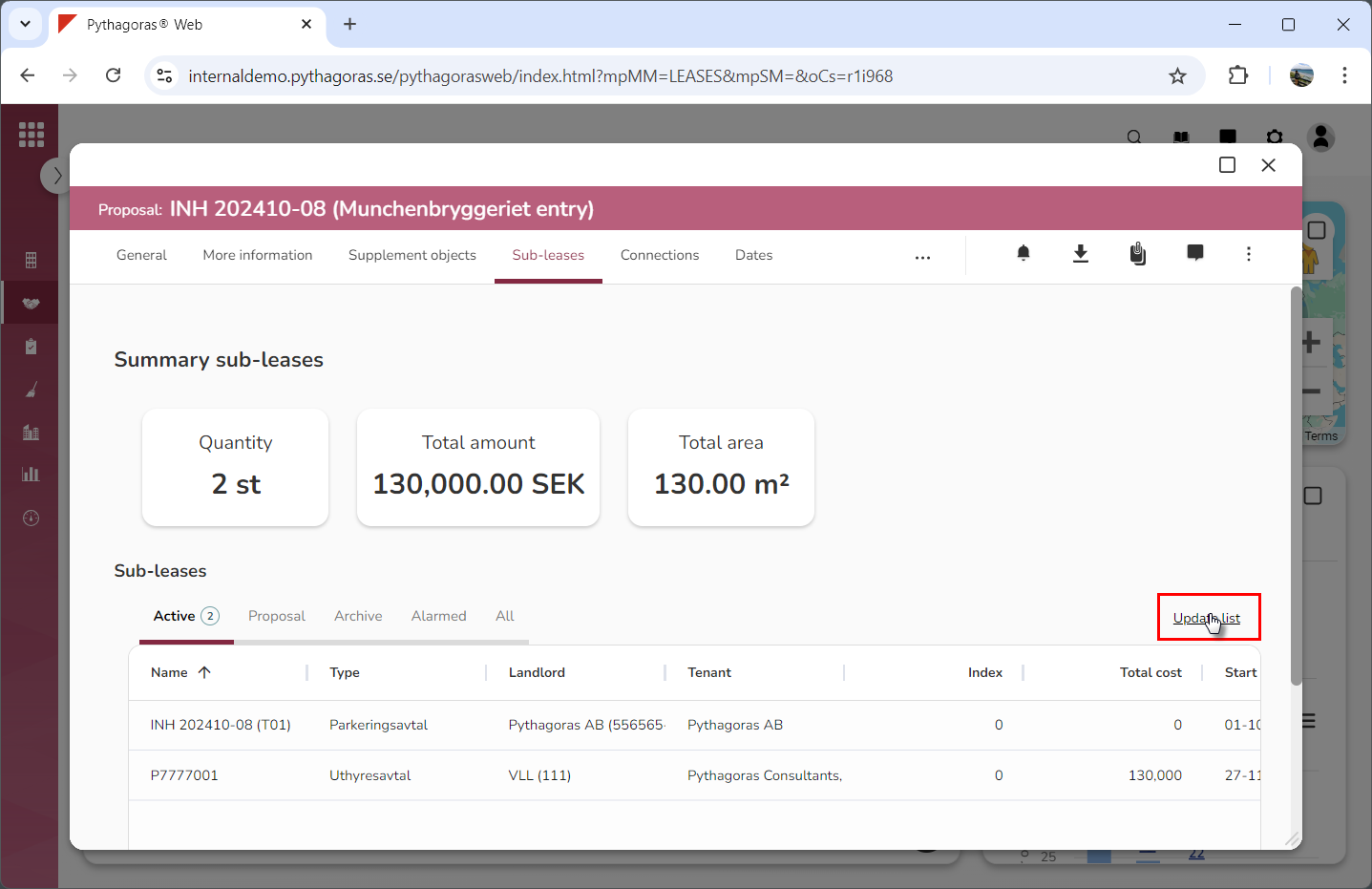
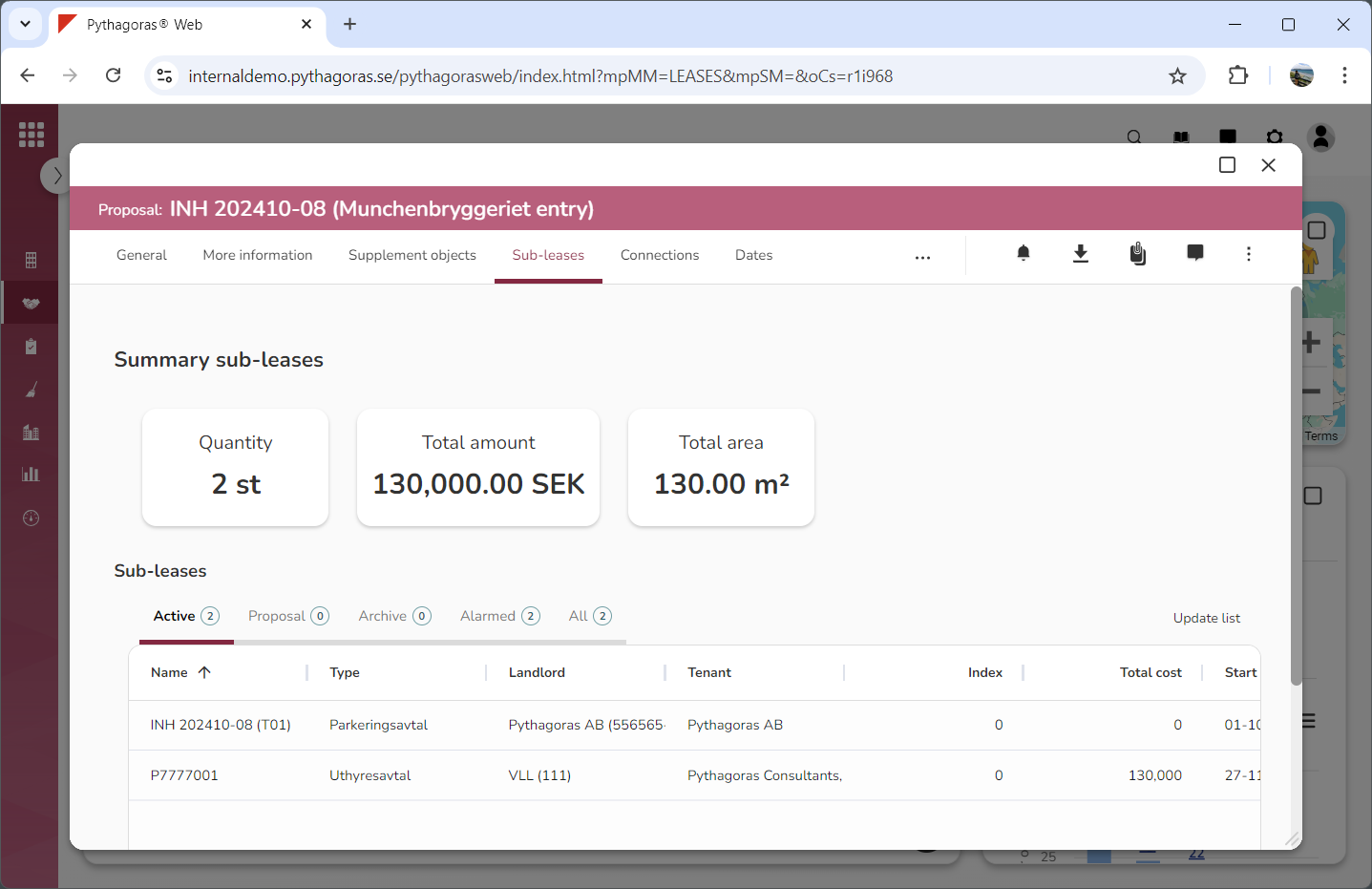
Click "Update list" (see the first image below). When you do so, the sub-leases list will be updated (see the second image below).