In order to specify that a lease should be time limited, the lease must be ongoing.
To specify that a lease should be time limited:
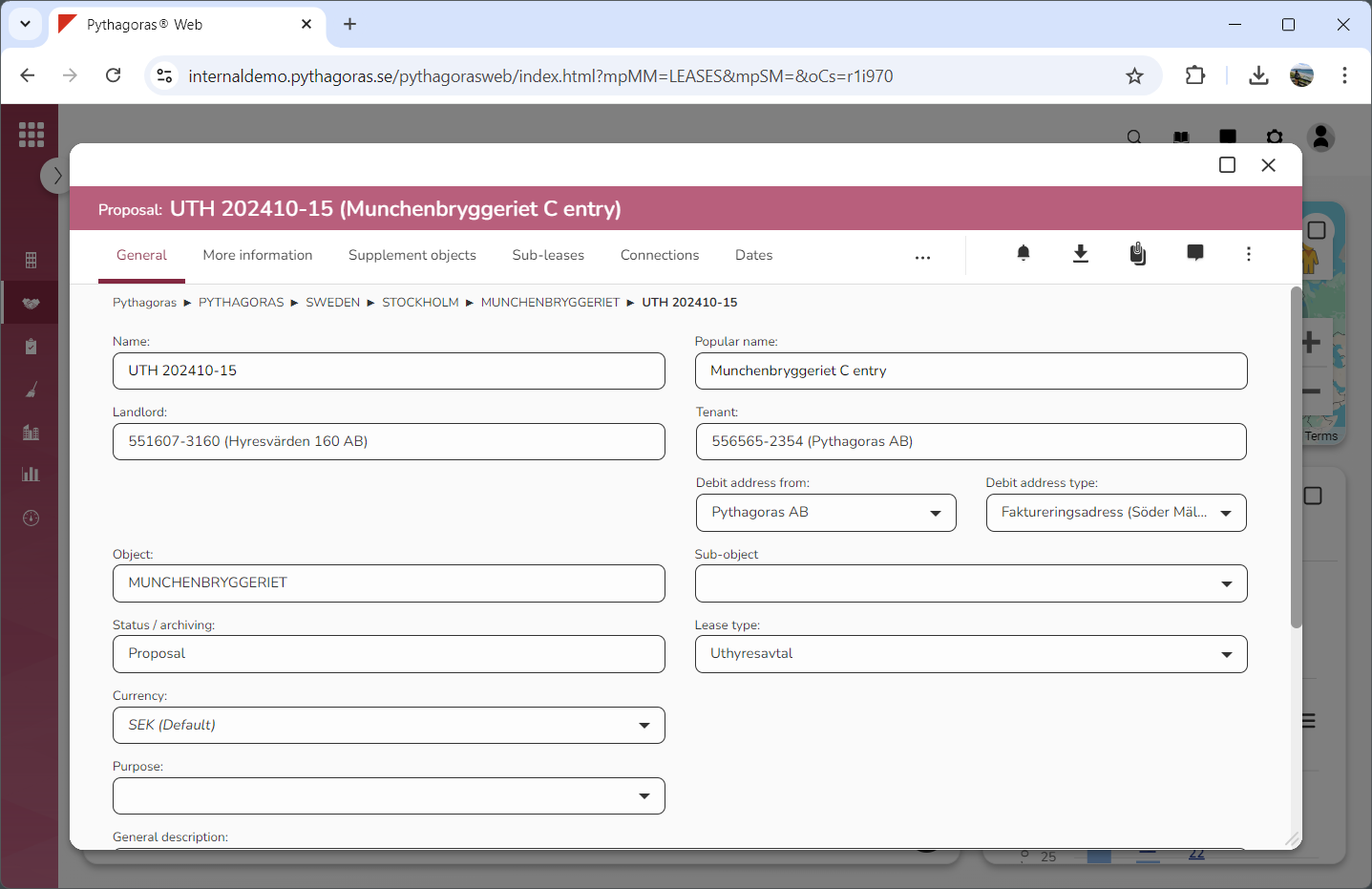
Open a lease. For more information on how to do so, see section 4.6. or 6.1.
Go to the lease card (see image below).
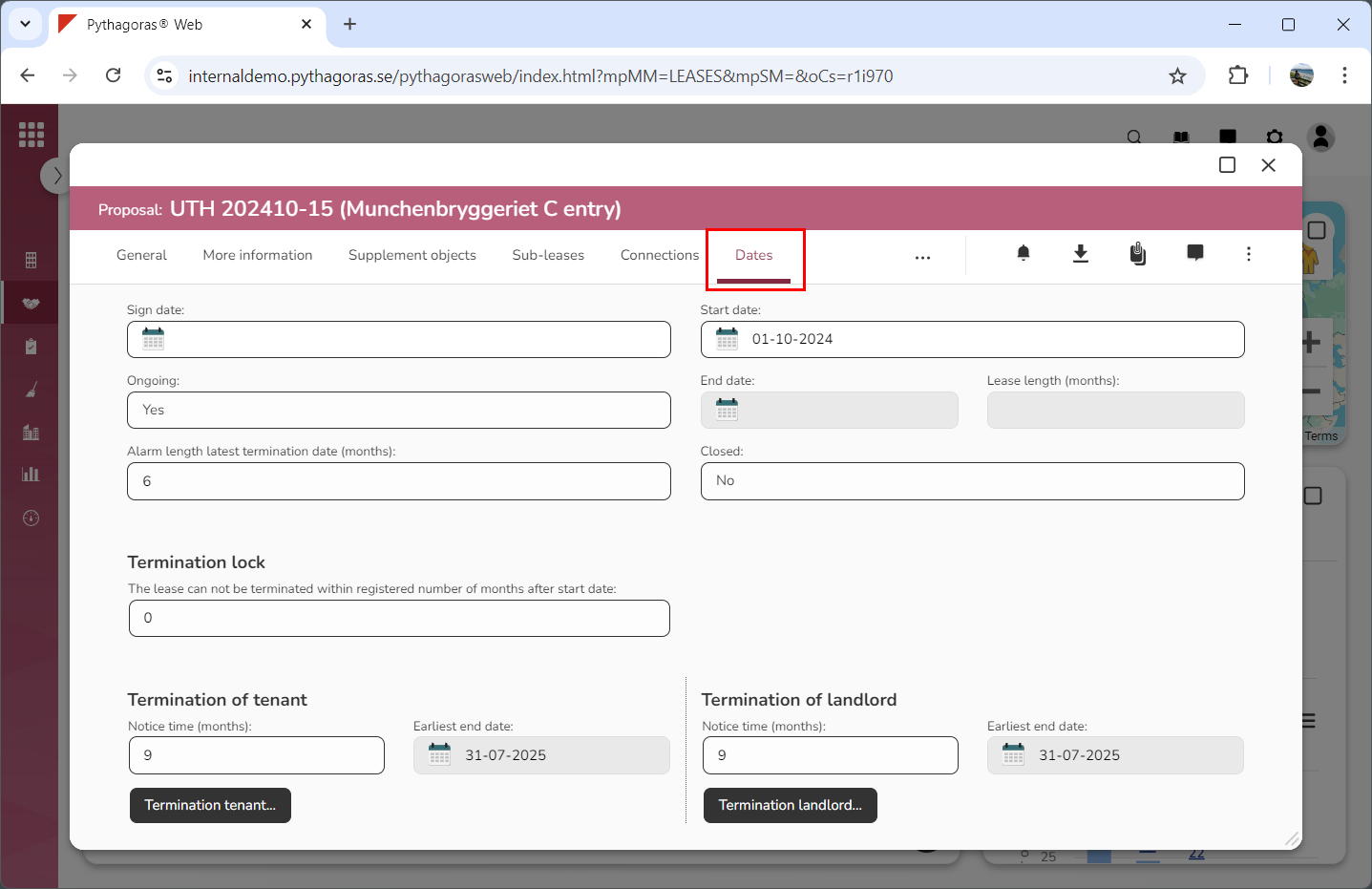
Click the tab called "Dates" (see image below). When you do so, you will, among other things, find a field called "Ongoing".
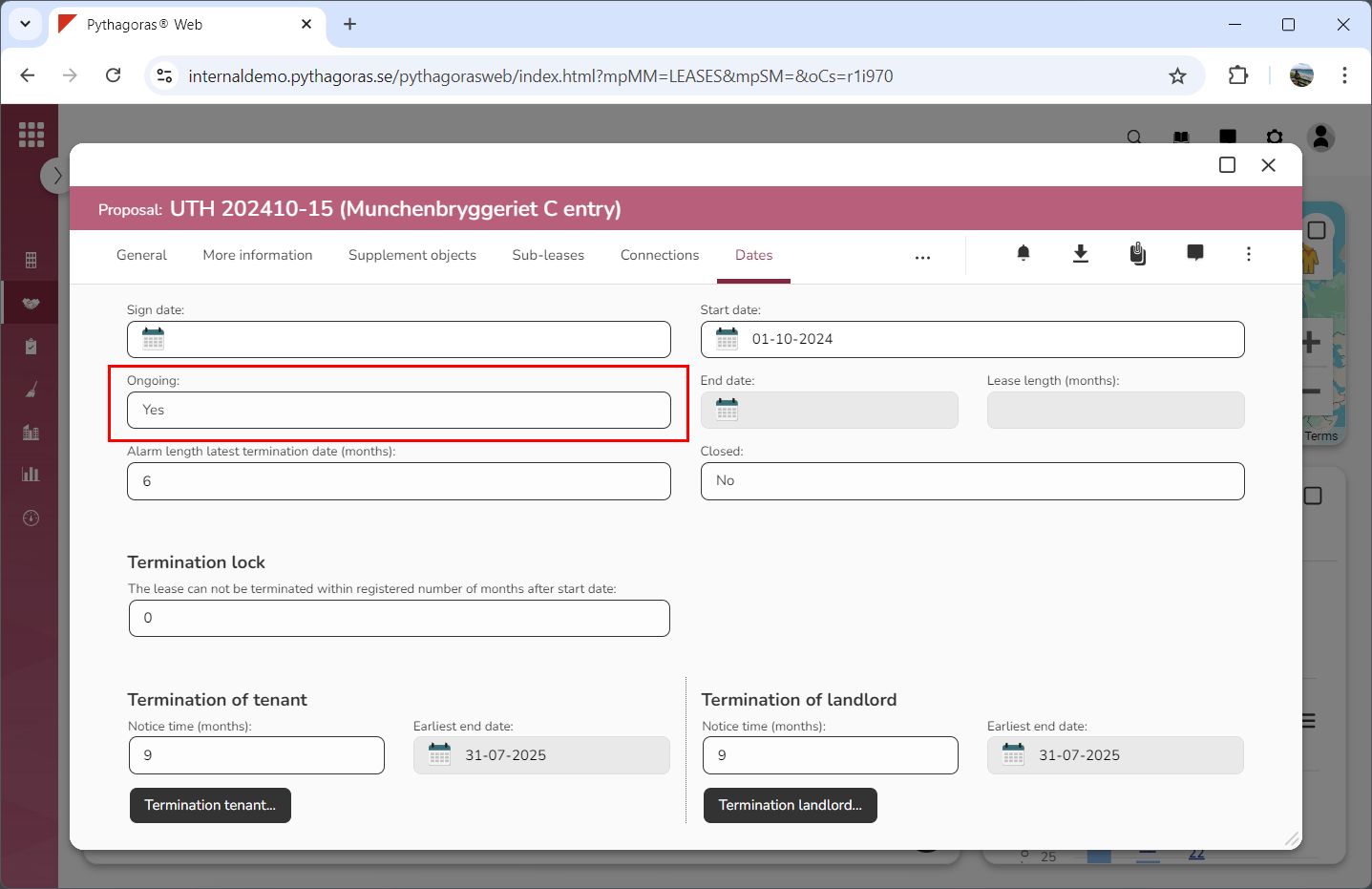
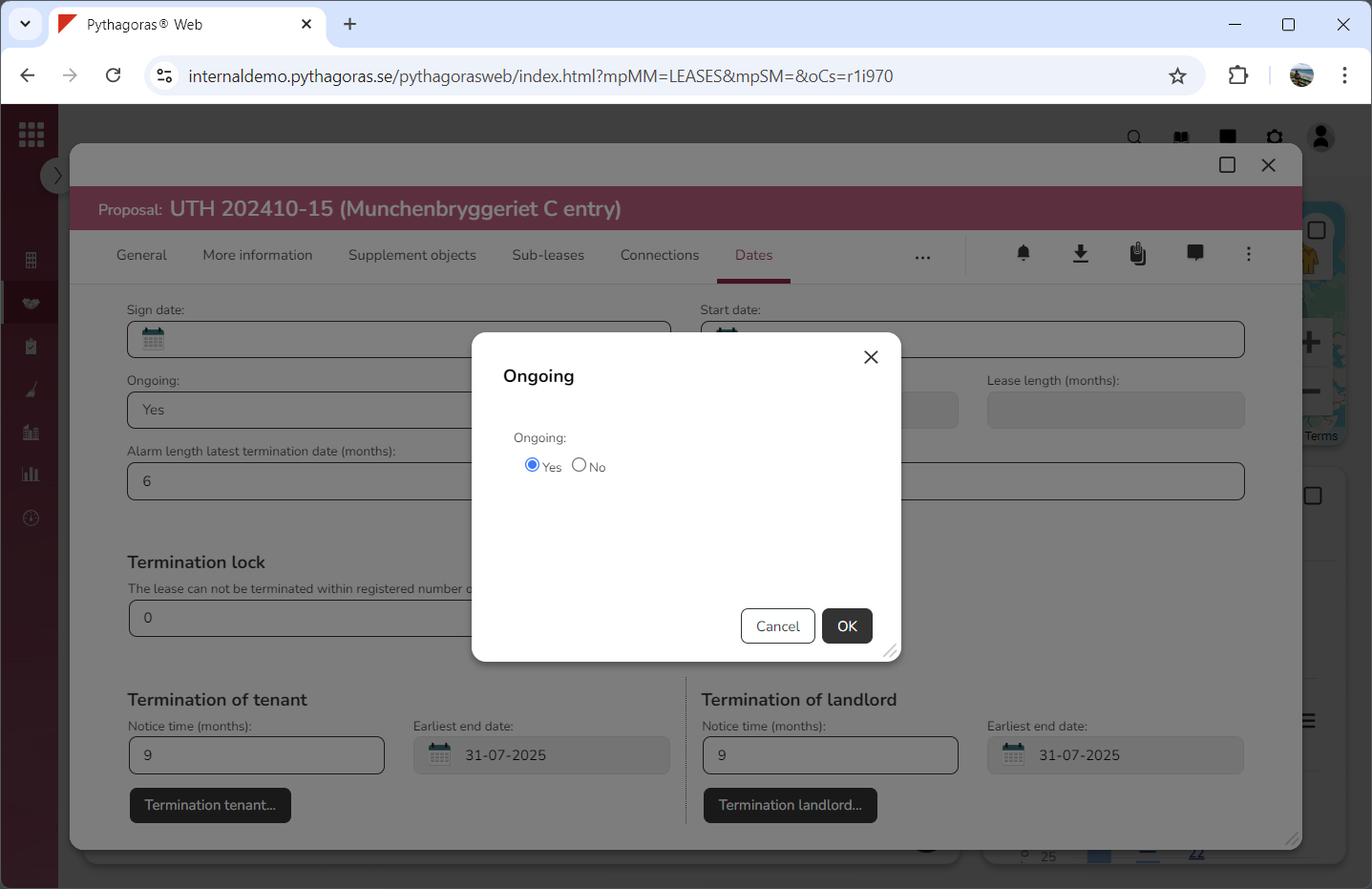
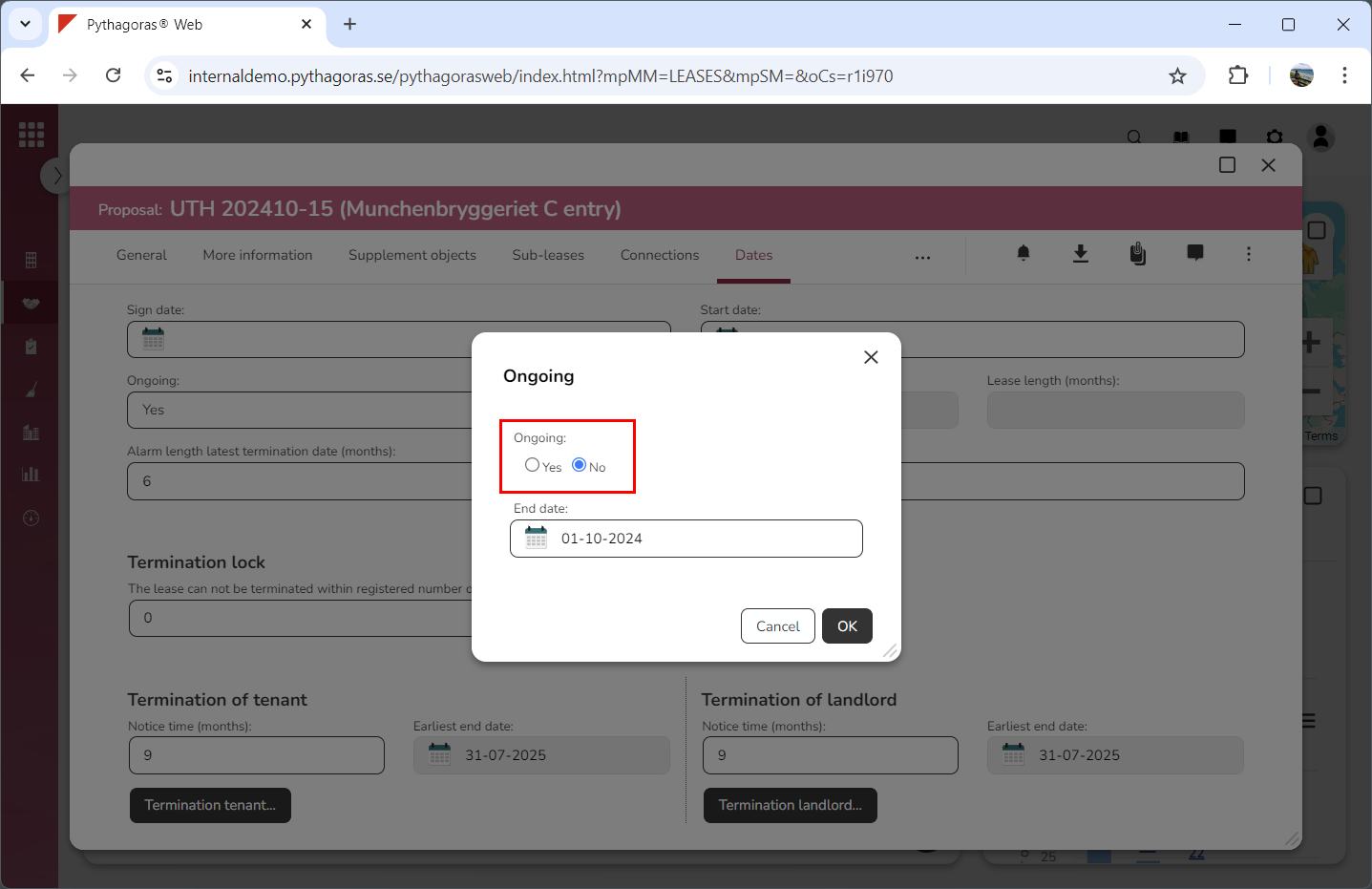
Click the field "Ongoing" (see the first image below). When you do so, a window called "Ongoing" will open (see the second image below).
Go to the window called "Ongoing".
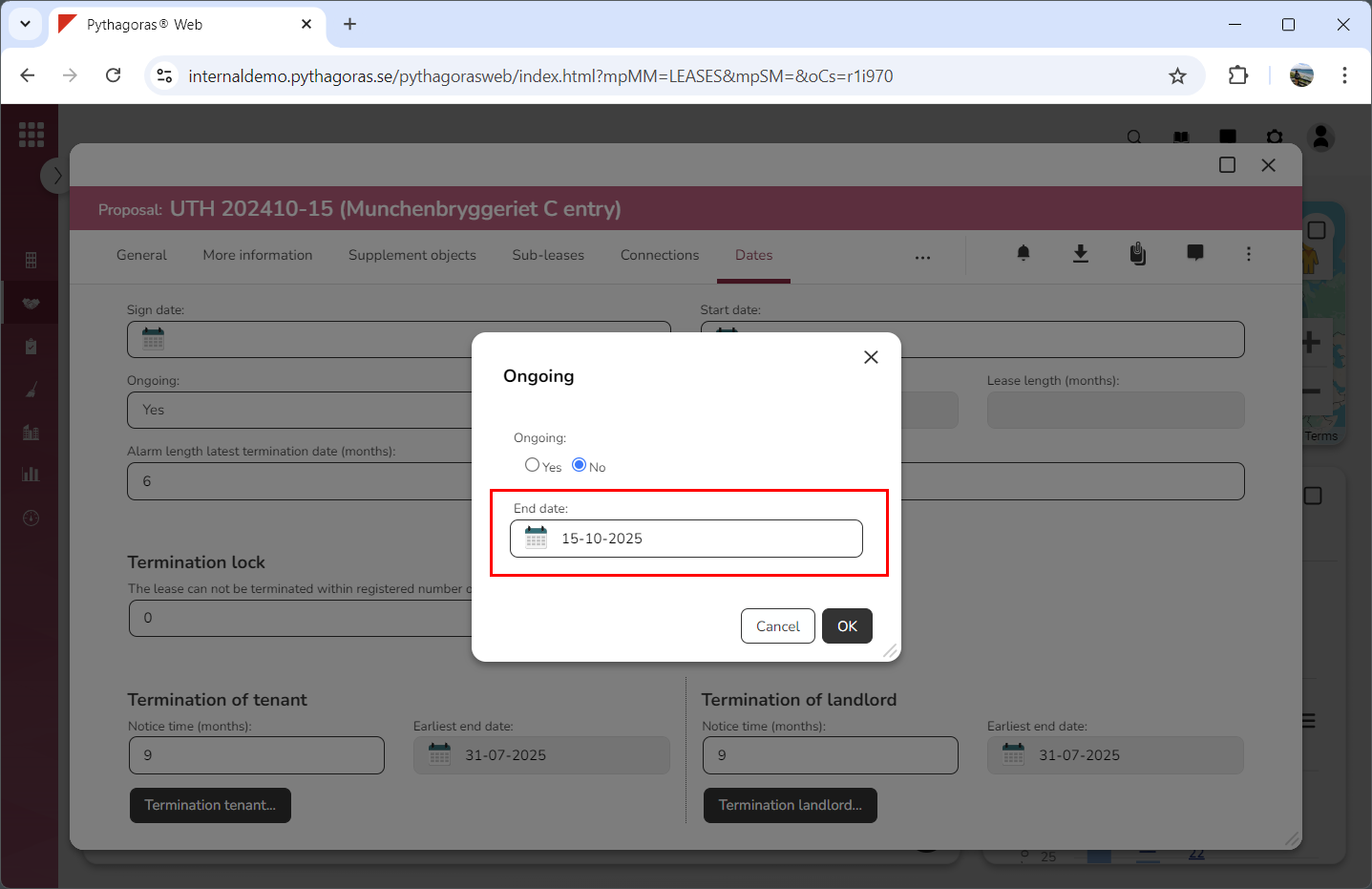
Specify that the lease you are working with should be time limited by:
selecting "No" below the label "Ongoing" (see image below)
setting an end date for the lease you are working with (see image below).
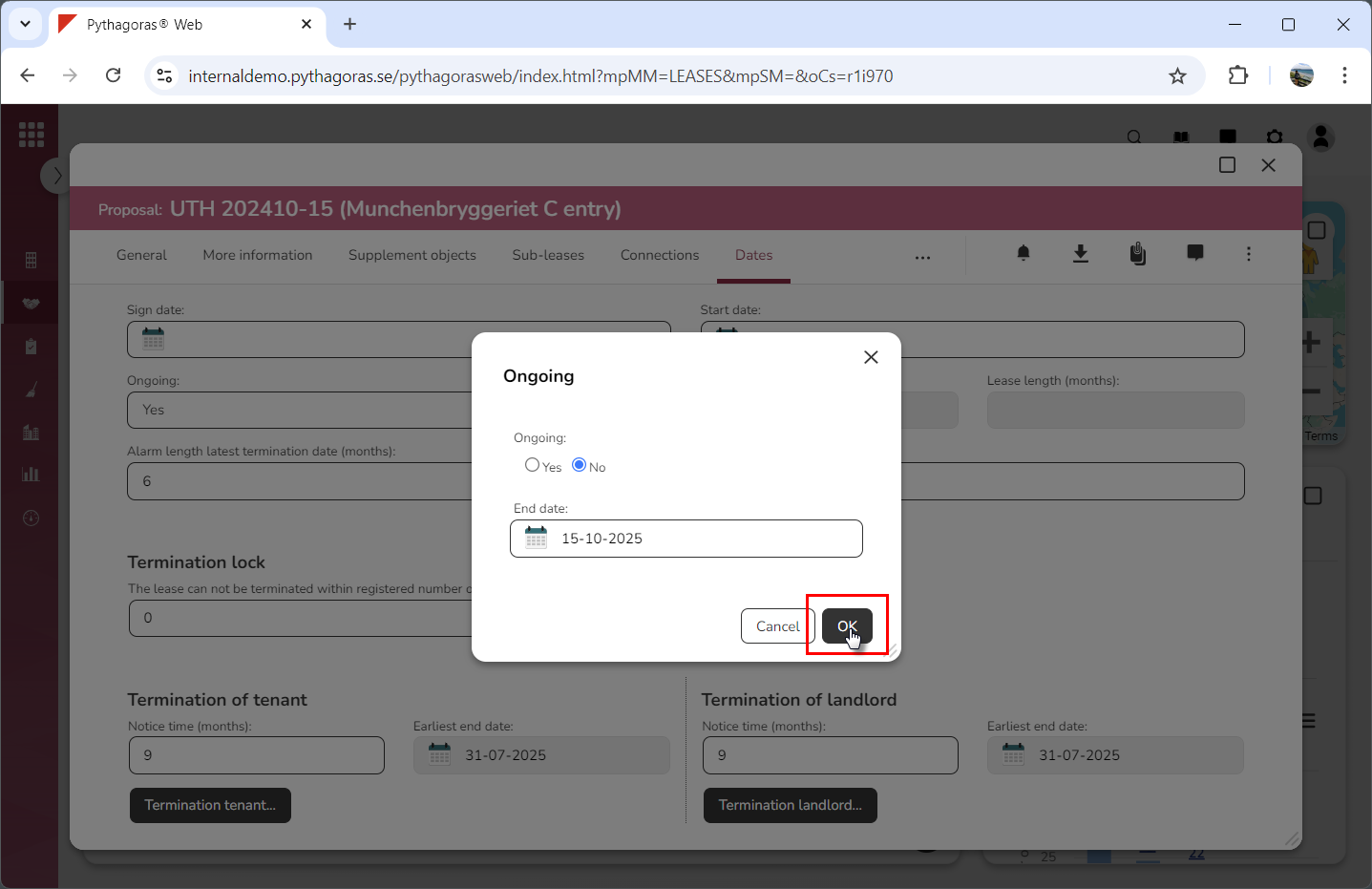
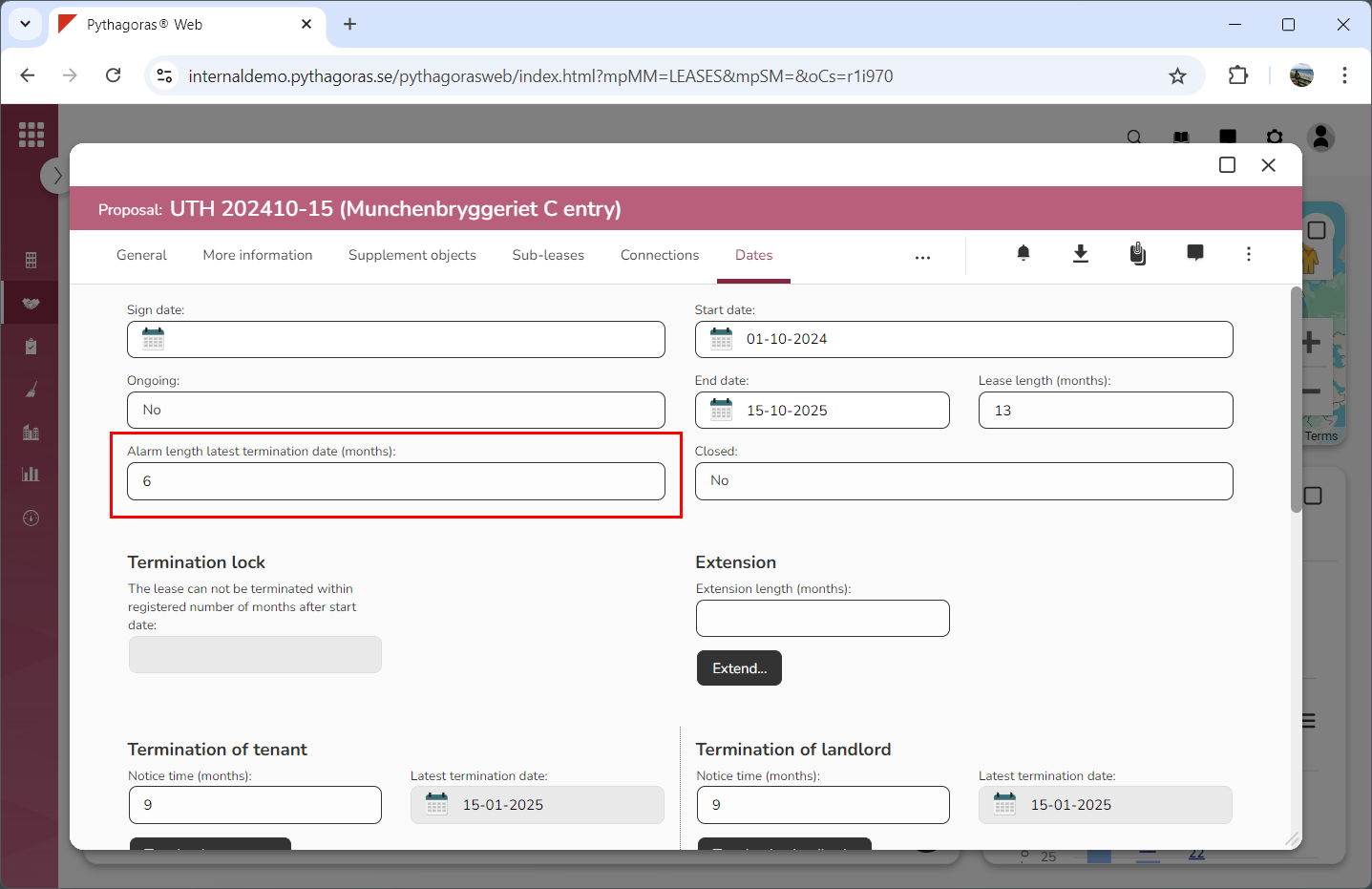
clicking "OK" (see the first image below). When you do so , you will be redirected back to the lease card where you will see that the lease you are working with is time limited (see the second image below).