Specify that a lease should be included in IFRS 16
To specify that a lease should be included in IFRS 16:
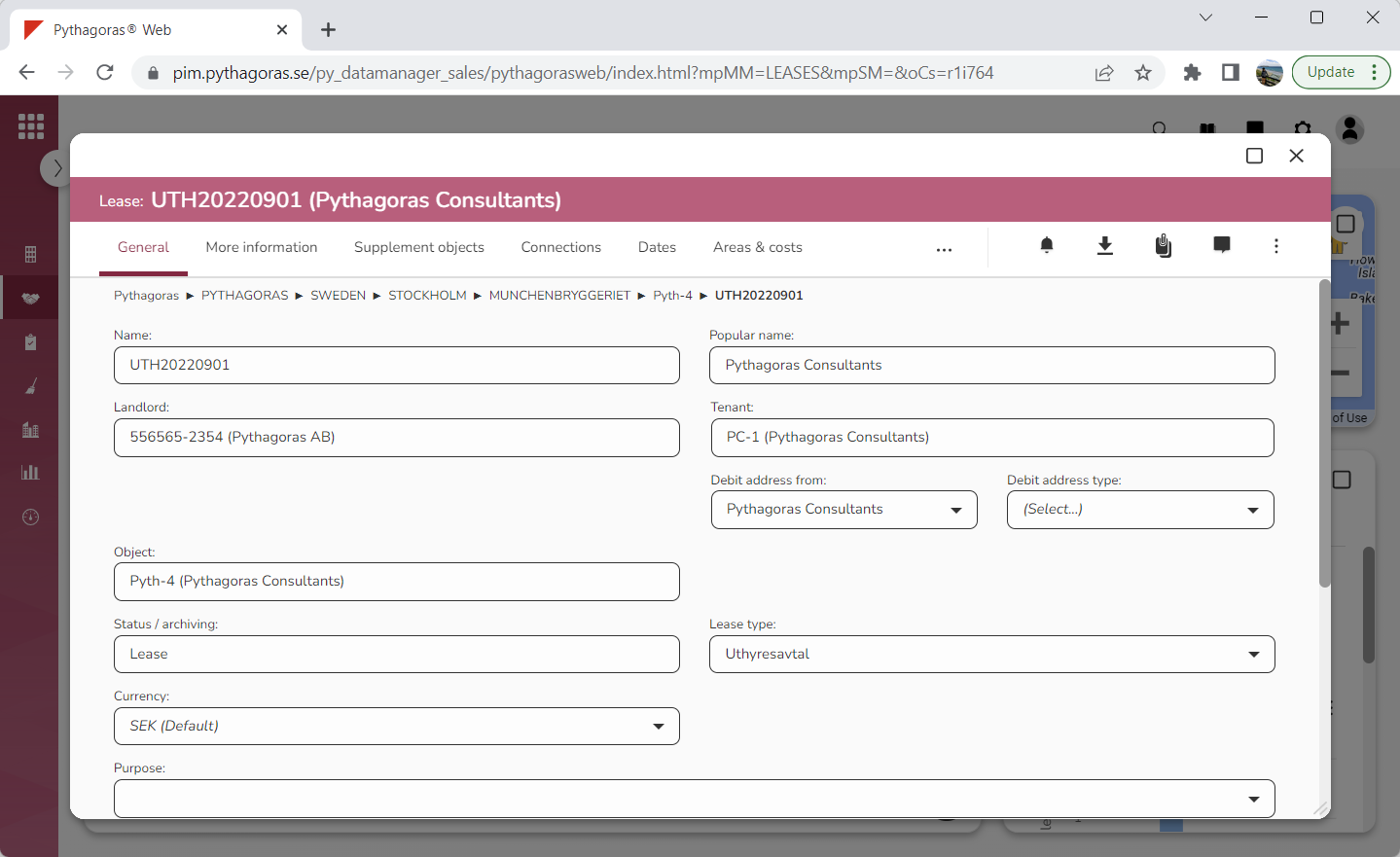
Open a lease. For more information on how to do so, see section 4.6. or 6.1.
Go to the lease card (see image below).
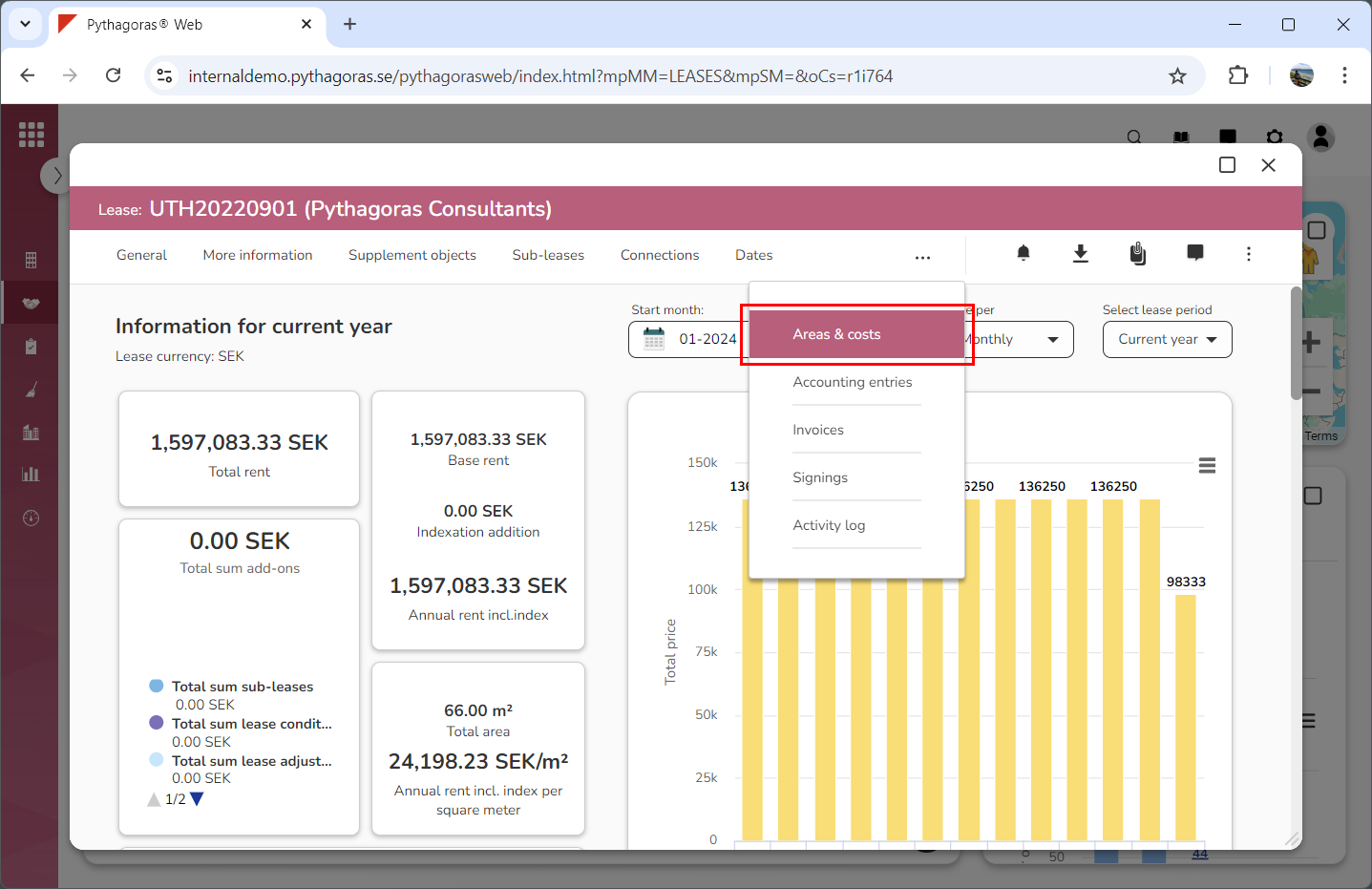
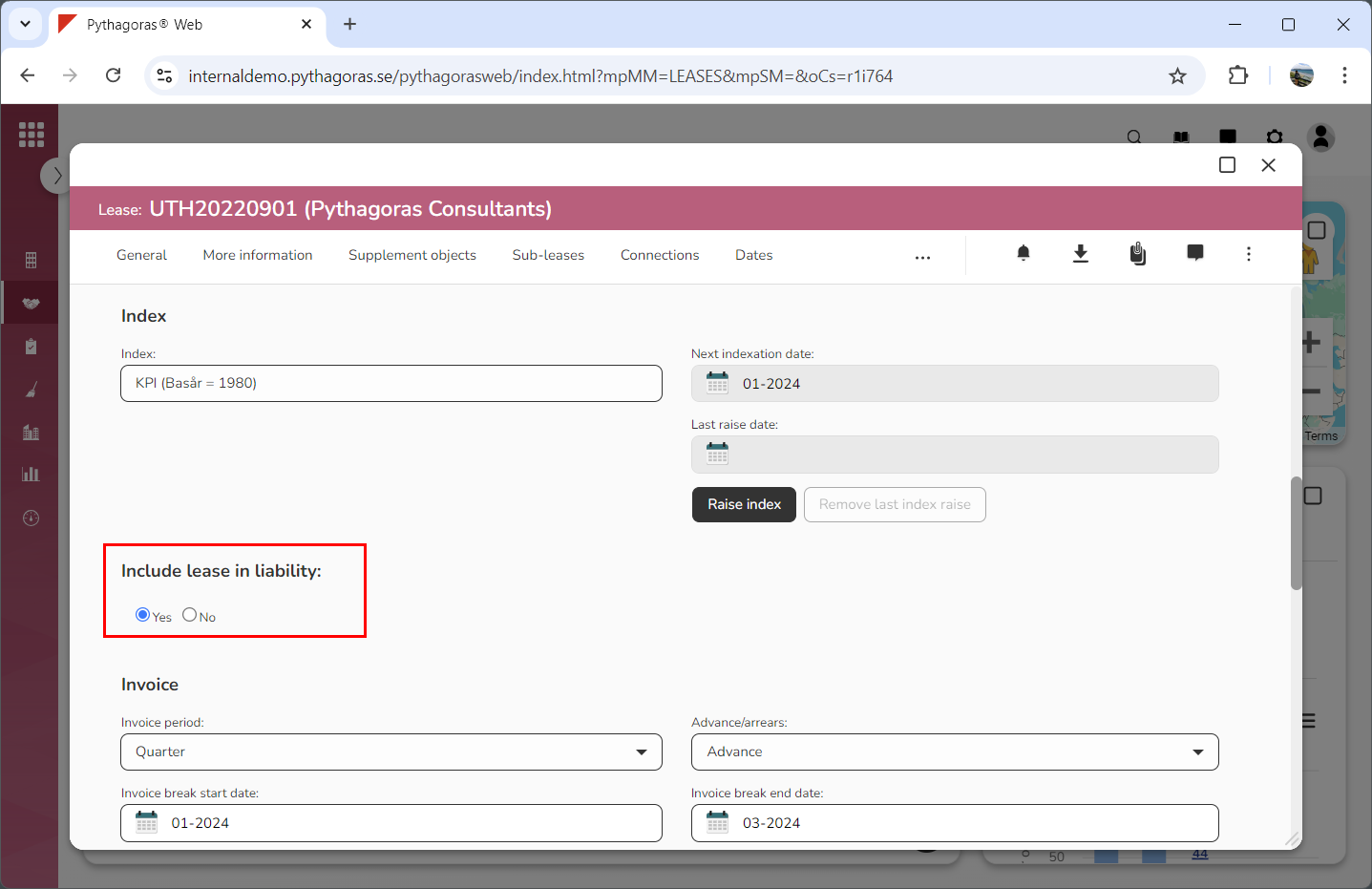
Click the tab called "Areas & costs" (see image below). Within the tab called "Areas & costs" you will, among other things, find the heading "Include lease in liability". Note that you will have to scroll the lease card to find the heading "Include Lease in Liability".
Specify that the lease you are working with should be included in IFRS 16 by selecting "Yes" below the heading "Include Lease in Liability" (see image below).