specify how often the lease should be paid, for example monthly, quarterly or semi annually
specify whether the lease is to be paid in advance or in arrears.
To set a payment period for a lease:
Open a lease. For more information on how to do so, see section 4.6. or 6.1.
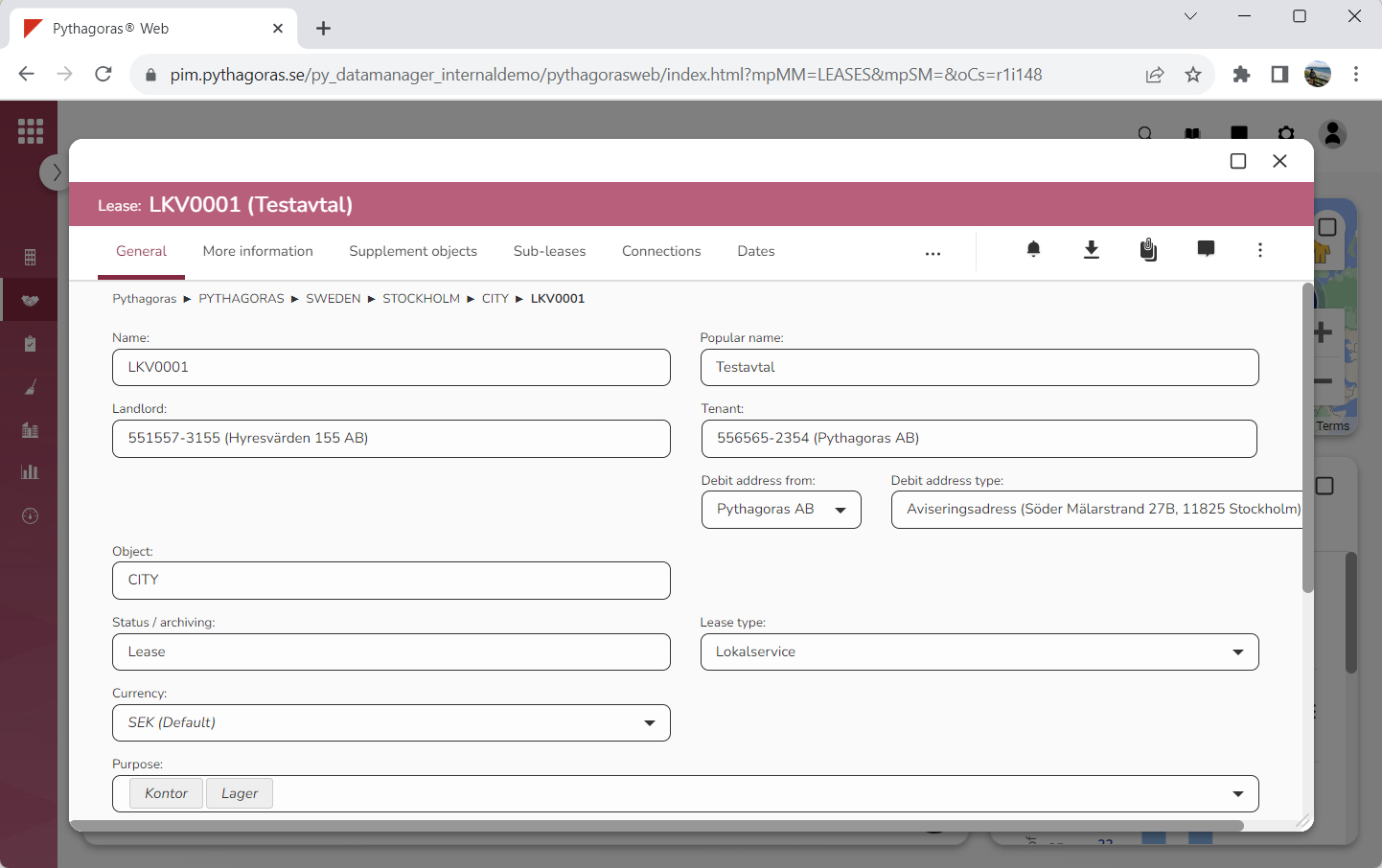
Go to the lease card (see image below).
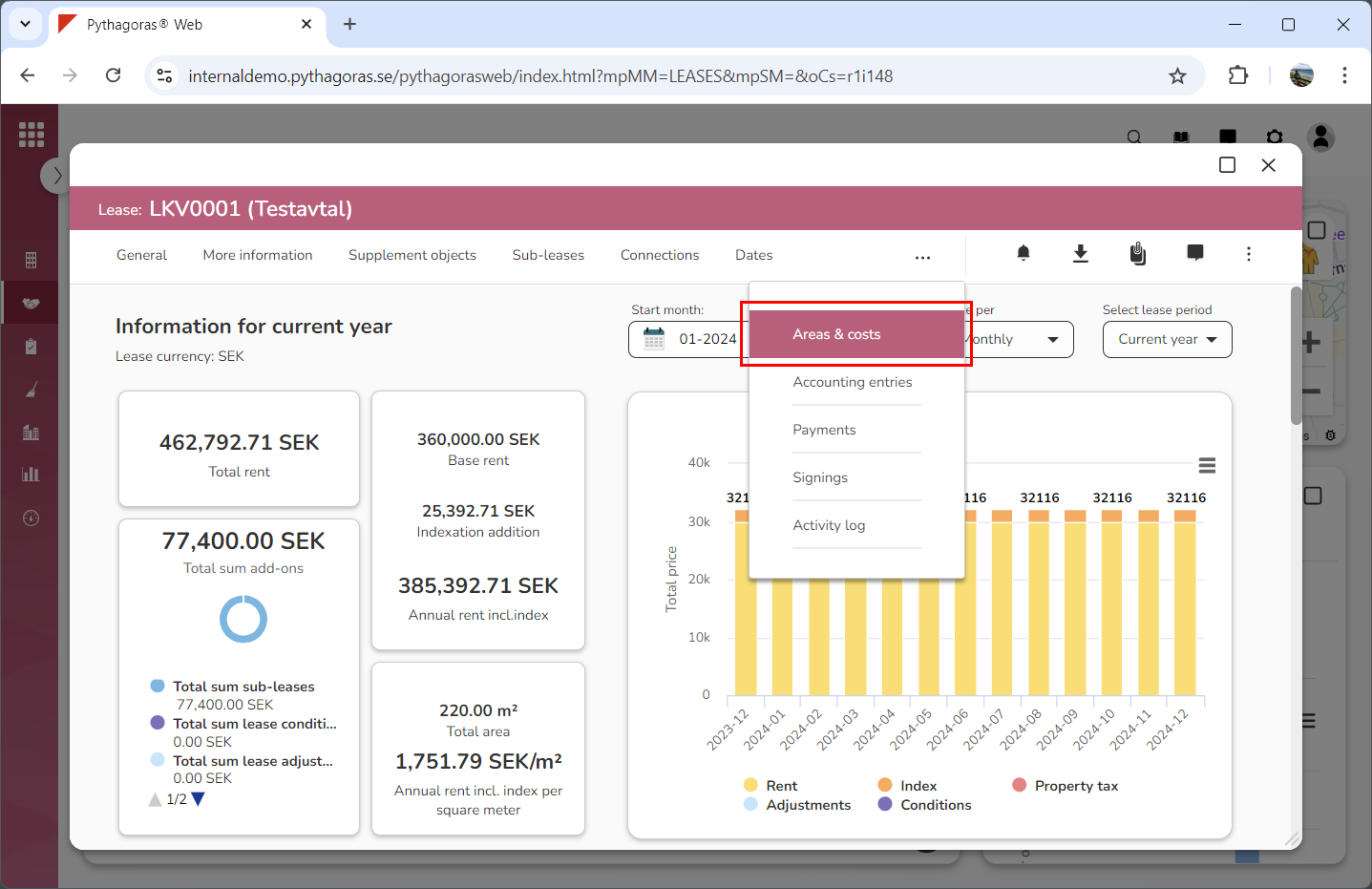
3. Click the tab called "Areas & costs" (see image below). Within the tab called "Areas & costs" you will, among other things, find one field called "Payment period" and one field called "Advance/arrears". Note that you will have to scroll the lease card to find the fields called "Payment period" and "Advance/arrears".
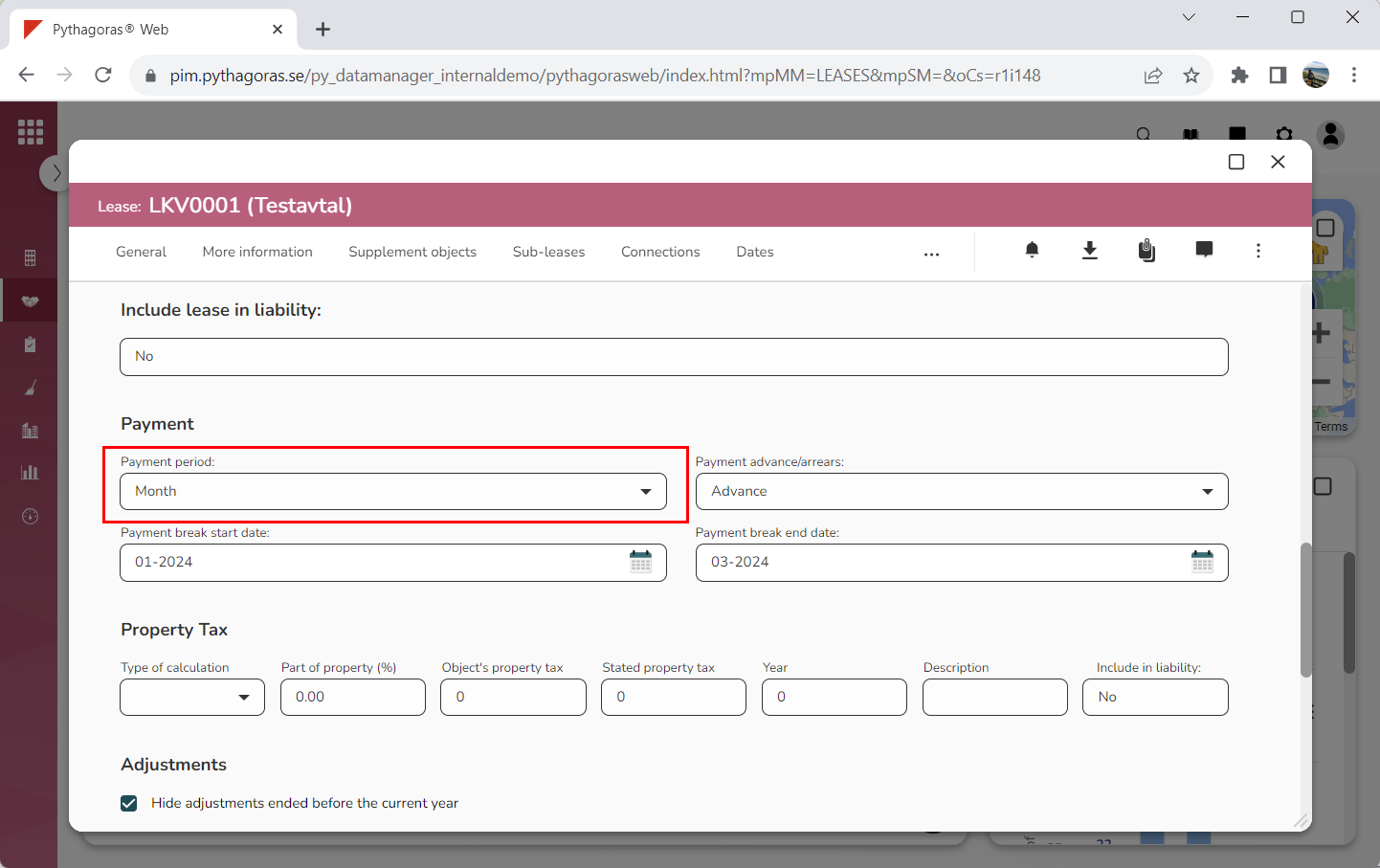
4. Specify how often the lease you are working with is to be paid by clicking the field "Payment period" and then selecting a payment period in the list that opens (see image below).
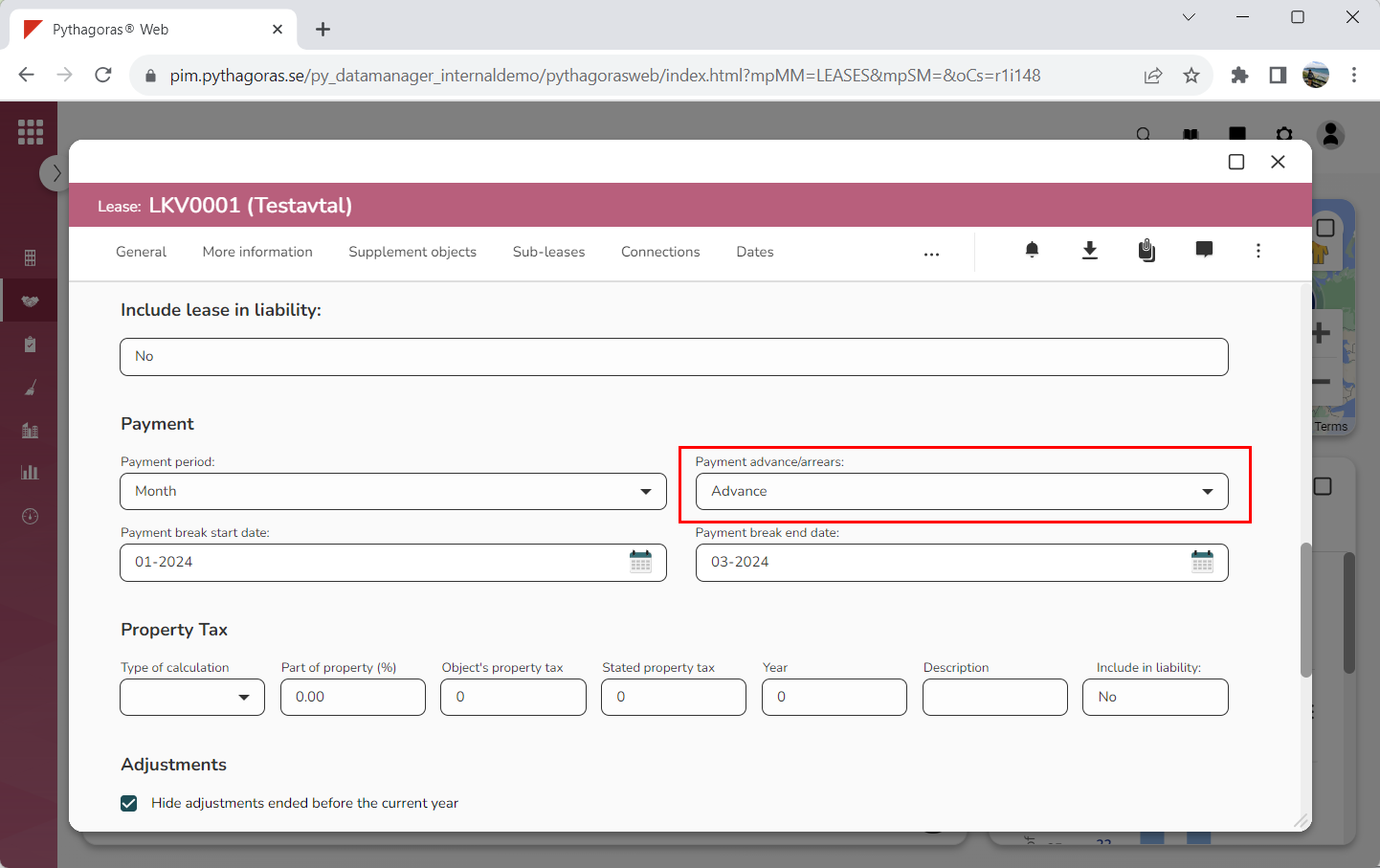
5. Specify whether the lease you are working with is to be paid in advance or in arrears by clicking the field "Advance/arrears" and then selecting "Advance" or "Arrears" in the list that opens (see image below).
You have now set a payment period for the lease you are working with.