In order for you to reactivate a lease, the lease must be archived. However, it does not matter if the archive date of the lease is in the future or has already passed. Note that when you reactivate a lease, it will become active again.
To reactivate a lease:
Open a lease. For more information on how to do so, see section 4.6. or 6.1.
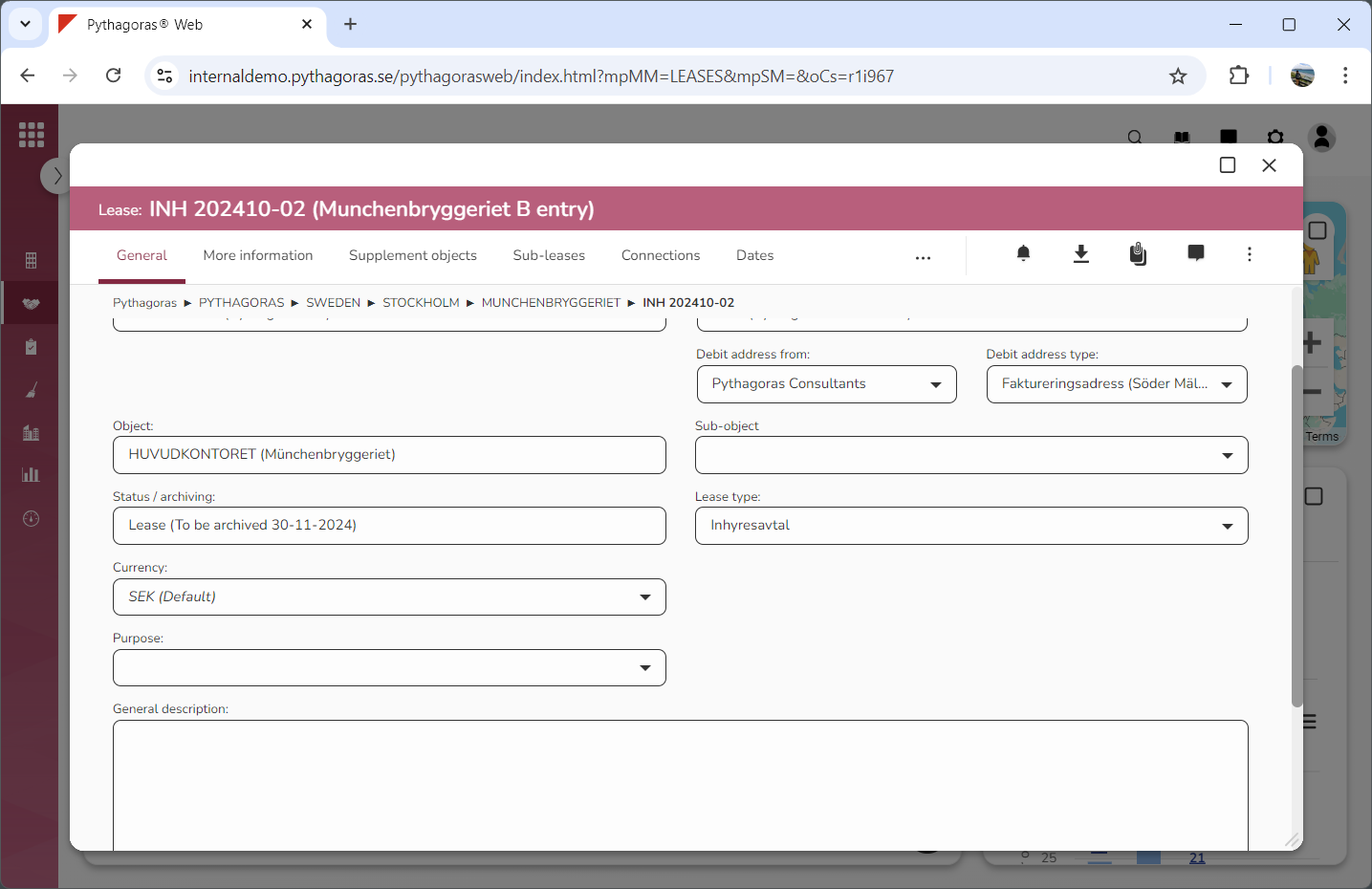
Go to the lease card (see image below).
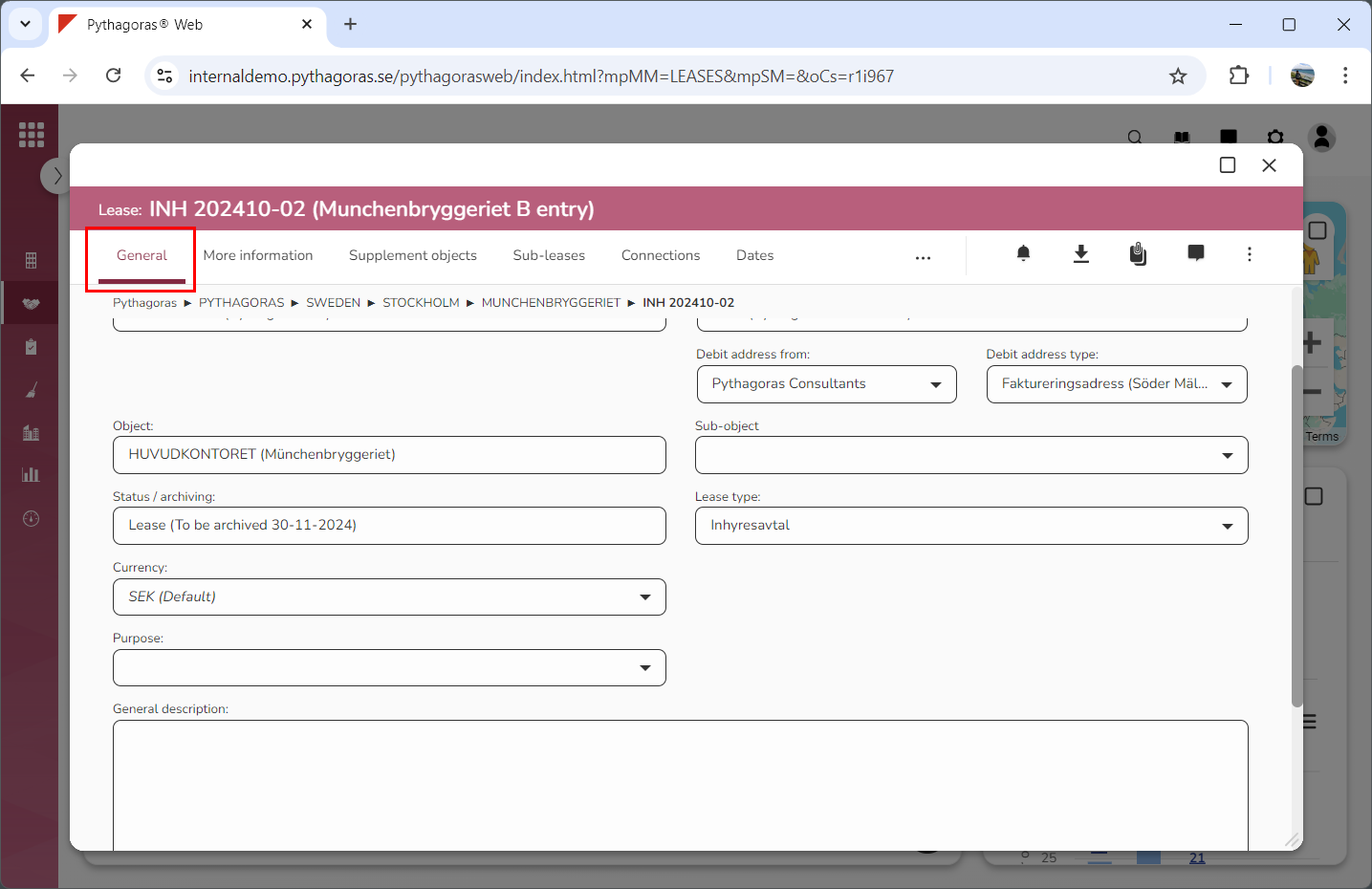
Click the tab called "General" (see image below).
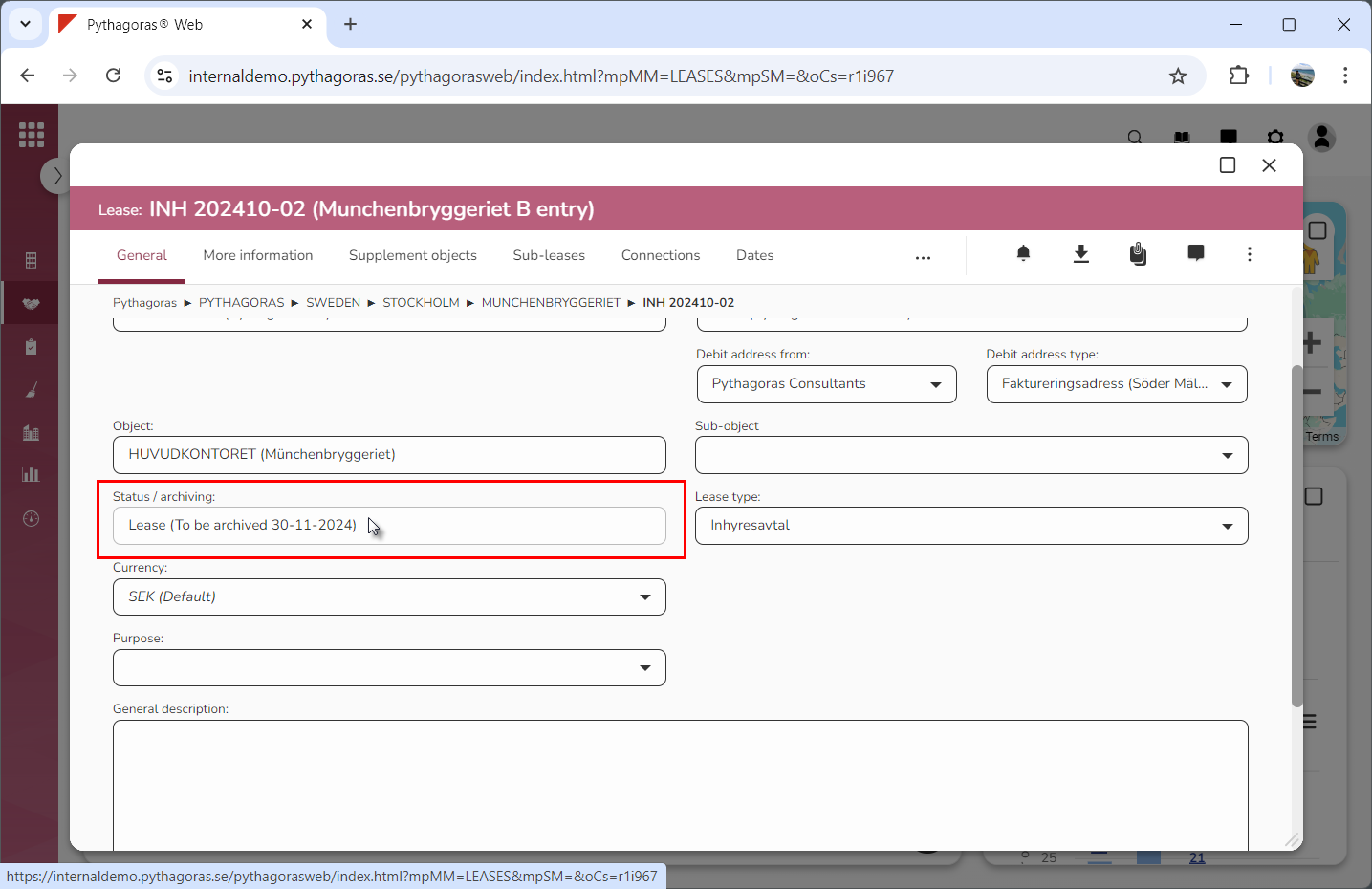
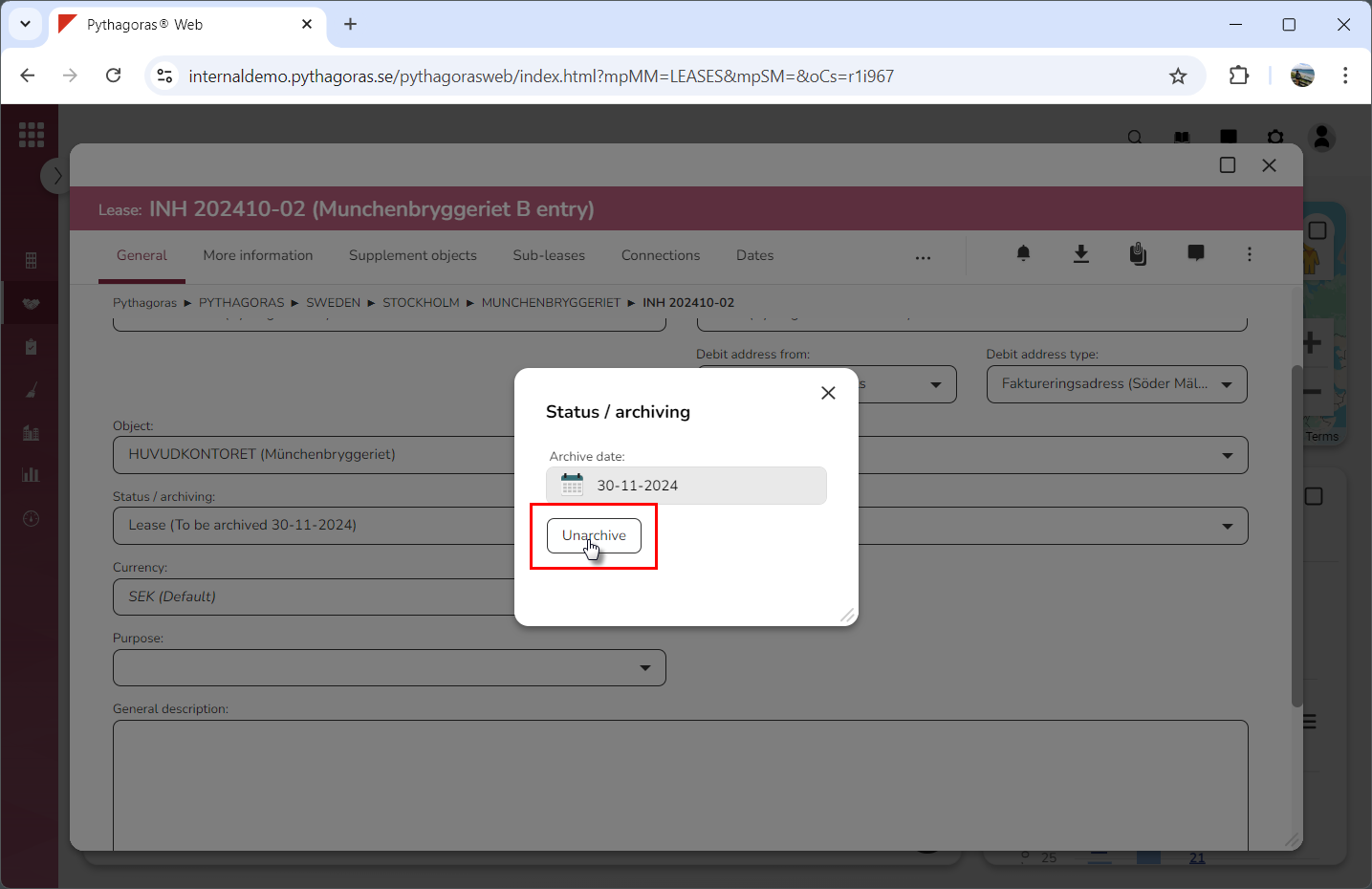
Click the field "Status/archiving" (see the first image below). When you do so, a window called "Status/archiving" will open.
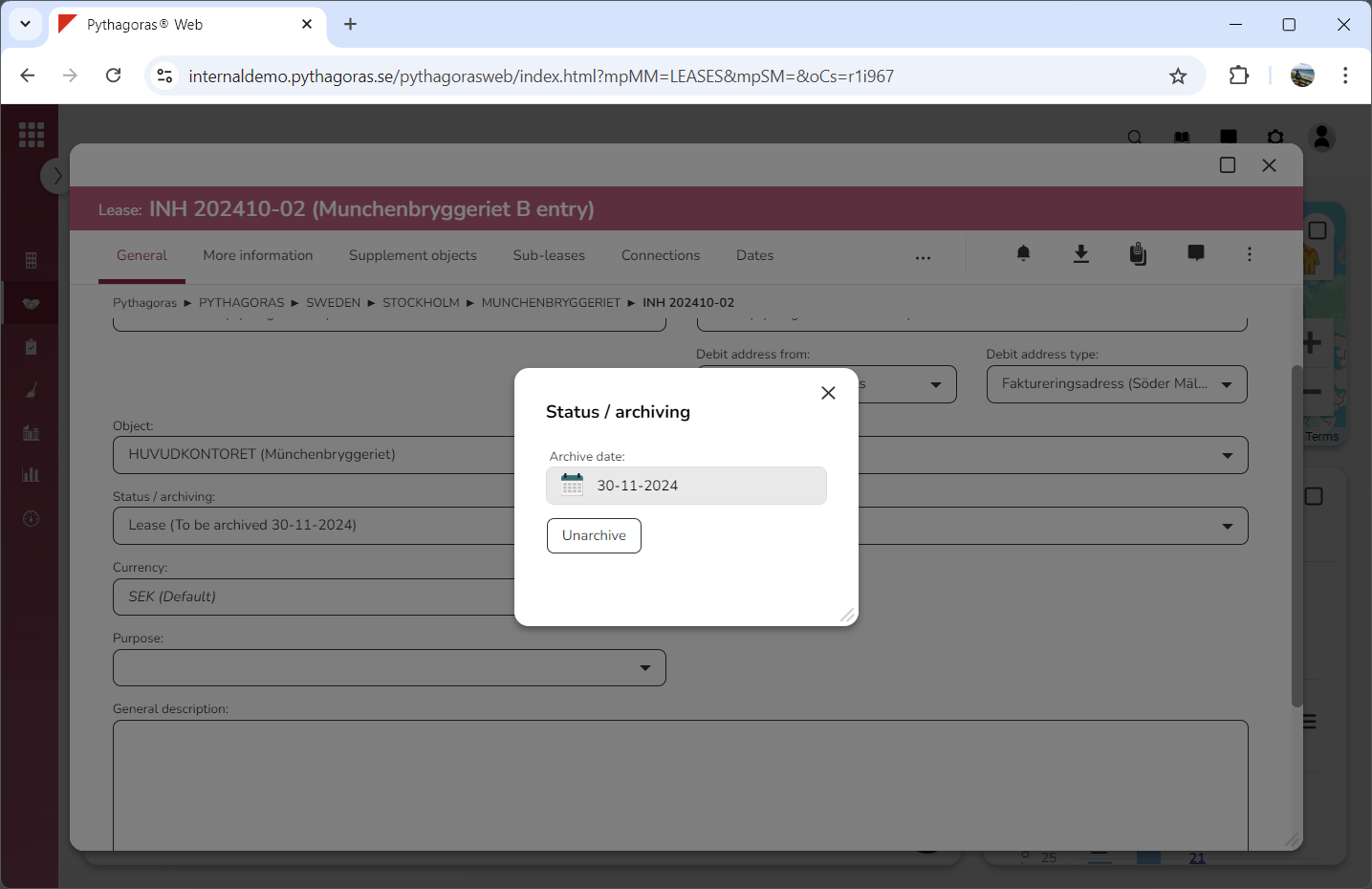
Go to the window called "Status/archiving".
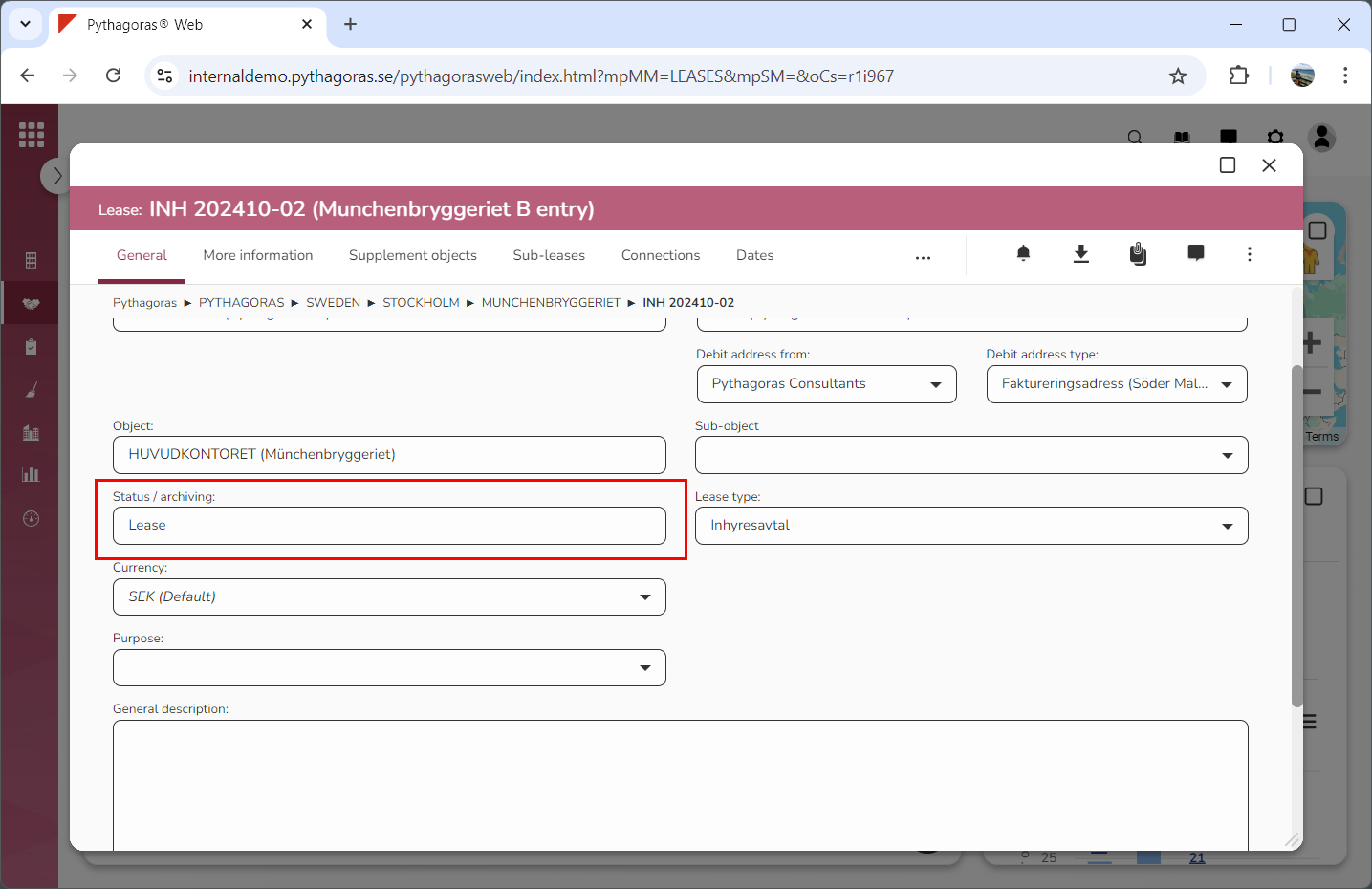
Click "Unarchive" (see the first image below). When you do so, the lease you are working with will be reactivated. At the same time you will be redirected back to the lease card. In the lease card you will see that the lease you are working with has been reactivated and has regained the status "Lease" (see the second image below).