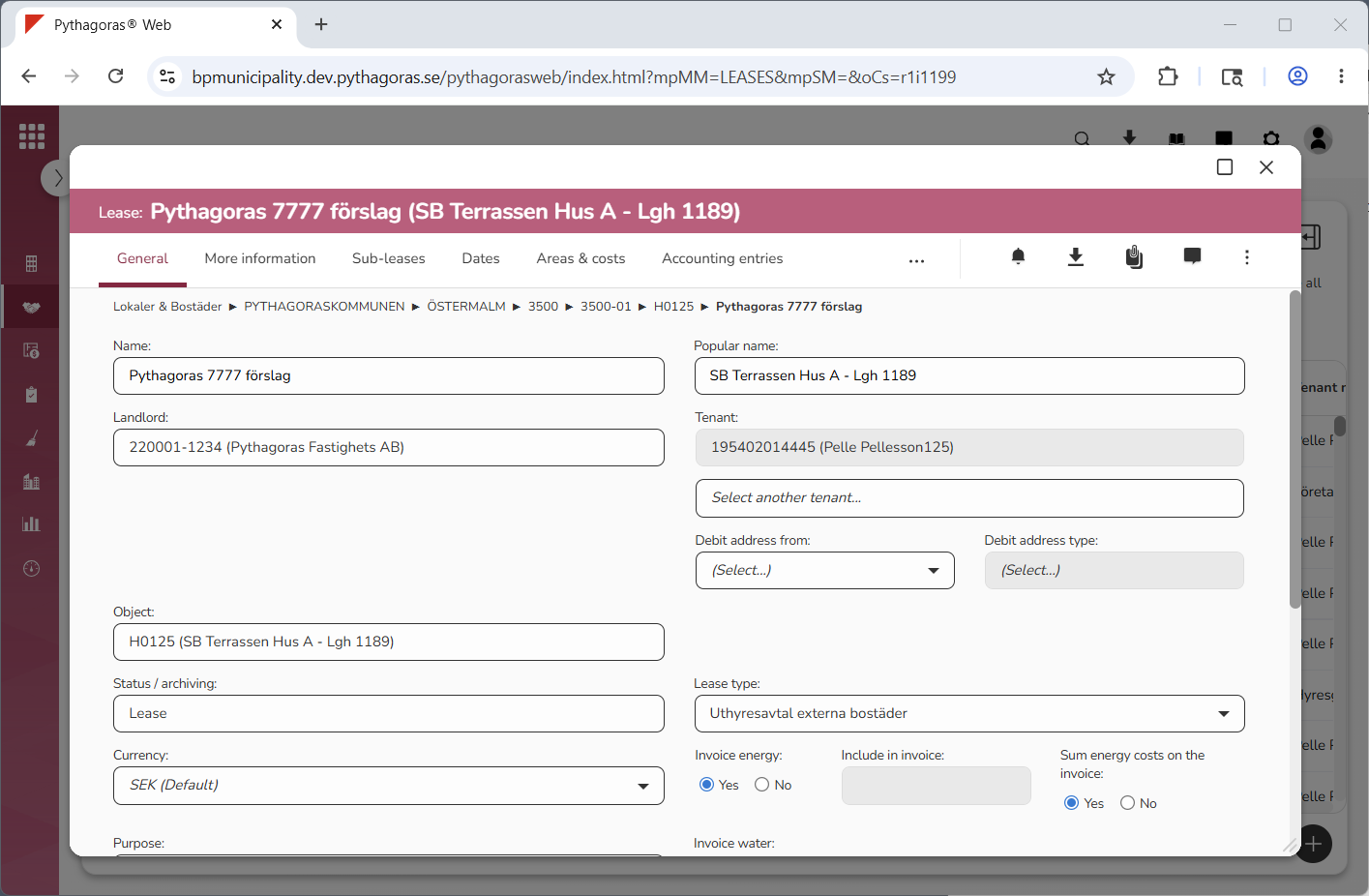
Via the tab called "General", you can work with the general information for a lease. You will only have access to the fields and buttons you have permission to work with, which means you might not have access to all the fields and buttons presented in this section and its sub-sections.
For more information about:
the field "Name", see section 8.1.1.
the field "Popular name", see section 8.1.2.
the field "Landlord", see section 8.1.3.
the field "Tenant", see section 8.1.4.
the field "Debit address from", see section 8.1.5.
the field "Debit address type", see section 8.1.6.
the field "Object", see section 8.1.7.
the field "Sub-object", see section 8.1.8.
the field "Status/archiving", see section 8.1.9.
the field "Lease type", see section 8.1.10.
the field "Currency", see section 8.1.11.
the headings "Invoice energy" and "Invoice water", the field "Include in invoice" and the heading "Sum energy costs on the invoice", see section 8.1.12.
the field "Purpose", see section 8.1.13.
the field "General description", see section 8.1.14.
the field "Protected description", see section 8.1.15.