If your organisation uses Energy, you can invoice closed leases. Energy invoicing is carried out two months in arrears. Being able to invoice closed leases allows you to invoice remaining energy costs without invoicing other charges after a tenant has moved out of their premises. If your organisation does not use Energy, you cannot invoice closed leases.
To close a lease:
Open a lease. For more information on how to do so, see section 4.6. or 6.1.
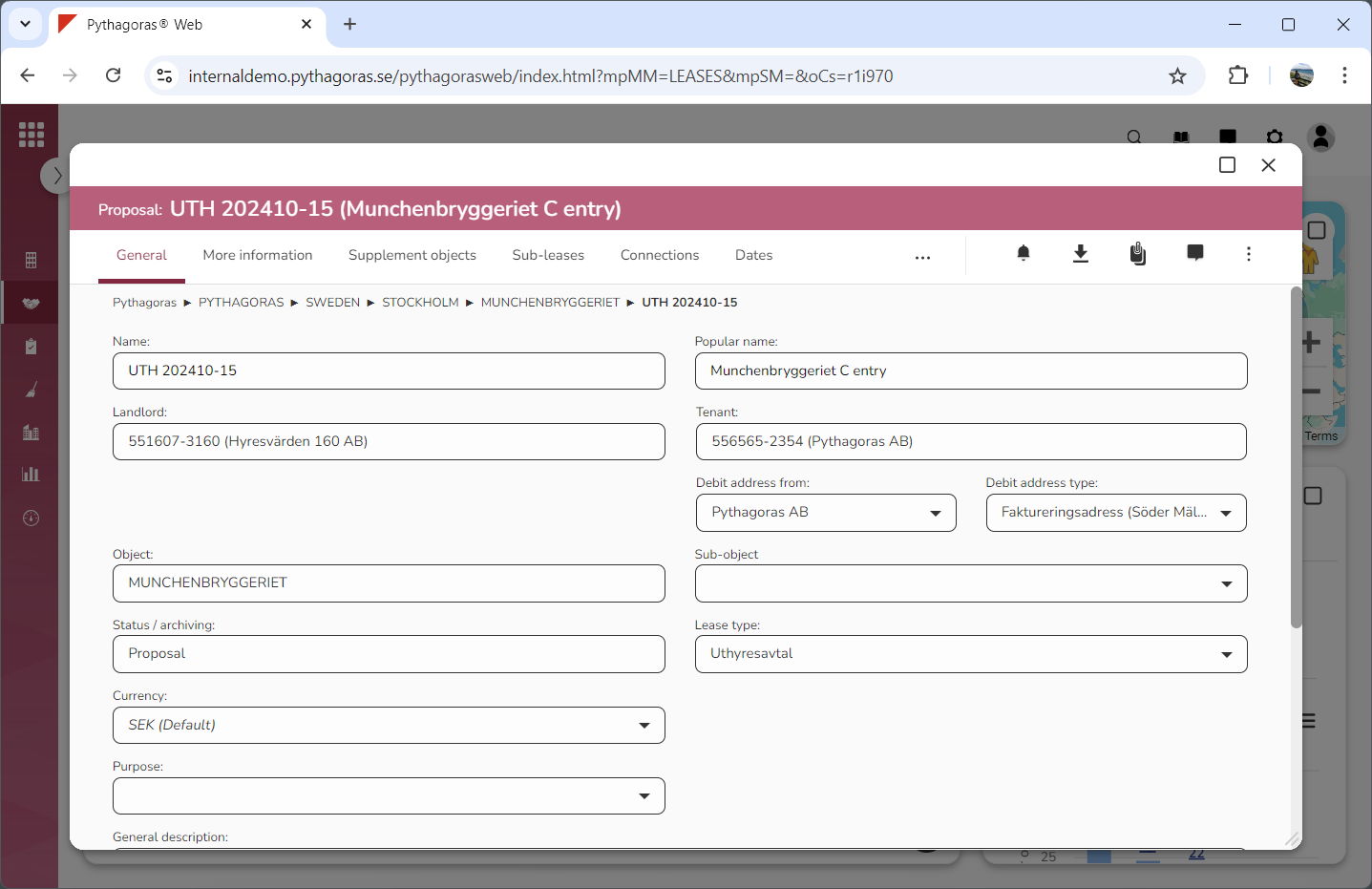
Go to the lease card (see image below).
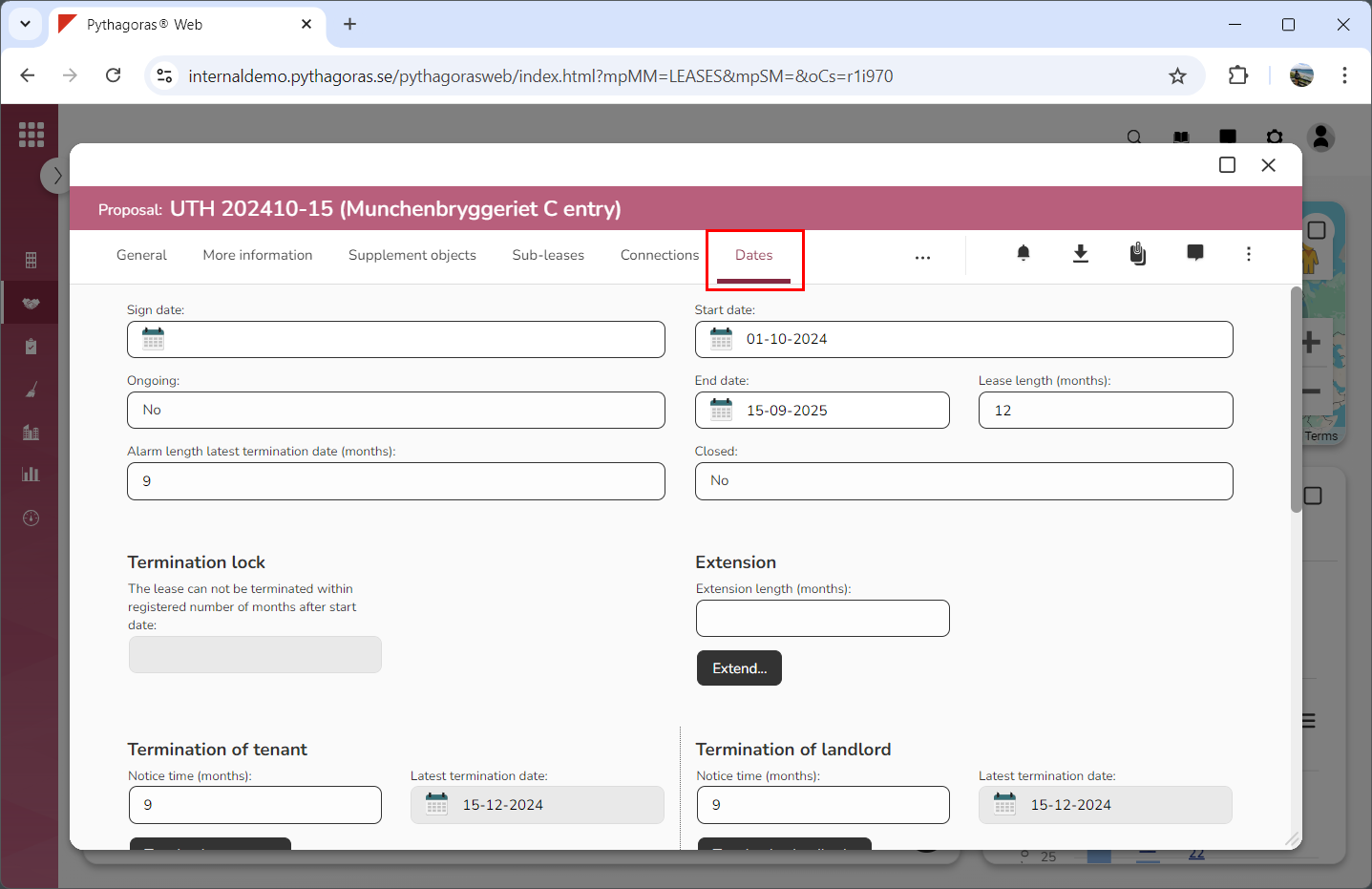
Click the tab called "Dates" (see image below).
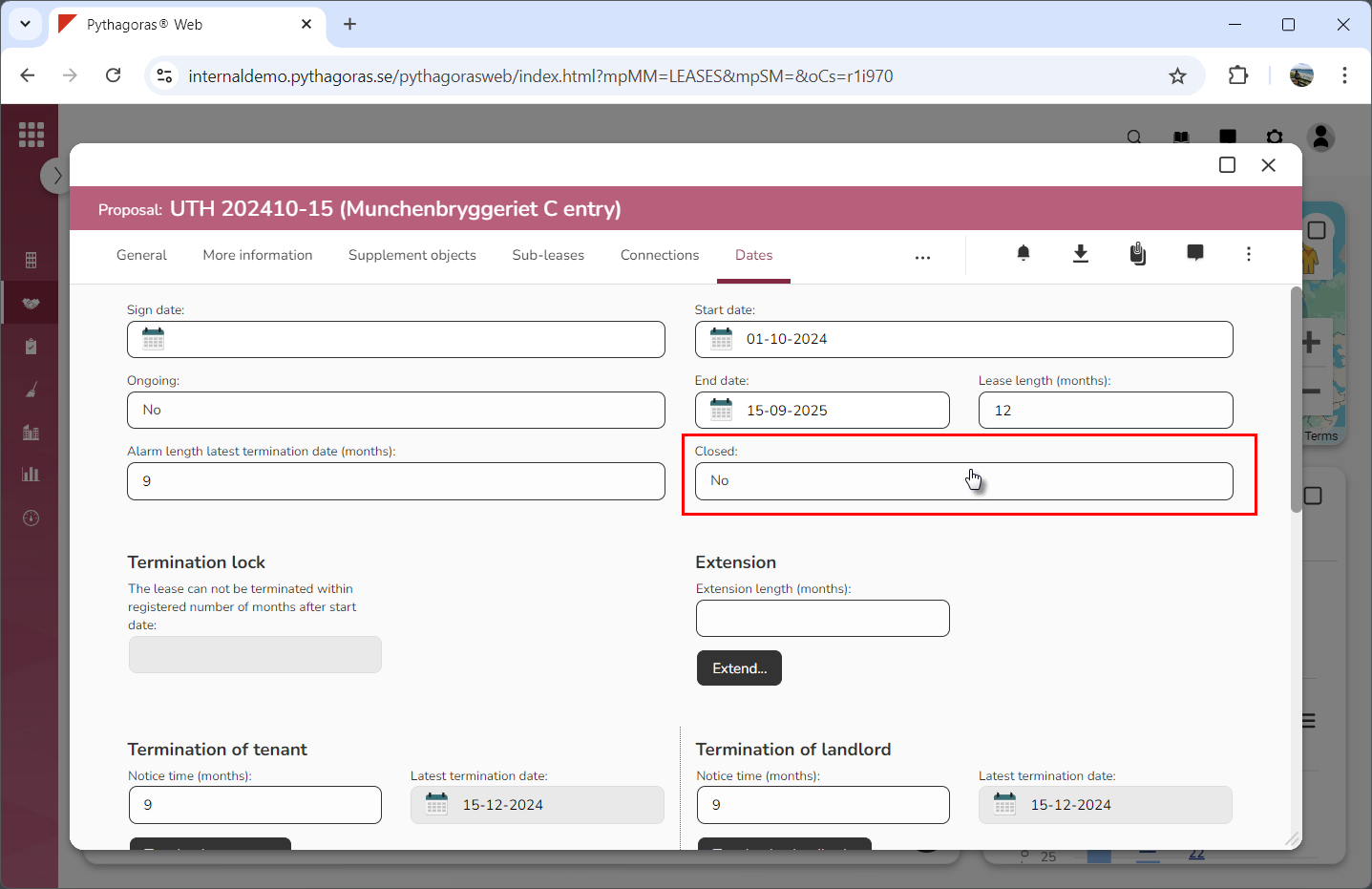
Click the field "Closed" (see the first image below). When you do so, a window called "Closed" will open (see the second image below).
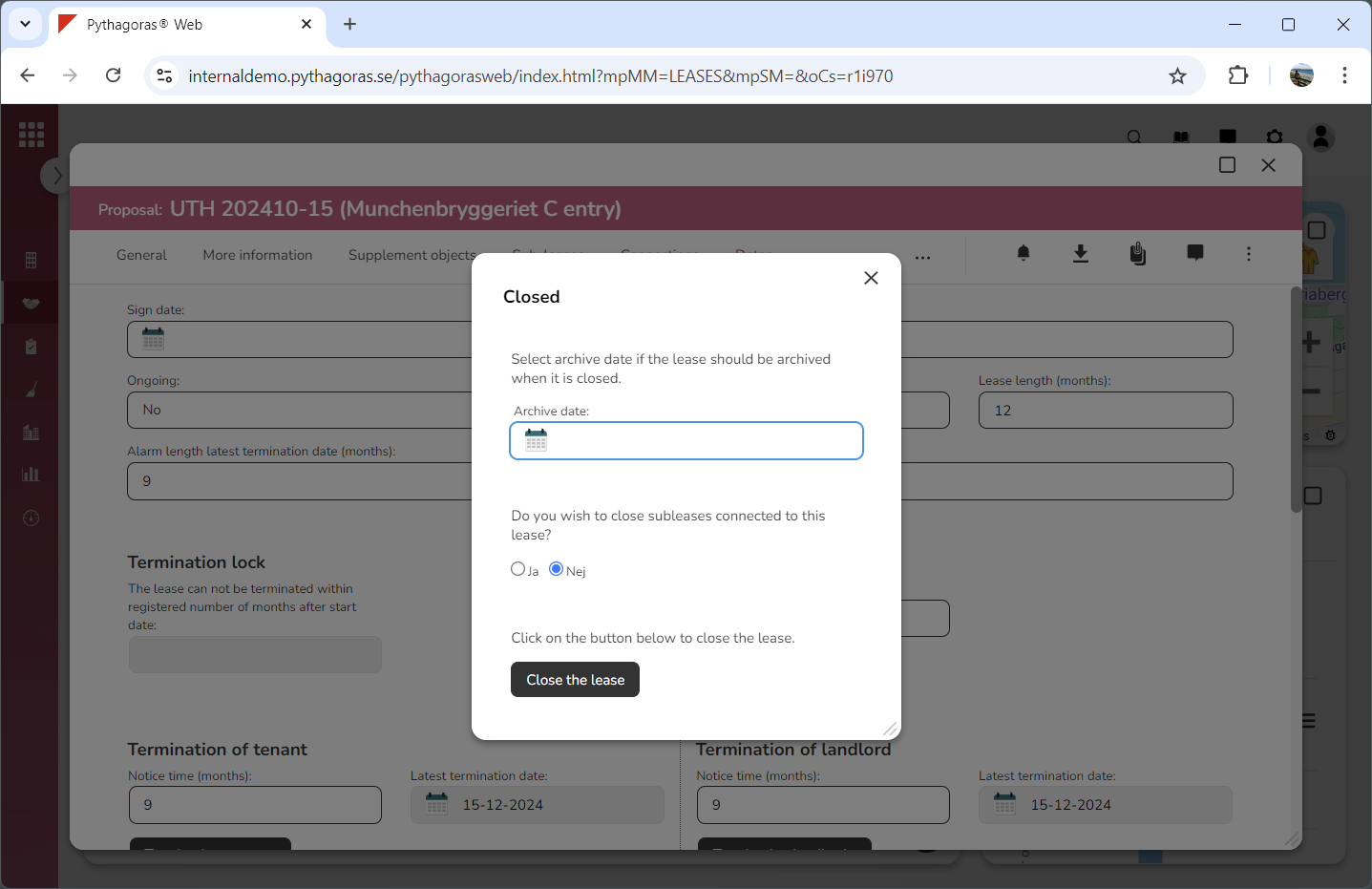
Go to the window called "Closed".
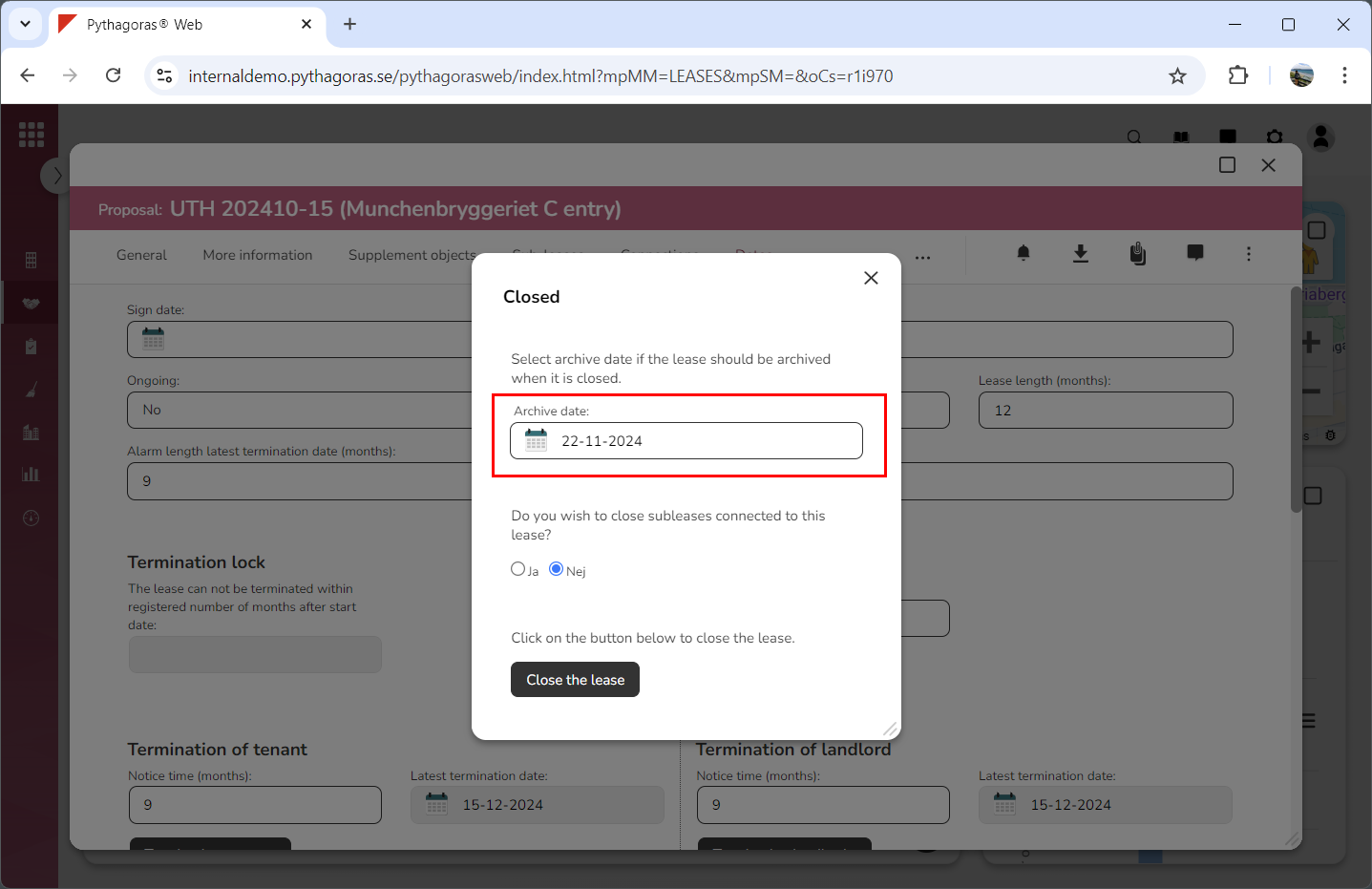
Set an archive date for the lease you are working with (see image below). Click the field "Archive date" and then select a date in the calendar that opens. You only need to do this if you wish to archive the lease you are working with after it's closed. If you do not wish to do so, you can skip this step and go straight to step 7.
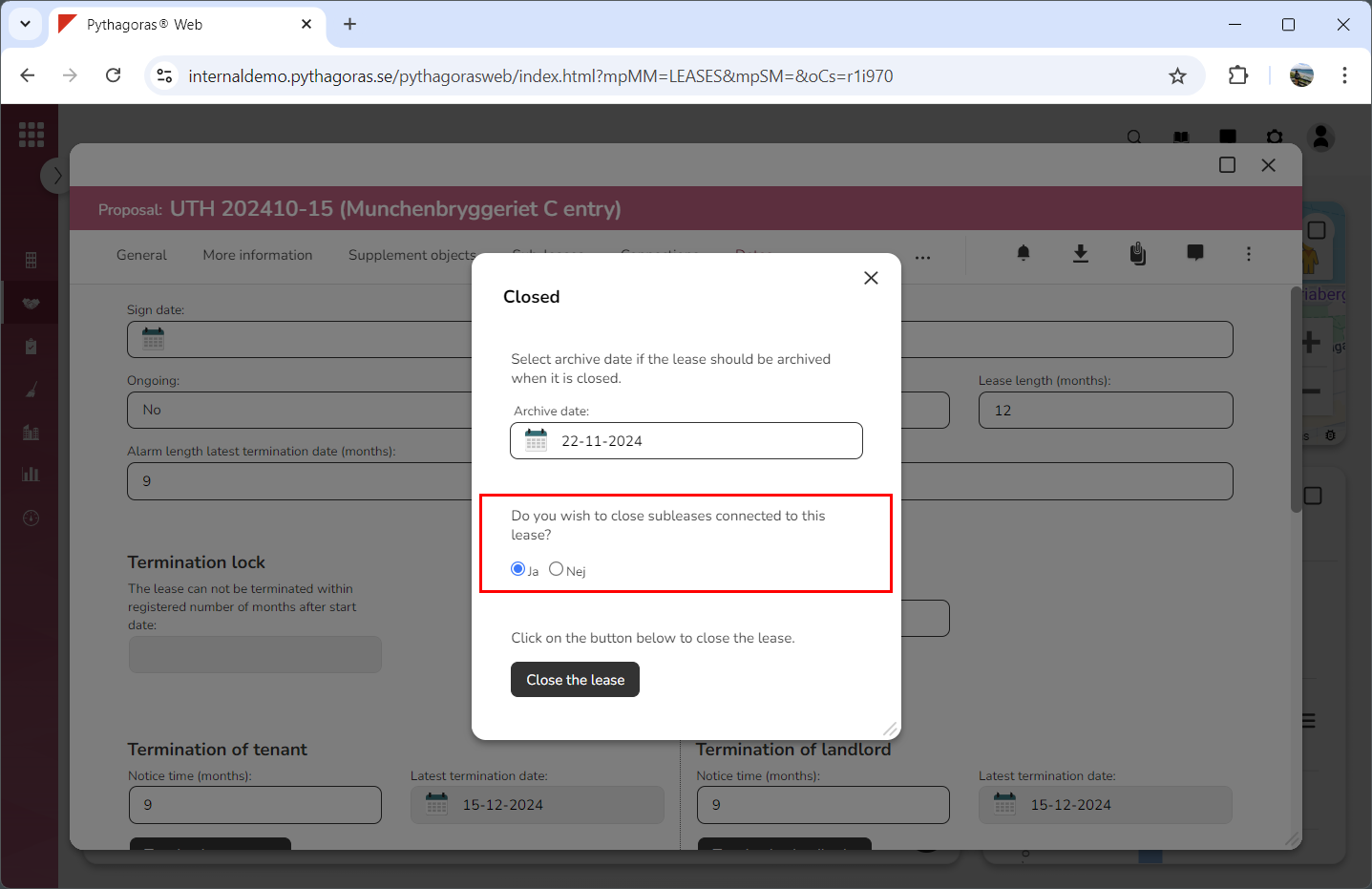
Specify whether or not the sub-leases connected to the lease you are working with should be closed when the lease you are working with is closed (see image below). Select "Yes" or "No" below the label "Do you wish to close sub-leases connected to this lease?". This can only be done if the lease you are working with has one or more sub-leases connected to it. If it hasn't you can skip this step and go straight to step 8.
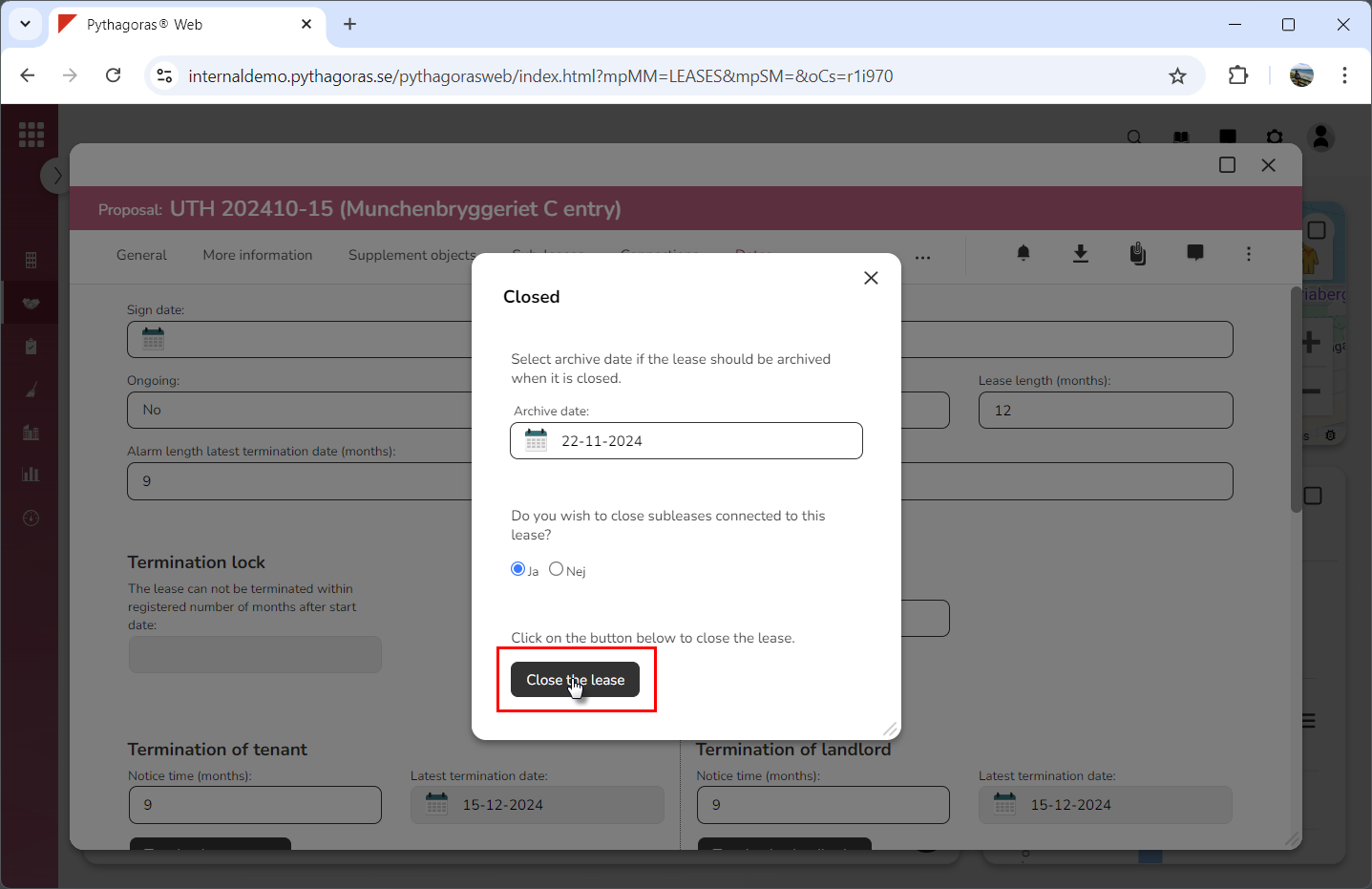
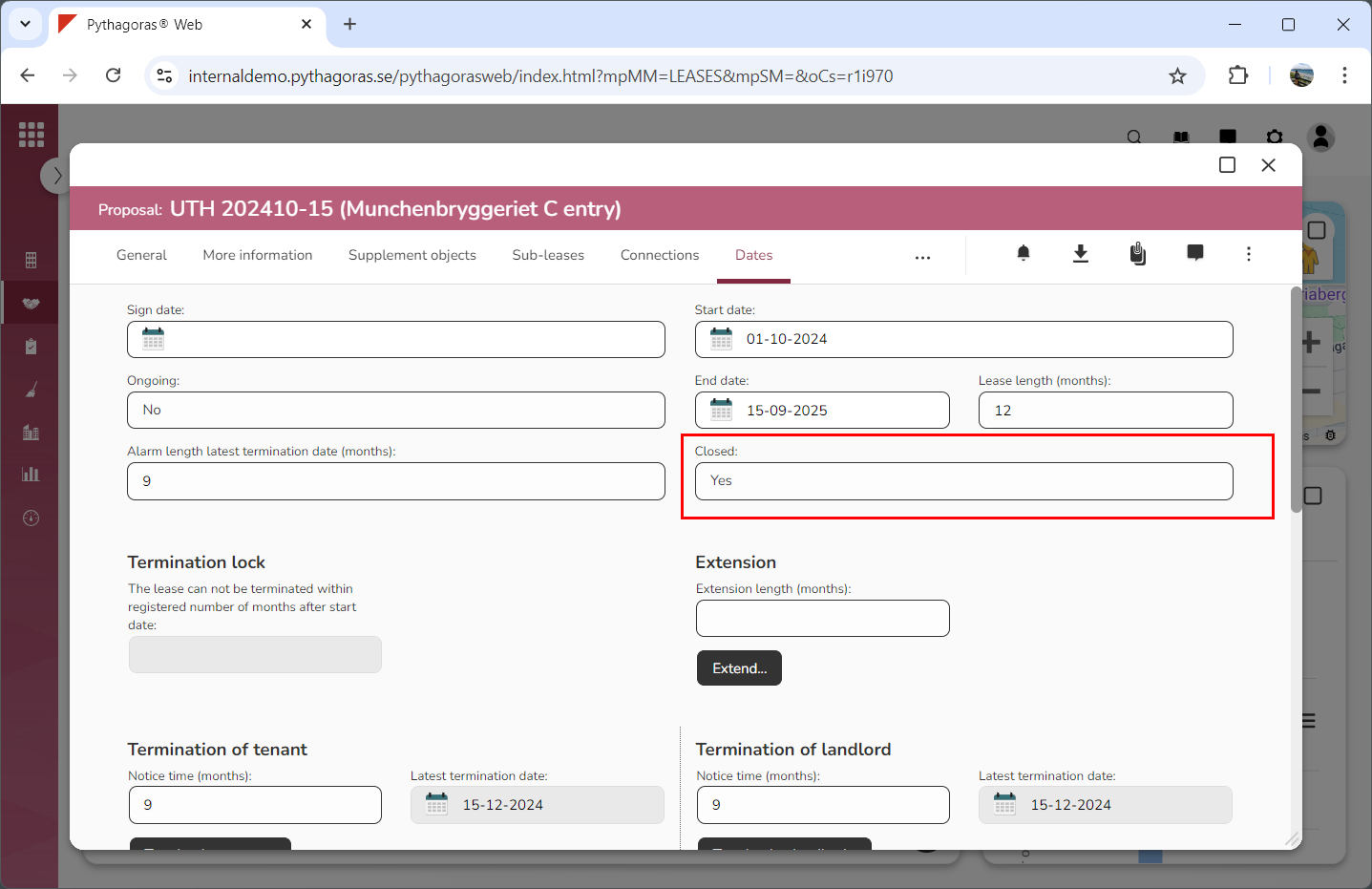
Click "Close the lease" (see the first image below). When you do so, you will be redirected back to the lease card where you will see that the lease you are working with has been closed (see the second image below).