A lease can have the status "Proposal" or "Lease". In order for you to change the status of a lease, the lease must have the status "Proposal". By changing the status of a lease, you can convert the lease from a proposal to a lease. Note that if you make a proposal a lease, the lease can not regain the status proposal.
To change the status of a lease:
Open a lease. For more information on how to do so, see section 4.6. or 6.1.
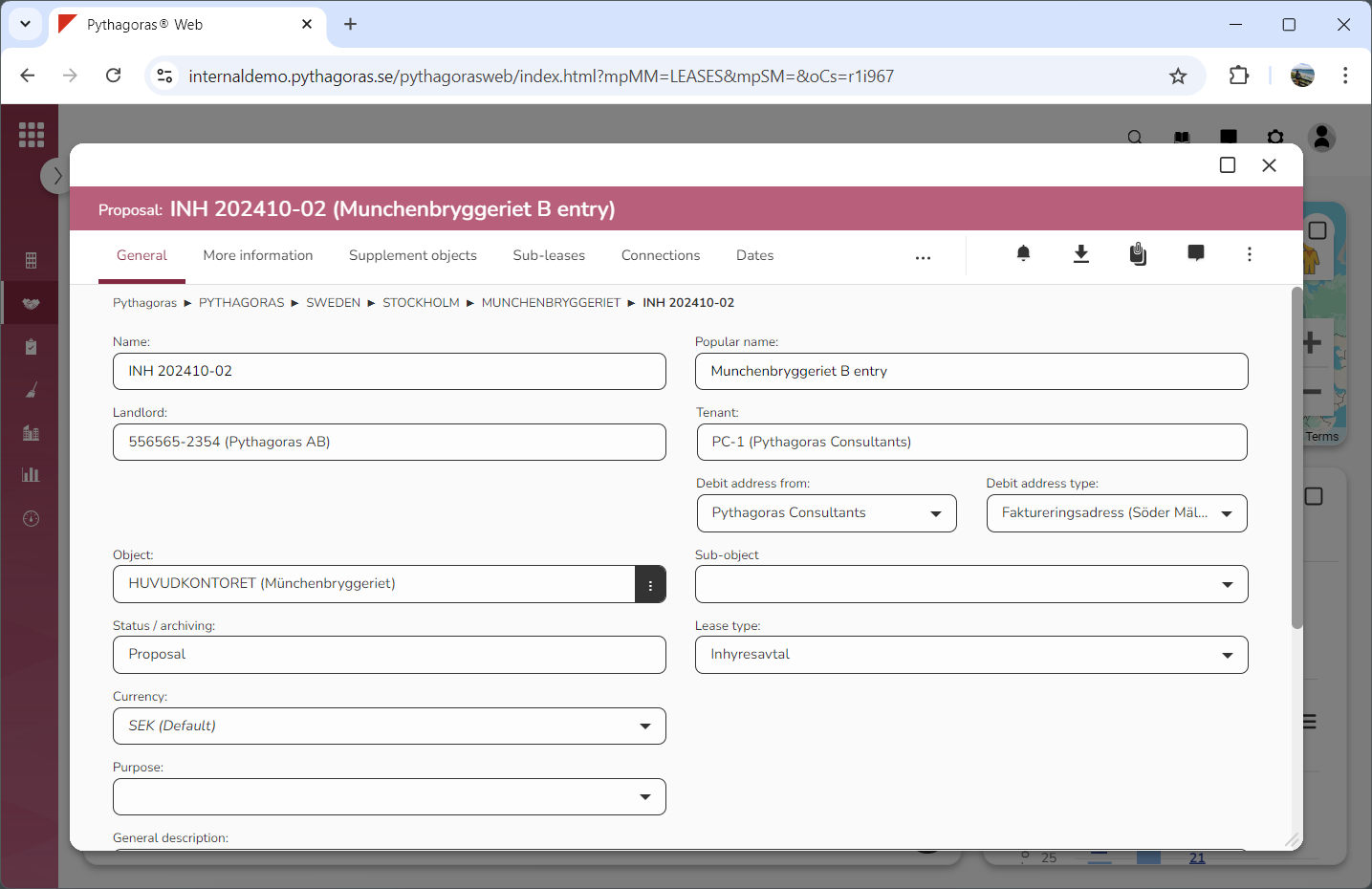
Go to the lease card (see image below).
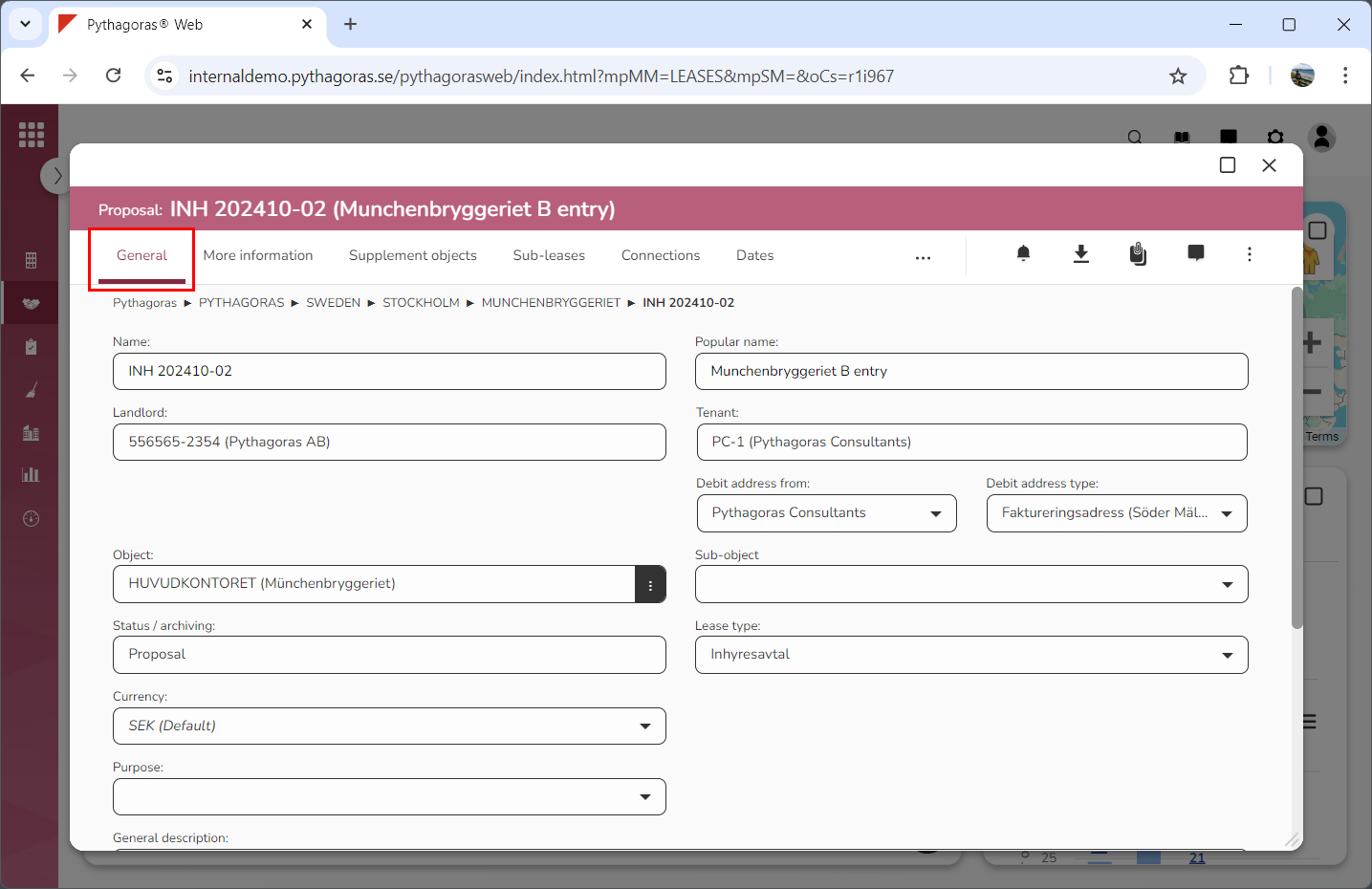
Click the tab called "General" (see image below).
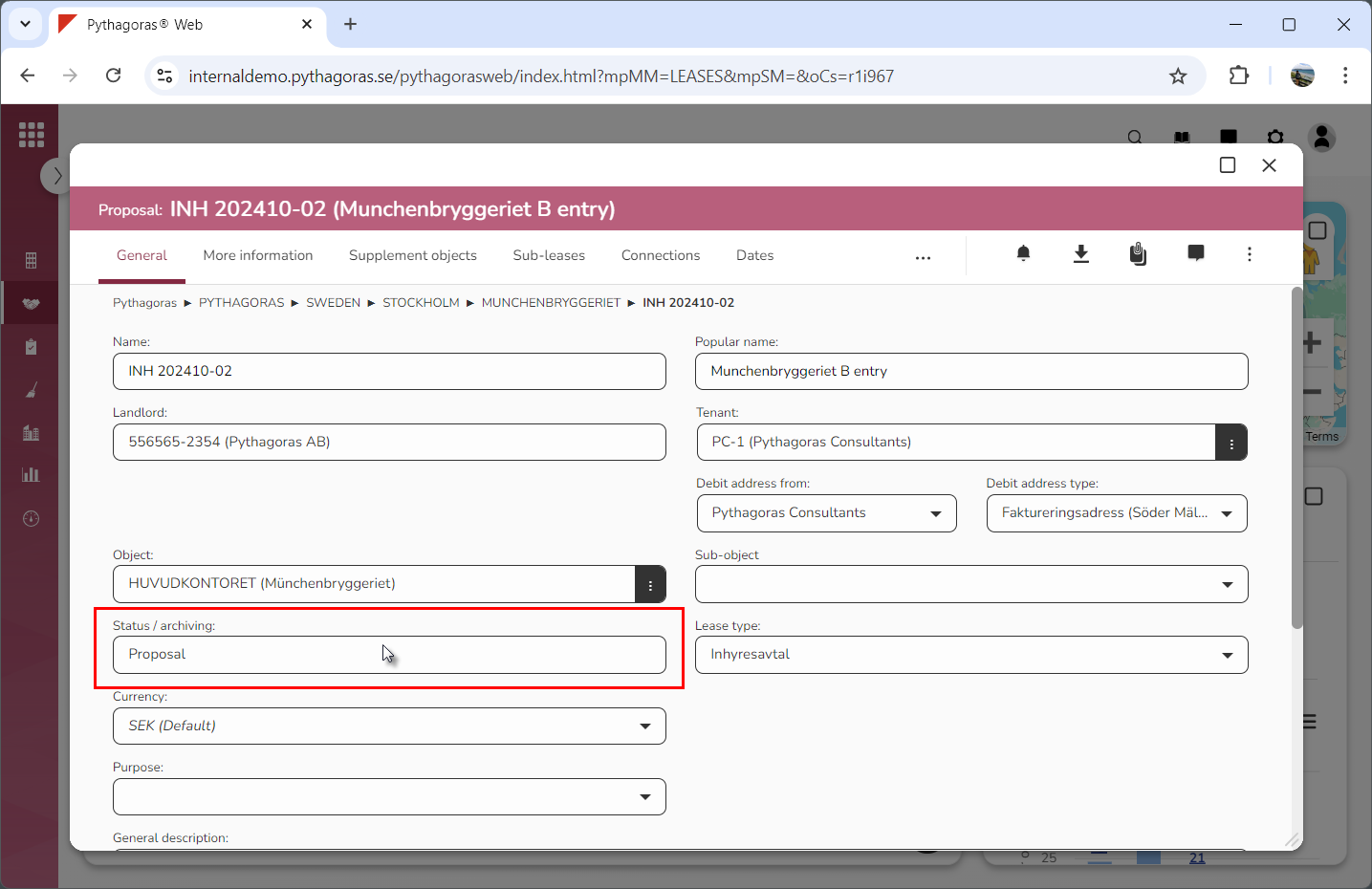
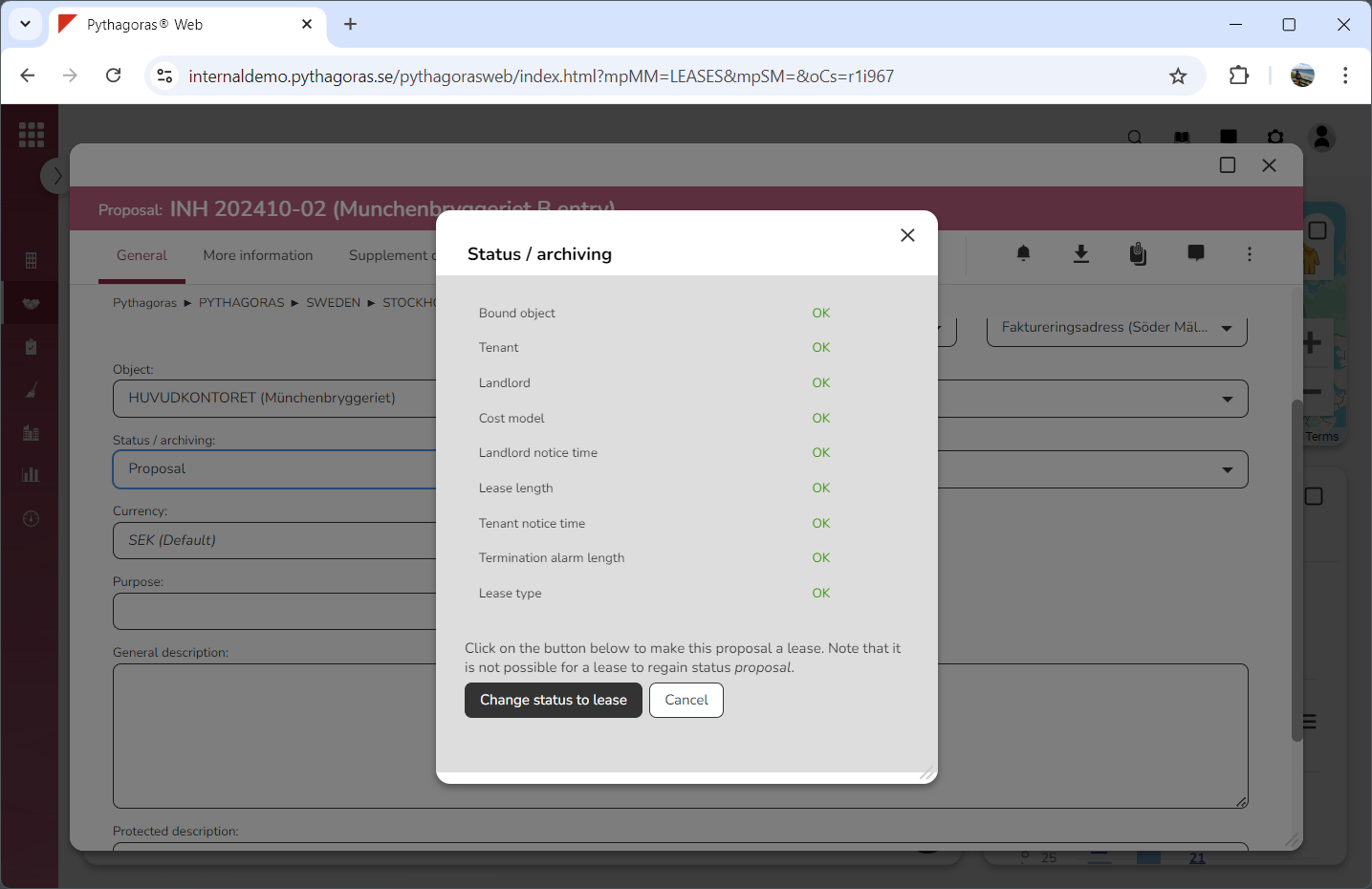
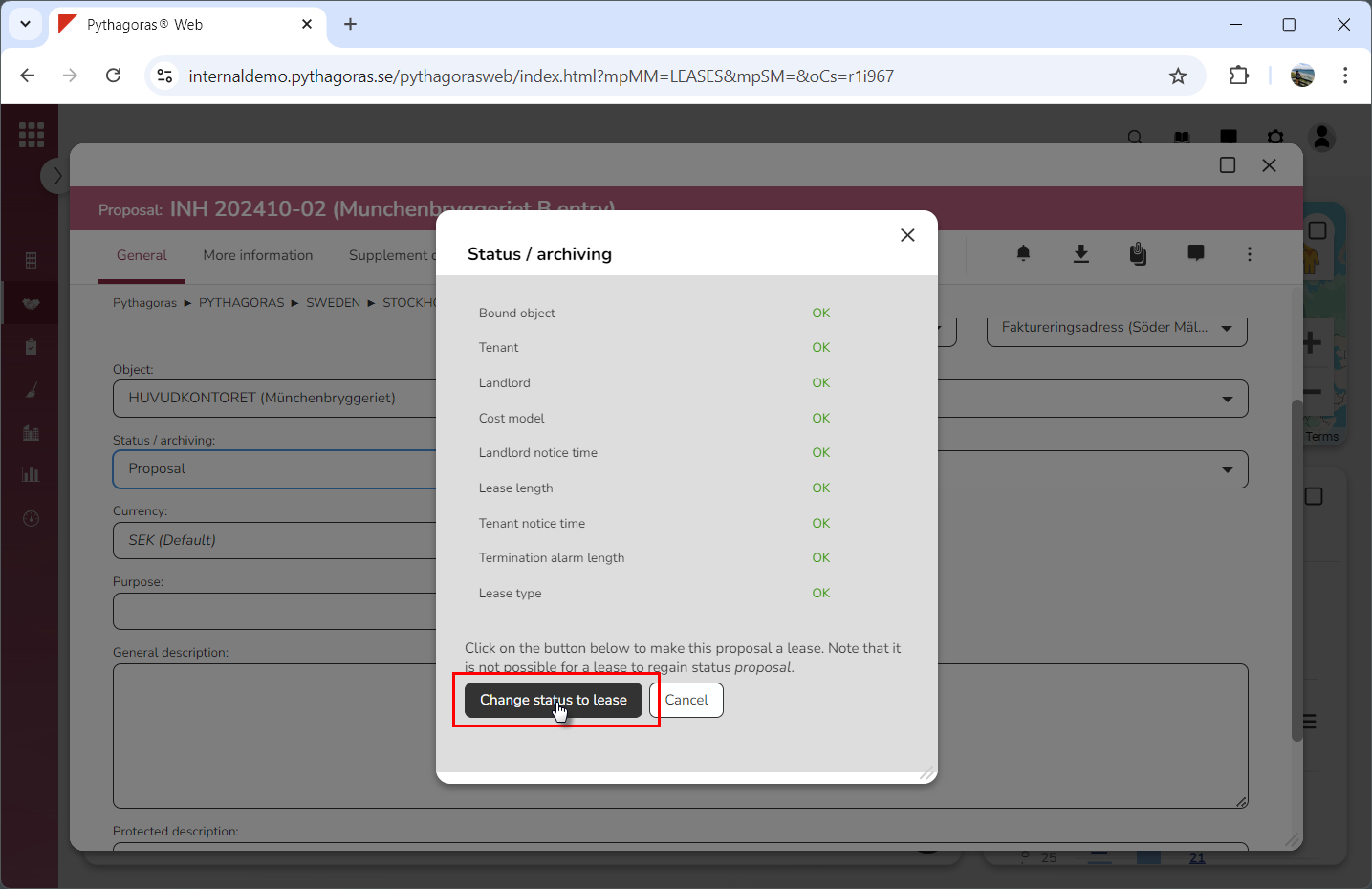
Click the field "Status/archiving" (see the first image below). When you do so, a window called "Status/archiving" will open (see the second image below). Note that, in order for you to make a proposal a lease, all items listed in the window called "Status/archiving" must be marked "OK".
Go to the window called "Status/archiving".
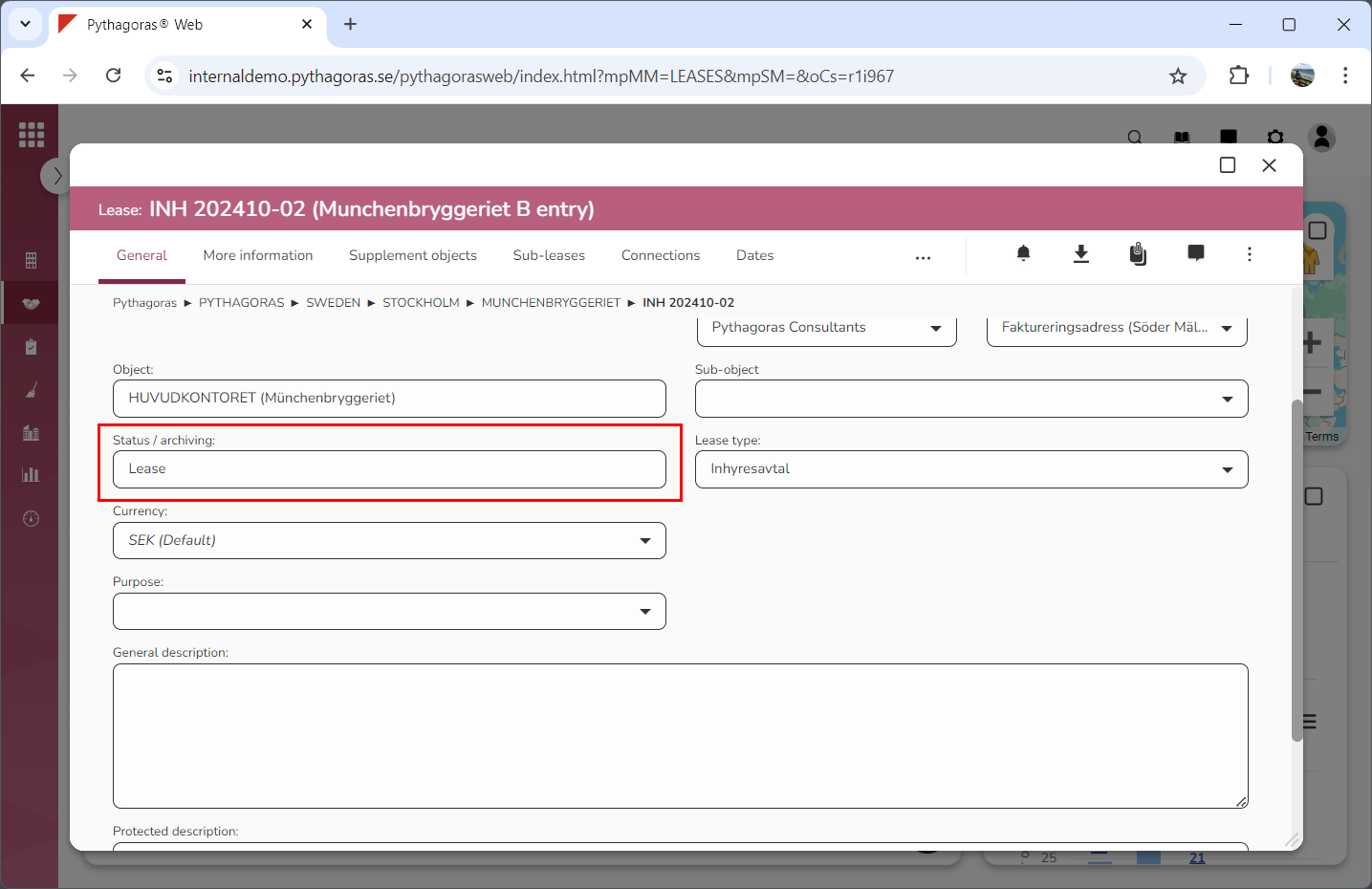
Click "Change status to lease" (see the first image below). When you do so, you will be redirected back to the lease card. In the lease card you will see that the lease you are working with has been given the status "Lease" (see the second image below). Note that the button called "Change status to lease" will only be active if all items listed in the "Status/archiving" window are marked "OK".