To properly display this page you need a browser with JavaScript support.
×
Meny
Sök
Sök
Sök
8. Working with a lease
8.11. Activity log
Föregående sida
Nästa sida
User manual for Pythagoras Leases. Copyright © Pythagoras AB
To properly display this page you need a browser with JavaScript support.
8.11. Activity log
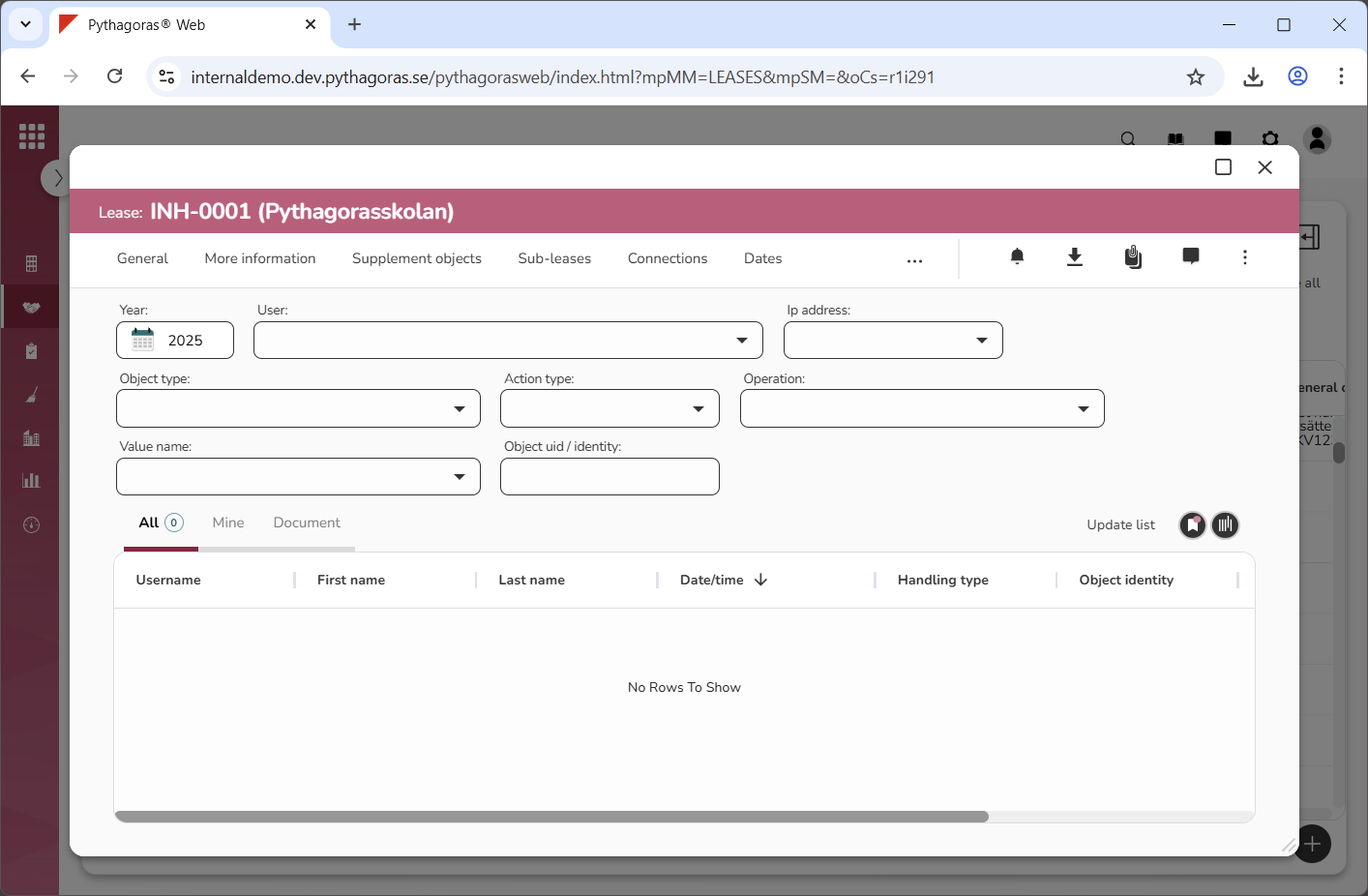
Within the tab called "Activity log" you will find an activity log specific to the lease you are working with (see image below).
In order for you to work with the activity log, you must first open it.
When you have opened the activity log you can:
filter it
update it
export it to Excel
manage views for it.
For more information on how to:
open the activity log for a lease, see section 8.11.1.
filter the activity log, see section 8.11.2.
update the activity log, see section 8.11.3.
export the activity log to Excel, see section 8.11.4.
manage views for a list such as the activity log, see chapter 3
in this manual
.
Innehållet i 8.11. Activity log
8.11.1. Open the activity log for a lease
8.11.2. Filter the activity log
8.11.3. Update the activity log
8.11.4. Export the activity log to Excel