8.3.4. Show supplement objects on the map in the building card
To show supplement objects on the map in the building card:
Open a building. For more information on how to do so, see section 4.6.1., 5.4.3. or 6.1.1.
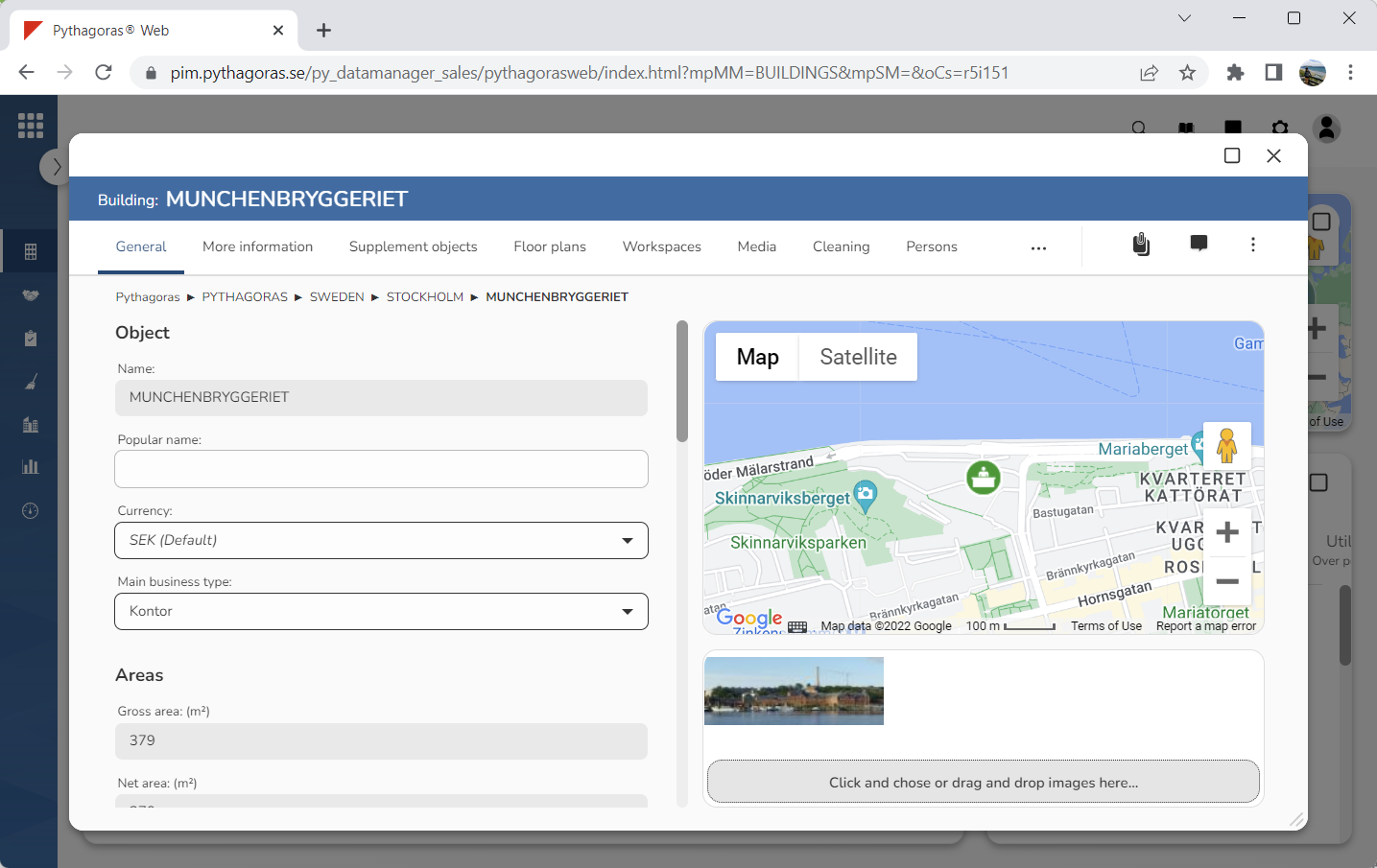
Go to the building card (see image below).
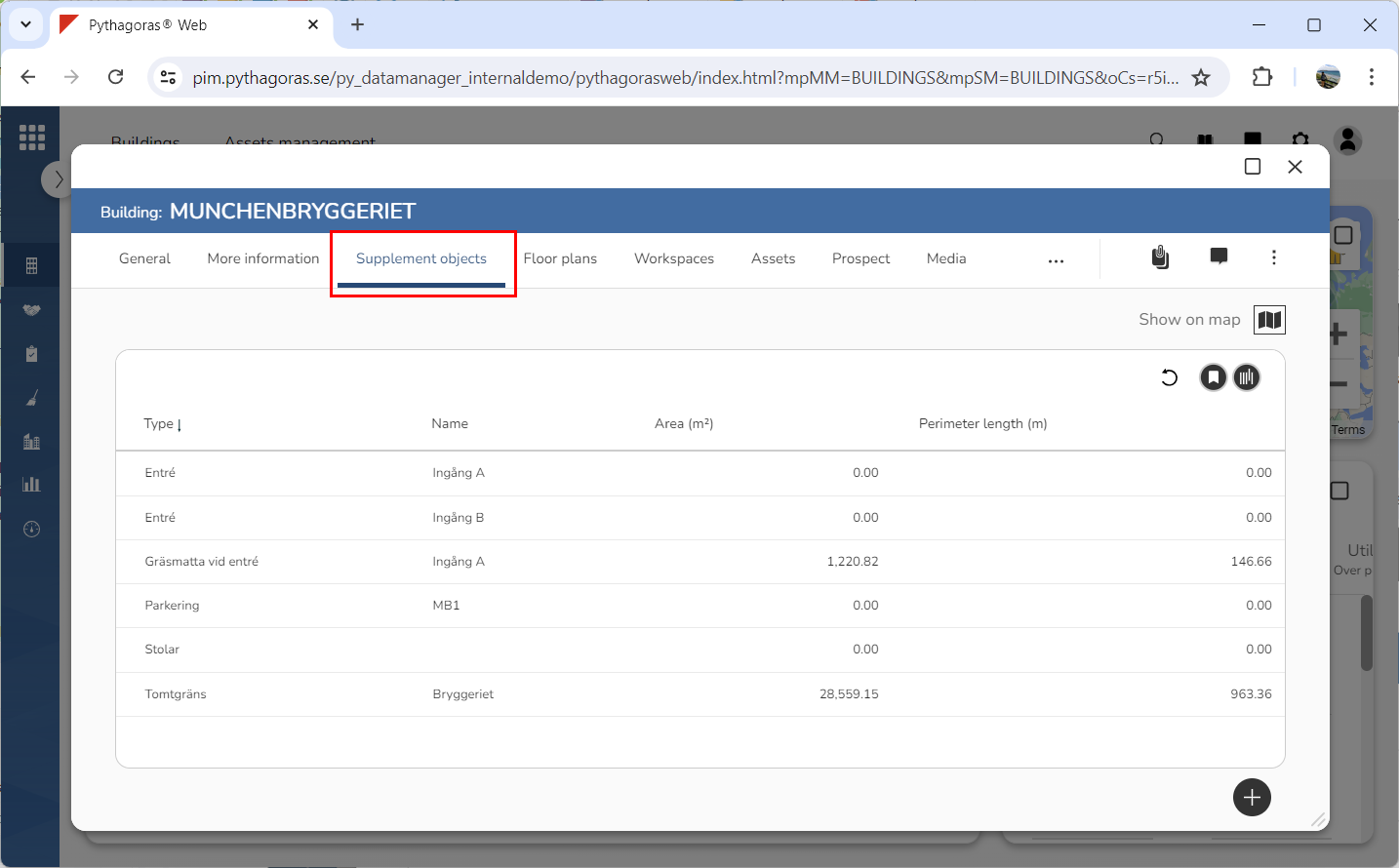
Click the tab called "Supplement objects" (see image below). Within the tab called "Supplement objects" you will find a list of supplement objects associated with the building you are working with.
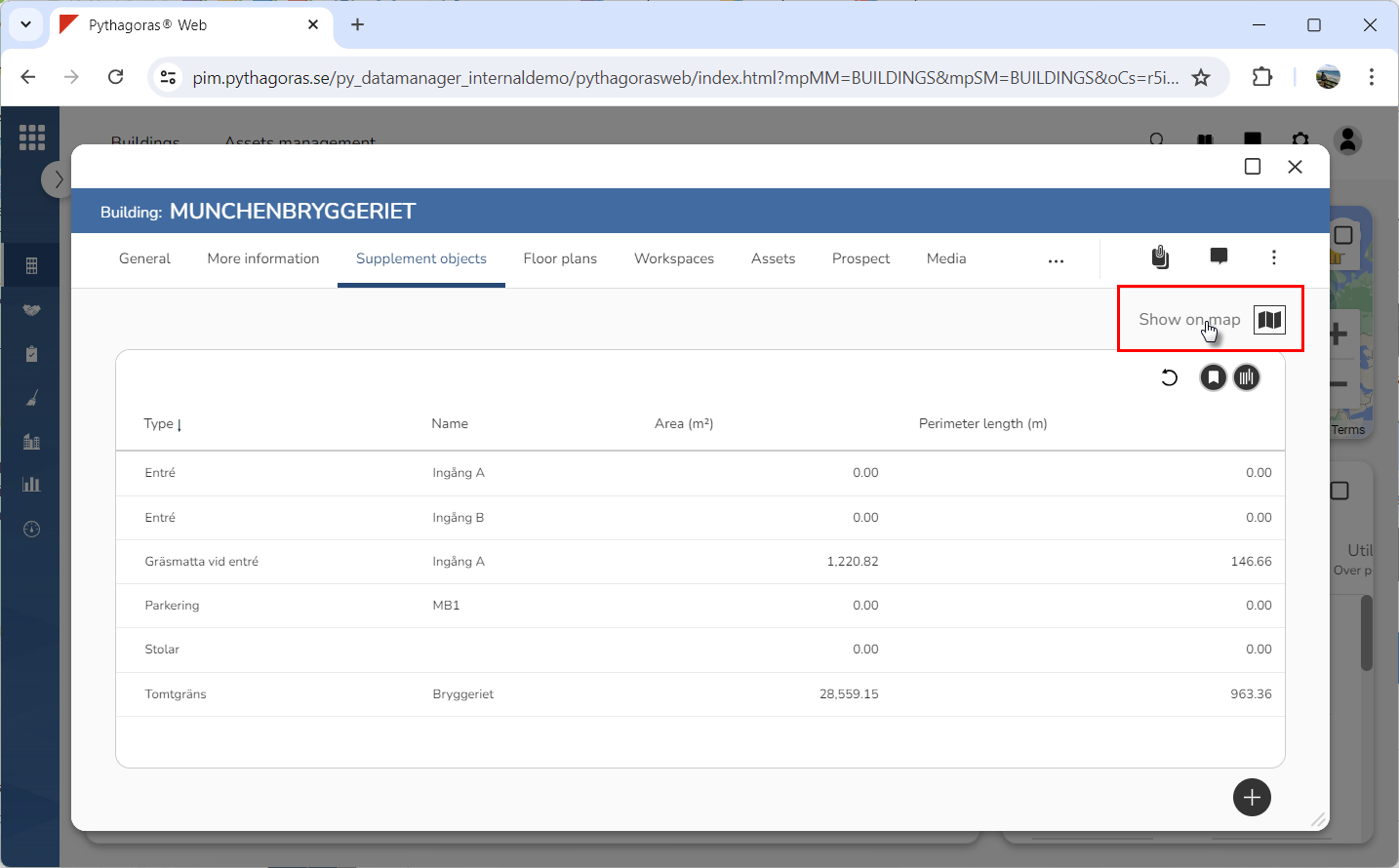
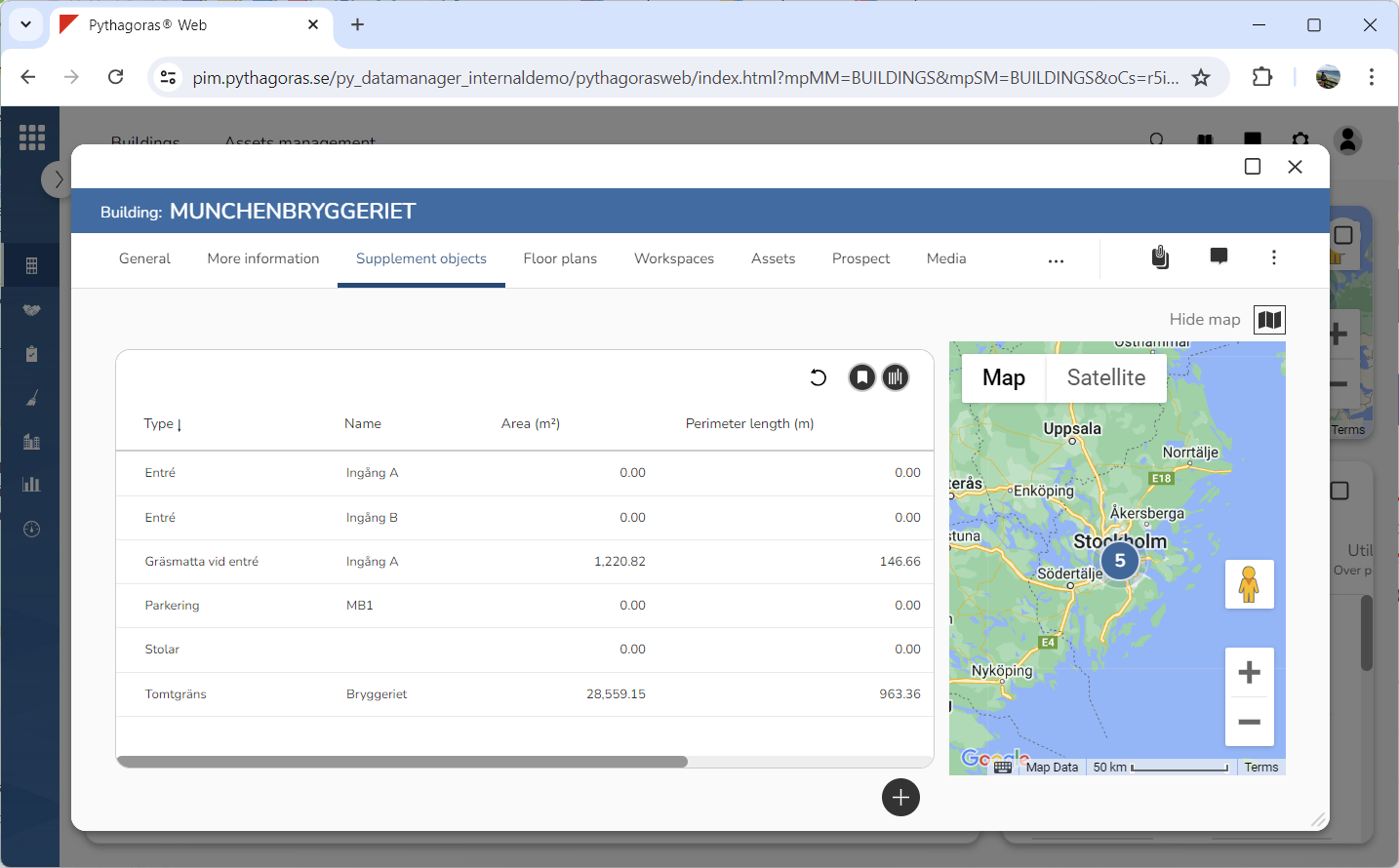
Click "Show on map" (see the first image below). When you do so, a map showing the supplement objects associated with the building you are working with will open (see the second image below). Note that the map only shows supplement objects with geopositions.