Open a building. For more information on how to do so, see section 4.6.1., 5.4.3. or 6.1.1.
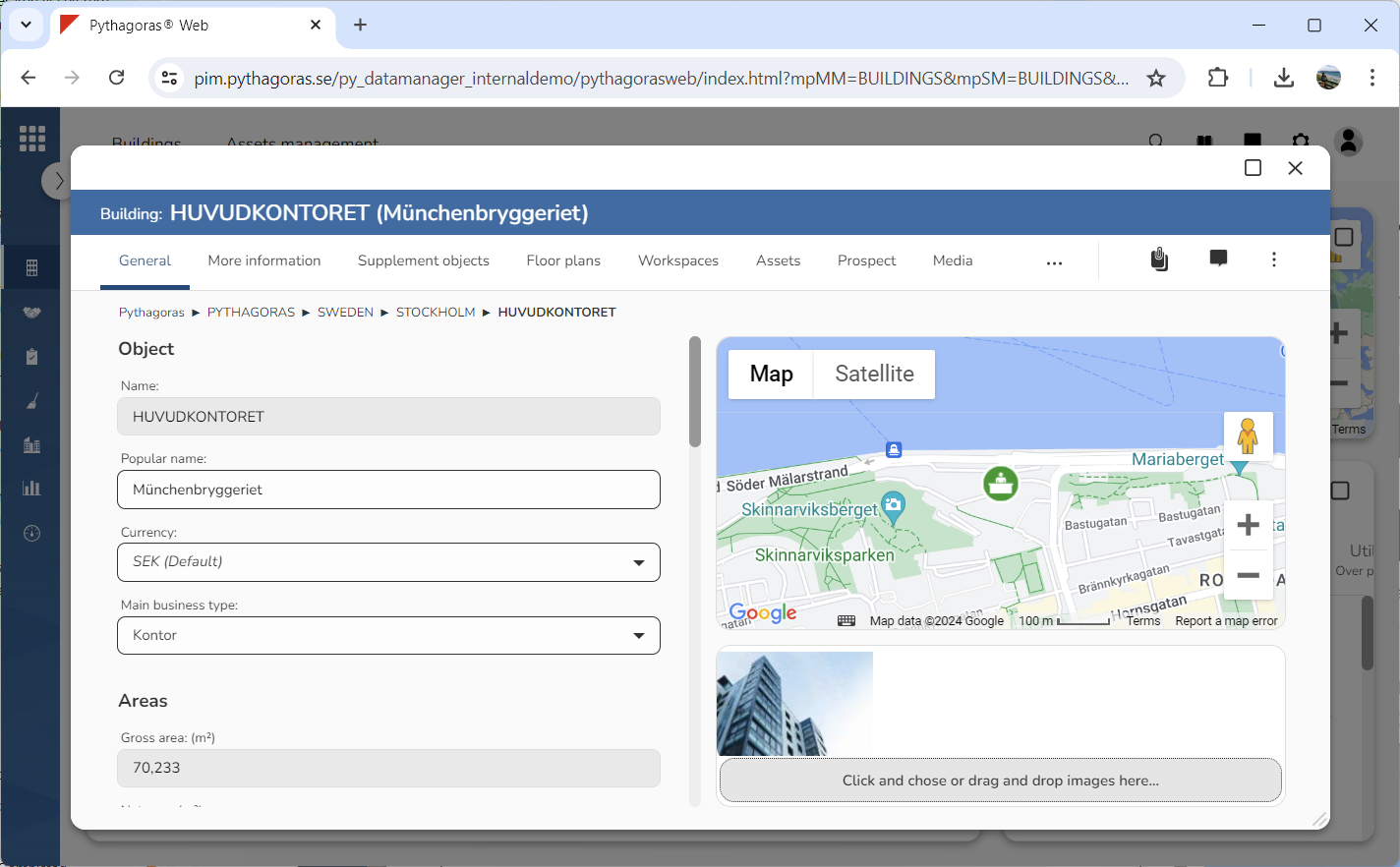
Go to the building card (see image below).
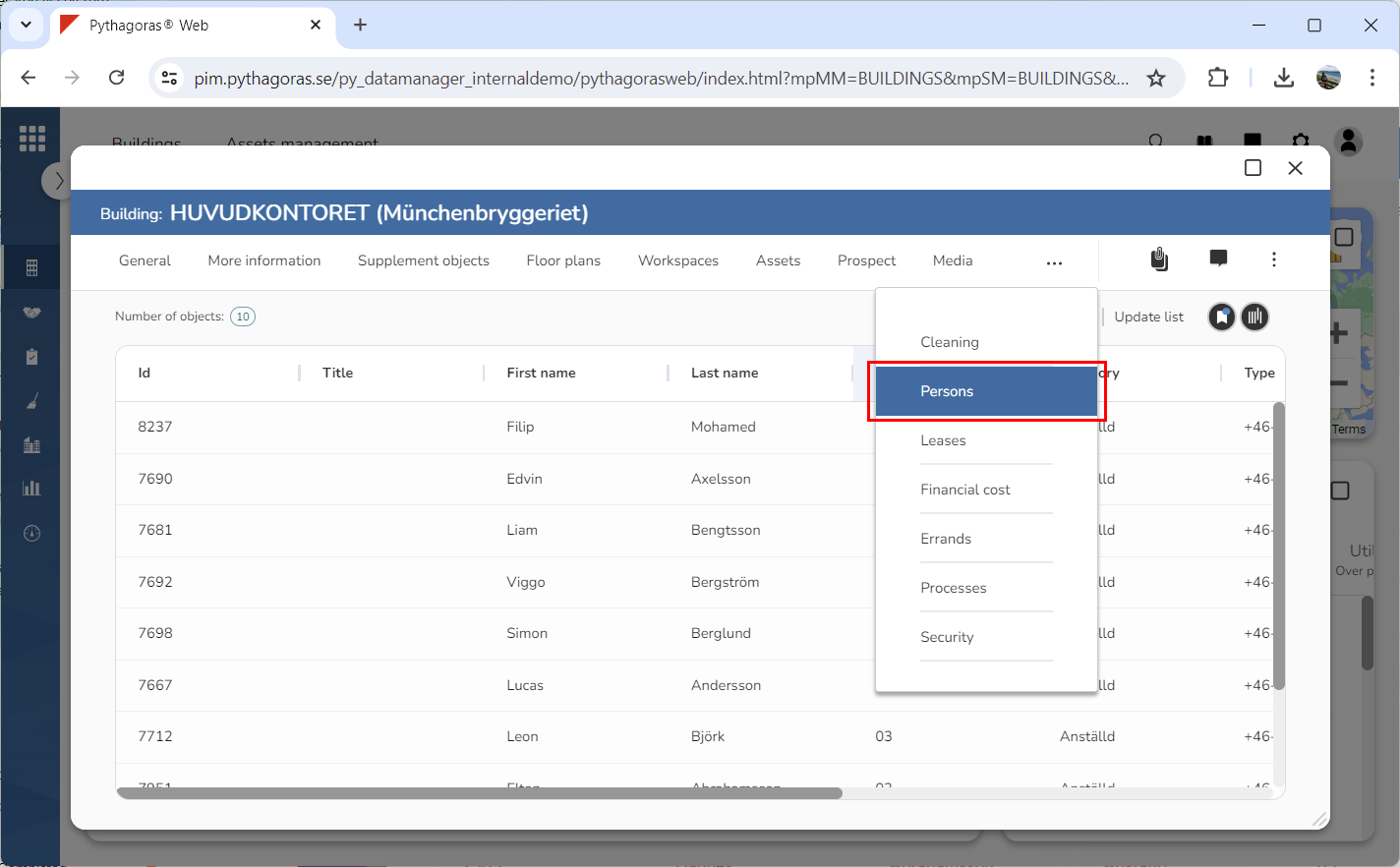
Click the tab called "Persons" (see image below). Within the tab called "Persons" you will find a persons list. In the persons list you will see the persons placed in the building you are working with.
It it is not already, specify that the view you wish to base your Excel export on should be shown in the persons list. For more information on how to do so, see section 3.1.in this manual.
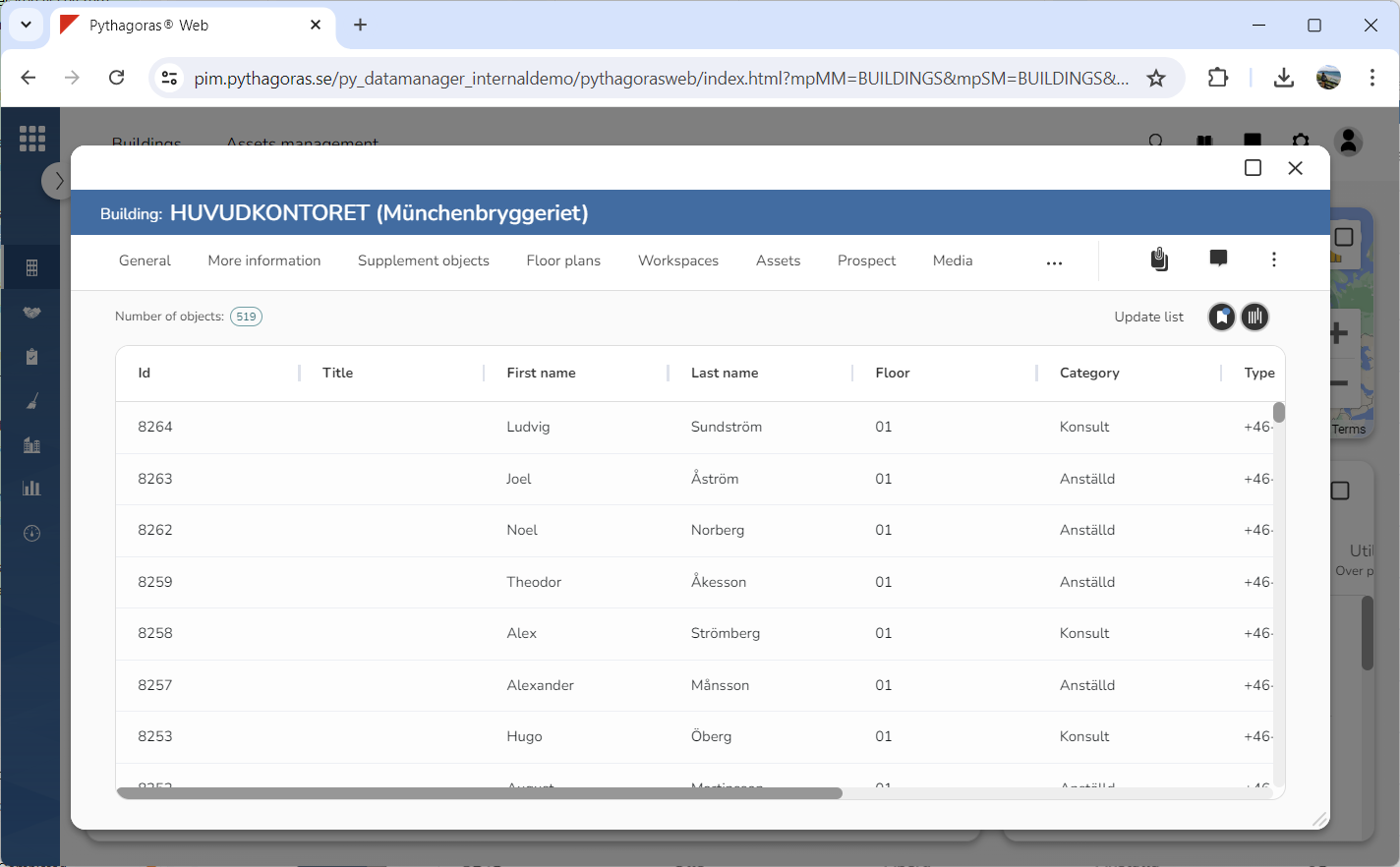
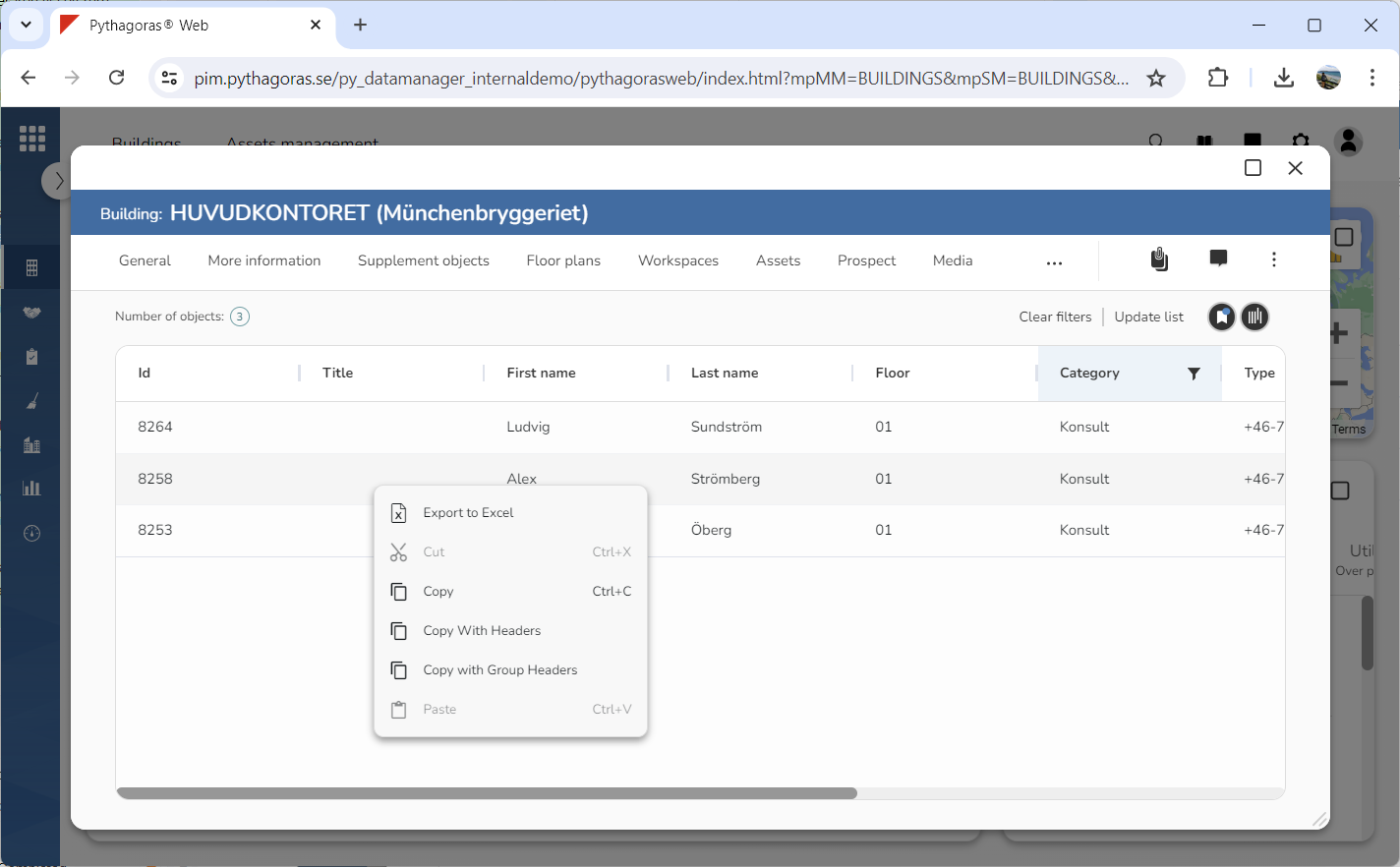
Remove any filtering that should not be included in your Excel export by clearing the persons list of filters or resetting one or more columns (see image below).
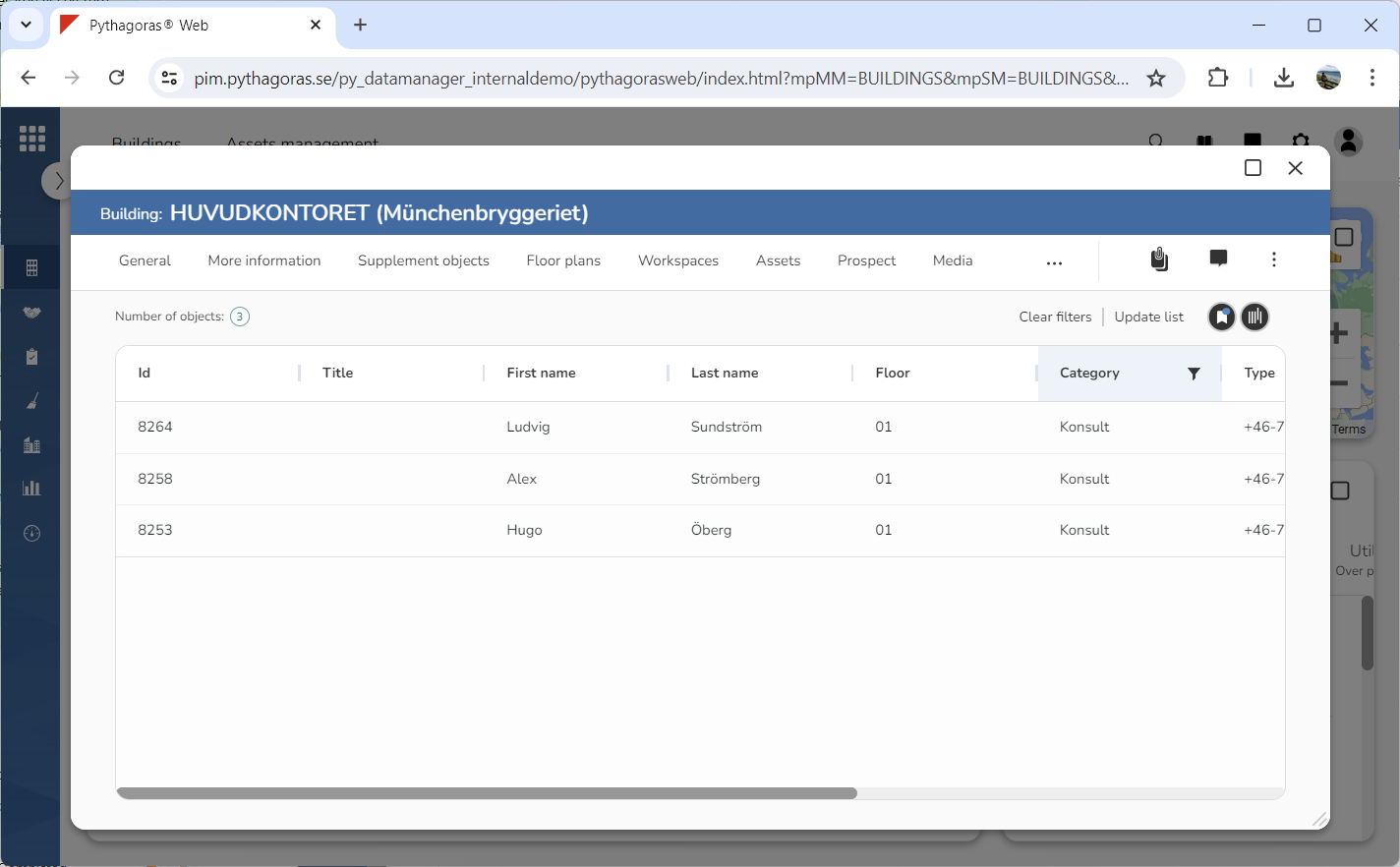
If you wish to limit the content of the export you are creating, filter the persons list (see image below). For more information on how to do so, see section 8.11.3.
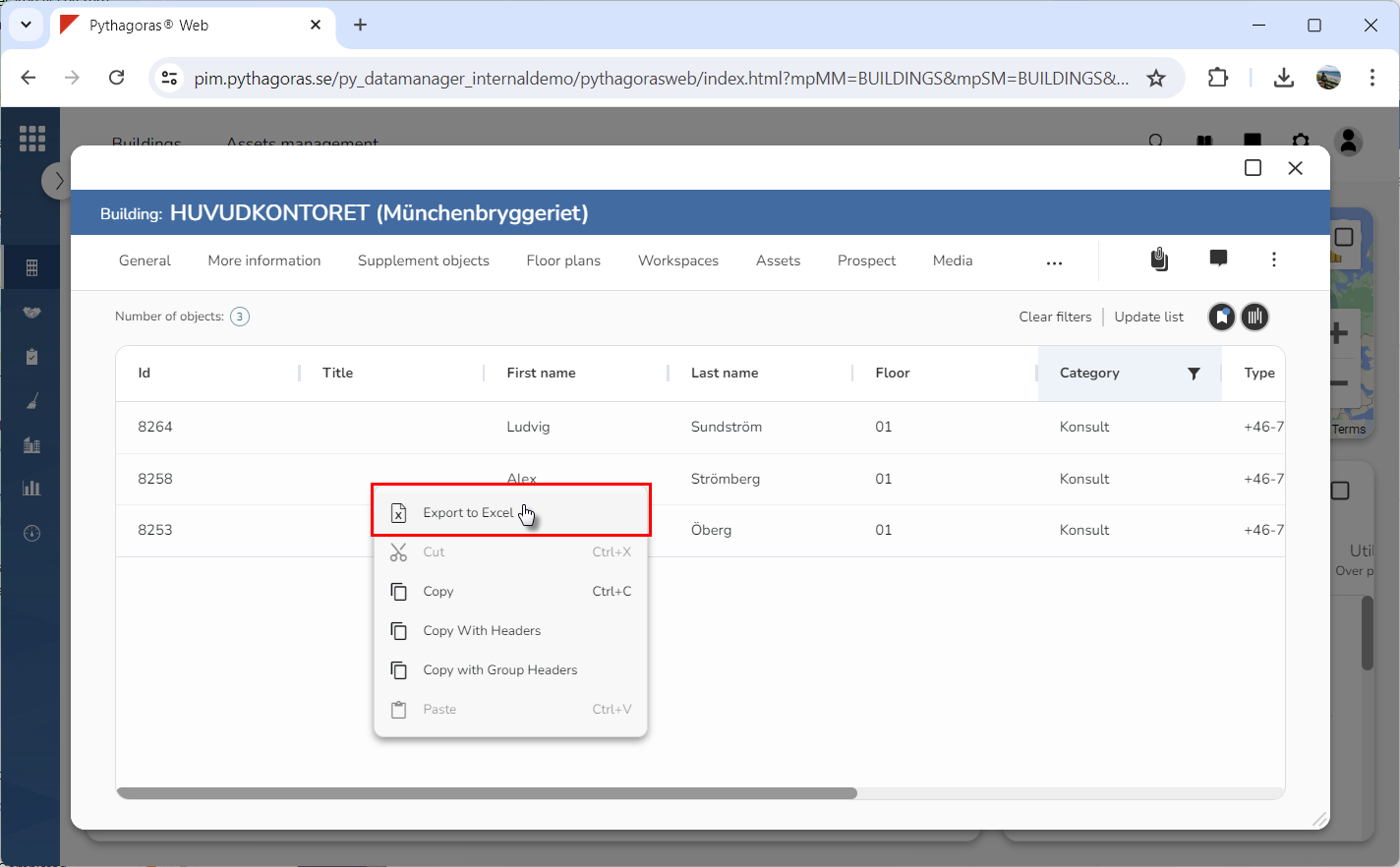
Right click a person to open a menu (see image below).
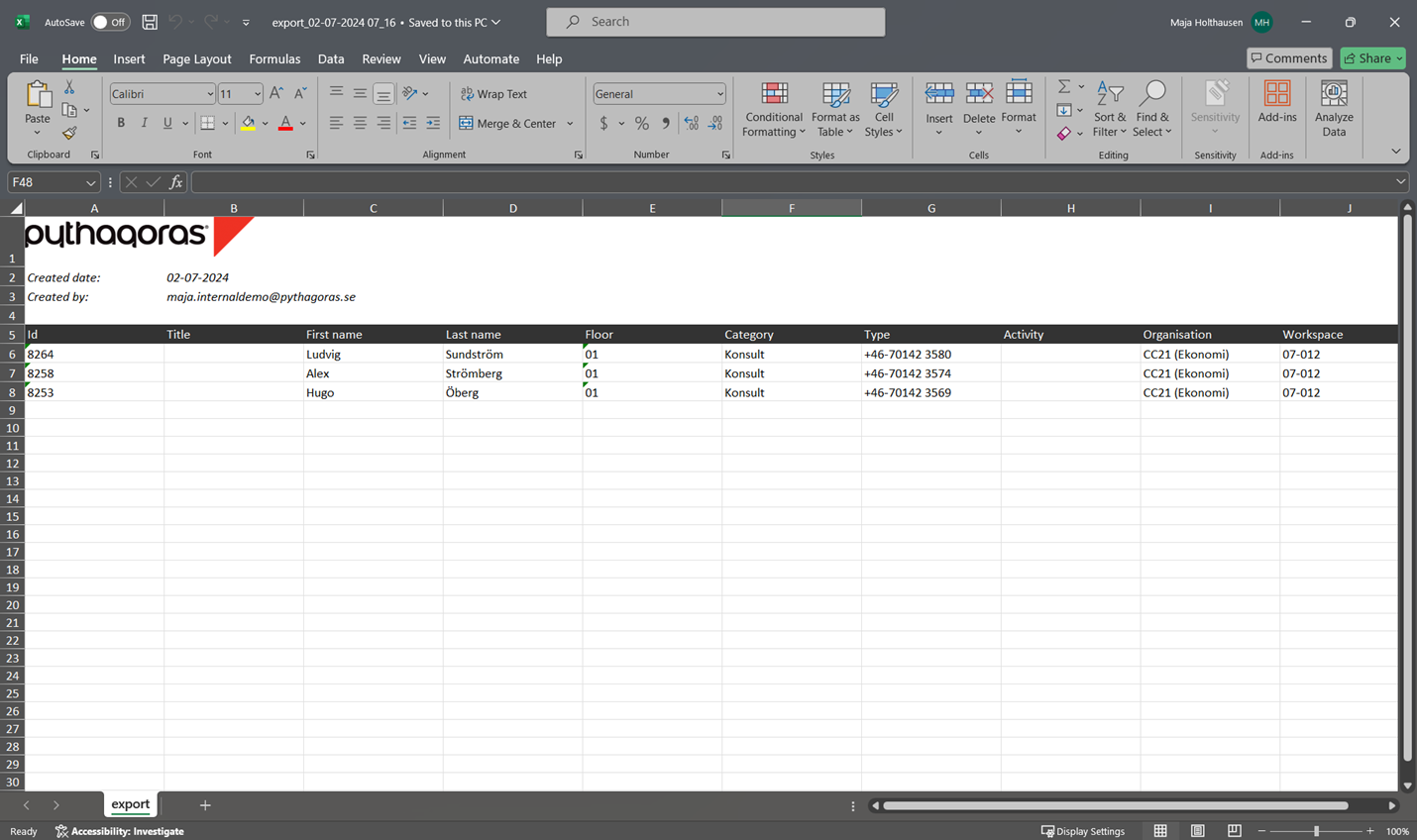
Click "Export to Excel" in the menu (see the first image below). When you do so, the persons list will be exported to Excel (see the second image below).