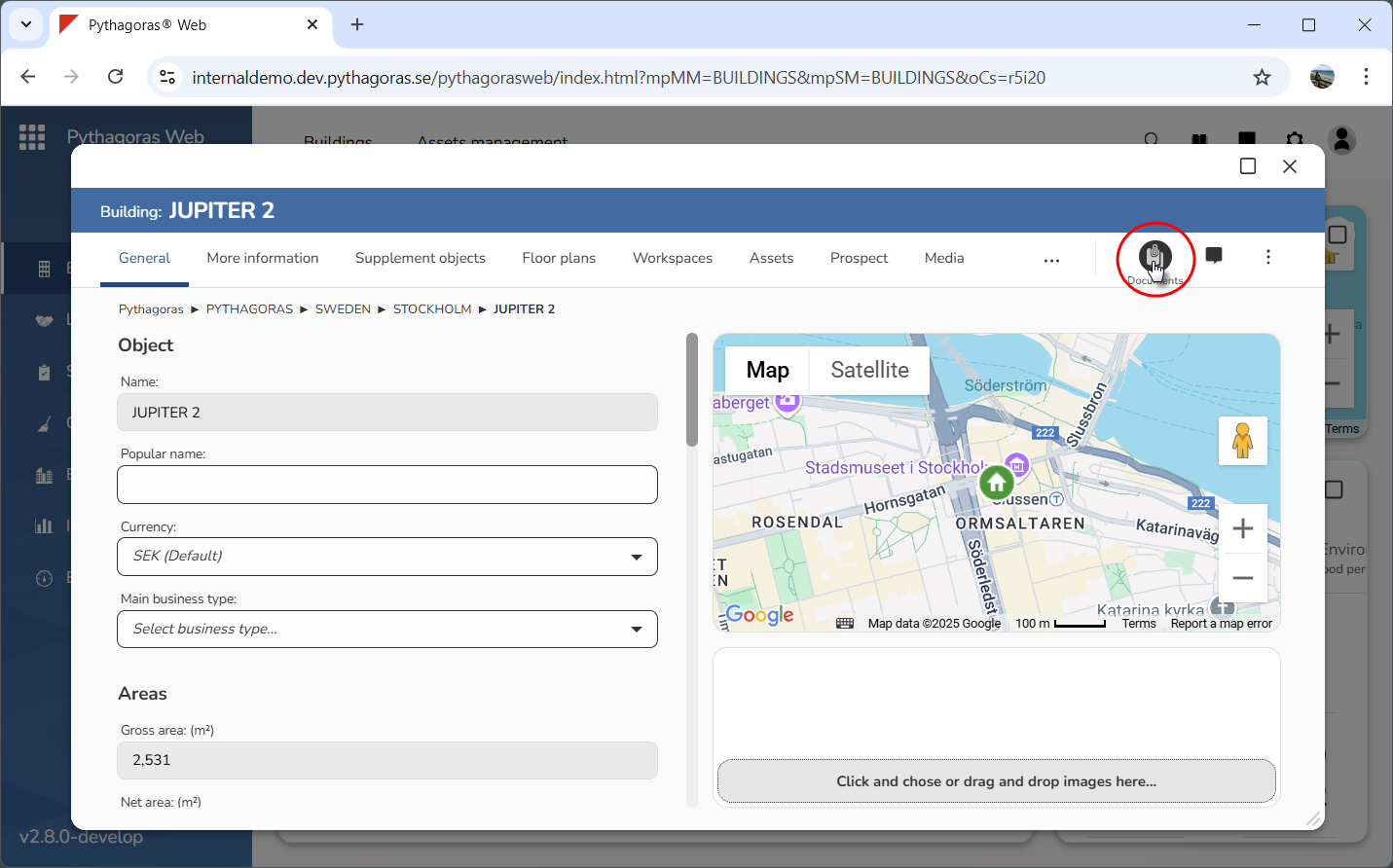
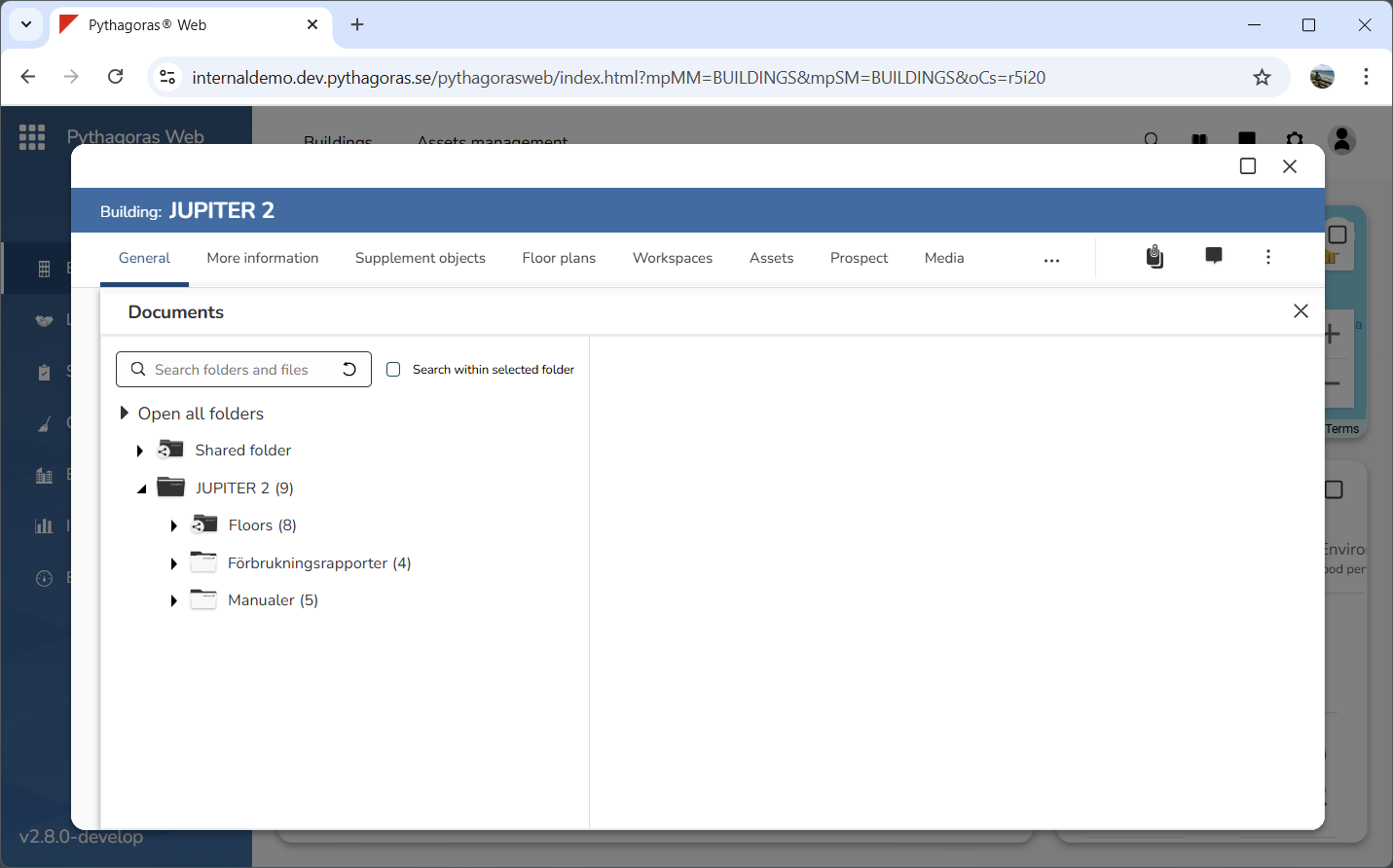
In order to open the document manager for an object, click the Document icon in the object card (see the first image below). When you do so, the document manager will open. When the document manager is opened, it will occupy the entire workspace in the object card (see the second image below). If there is no Document icon in an object card, you will not be able to open the document manager via the current object.