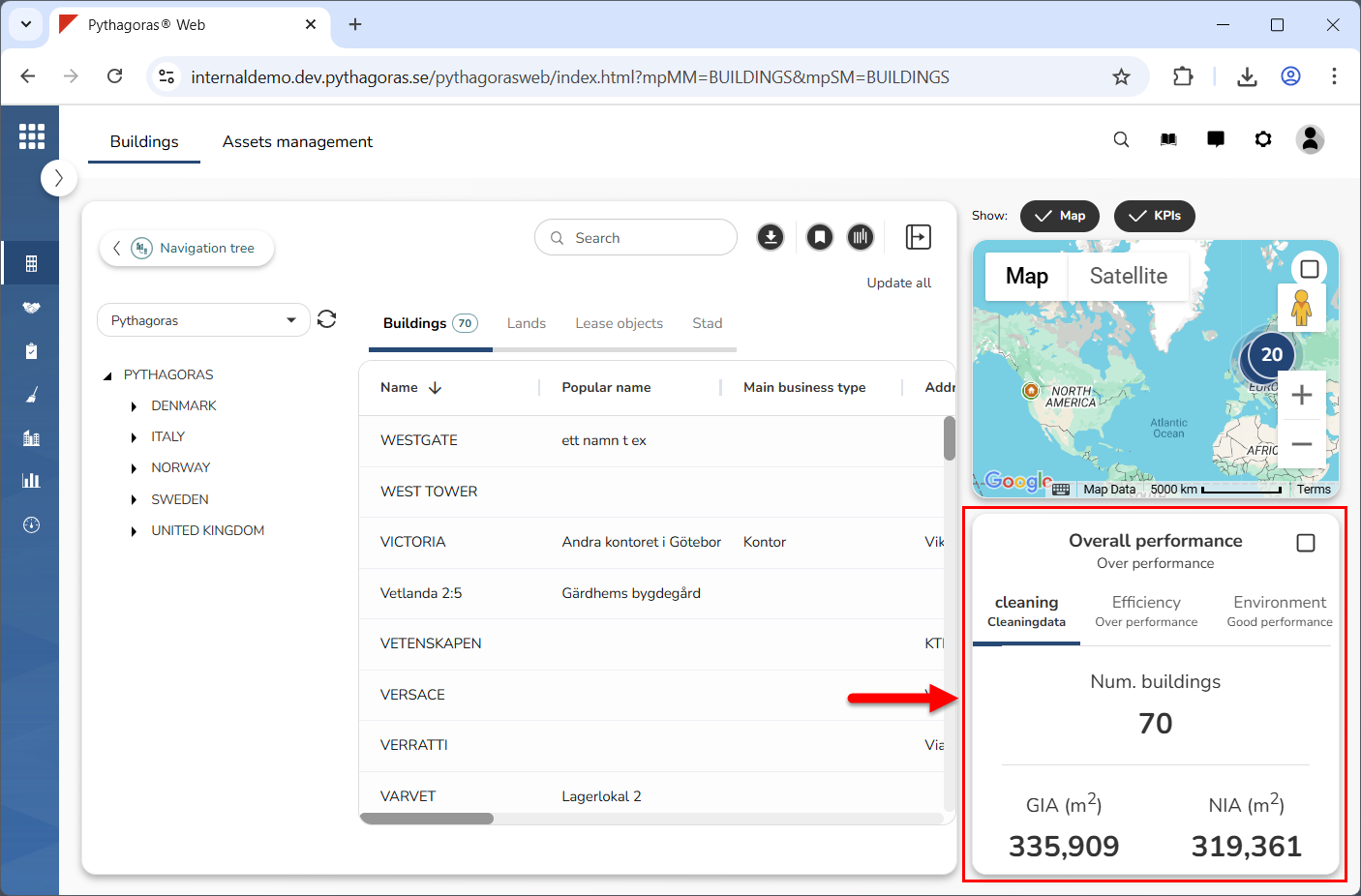
The key performance indicators (KPIs) are located to the right of the object list, below the map (see image below). You can choose whether to show or hide the KPIs. To do so, show or hide the map and KPIs. If you show the map and KPIs, you can specify that only the KPIs should be shown. Note that, when you log into Pythagoras Web, the map and KPIs are hidden. You need to show them for them to become visible.
The KPIs are customer specific, which means that they are specific to your organisation. You can maximise and minimise the KPIs to increase and decrease their size.
The KPIs are linked to the object list and the navigation tree. For more information about the connection between the object list, the map and the navigation tree, see section 2.7.
What KPI data is shown depends on:
which navigation tree you are working with
which navigation folder you have selected in the navigation tree you are working with
which tab you have selected in the object list
if you have, or have not, filtered the object list.
For more information on how to:
show the map and KPIs, see section 7.1.
hide the map and KPIs, see section 7.2.
only show the KPIs, see section 7.3.
maximise the KPIs, see section 7.4.
minimise the KPIs, see section 7.5.
Innehållet i 7. Working with the key performance indicators