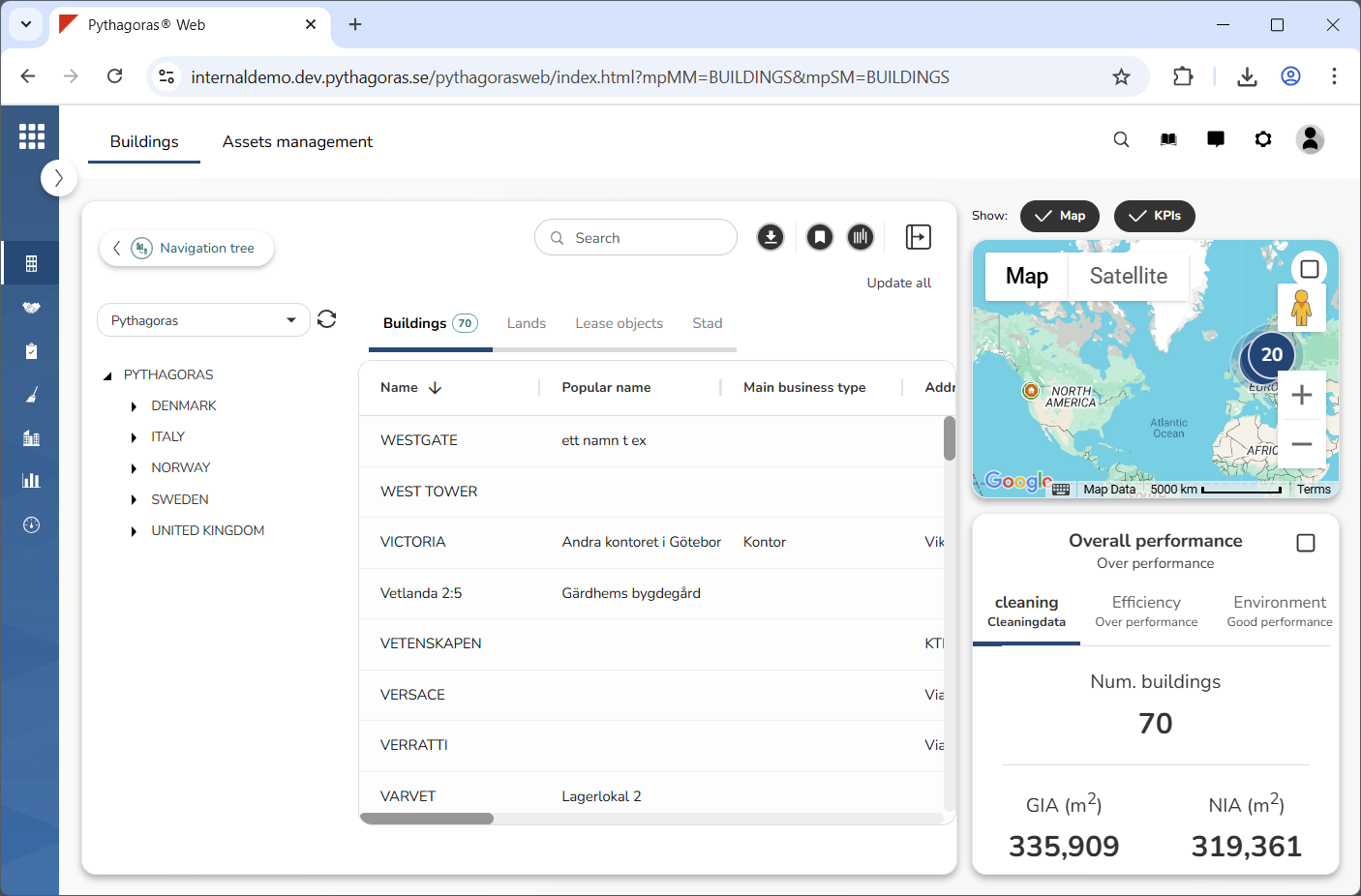
Show the map and KPIs the map (see image below).For more information on how to do so, see section 7.1.
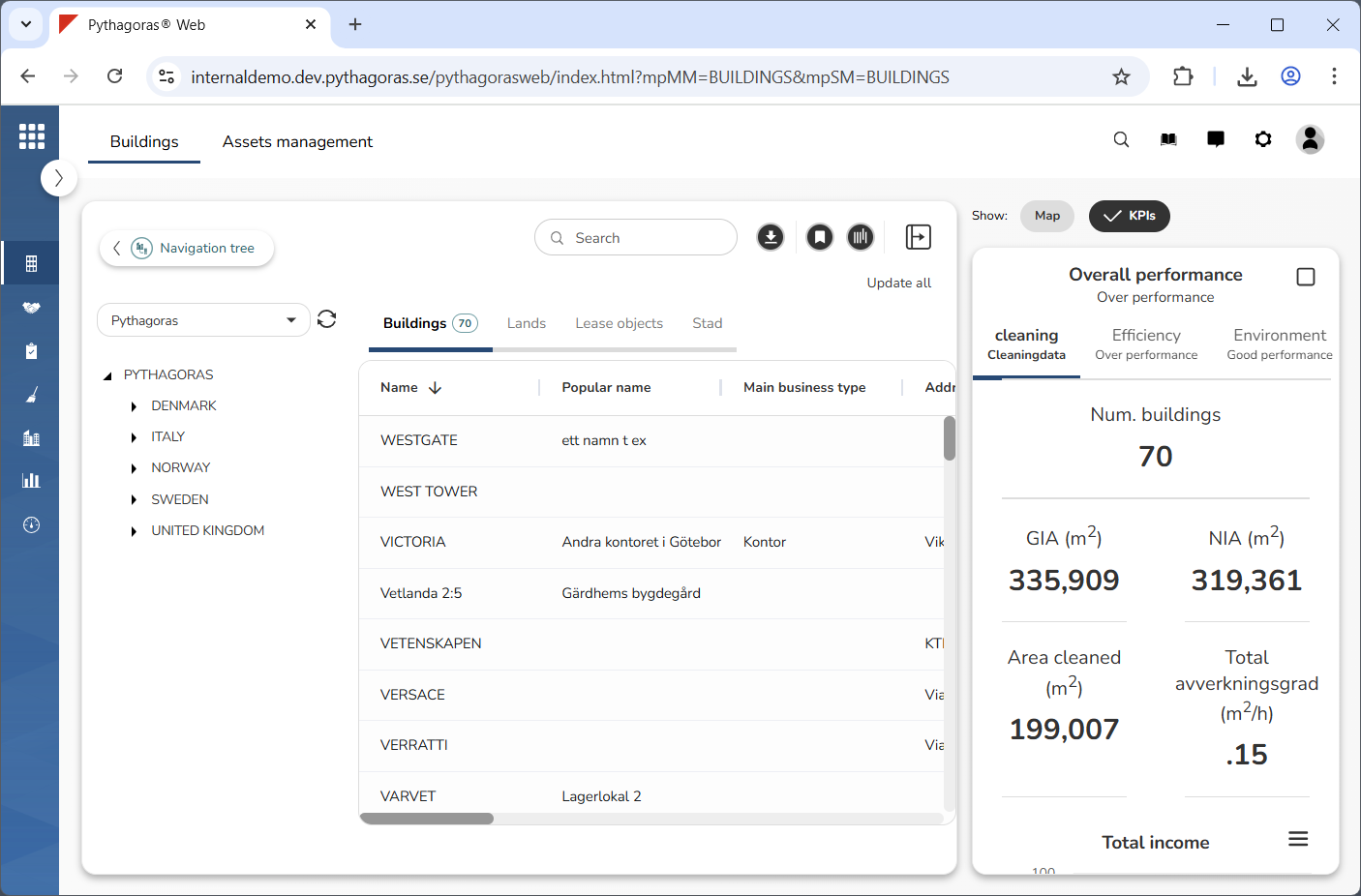
Show only the KPIs (see image below). For more information on how to do so, see section 7.3. If you wish to show both the map and the KPIs, you can skip this step and go straight to step 3.
Go to the KPIs.
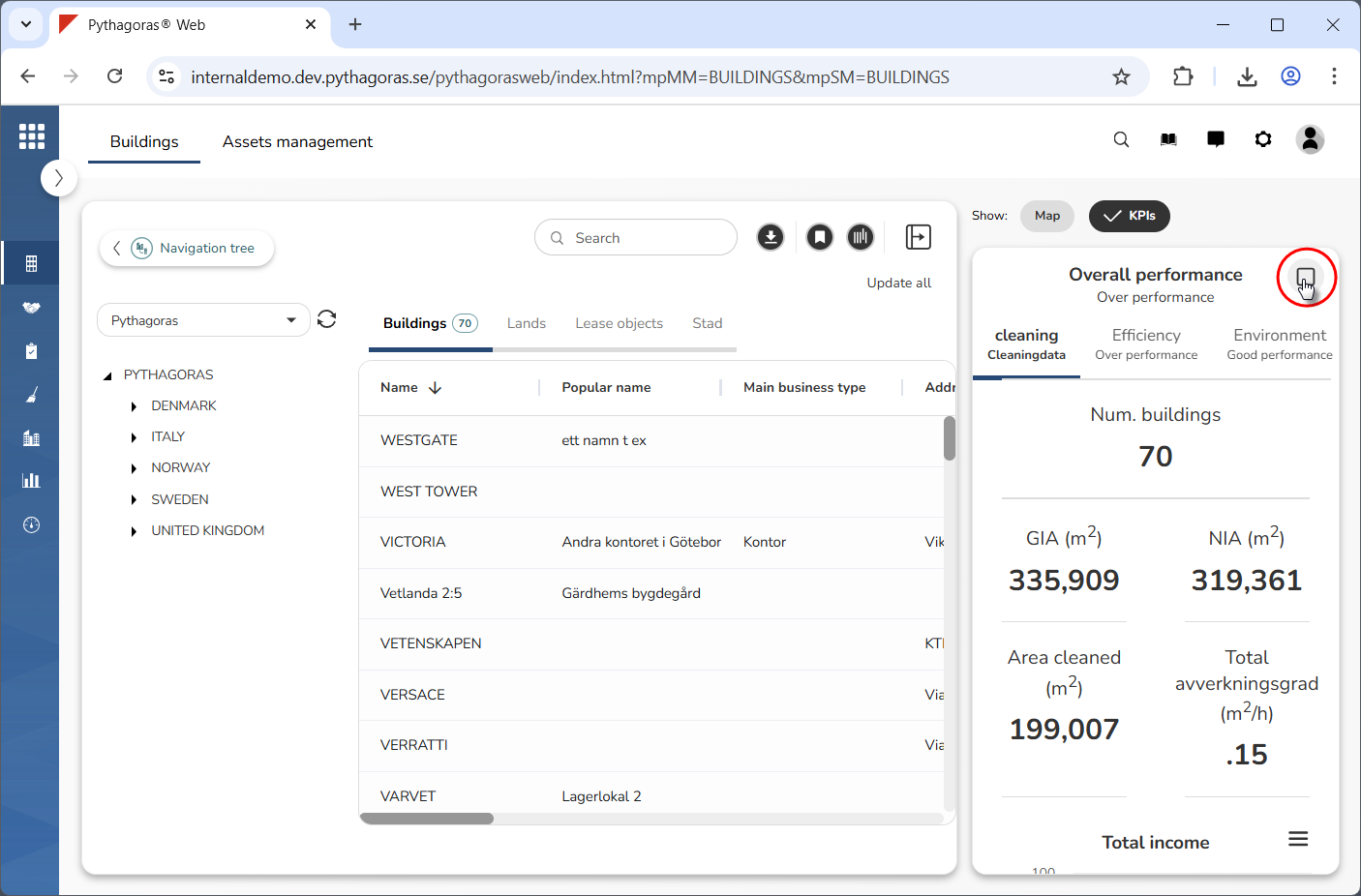
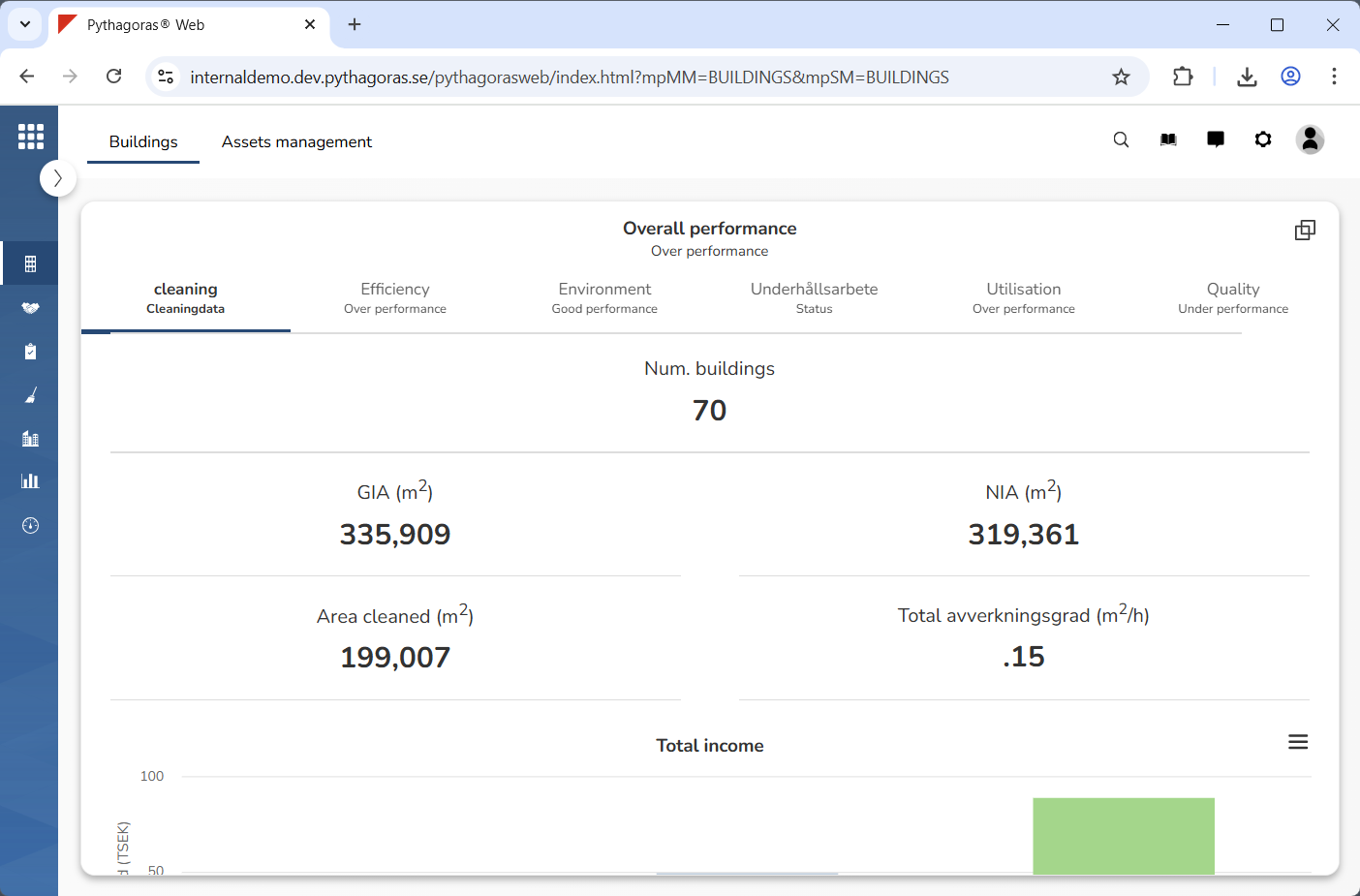
Click "Maximise" (see the first image below). When you do so, the KPIs will be maximised, meaning they will occupy the entire workspace in Buildings (see the second image below).