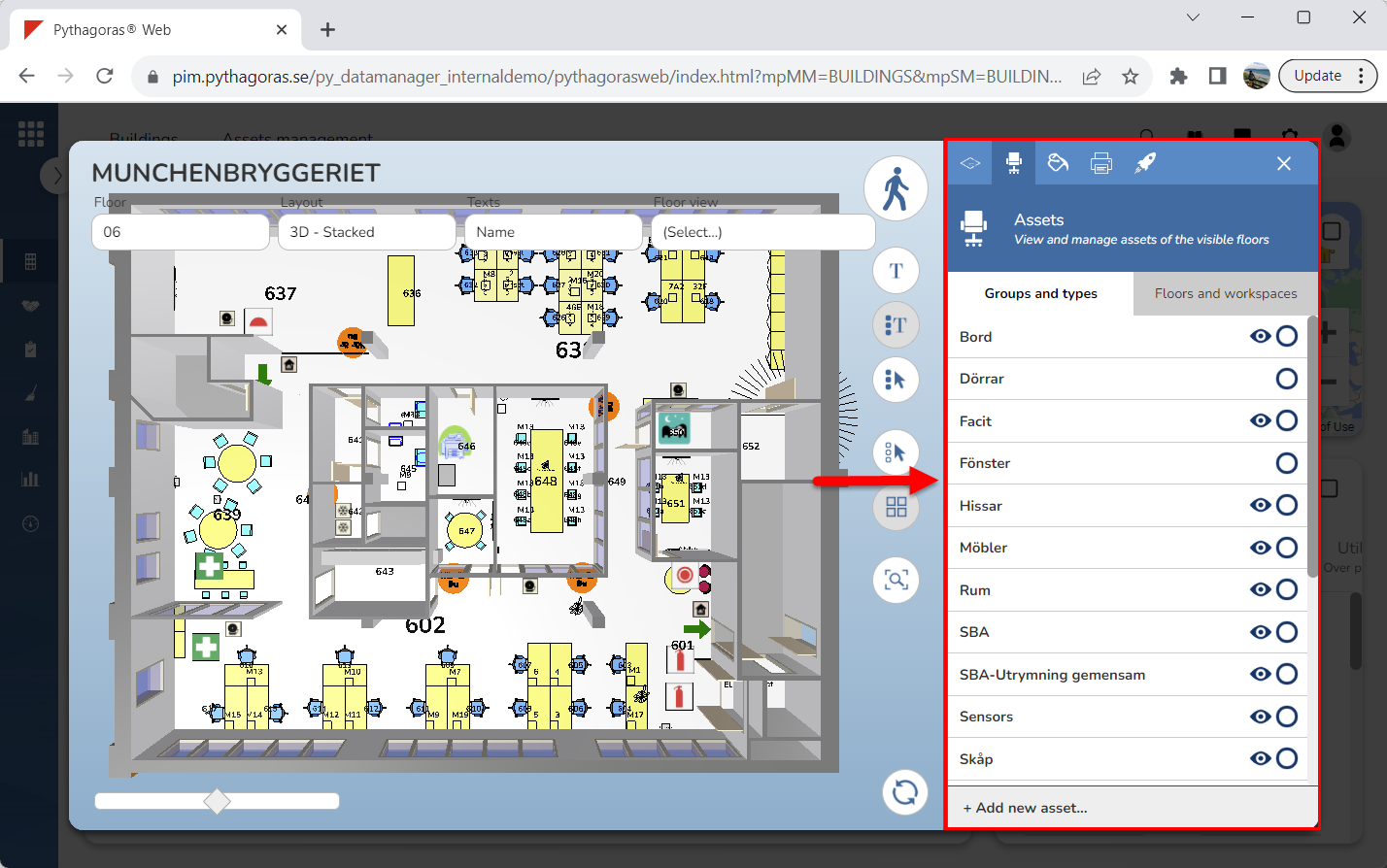
Activate the asset command. For more information on how do so, see section 9.11.2.
Go to the graphical search field (see image below).
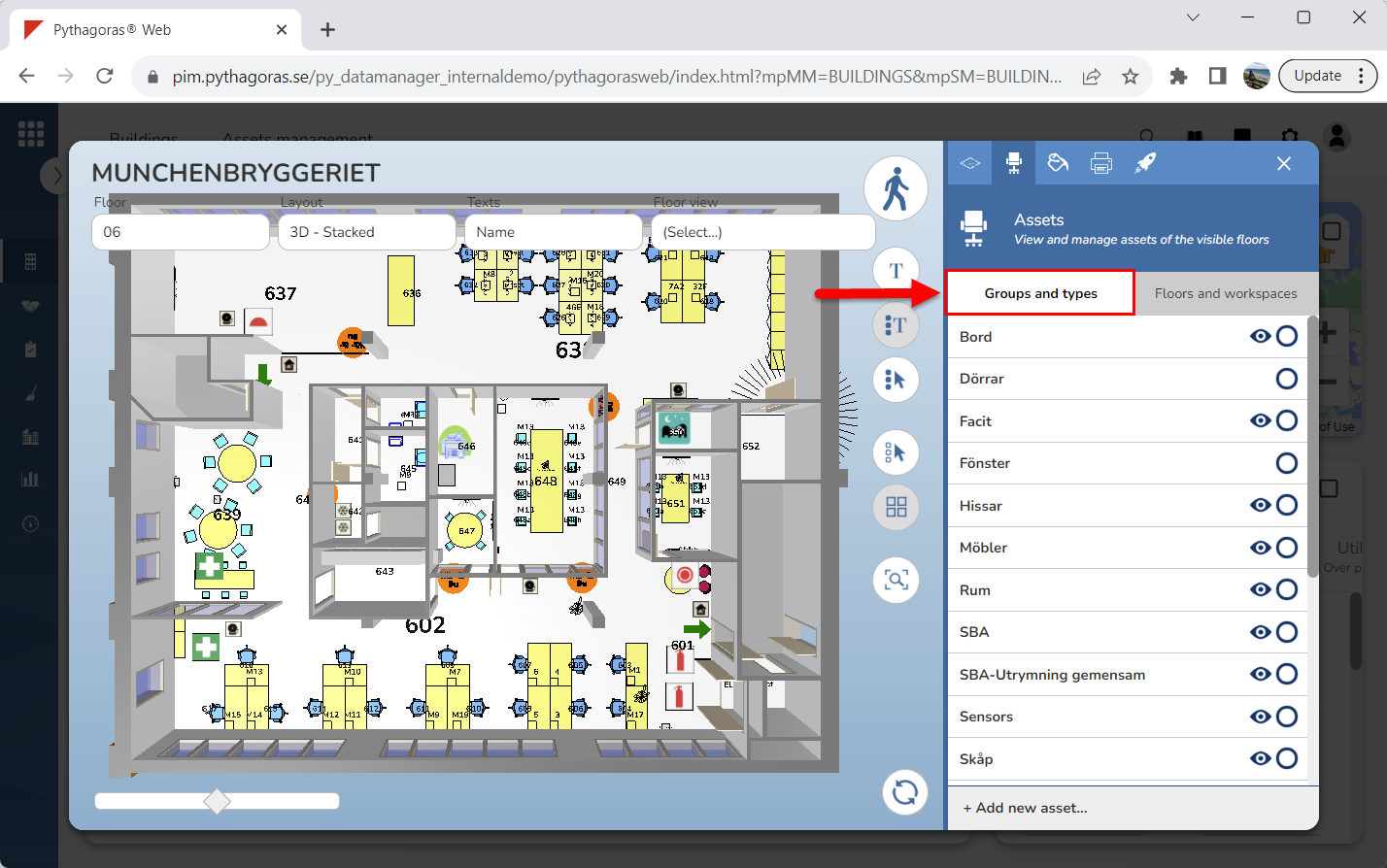
Click the tab called "Groups and types" (see image below).
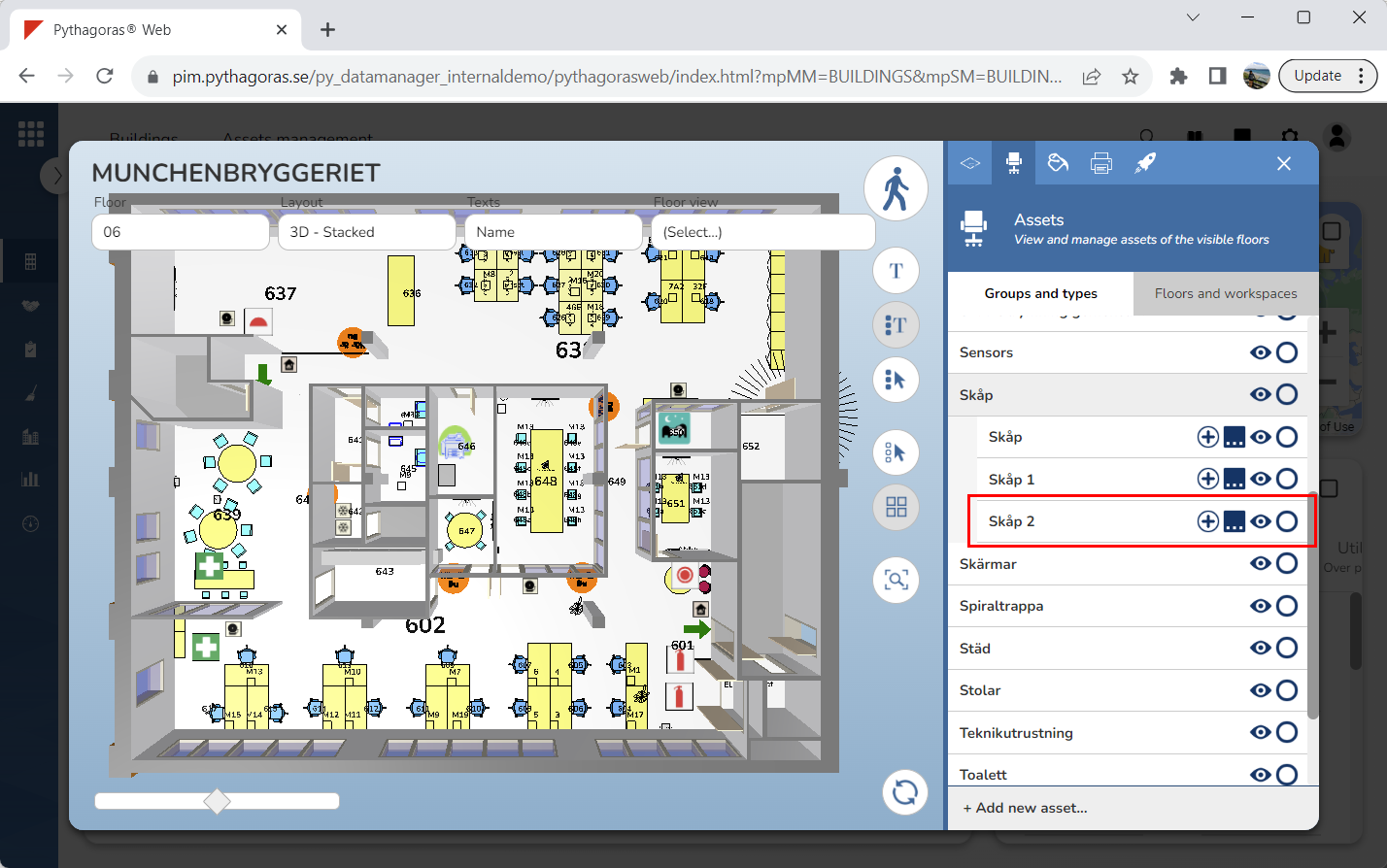
Go to the asset type you wish to open by working your way down the structure in the list of asset groups and asset types (see image below).
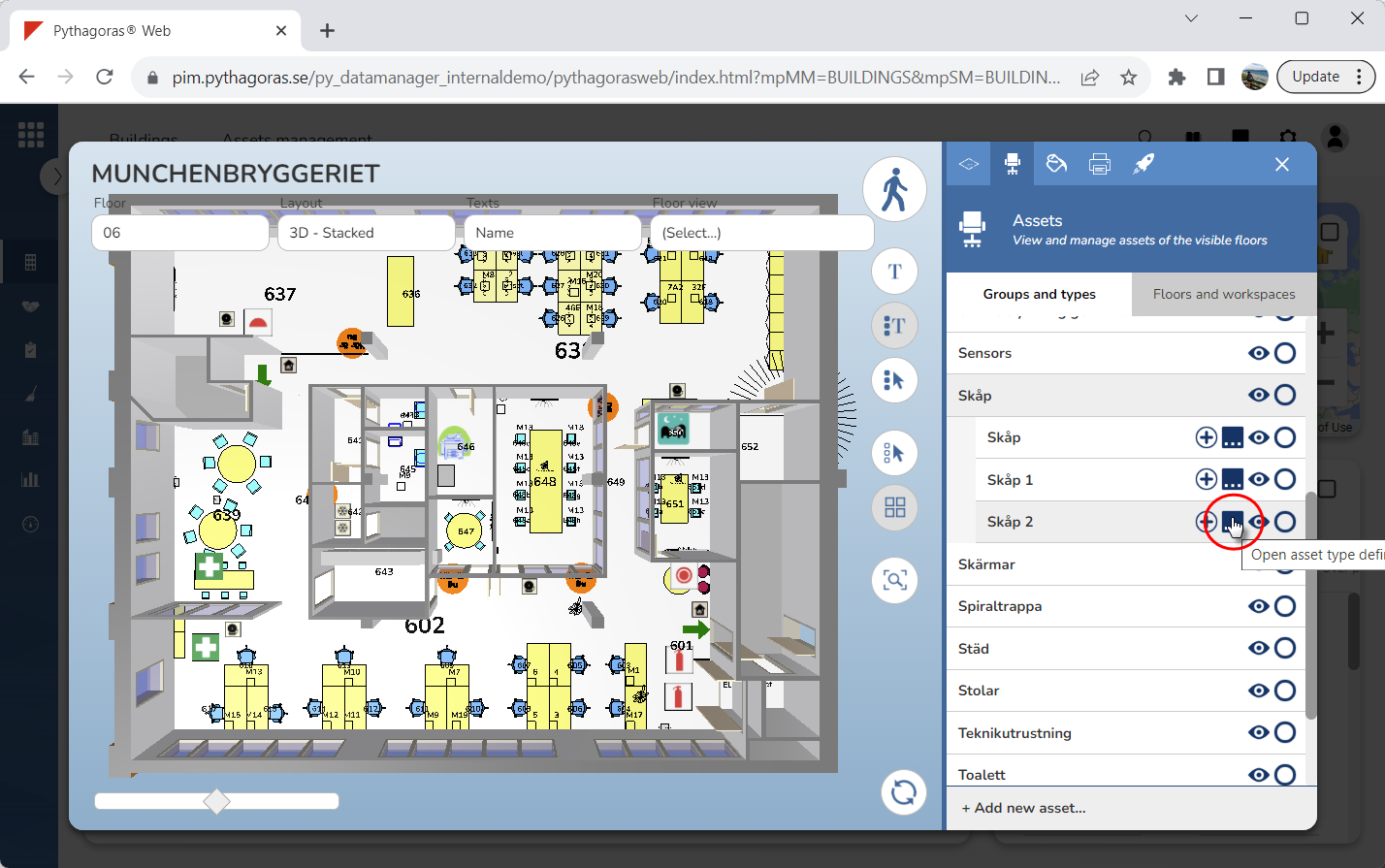
Click "Open asset type definition" (see the first image below). When you do so, the asset type you are working with will open. When an asset type opens, so does its asset type card (see the second image below).