By drawing a polygon on the map, you can show the area of a land object on the map. When you draw a polygon on the map, the area and circumference for the land object you are working with will be updated.
To draw a polygon on the map:
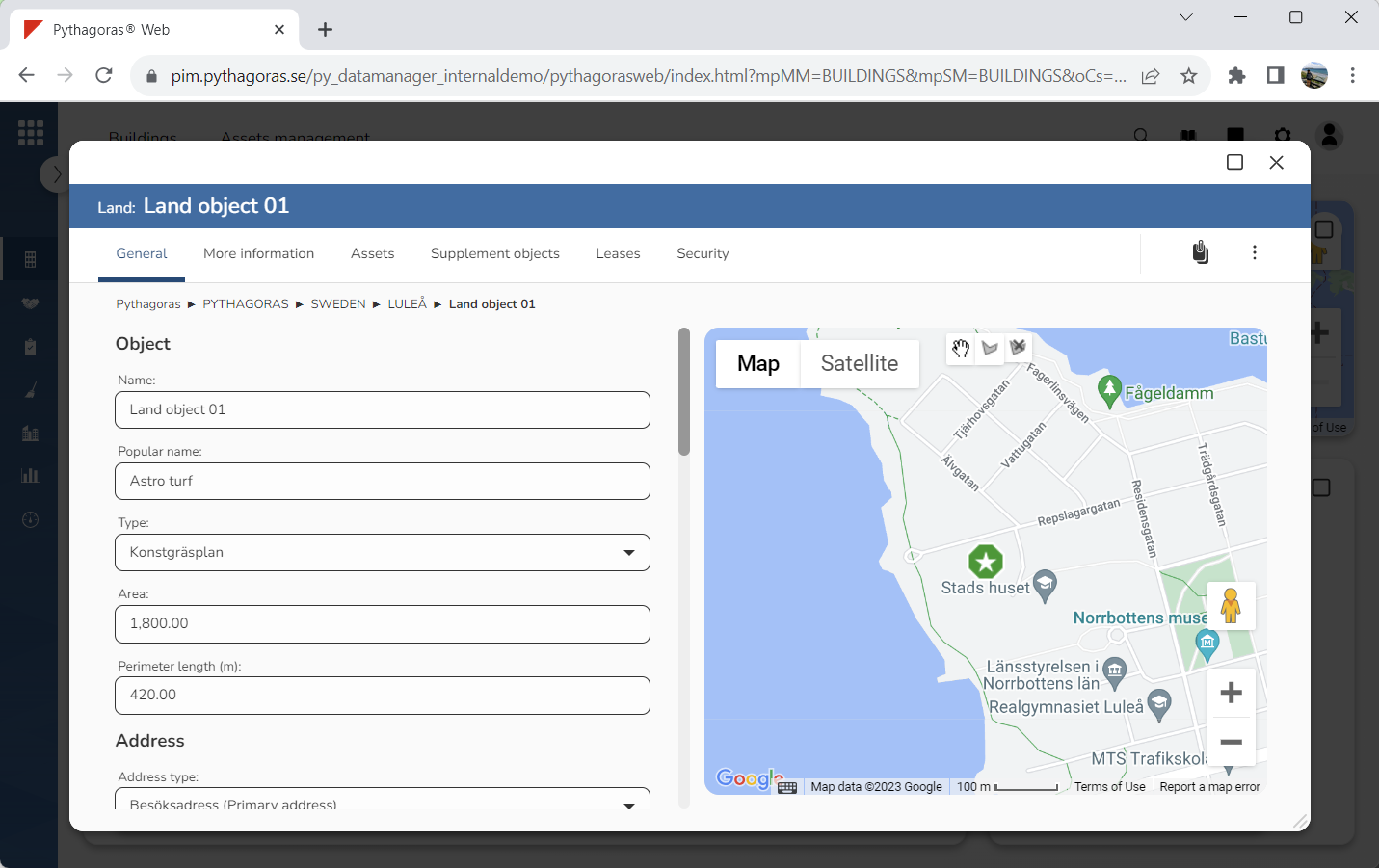
Open a land object. For more information on how to do so, see section 10.1.
Go to the land card (see image below).
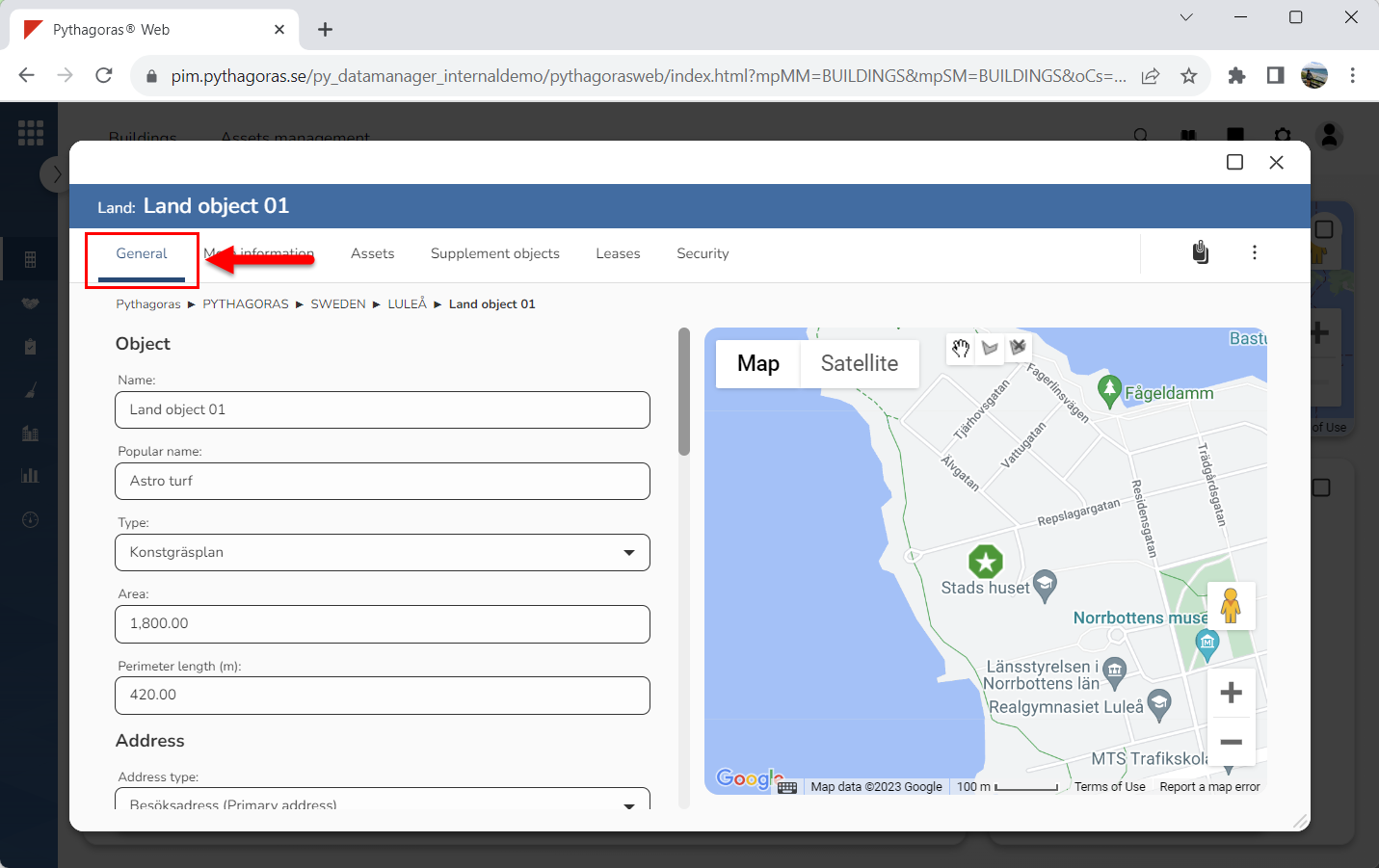
Click the tab called "General" (see image below).
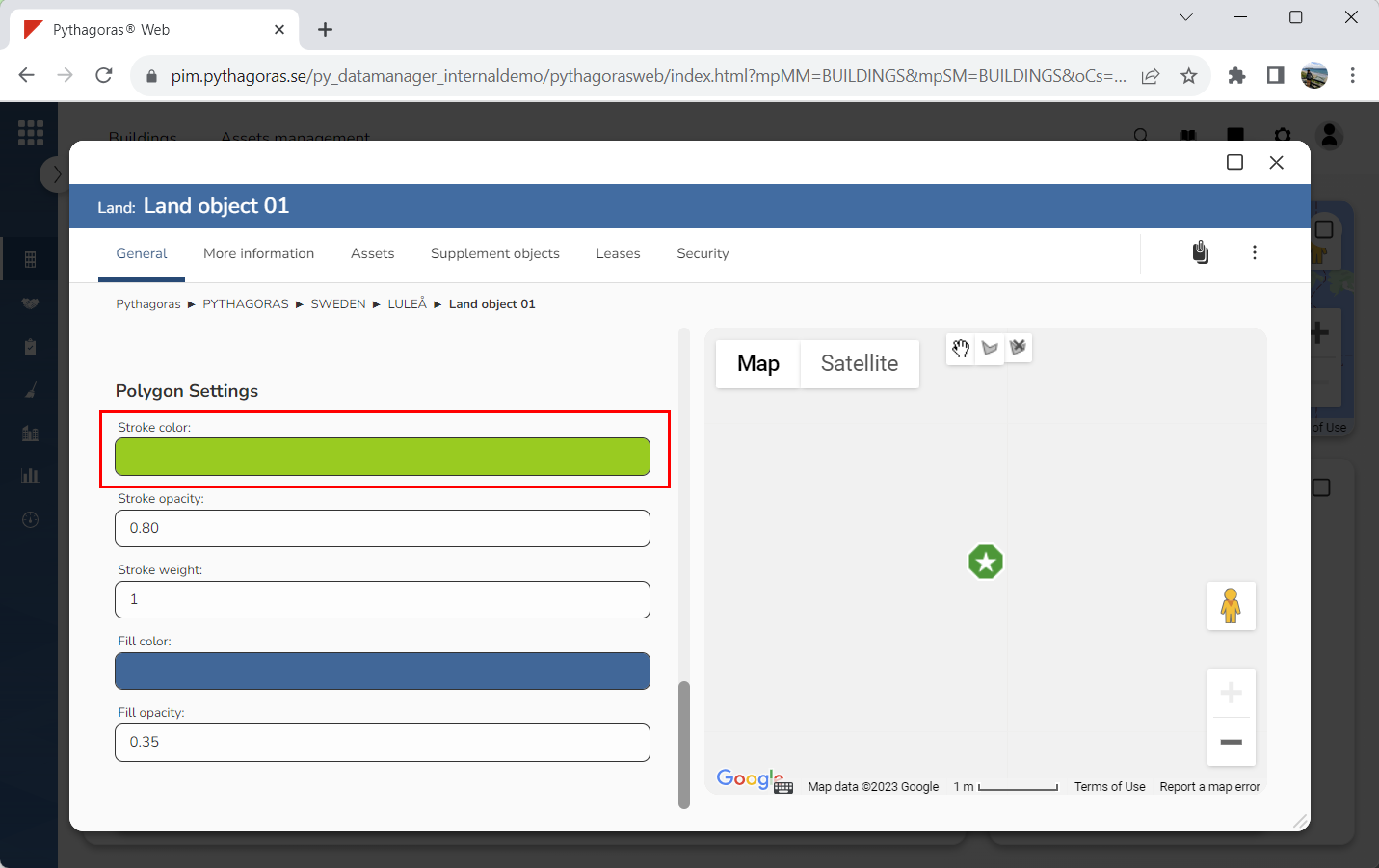
Set a stroke color for the polygon you are drawing on the map (see image below). CLick the field "Stroke color". Then select a stroke color in the window called "Stroke color". You only need to do this if you want the stroke color of the polygon to be different from the color set as default.
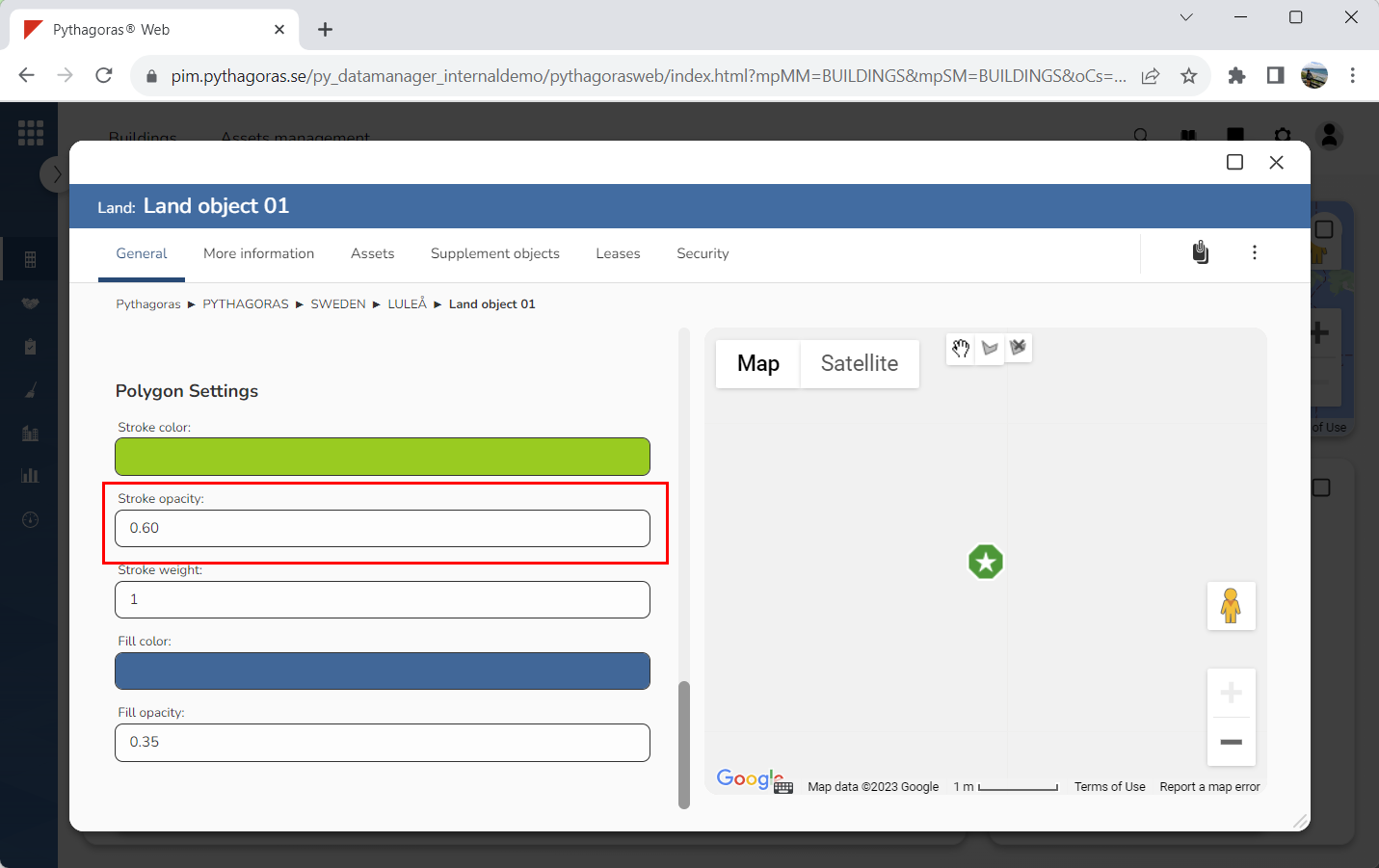
Specify the opacity of the lines for the polygon you are drawing on the map (see image below). Click the field "Stroke opacity". Then enter an opacity in the window called "Stroke opacity". The lower the opacity, the more transparent the lines will be.
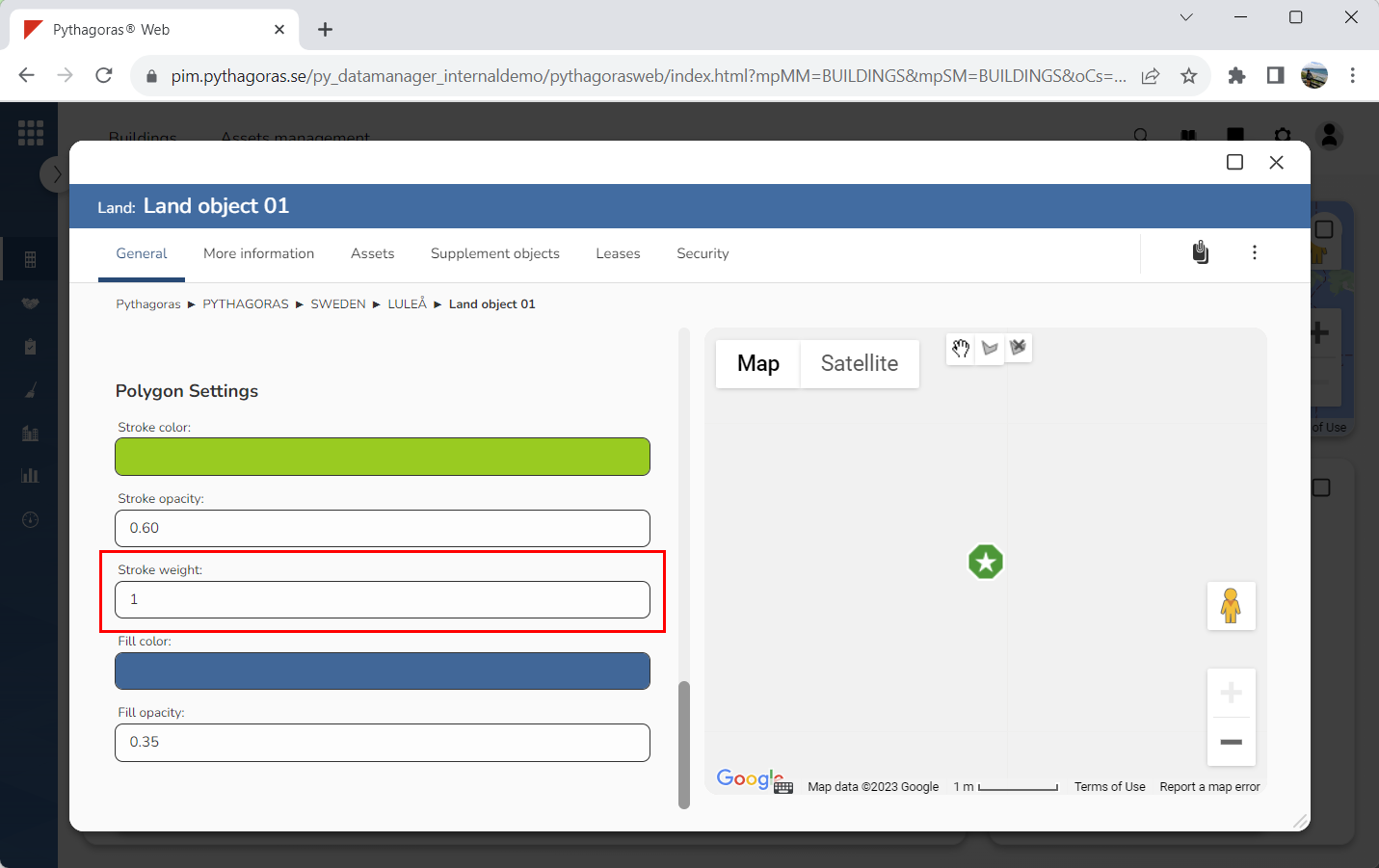
Specify the width of the lines for the polygon you are drawing on the map (see image below). Click the field "Stroke weight". Then enter a line width in the window called "Stroke weight". The greater the width, the wider the lines will be.
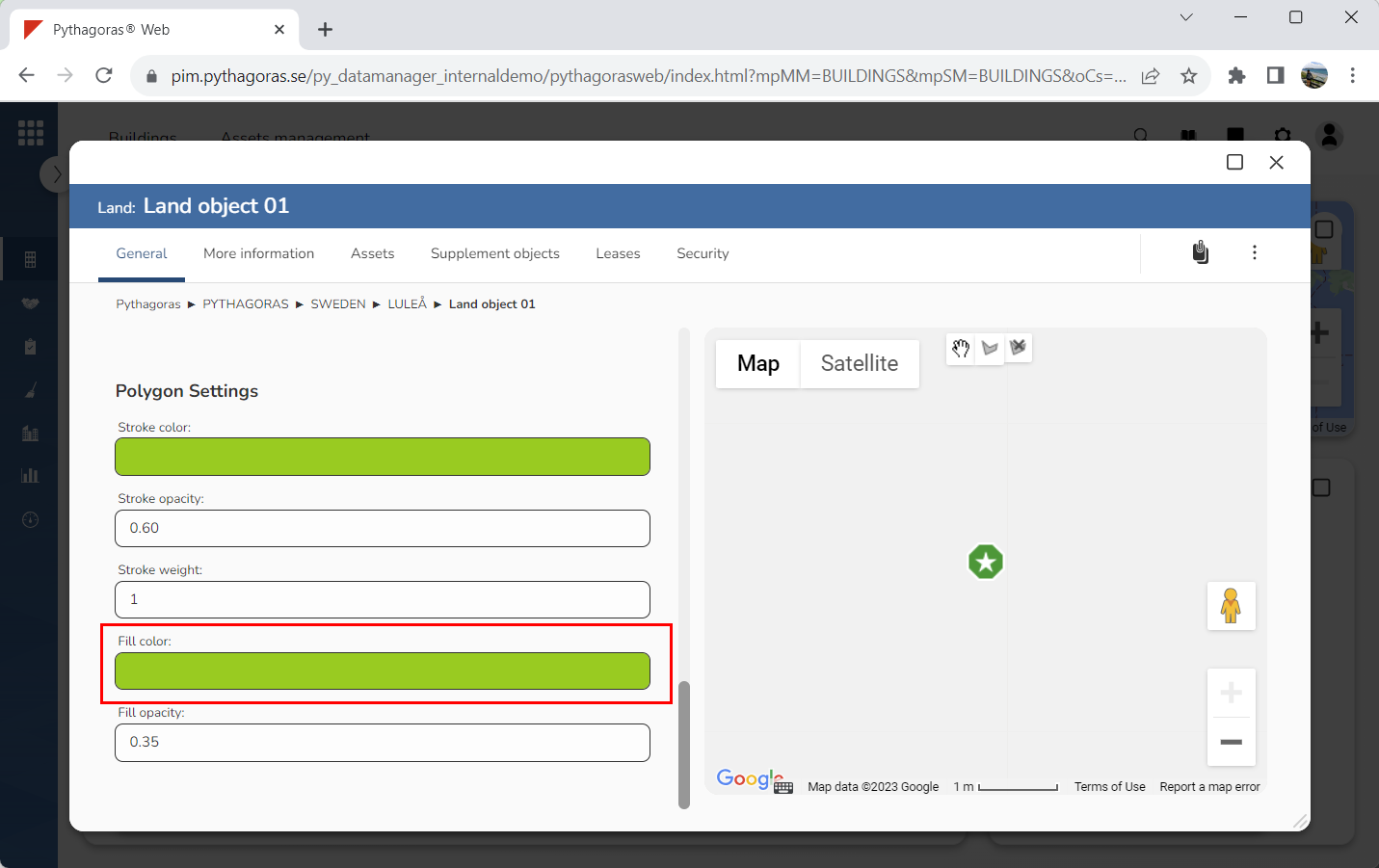
Set a fill color for the polygon you are drawing on the map (see image below). Click the field "Fill color". Then select a fill color in the window called "Fill color". You only need to do this if you want the fill color of the polygon to be different from the color set as default.
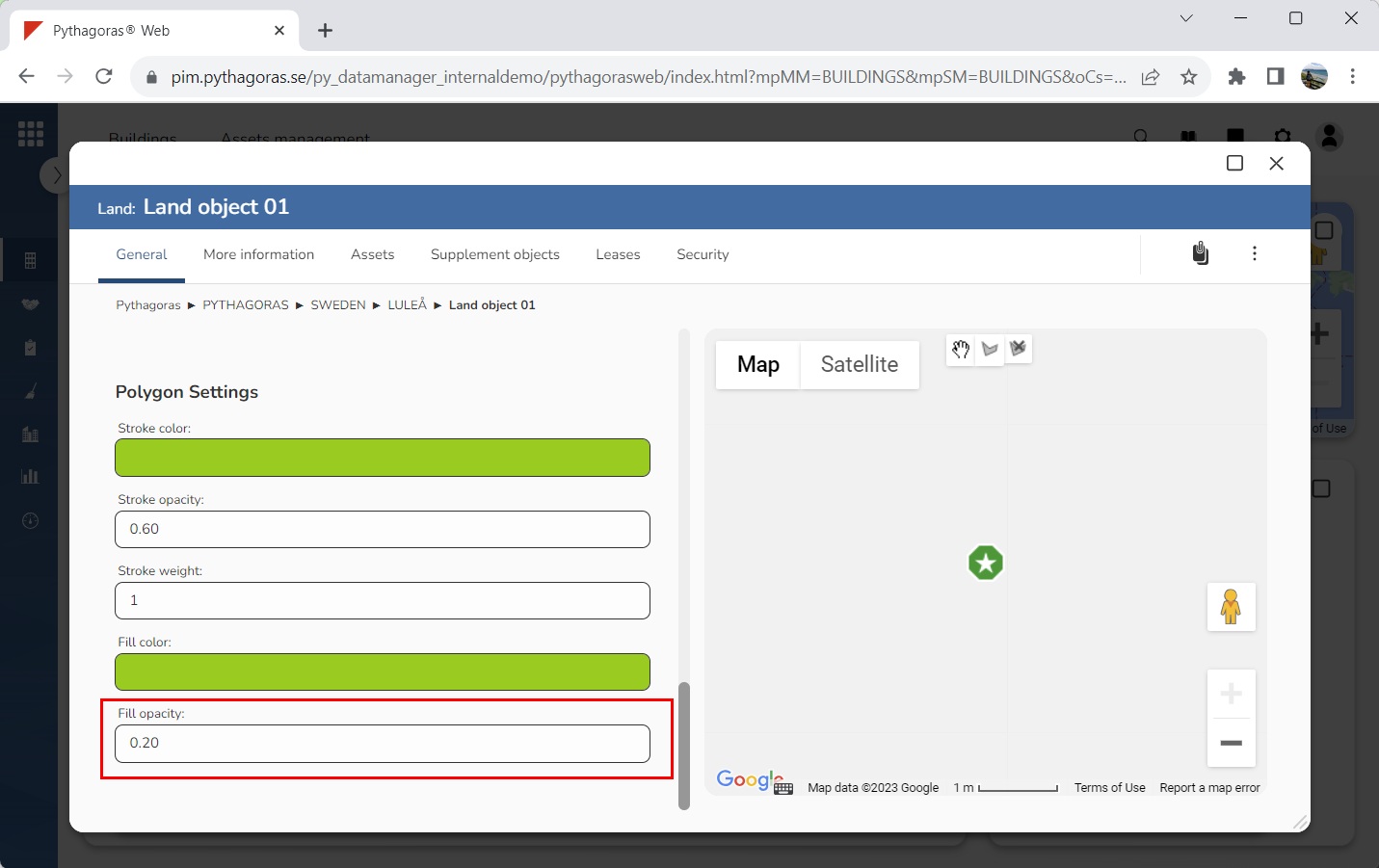
Specify the fill opacity for the polygon you are drawing on the map (see image below). Click the field "Fill opacity". Then enter an opacity in the window called "Fill opacity". The lower the opacity, the more transparent the fill will be.
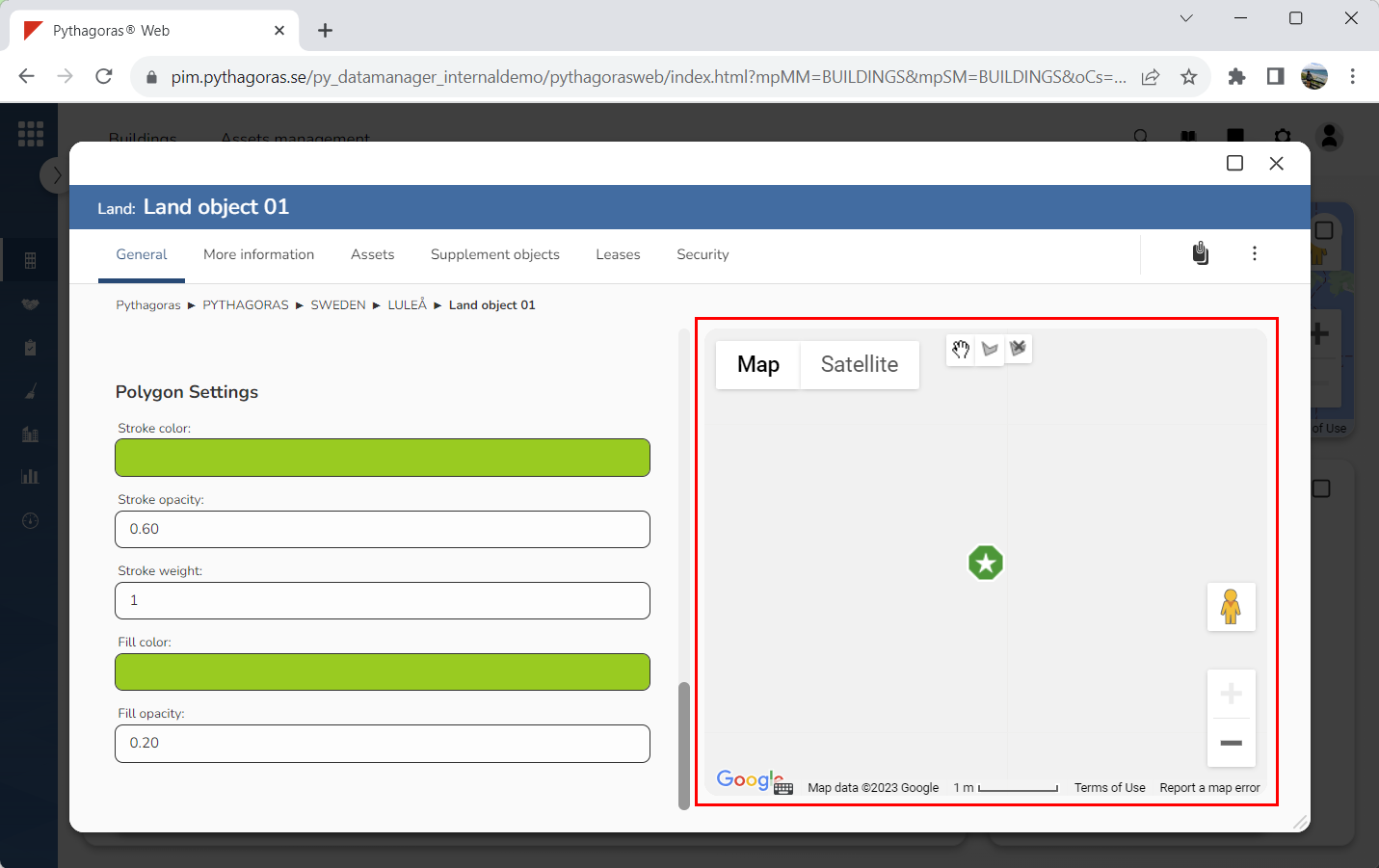
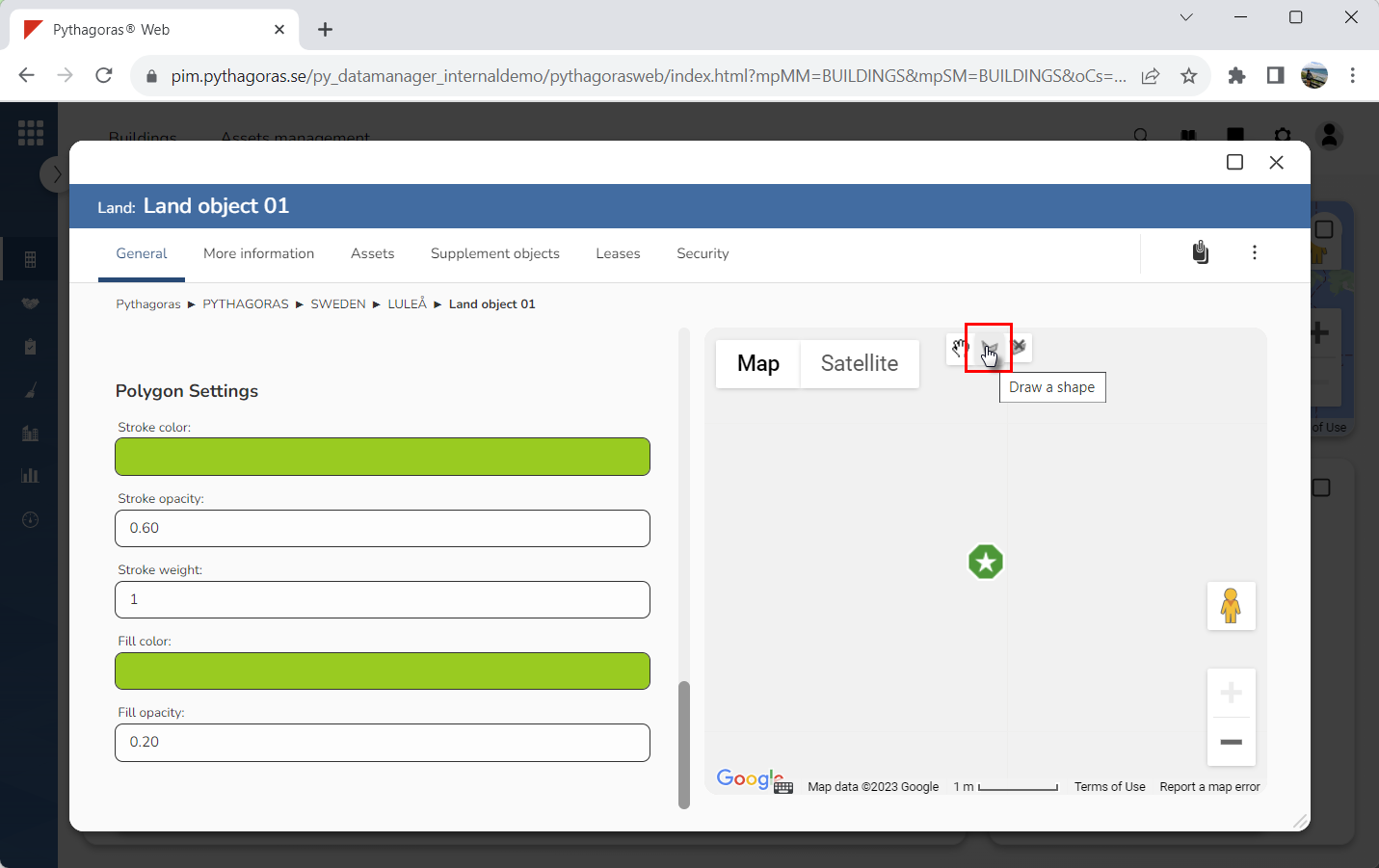
Go to the map (see image below).
Click "Draw a shape" (see image below).
Zoom in or out on the map to get an overview of the area your polygon should cover.
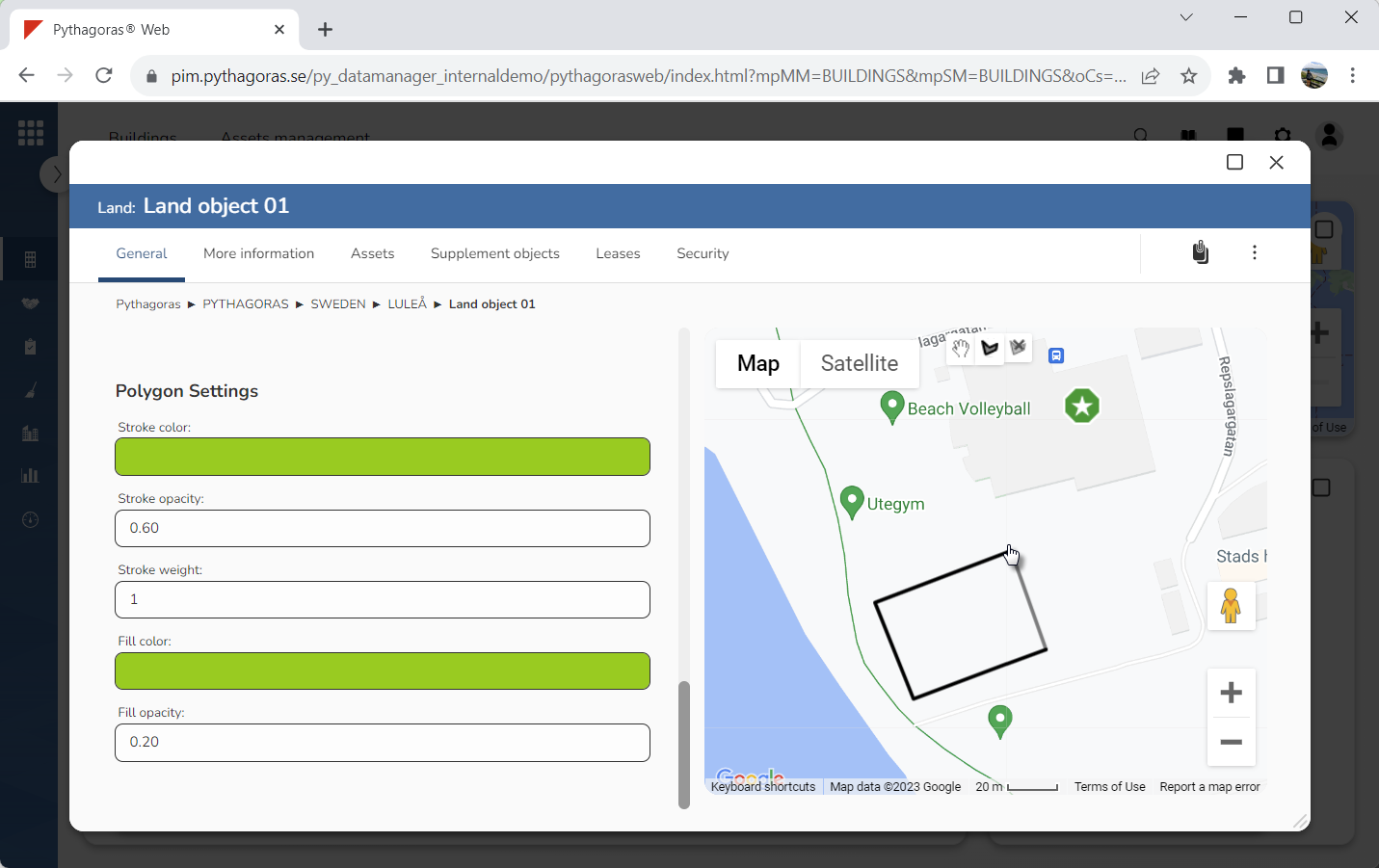
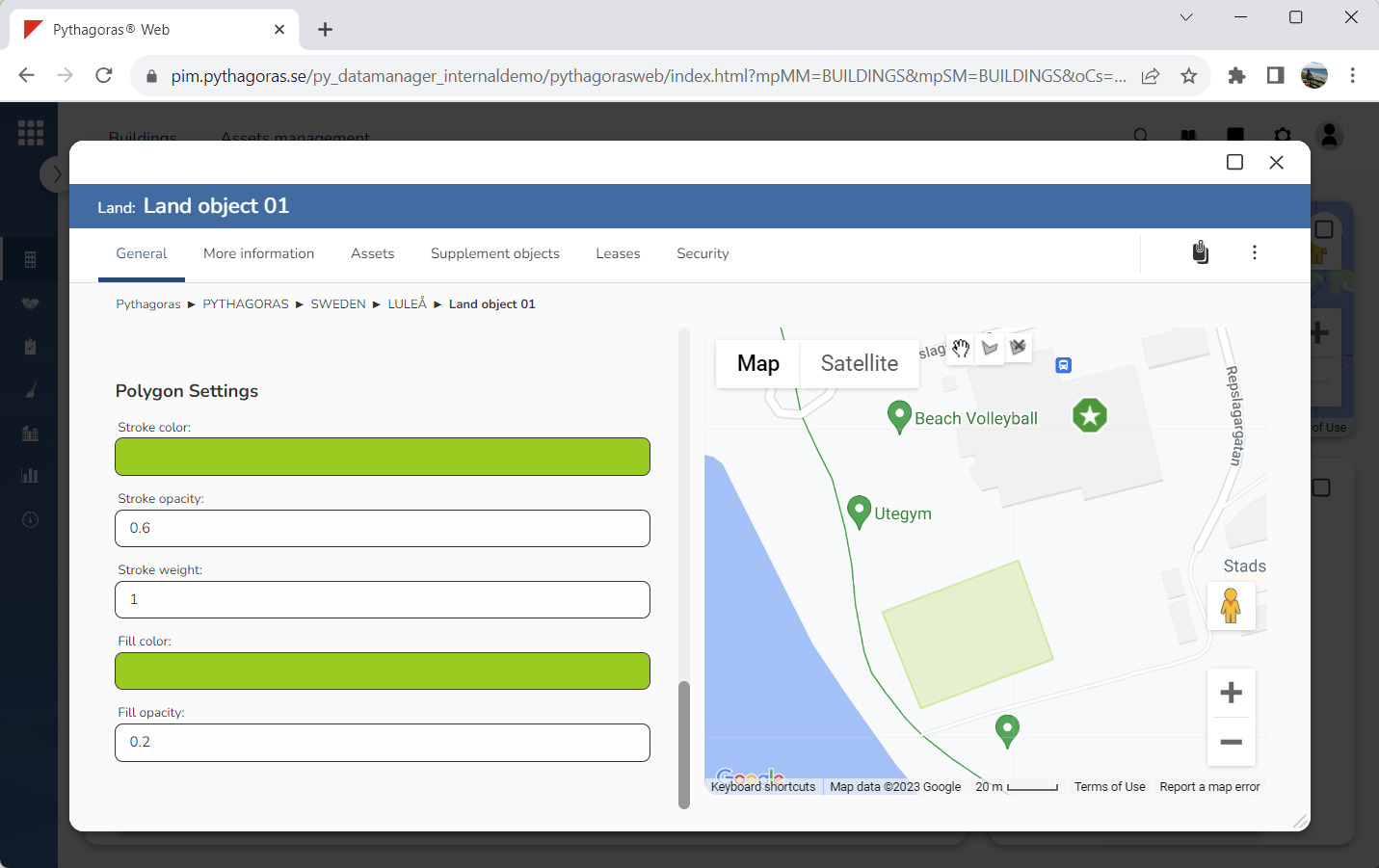
Use your mouse to draw a polygon on the map (see images below).
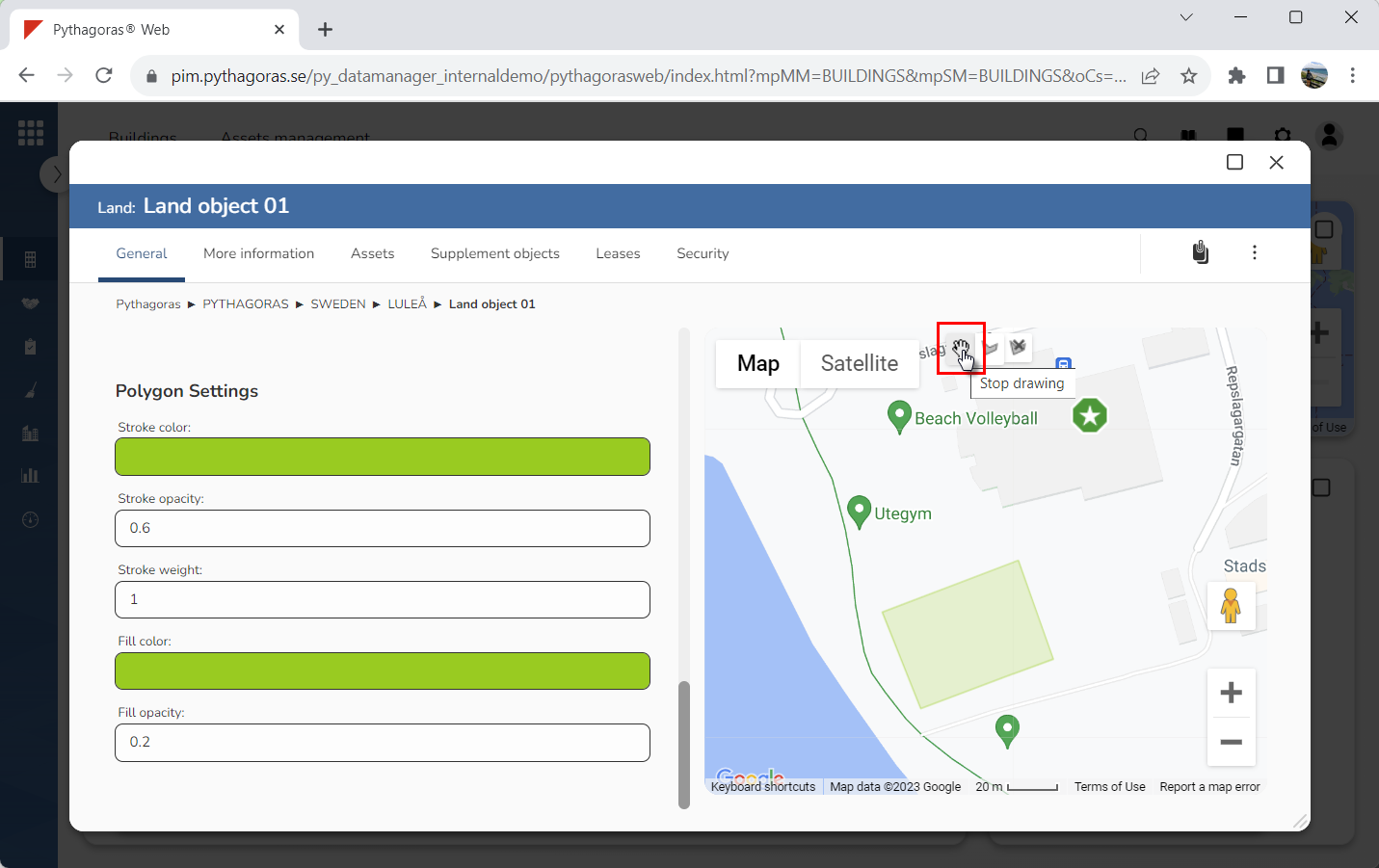
Click "Stop drawing" (see image below).
If the land object you are working with has a map marker shown on the map, you can move the map marker by dragging it to a new location on the map. Moving a map marker associated with a land object will update the geoposition of the land object.