Specify which KPIs you wish to work with. For more information on how to do so, see the section "Specify which KPIs you wish to work with".
Specify which years the KPIs should show information for (see image below). For more information on how to do so, see the section "Specify which years the KPIs should show information for".
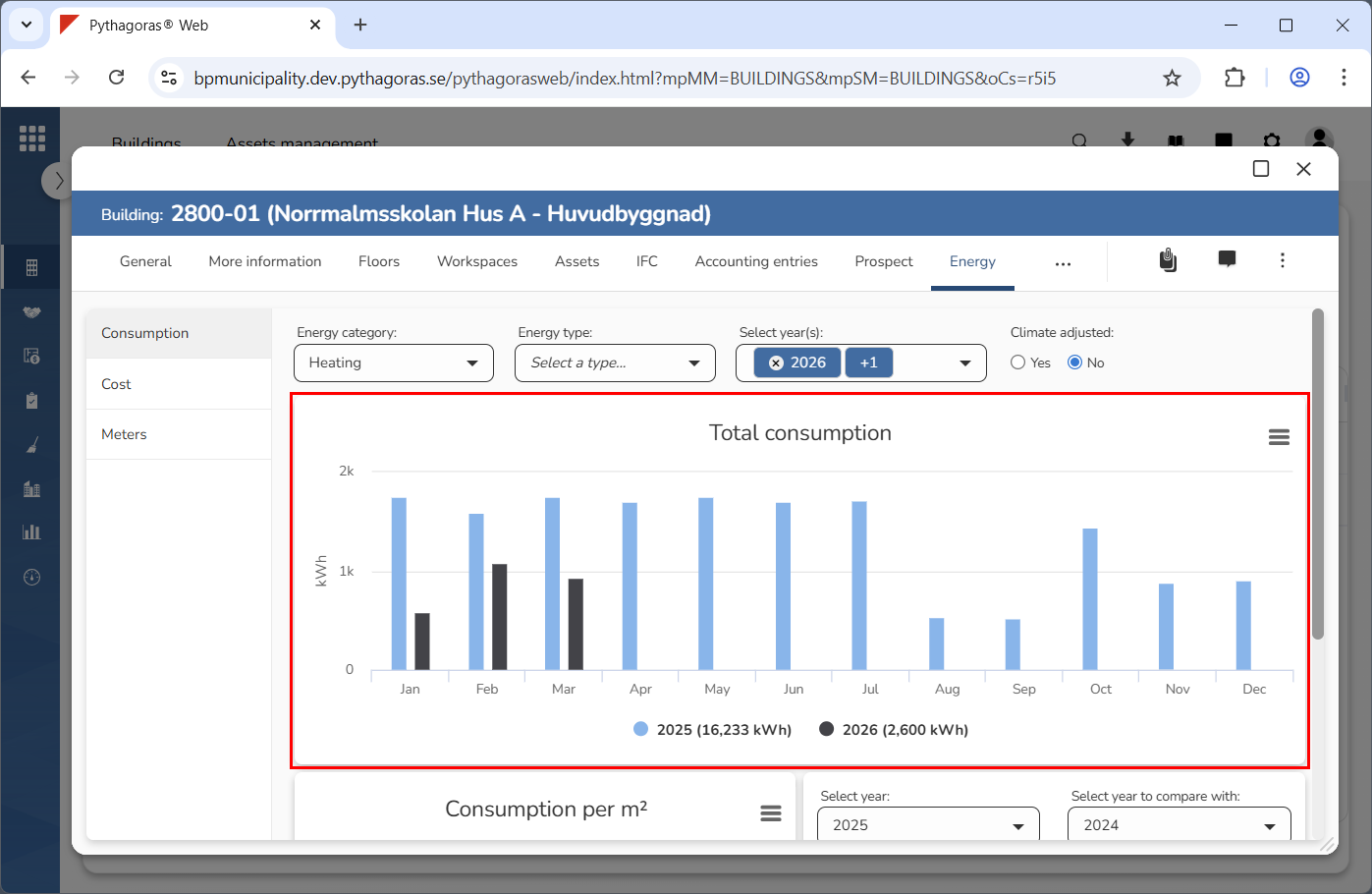
Go to the KPI you wish to download an image of (see image below).
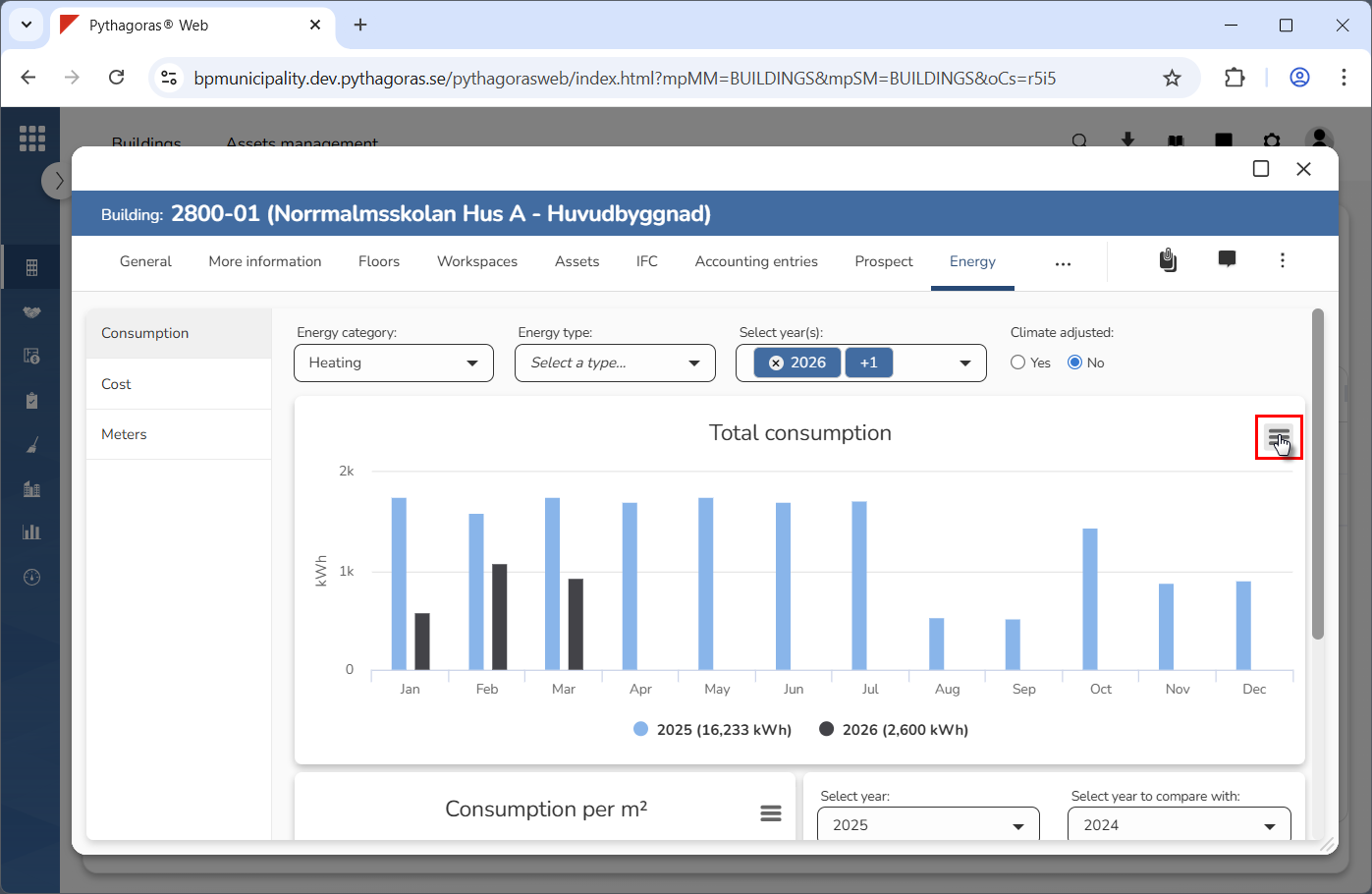
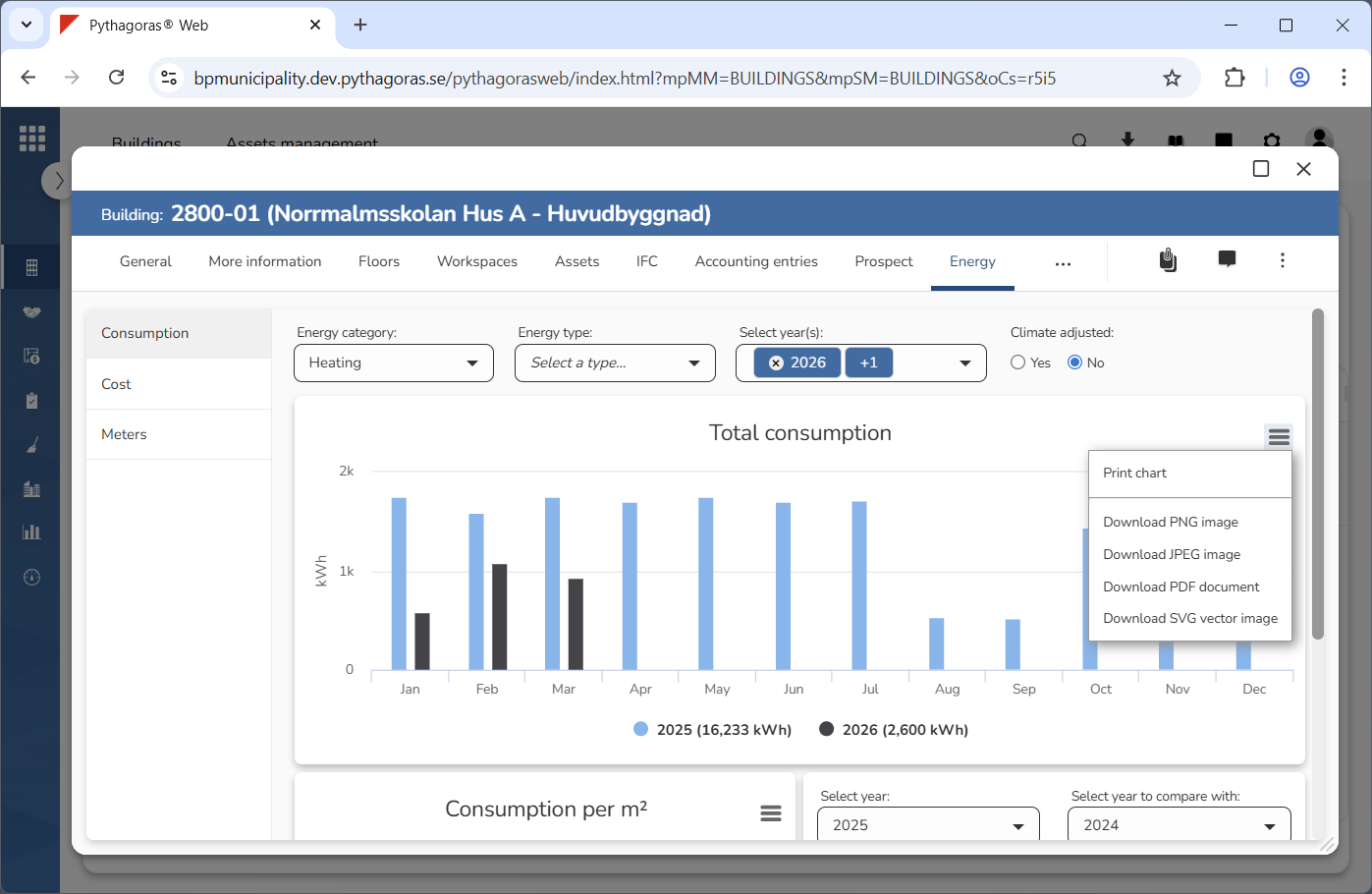
Click the menu icon (see the first image below). When you do so, a menu will open (see the second image below).
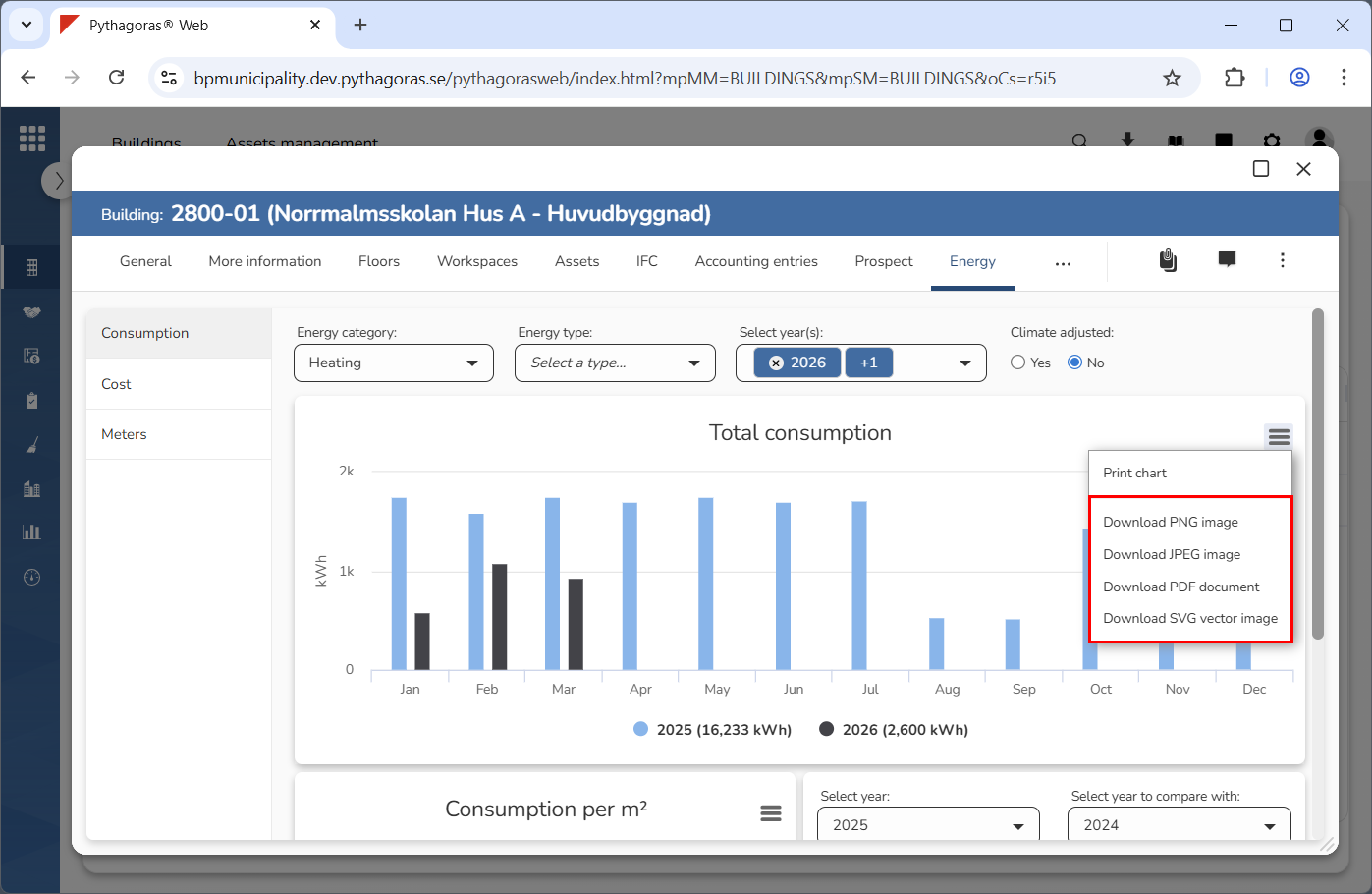
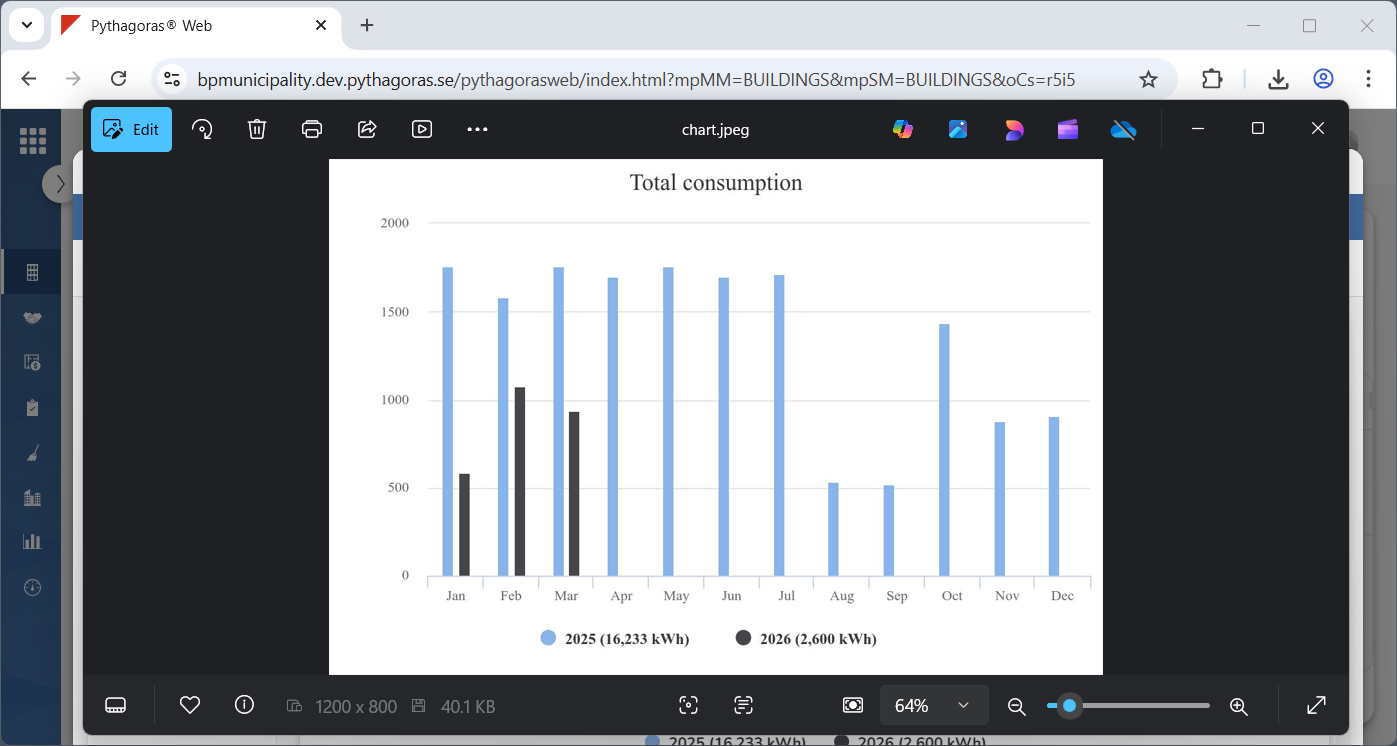
Click "Download PNG image", "Download JPEG image", "Download PDF document" or "Download SVG vector image" in the menu (see the first image below). When you do so, an image of the KPI you are working with will be downloaded to your computer (see the second image below).