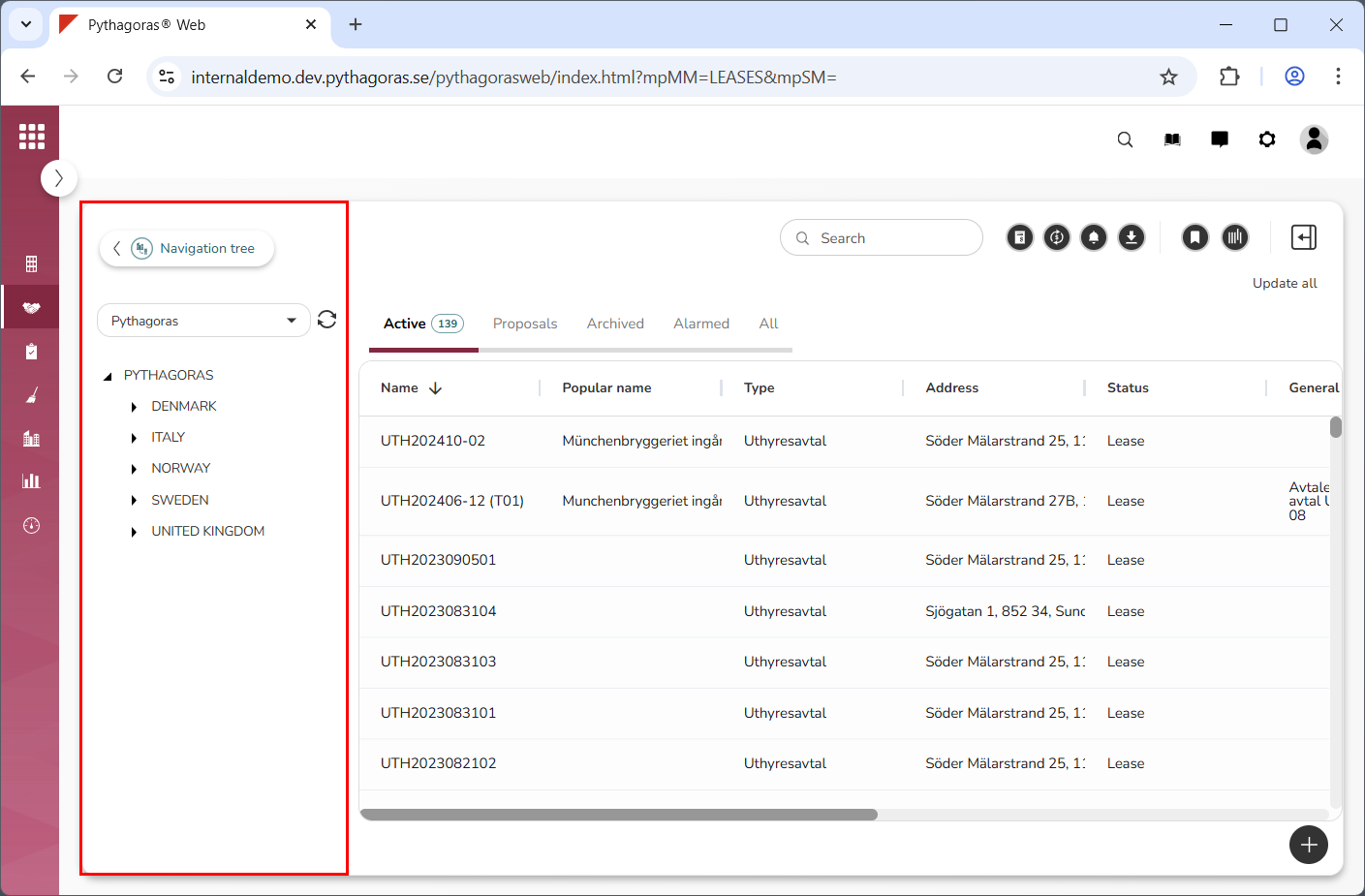
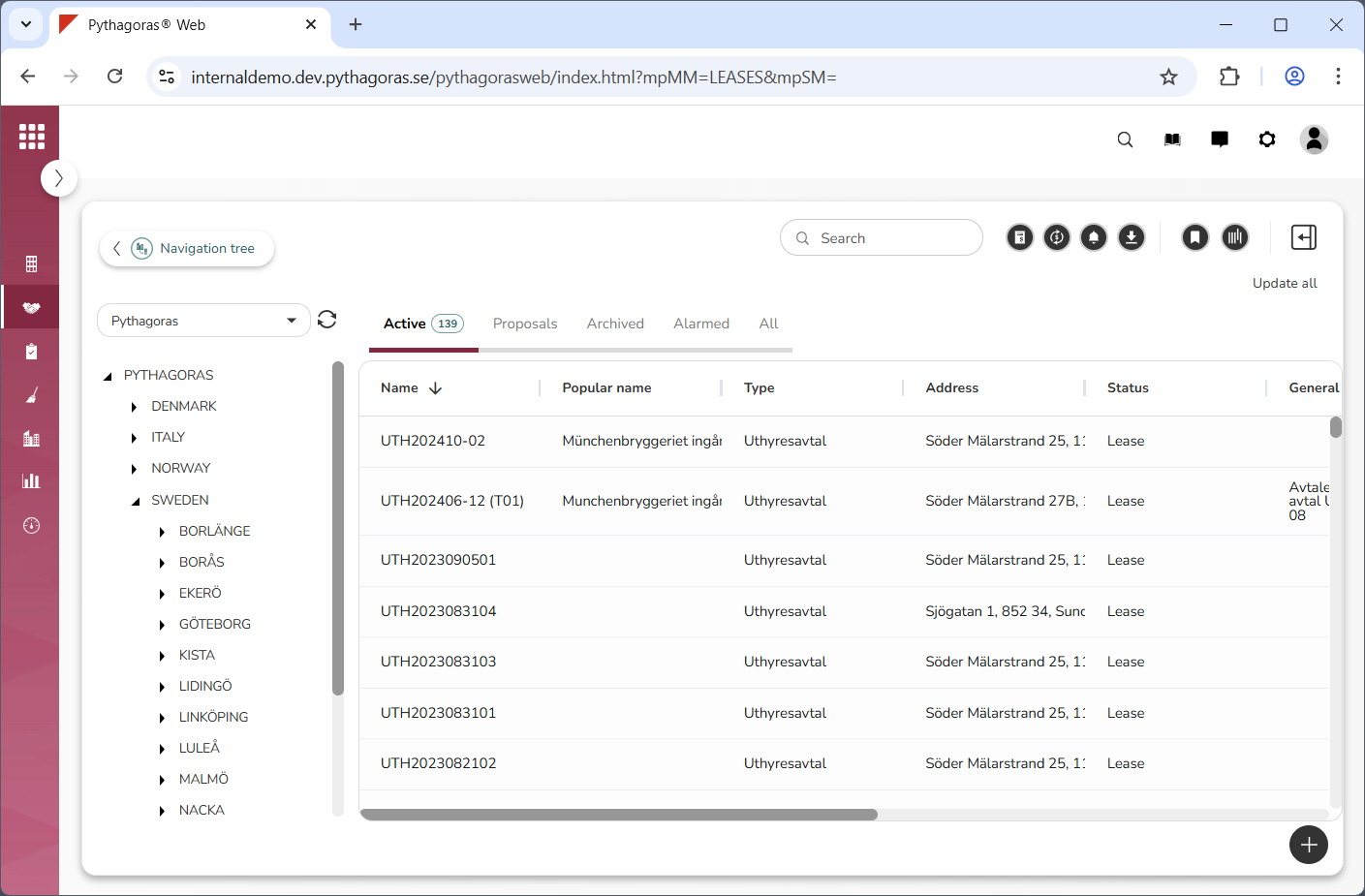
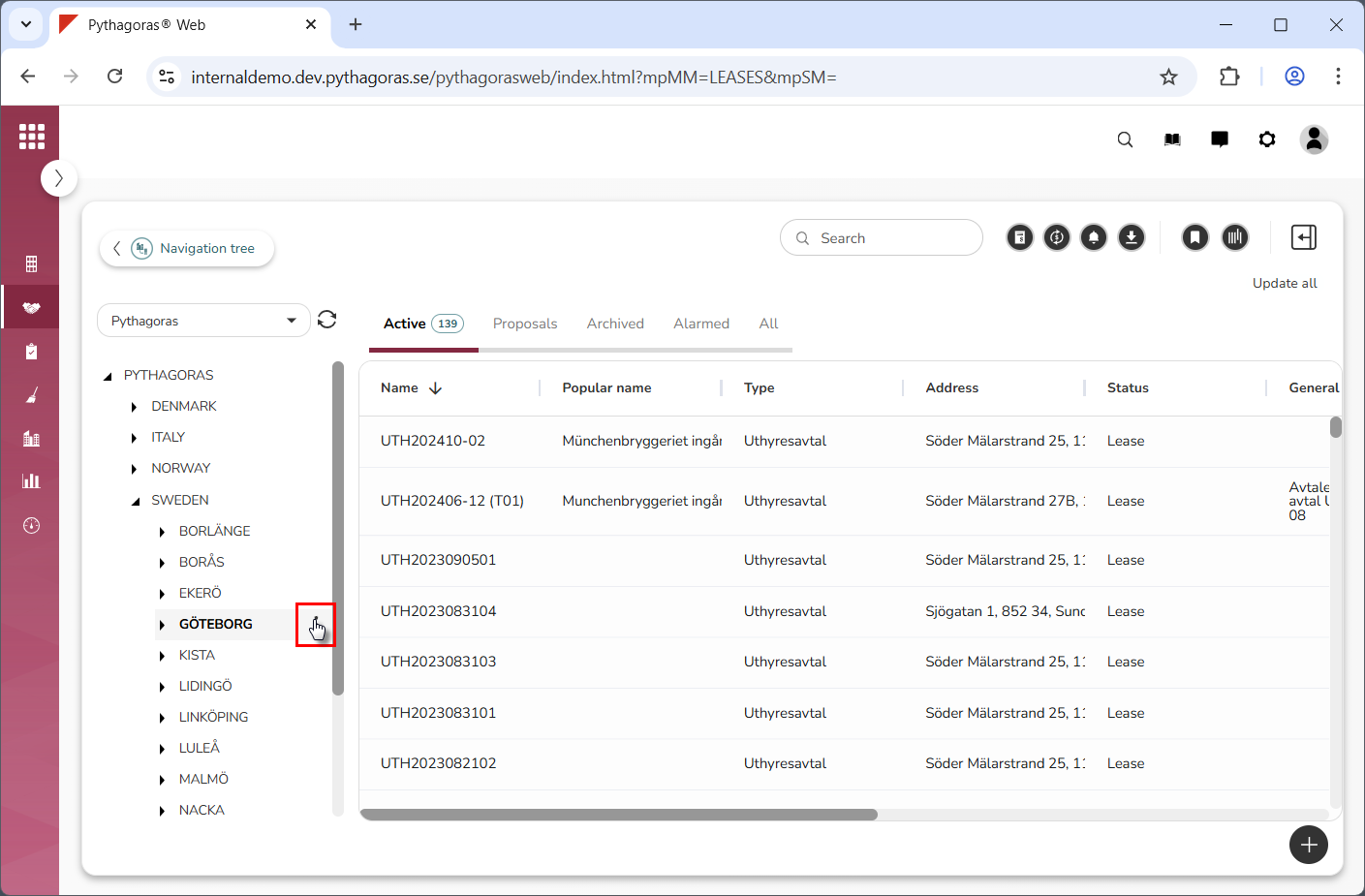
By working your way down the navigation tree structure, make sure the navigation folder you wish to open is visible in the navigation tree (see image below).
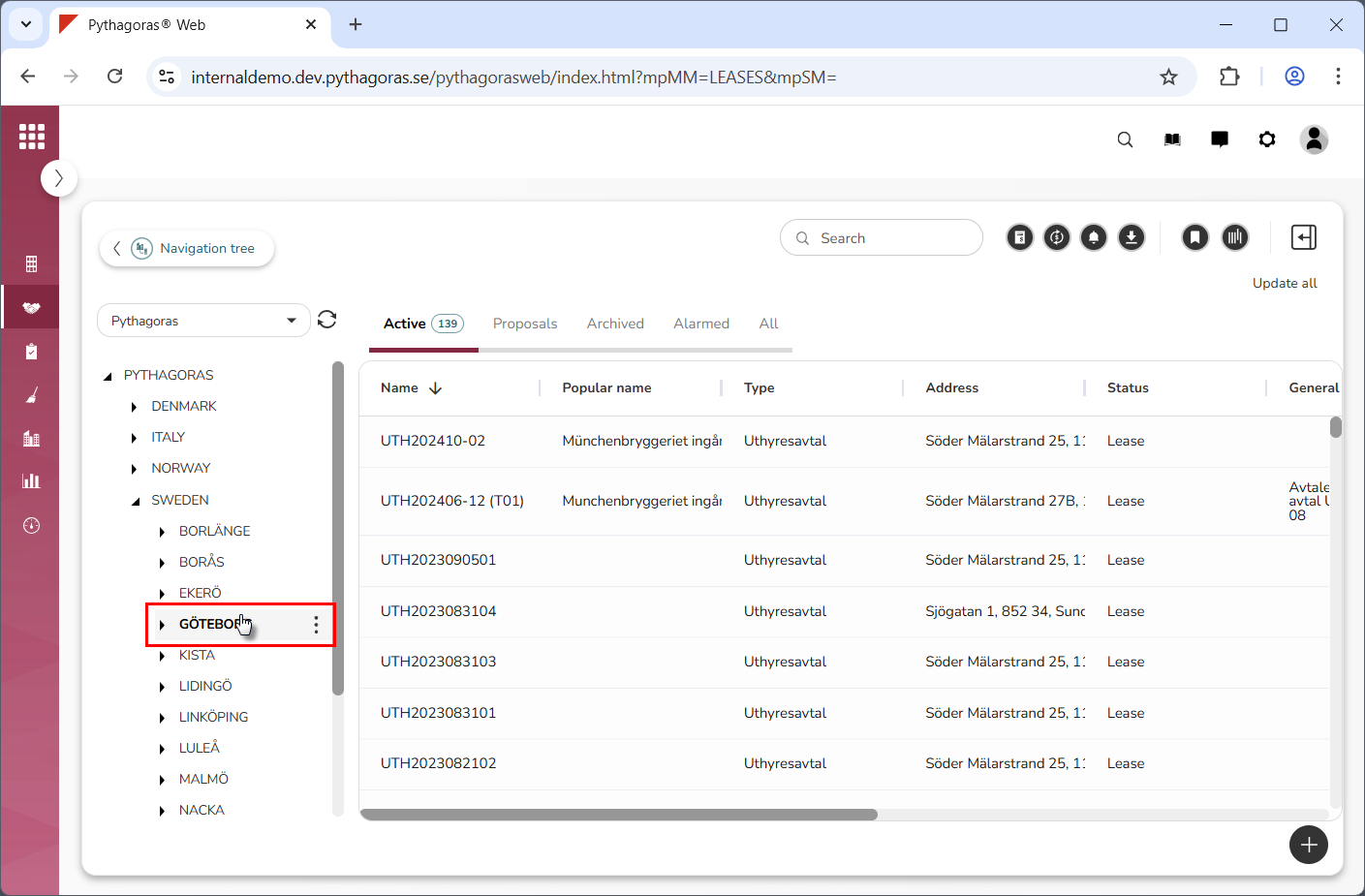
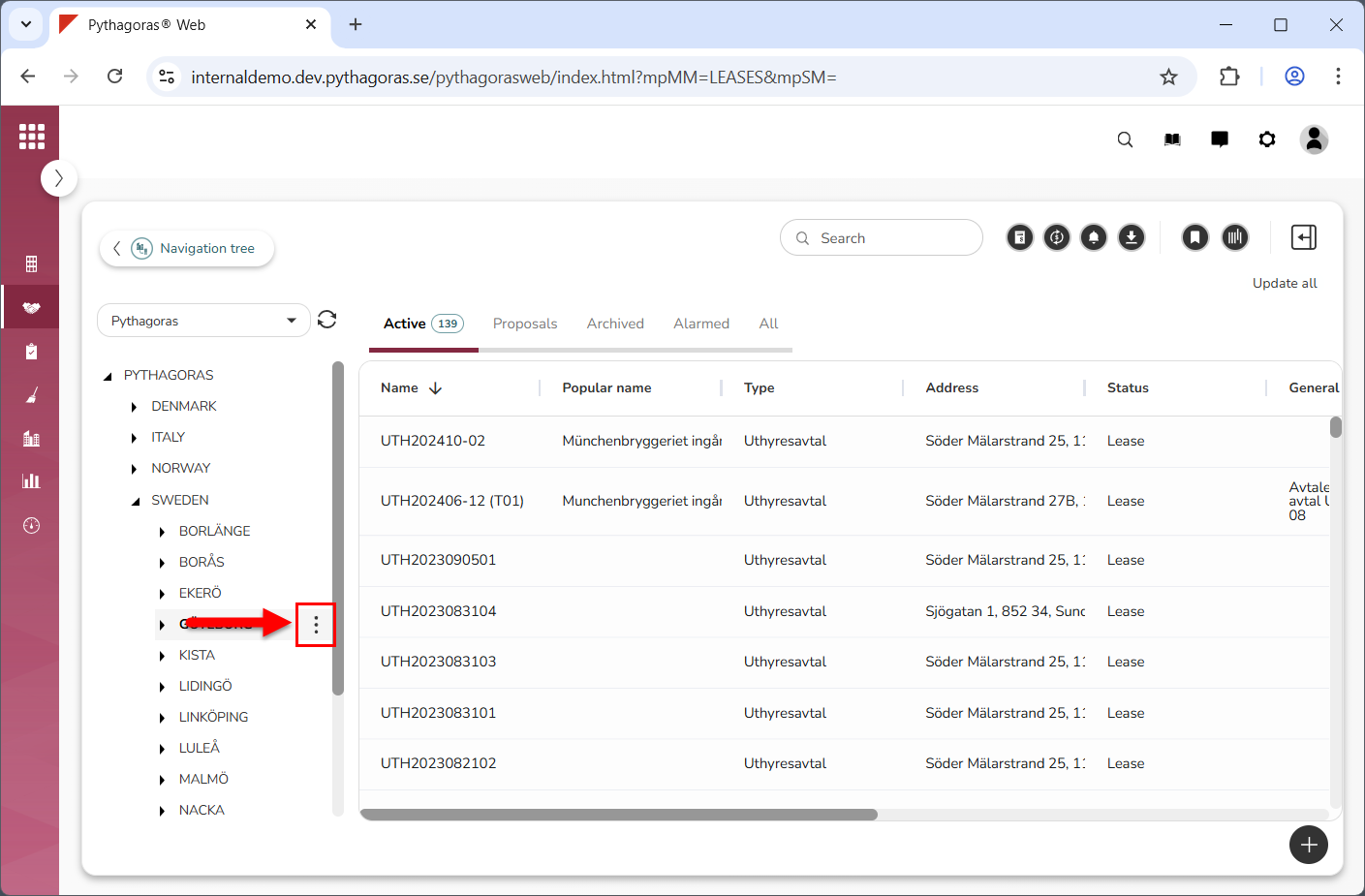
Place your cursor on the navigation folder you wish to open (see the first image below). When you do so, you get access to an icon called "Open" (see the second image below).
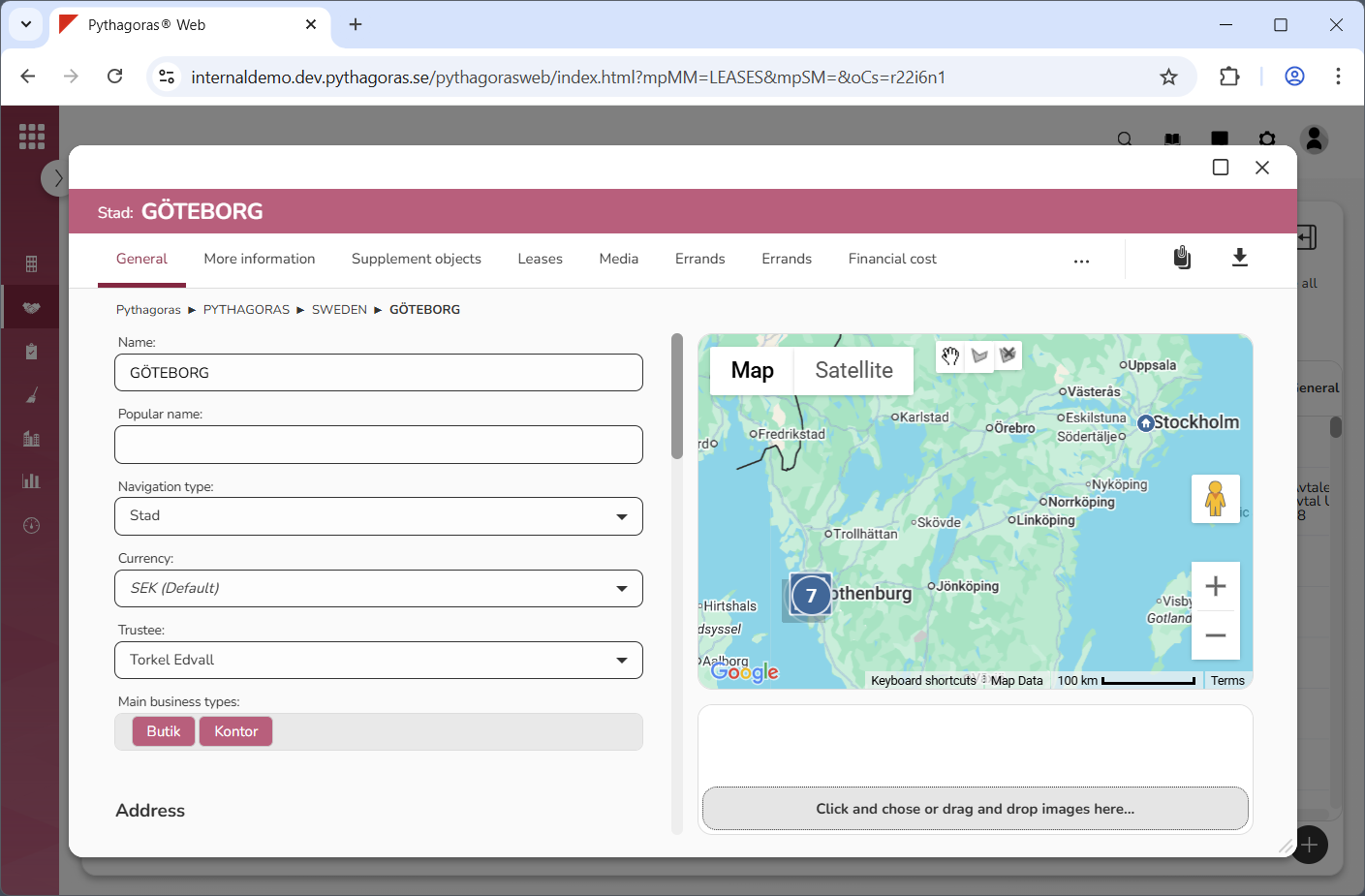
Click "Open" (see the first image below). When you do so, the navigation folder you are working with will open. When a navigation folder is opened, so is its navigation card (see the second image below).