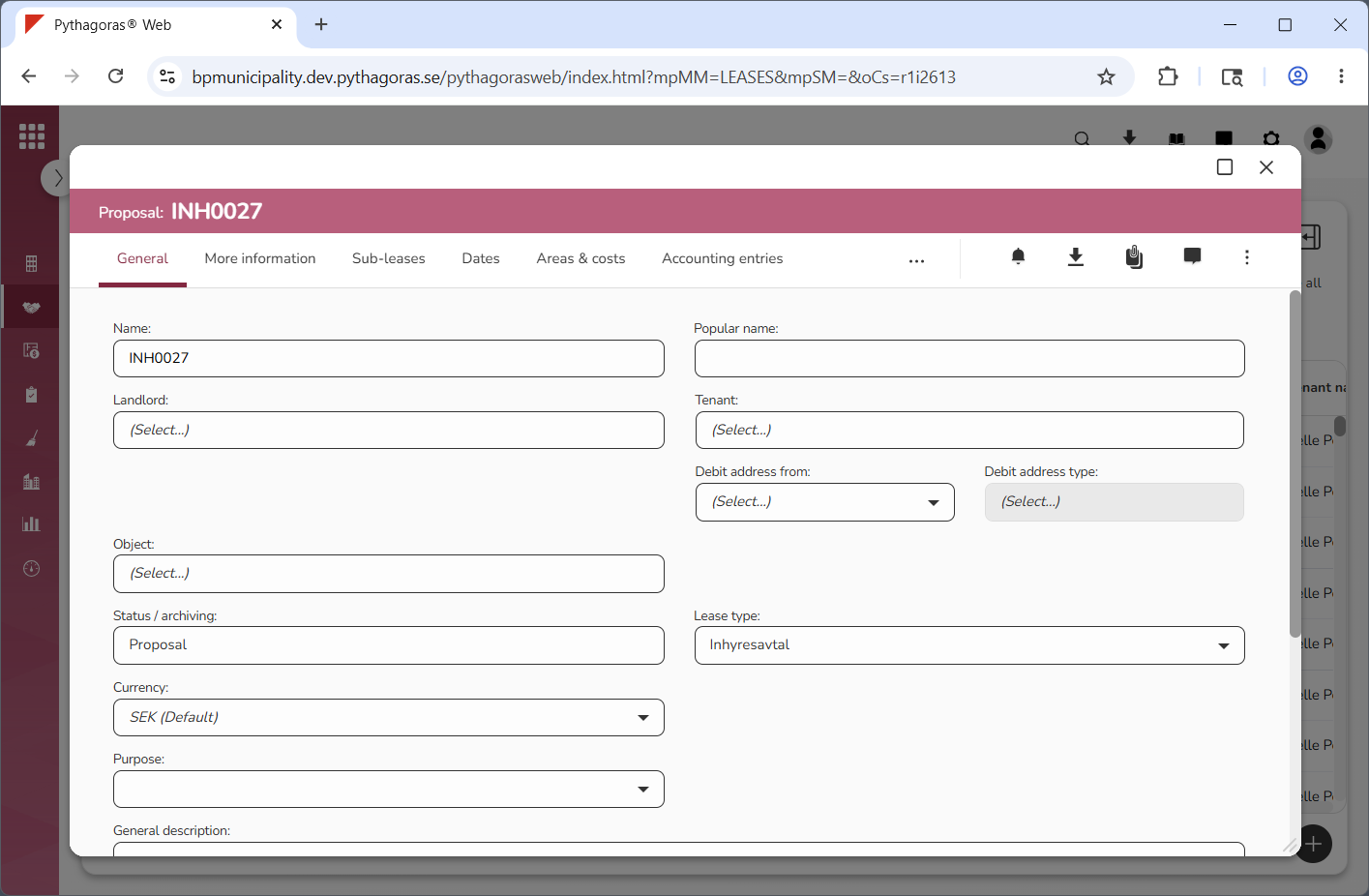
When you create a lease, the lease is created as a proposal. A lease will not have lease status until the status of the lease is changed from "Proposal" to "Lease". For more information on how to change the status of a lease, go to section 8.1.9. then continue reading the section "Change the status of a lease".
To create a lease:
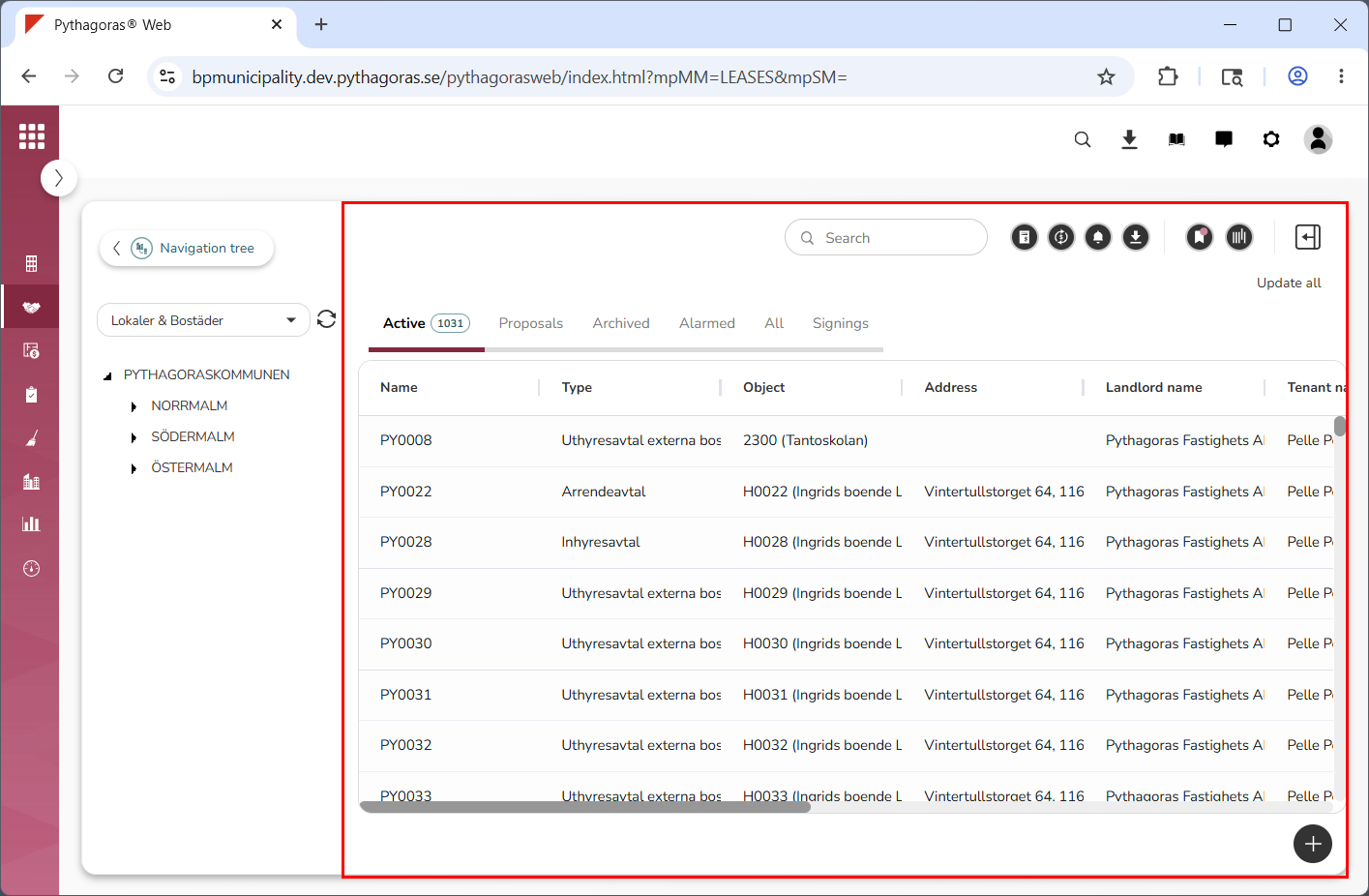
Go to the object list (see image below).
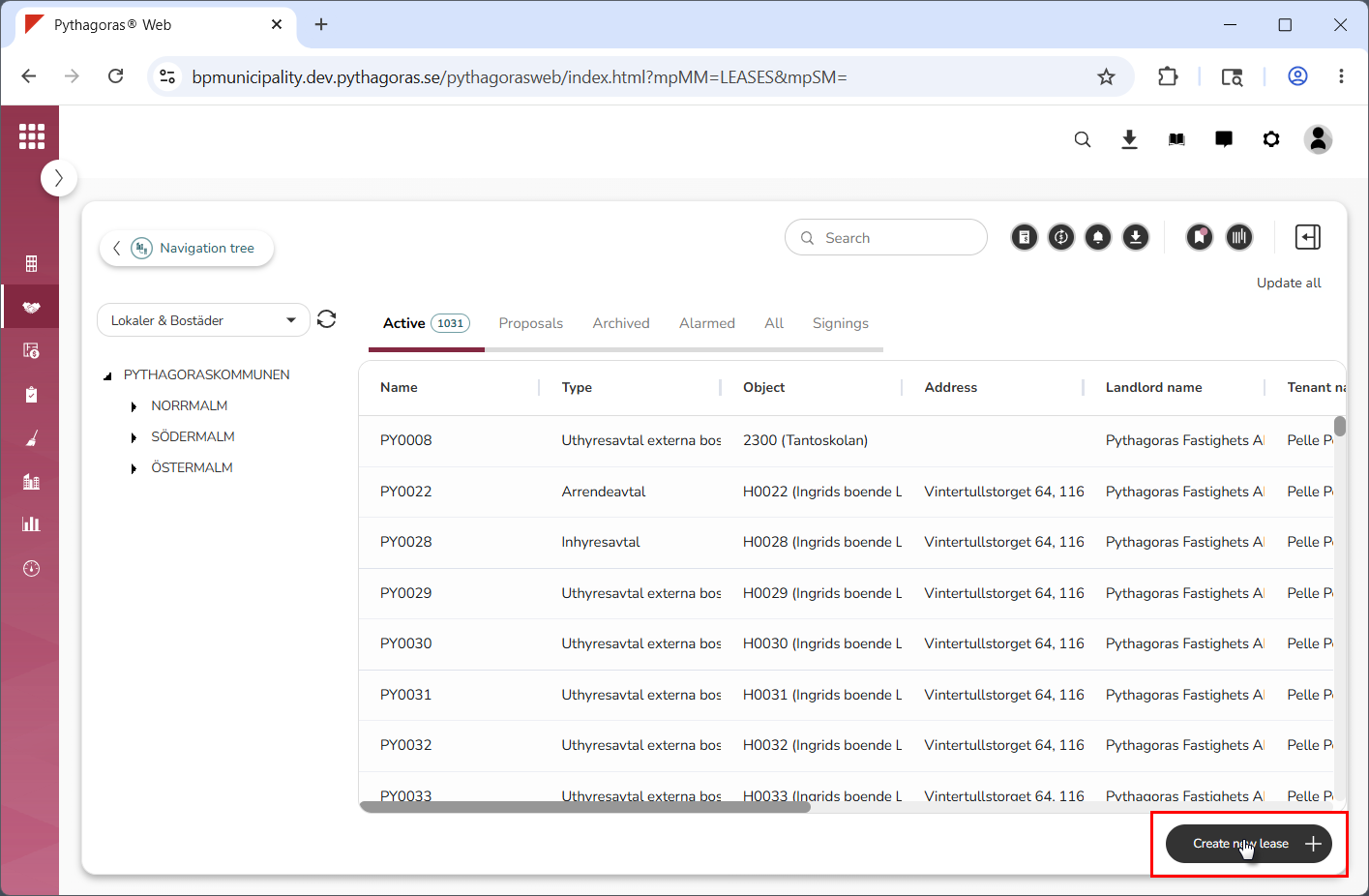
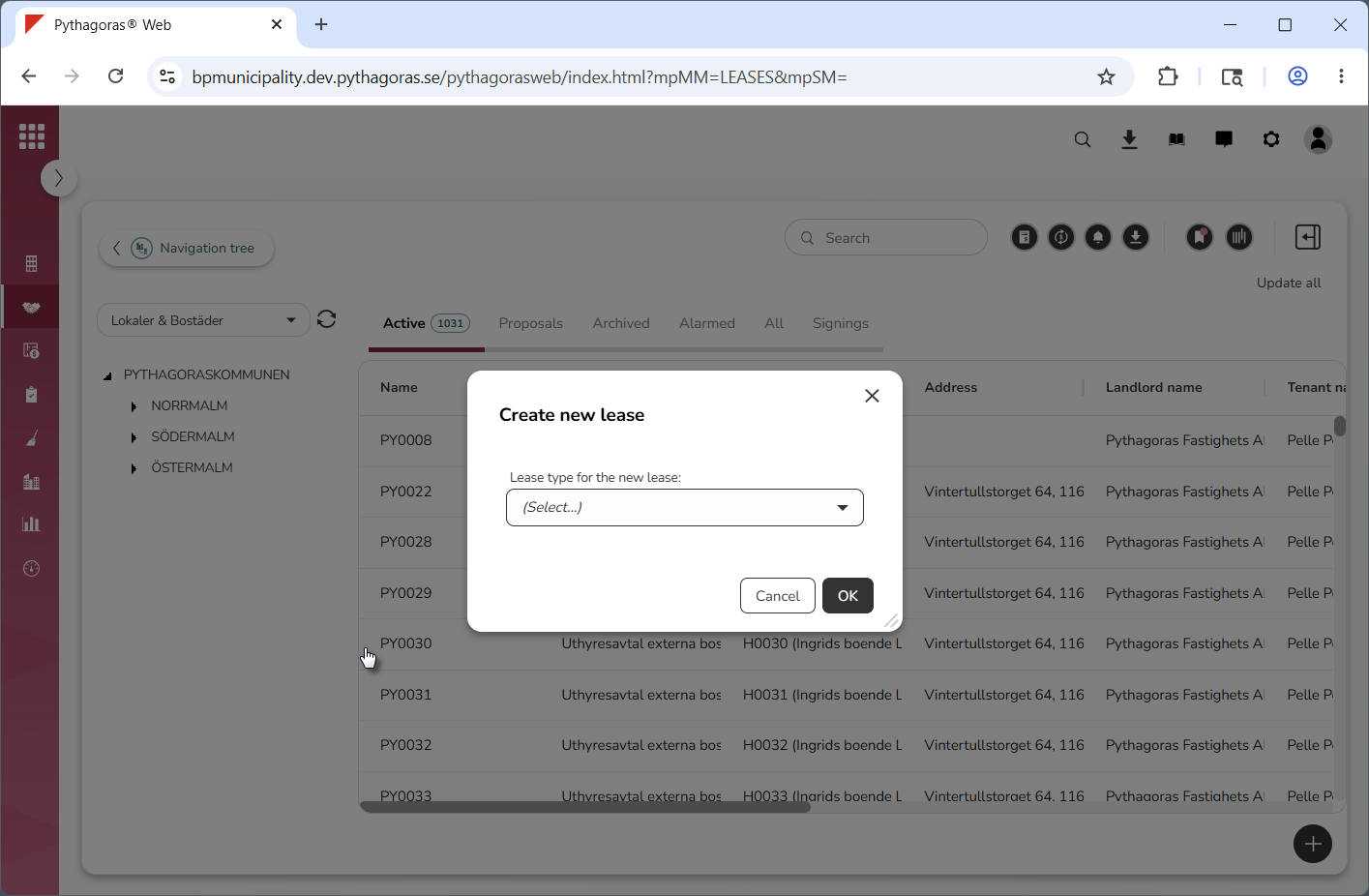
Click on the icon called "Create new lease" (see the first image below). When you do so, a window called "Create new lease" will open (see the second image below).
Go to the window called "Create new lease".
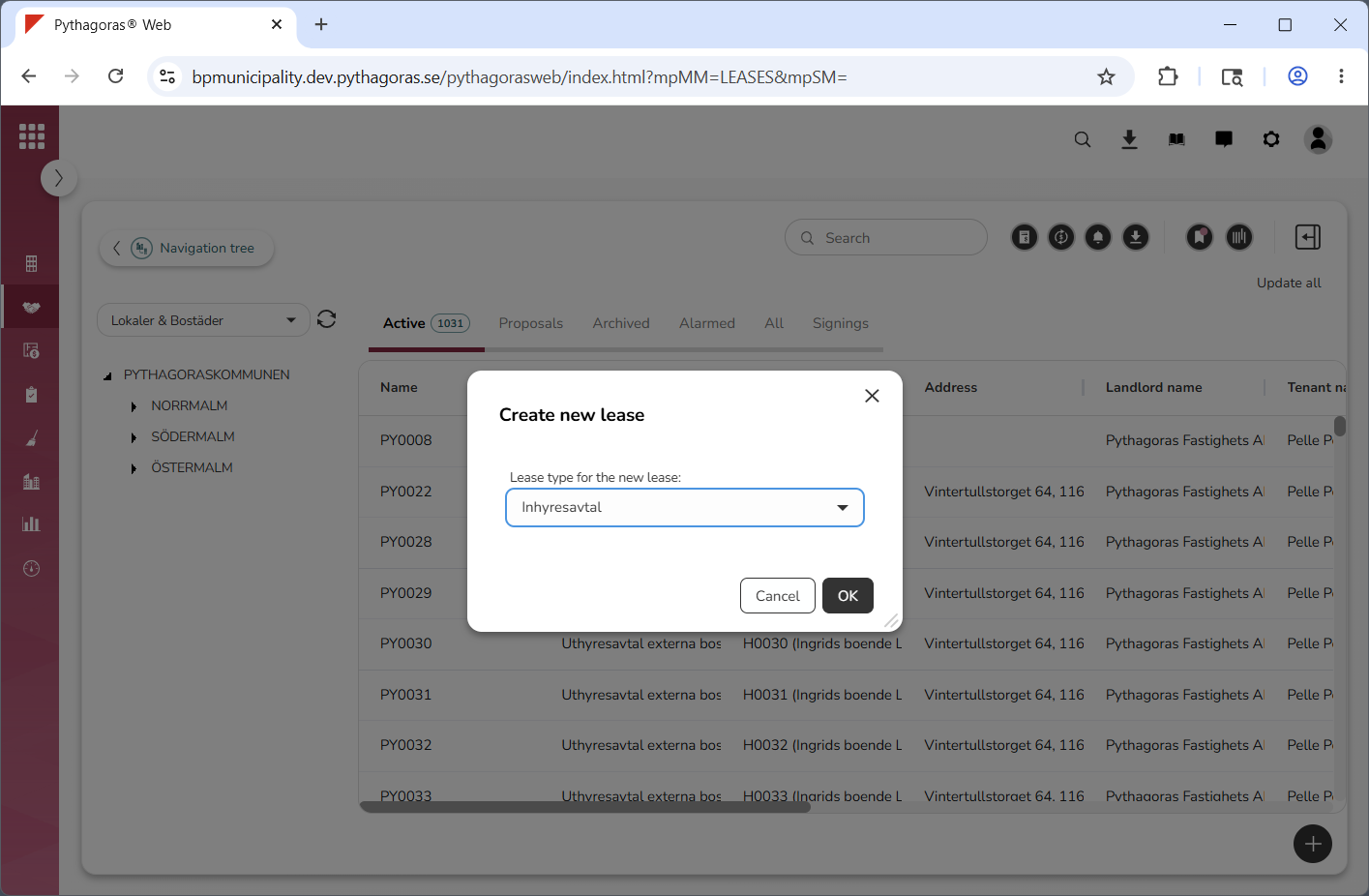
Specify which type of lease you wish to create (see image below). Click the field "Lease type for the new lease". Then click a lease type in the list that opens.
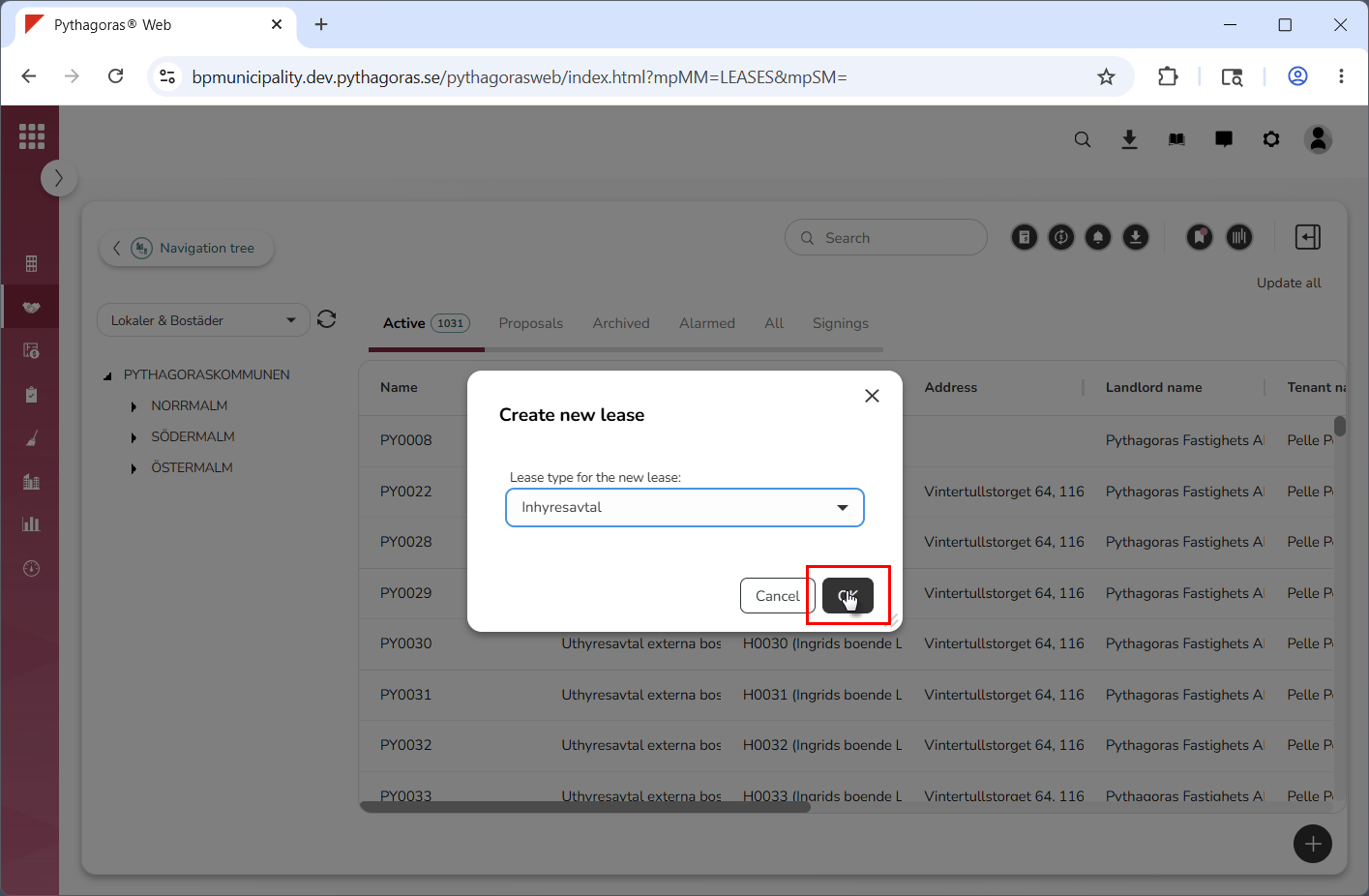
Click "OK" (see the first image below). When you do so, a lease will be created. When a lease is created, its lease card opens (see the second image below). Via the lease card you can work with a lease. For more information on how to do so, see chapter 8.