5.3. Update the navigation tree you are working with
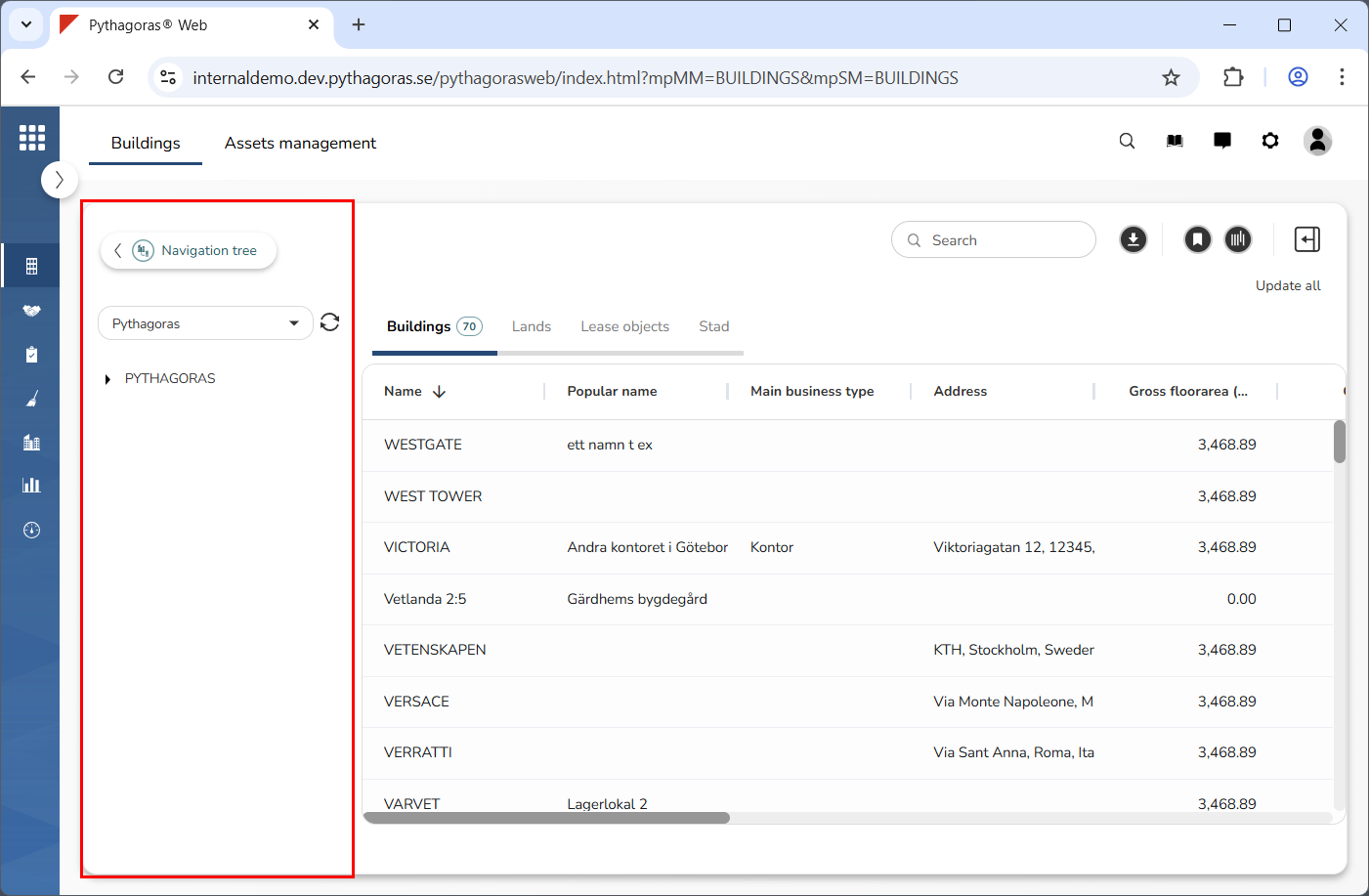
When you update the navigation tree you are working with, that is, the navigation tree available in the navigation window, the navigation tree will contract to its minimum size. Once you have updated a navigation tree and the navigation tree has contracted to its minimum size, you can of course expand it again. Note that the navigation tree is linked to the map and the object list and that the map and the object list will be updated when you update the navigation tree.
To update the navigation tree you are working with:
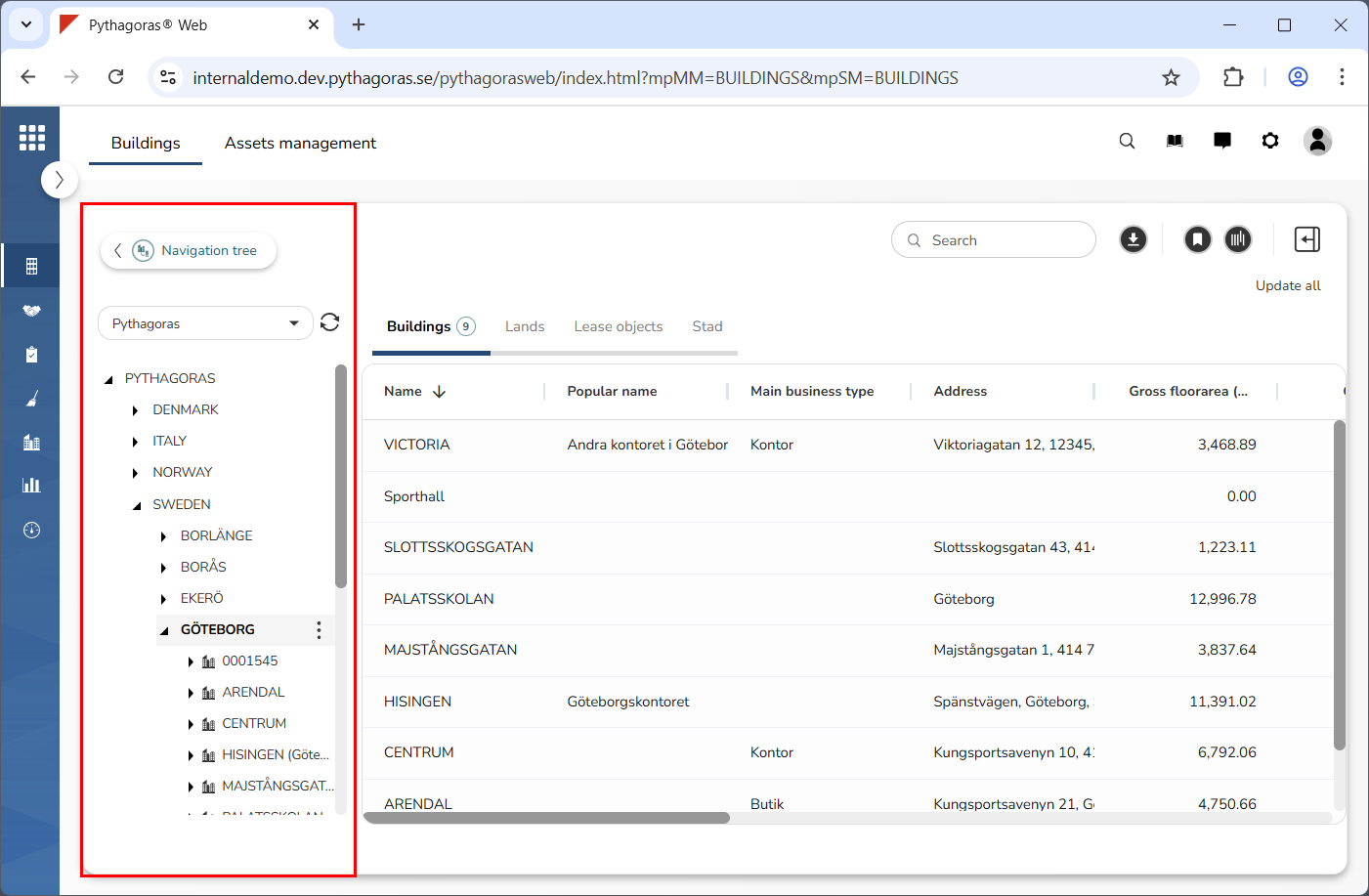
Go to the navigation window (see image below).
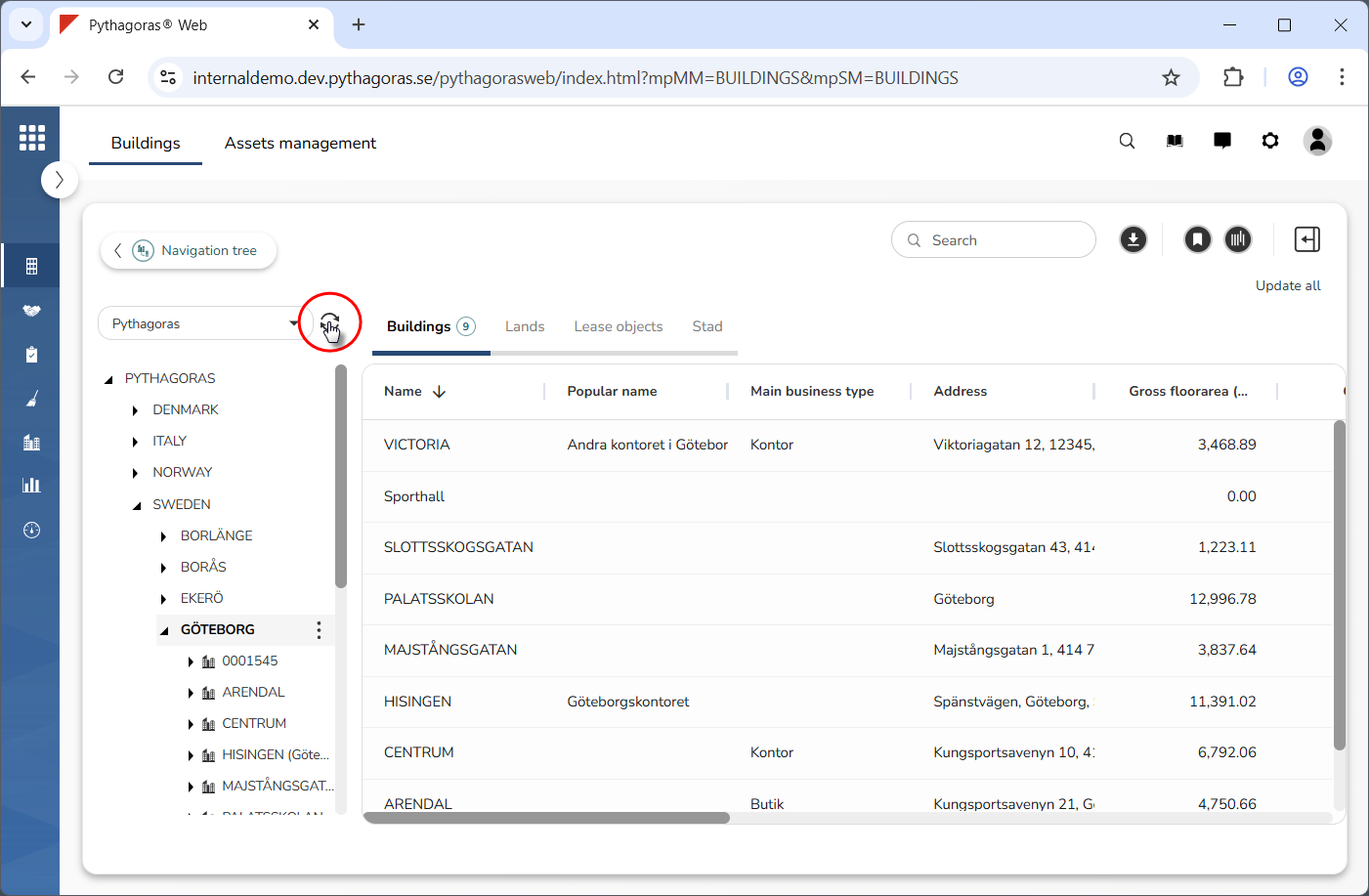
Click "Update" (see the first image below). When you do so, the navigation tree you are working on will be updated and contract to its minimum size (see the second image below).