11.10. Open the document manager via a lease object
To open the document manager via a lease object:
Open a lease object. For more information on how to do so, see section 11.1.
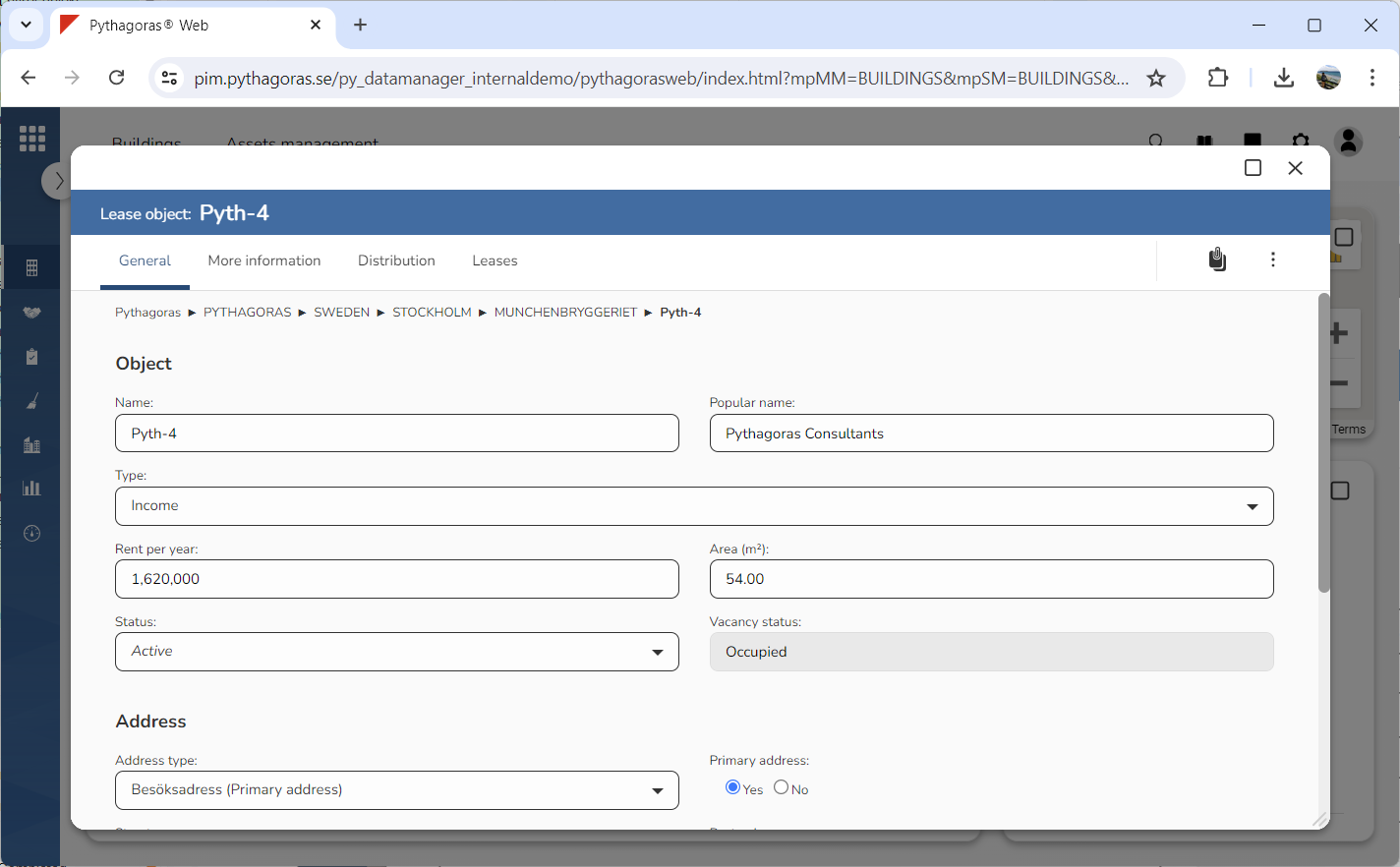
Go to the lease object card (see image below).
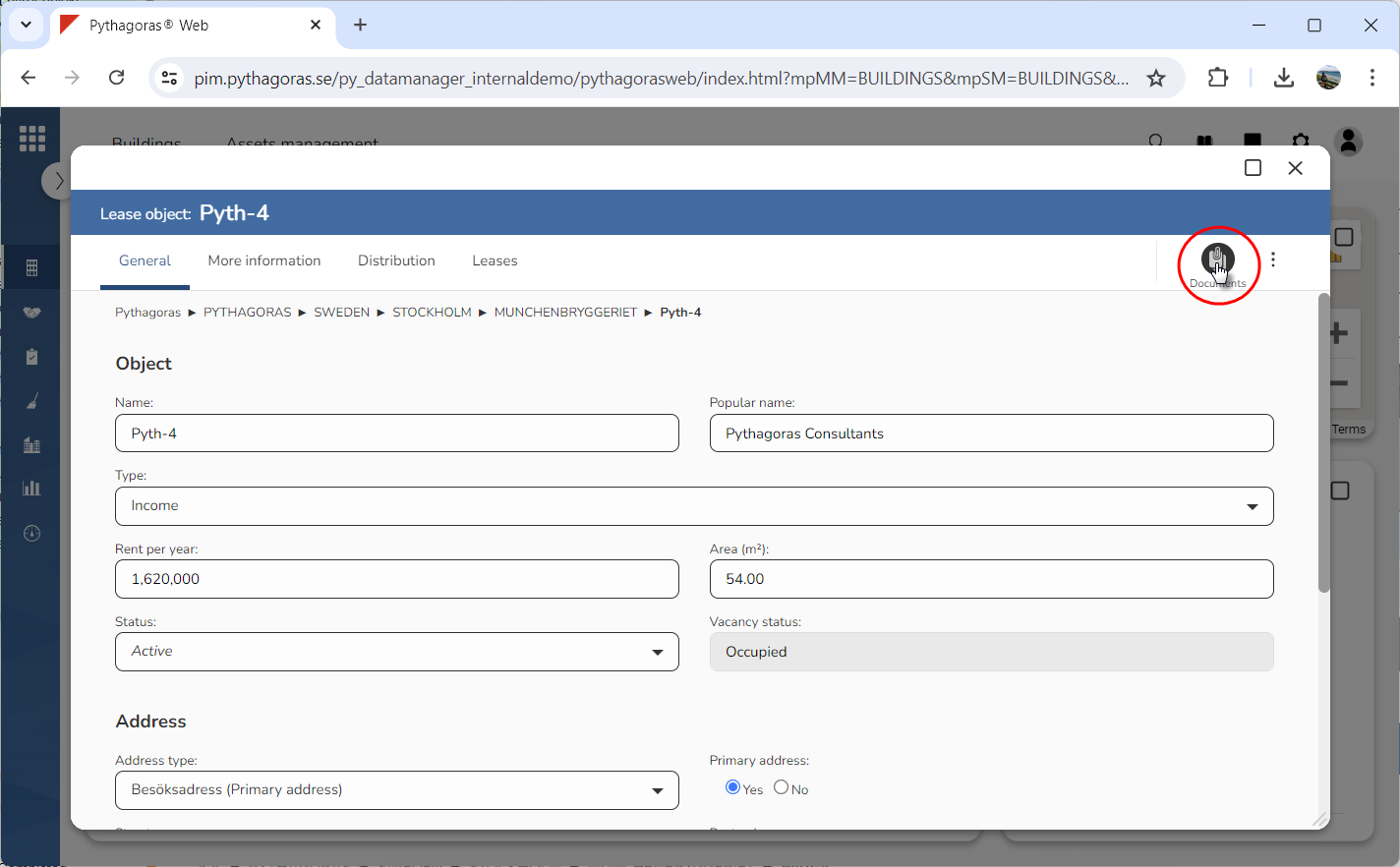
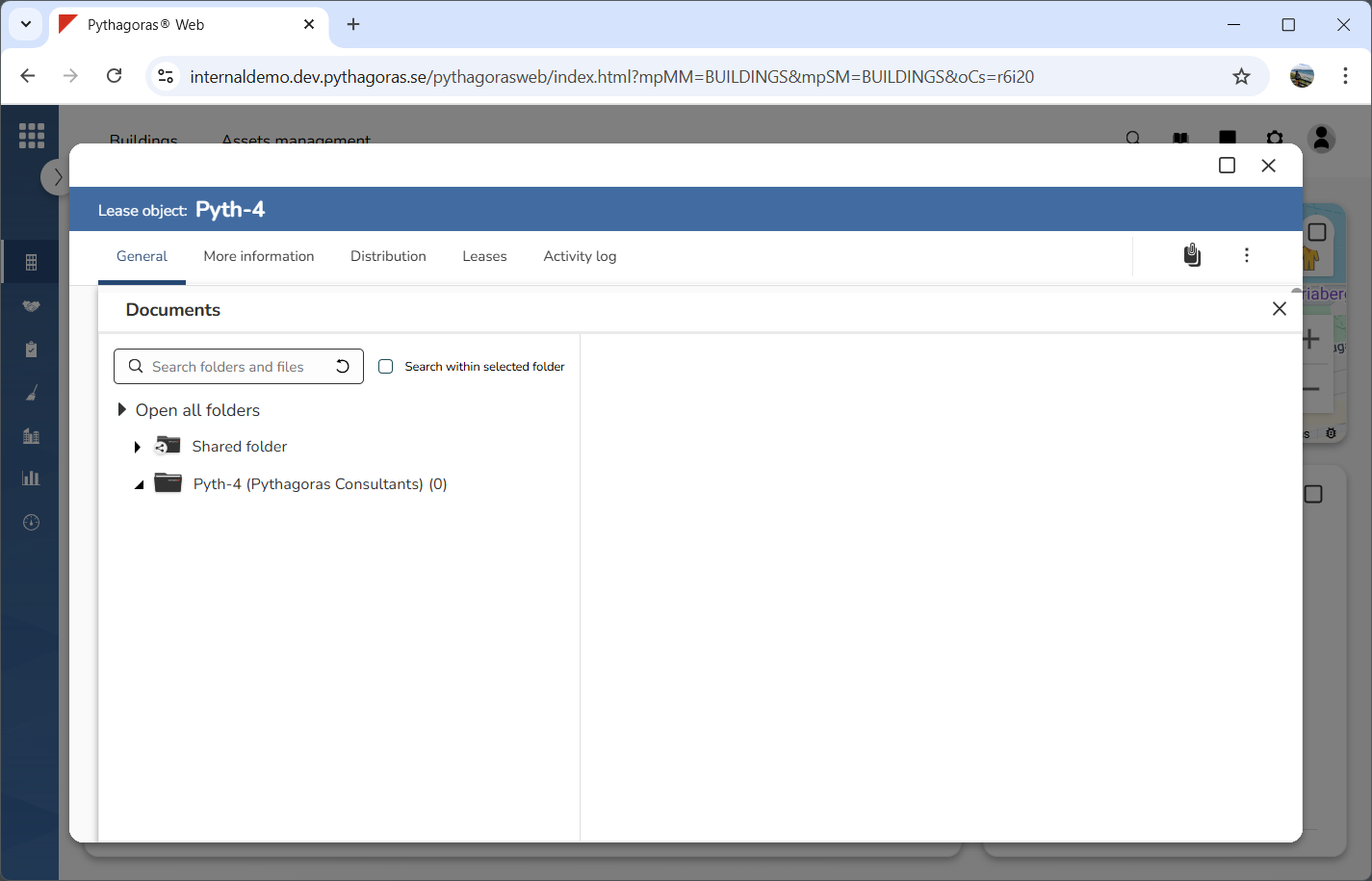
Click the icon "Documents" (see the first image below). When you do so, the document manager will open (see the second image below). For more information about the document manager, see chapter 12.