To link a supplement object to a land object you are working with:
Open a land object. For more information on how to do so, see section 10.1.
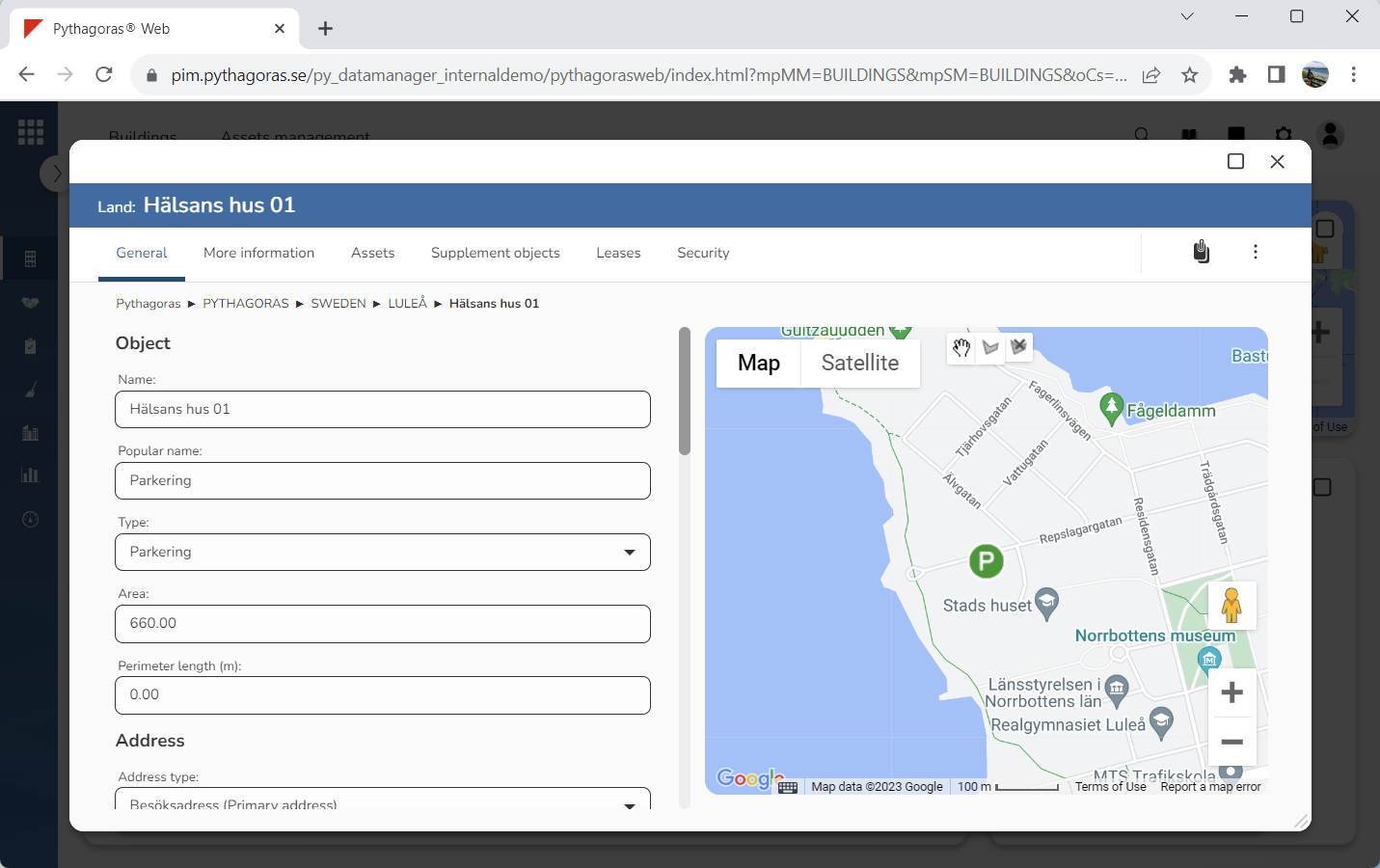
Go to the land card (see image below).
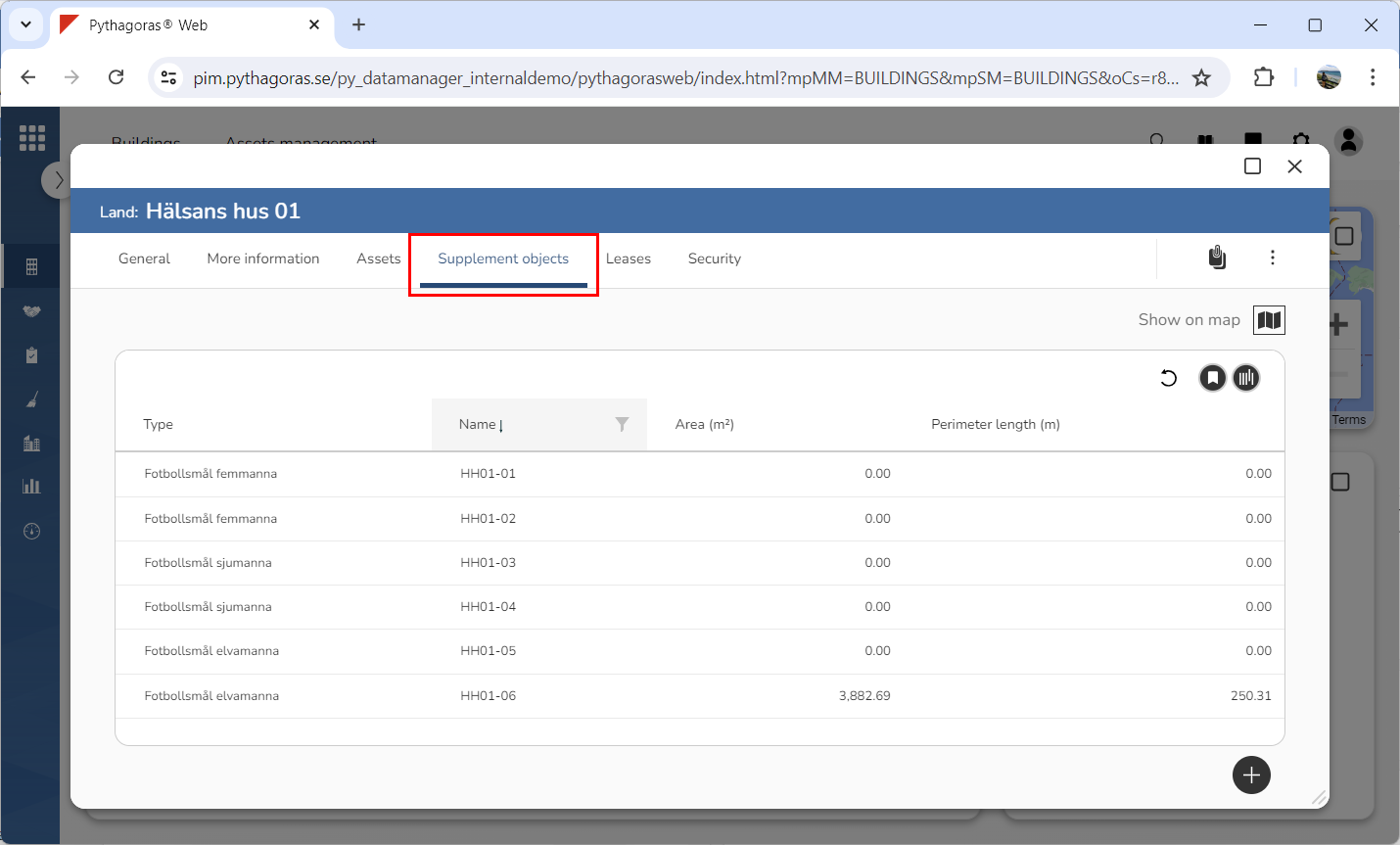
Click the tab called "Supplement objects" (see image below). Within the tab called "Supplement objects" you will find a list of supplement objects associated with the land object you are working with.
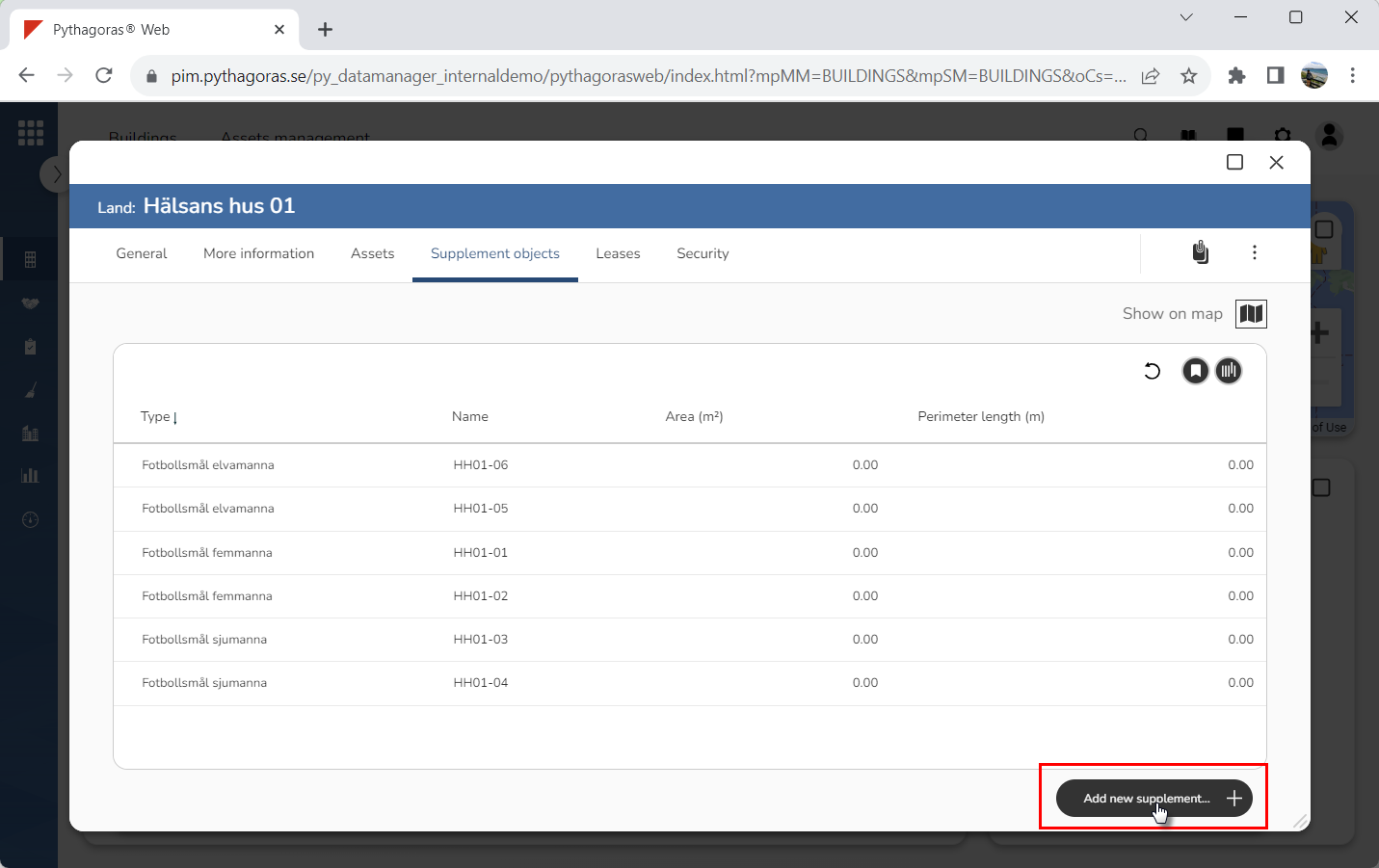
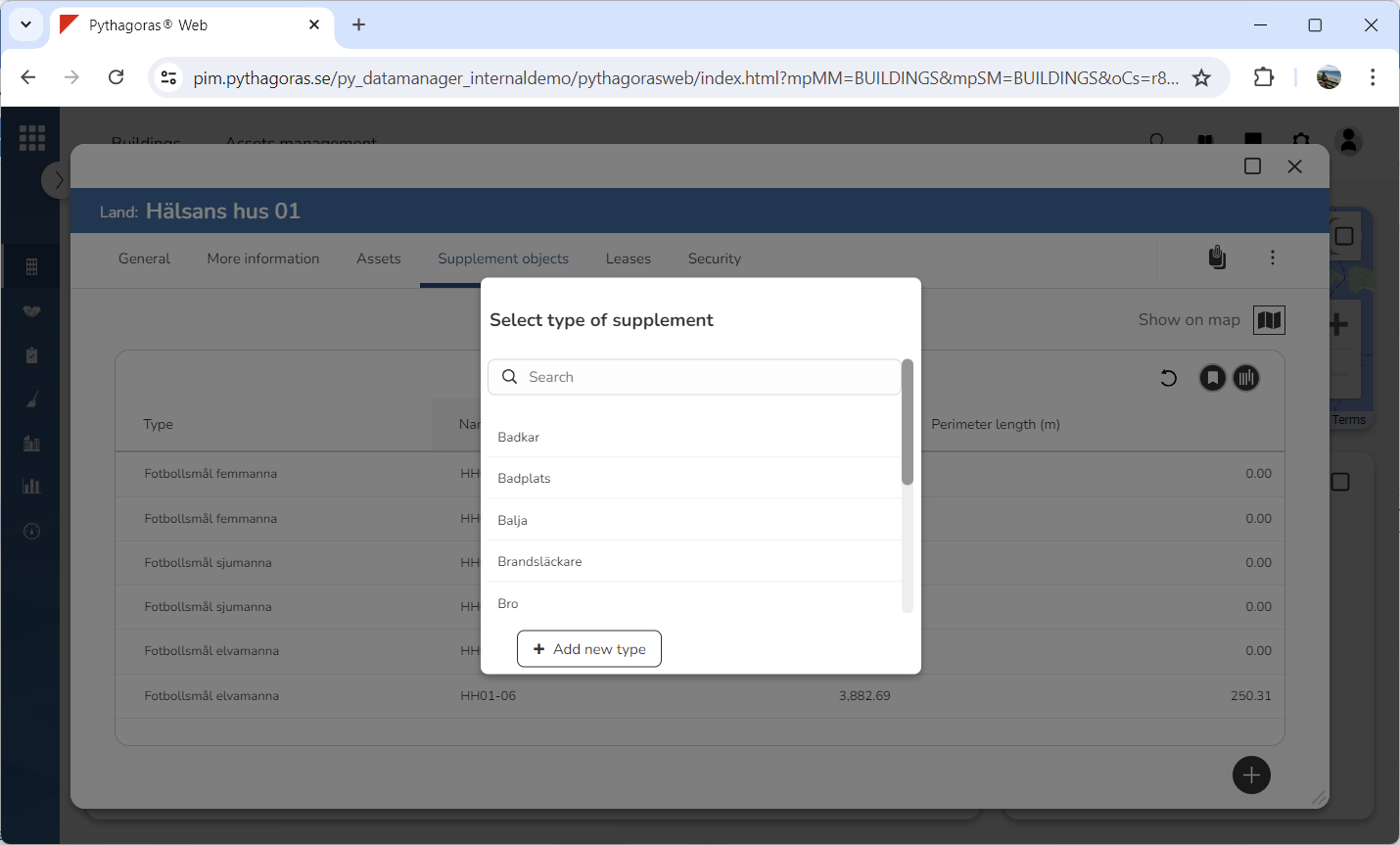
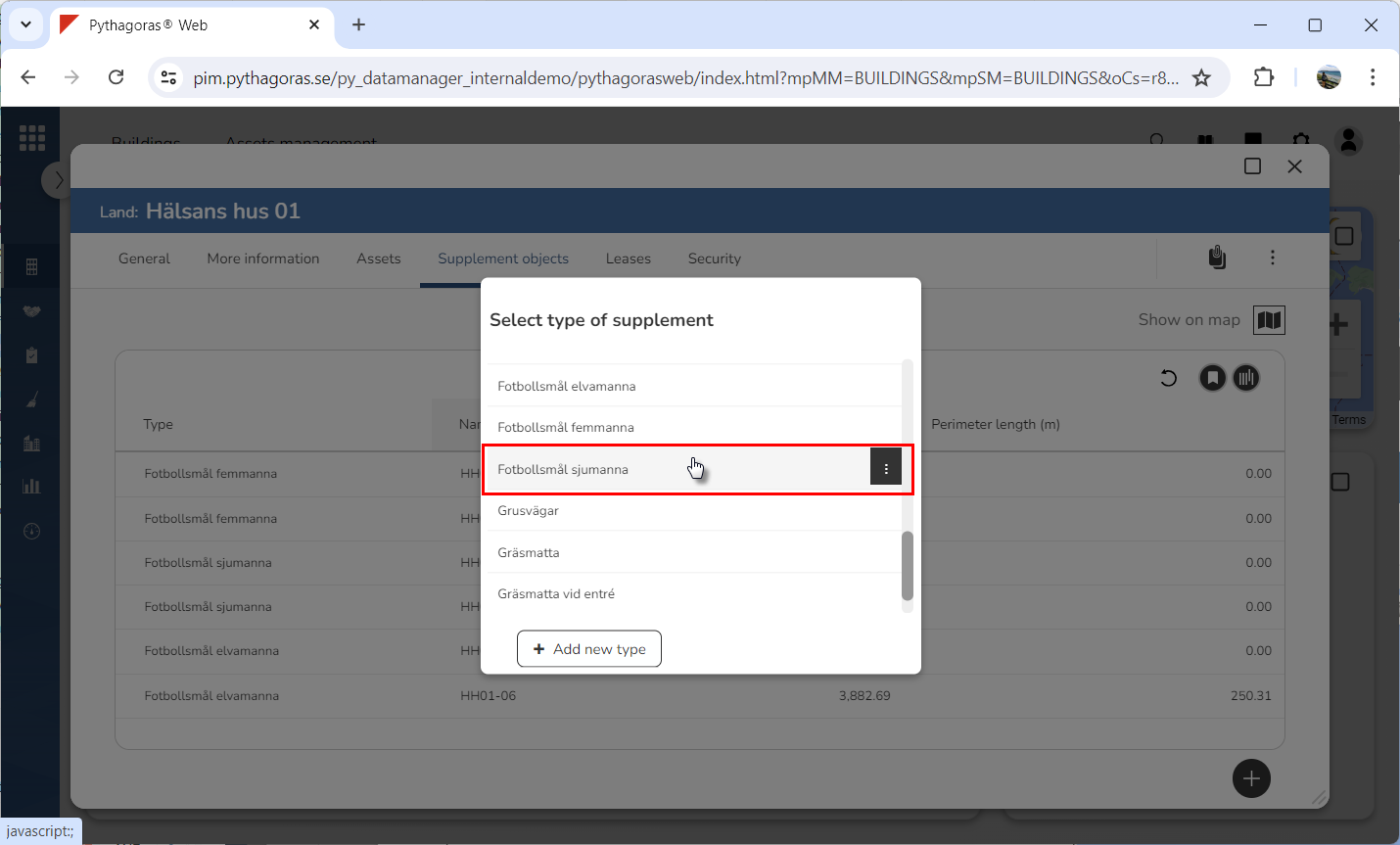
Click "Add new supplement" (see the first image below). When you do so, a list called "Select type of supplement" will open (see the second image below).
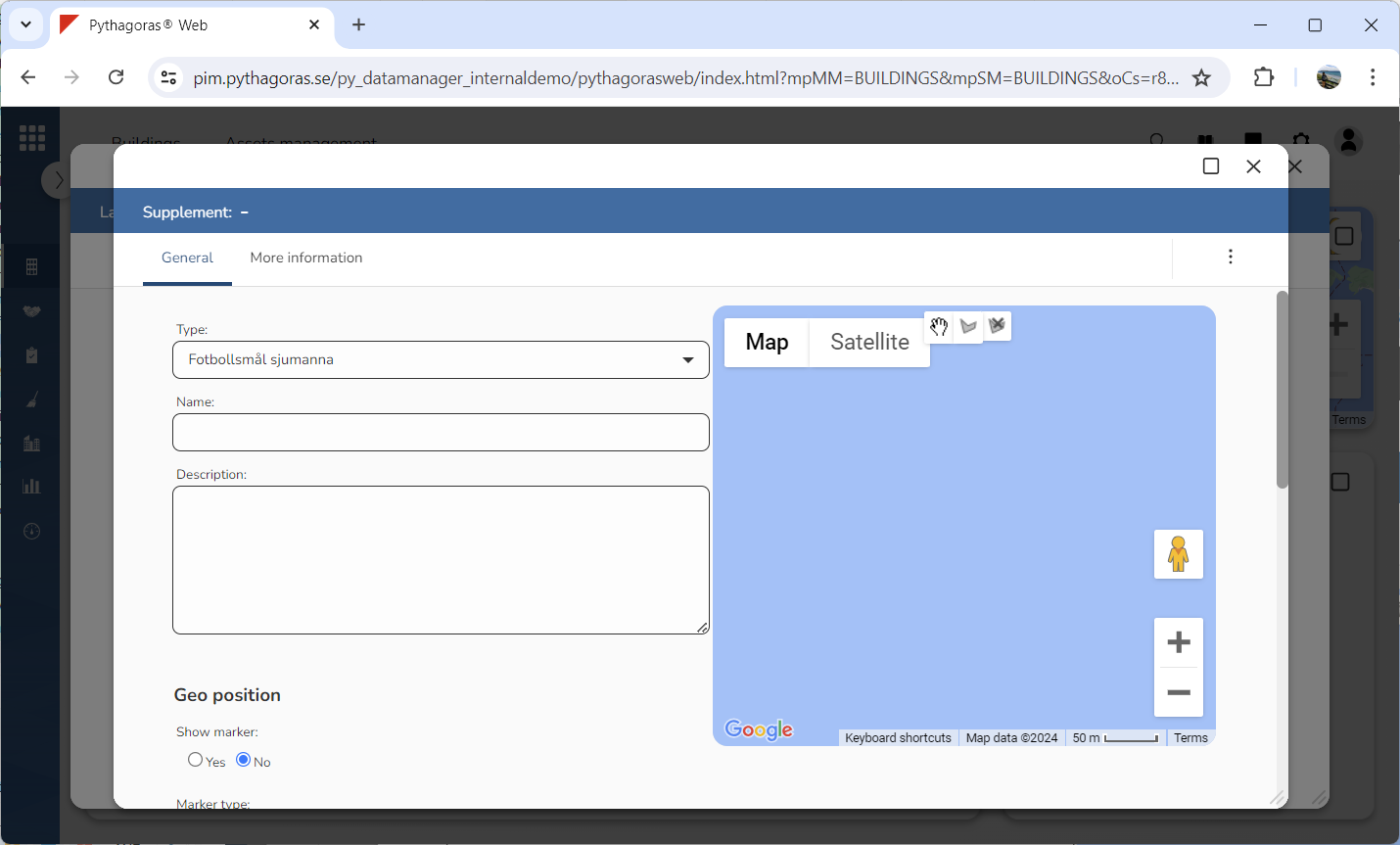
Specify which type of supplement object you wish to link to the land object you are working with by clicking a type in the list "Select type of supplement" (see the first image below). When you do so, a supplement object of the type you have selected will be created and linked to the land object you are working with. At the same time as a supplement object is created, its object card will open (see the second image below). Via the object card, you can work with the settings of a supplement object. For more information on how to do so, see section 10.6.3. If the type you wish to set for a supplement object is not available in the list "Select type of supplement", you can add a supplement object type to Pythagoras Web by clicking "New type". For more information on how to add a supplement object type in Pythagoras Web, see the section "Add a supplement object type in Pythagoras Web".
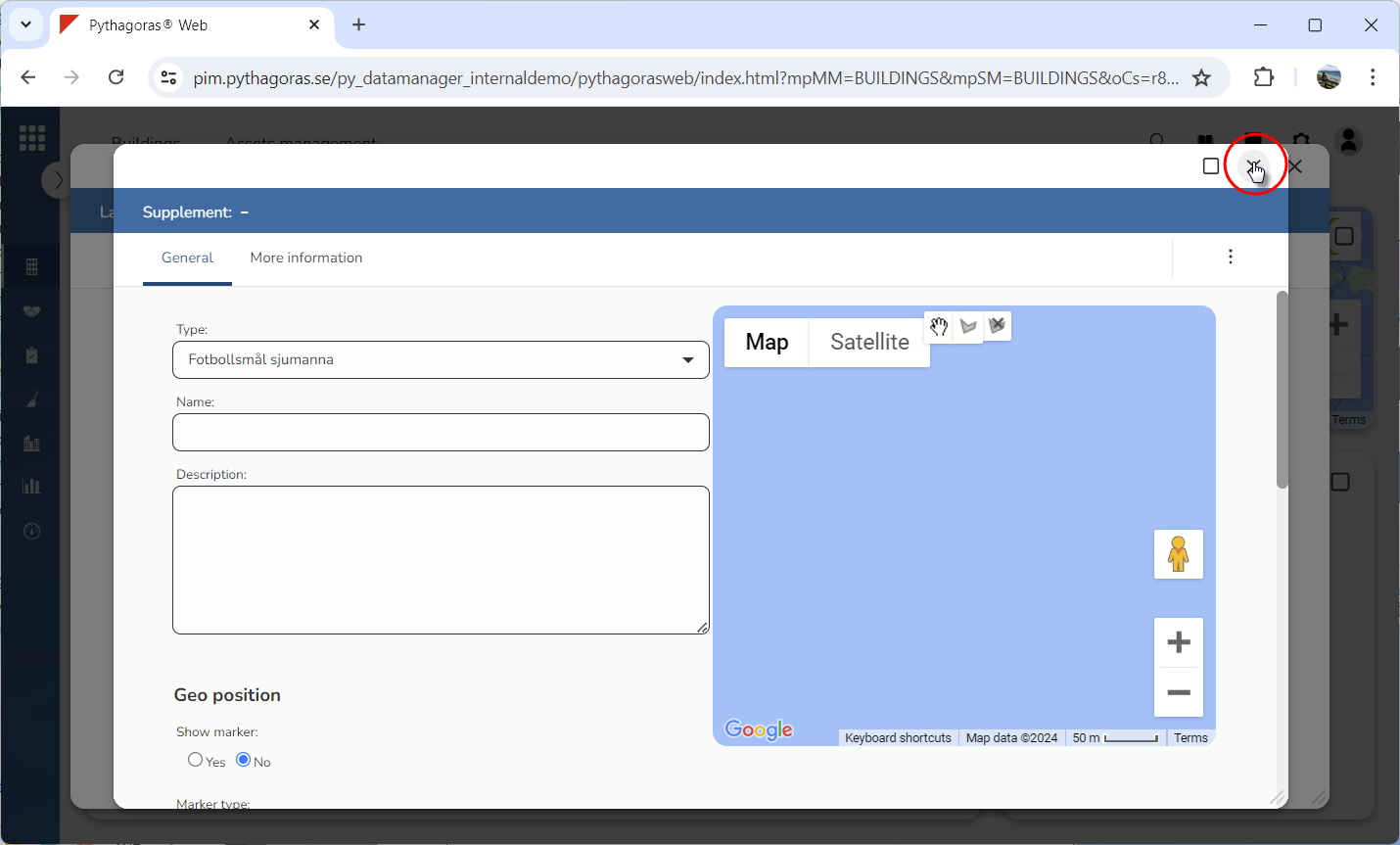
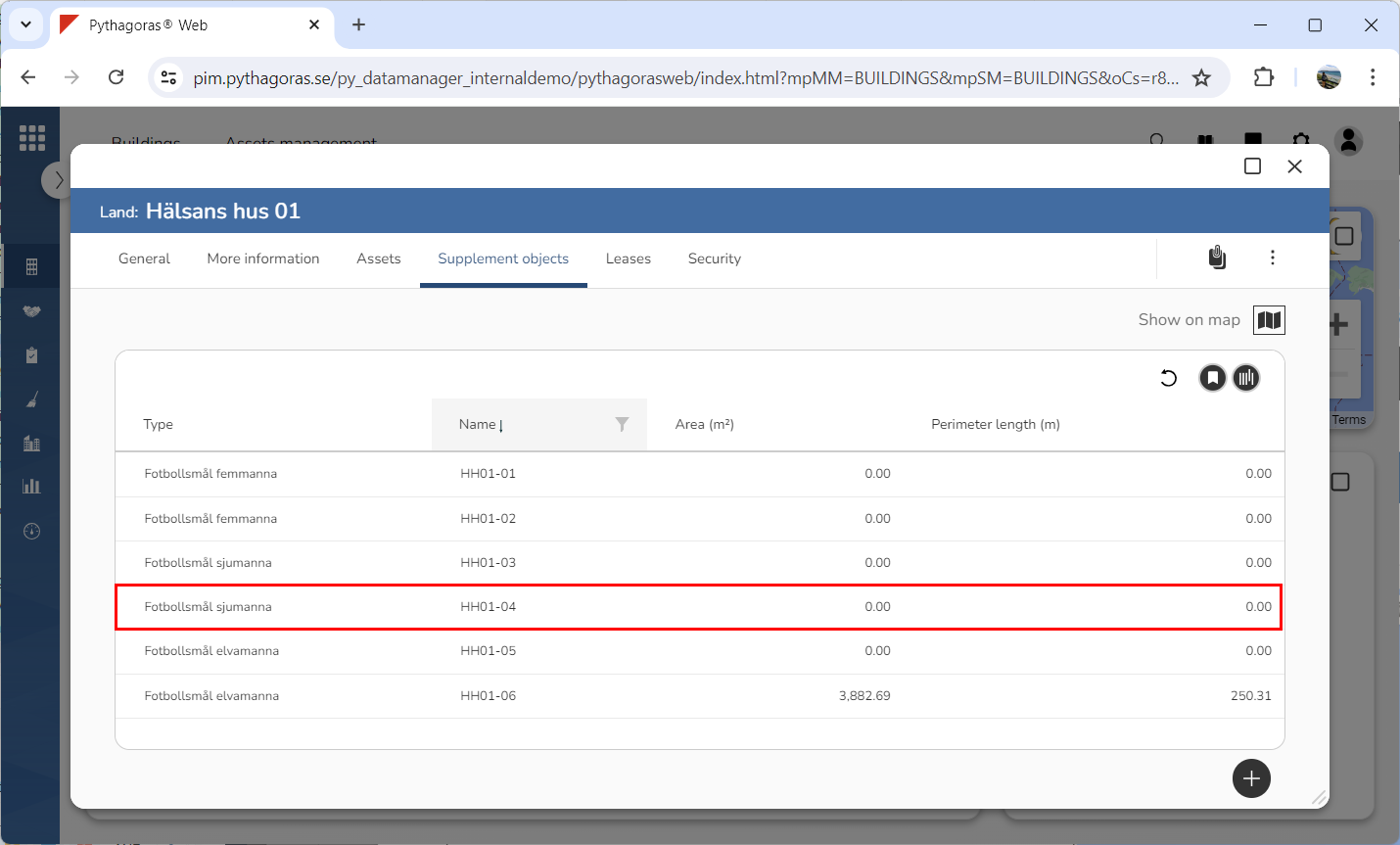
Close the object card (see the first image below). When you do so, you will be redirected back to the land card where you will find the supplement object you created and linked to the building you are working with (see the second image below).